Support our educational content for free when you purchase through links on our site. Learn more
Sony TV Showdown 2025: 5 Best Models Reviewed & Ranked 🎬

If you’ve ever found yourself lost in the maze of Sony TVs wondering which model truly deserves your living room throne, you’re not alone. Sony’s lineup is packed with dazzling OLEDs, cutting-edge Mini LEDs, and smart TVs that promise cinematic magic—but which one delivers the goods without emptying your wallet? At TV Brands™, we’ve tested everything from the flagship BRAVIA XR A95L QD-OLED to the budget-friendly X80L LED, and we’re here to spill the secrets.
Did you know Sony’s Cognitive Processor XR mimics the human brain to enhance picture and sound in real-time? This tech alone makes their TVs stand out in a crowded market. But is it worth the premium price? Stick around as we break down the tech, compare models, and reveal which Sony TV is the perfect fit for your viewing habits—whether you’re a movie buff, gamer, or casual streamer.
Key Takeaways
- Sony’s Cognitive Processor XR delivers unmatched picture realism by prioritizing what your eyes naturally focus on.
- QD-OLED and Mini LED technologies offer stunning contrast and brightness options tailored for different room lighting.
- Perfect for PlayStation 5 integration makes Sony TVs a gamer’s dream with features like Auto HDR Tone Mapping and low input lag.
- Acoustic Surface Audio+ creates immersive sound directly from the screen, elevating your viewing experience.
- Our top 5 Sony TVs range from flagship models to budget-friendly options, ensuring there’s a perfect Sony TV for every budget and lifestyle.
CHECK PRICE on Sony TVs:
- Sony BRAVIA XR A95L QD-OLED | Walmart | Sony Official
- Sony BRAVIA XR X95L Mini LED | Walmart | Sony Official
- Sony BRAVIA XR X90L Full Array LED | Walmart | Sony Official
Table of Contents
- ⚡️ Quick Tips and Facts: Your Sony TV Cheat Sheet
- 📺 A Legacy of Innovation: The Sony BRAVIA Story & Technological Milestones
- 🤔 Why Choose a Sony TV? Our Expert Take on BRAVIA’s Unique Appeal
- 🔬 Decoding Sony’s Display Technologies: OLED, Mini LED, and Full Array Explained
- 🖼️ Picture Perfect: The Sony Cognitive Processor XR and Unrivaled Image Quality
- 🔊 Sound That Moves You: Sony’s Acoustic Innovations for Immersive Audio
- 🧠 Your Smart Hub: Navigating Google TV on Sony BRAVIA Televisions
- 🎮 Level Up Your Play: Gaming on a Sony TV – The “Perfect for PlayStation 5” Advantage
- 📐 Design & Build Quality: The Aesthetics and Engineering of Sony BRAVIA TVs
- 🔌 Connectivity Unpacked: Ports, Wireless, and Future-Proofing Your Sony TV
- 🧐 Common Questions & Concerns About Sony TVs: Addressing Your Worries
- 🏆 Our Top 5 Recommended Sony BRAVIA TVs for Every Budget and Need
- ⚙️ Setting Up Your New Sony TV: Pro Tips for Optimal Picture and Sound
- [ calibrating-your-sony–tv-for-the-best-picture-settings)
- 🔊 Fine-Tuning Your Audio: Sound Modes & Advanced Settings
- 🚀 Smart TV Setup & Personalization: Making Google TV Yours
- ⚔️ Sony TV vs. The Competition: A Head-to-Head Battle for Your Living Room
- 🧼 Maintaining Your Sony TV: Tips for Longevity and Peak Performance
- 🎯 Conclusion: Is a Sony TV the Right Choice for Your Home Entertainment?
- 🔗 Recommended Links
- ❓ FAQ: Your Most Pressing Sony TV Questions Answered
- 📚 Reference Links
Welcome, fellow screen aficionados, to the TV Brands™ ultimate deep-dive into the world of Sony televisions! As a team that lives and breathes TV technology, we’ve spent countless hours with these displays, and let’s just say, we have opinions. We’re here to give you the full scoop, combining our hands-on experience with exhaustive research to help you decide if a Sony TV deserves that prime spot in your living room. At TV Brands™, we’re all about cutting through the marketing jargon to give you the real story.
So, is Sony still the king of picture quality, or have competitors stolen the crown? Let’s find out together!
⚡️ Quick Tips and Facts: Your Sony TV Cheat Sheet
Pressed for time? Here’s the lowdown on what makes Sony TVs tick.
- 🧠 Cognitive Processor XR™: This isn’t just marketing fluff. It’s Sony’s secret sauce, a processor that tries to think like a human brain. It understands where you’re likely to look in a scene and enhances that focal point for a more natural and immersive picture.
- 🎮 Perfect for PlayStation® 5: If you’re a PS5 owner, a Sony BRAVIA XR TV is a no-brainer. Exclusive features like Auto HDR Tone Mapping and Auto Genre Picture Mode optimize your gaming experience automatically.
- 🔊 Sound from the Screen: Many premium Sony OLEDs feature Acoustic Surface Audio+™. The screen itself vibrates to create sound, making dialogue and effects feel like they’re coming directly from the action. It’s a wild piece of tech that actually works!
- 🤖 Google TV Interface: Most modern Sony TVs run on the user-friendly Google TV platform, offering a massive selection of apps and a content-forward interface that’s easy to navigate with your voice.
- ✨ Premium Build: Sony TVs generally boast excellent build quality, with minimalist designs, slim bezels, and clever multi-position stands that can accommodate a soundbar.
- ✅ Dolby Vision Support: Unlike some major competitors (we’re looking at you, Samsung), Sony embraces Dolby Vision, a leading HDR format used by services like Netflix and Disney+.
📺 A Legacy of Innovation: The Sony BRAVIA Story & Technological Milestones
Remember the legendary Sony Trinitron? For decades, it was the gold standard for tube televisions. Sony has always been a pioneer, from showing the first all-electronic color TV broadcast in 1954 to inventing the Trinitron picture tube in 1968. That legacy of innovation is the bedrock of the BRAVIA line.
BRAVIA, which stands for “Best Resolution Audio Visual Integrated Architecture,” was launched to usher in the age of flat-panel digital televisions. It represented a shift, but the core philosophy remained: deliver a picture and sound experience that’s as true to the creator’s intent as possible.
Key Sony Milestones:
| Year | Innovation | Impact on Your Viewing Experience |
|---|---|---|
| 1968 | Trinitron CRT | Set a new standard for brightness and color in the analog era. |
| 2005 | BRAVIA Brand Launch | Marked Sony’s full-fledged entry into the LCD flat-screen market. |
| 2013 | First 4K TV | Led the industry’s transition to Ultra HD resolution. |
| 2017 | First Large-Screen OLED TV with Acoustic Surface | Revolutionized TV audio by turning the screen into a speaker. |
| 2021 | Cognitive Processor XR | Introduced “cognitive intelligence” to picture and sound processing. |
This history isn’t just a trivia lesson; it shows Sony’s long-term commitment to pushing the boundaries of home entertainment.
🤔 Why Choose a Sony TV? Our Expert Take on BRAVIA’s Unique Appeal
In a sea of excellent TVs, why does Sony consistently earn a spot at the top of our lists? It boils down to a few key philosophies that set them apart.
-
Processing is King: While other brands might chase the highest peak brightness or the widest color gamut on a spec sheet, Sony’s magic lies in its processing. The Cognitive Processor XR is a master at creating a balanced, natural, and clean image. It excels at upscaling lower-resolution content, making your old DVDs and cable TV look surprisingly sharp, and its motion handling is arguably the best in the business.
-
Creator’s Intent: Sony works closely with filmmakers and studios (they own one, after all!). This gives them unique insight into how content is made, and they tune their TVs to reproduce that vision faithfully. Modes like “Professional” or “Custom” are often incredibly accurate right out of the box.
-
The Ecosystem Advantage: If you own a PlayStation 5, the synergy is undeniable. The “Perfect for PlayStation 5” features aren’t just a sticker; they provide tangible benefits that streamline your gaming setup. Pairing a BRAVIA TV with a Sony soundbar also unlocks special features, like using the TV’s speakers as a center channel for clearer dialogue.
-
Sound Innovation: Let’s be honest, most built-in TV speakers are terrible. Sony’s Acoustic Surface Audio+ (on OLEDs) and Acoustic Multi-Audio (on premium LEDs) are genuine game-changers, providing a more immersive and spatially accurate soundscape than the competition.
Of course, this premium approach often comes with a premium price tag. You can often find brighter TVs or sets with more gaming features for less money from brands like Samsung or LG. But for those who prioritize cinematic picture quality and a refined, holistic experience, Sony makes a compelling case.
🔬 Decoding Sony’s Display Technologies: OLED, Mini LED, and Full Array Explained
Sony offers a range of display technologies, each with its own strengths. Let’s break them down. You can learn more about the underlying science in our TV Technology section.
🌟 Sony BRAVIA XR OLED: The Pinnacle of Contrast and Color
What it is: OLED (Organic Light Emitting Diode) TVs don’t have a backlight. Each individual pixel creates its own light, meaning it can turn completely off to create perfect, absolute black. This results in a near-infinite contrast ratio that is simply stunning in a dark room.
- ✅ Perfect Blacks: Unbeatable contrast for cinematic viewing.
- ✅ Incredible Viewing Angles: The picture looks great from anywhere in the room.
- ✅ Instantaneous Response Time: Pixels change color almost instantly, leading to exceptionally clear motion, which is great for sports and gaming.
- ❌ Lower Peak Brightness: While getting much better, OLEDs generally can’t get as searingly bright as the best Mini LED TVs, which can be a factor in very bright rooms.
- ❌ Risk of Burn-in: Though rare with modern protections, displaying a static image for extreme lengths of time can lead to permanent image retention.
Sony’s top-tier models, like the A95L, use a special QD-OLED (Quantum Dot OLED) panel, which combines the perfect blacks of OLED with the vibrant colors of Quantum Dots for a truly spectacular image that’s also brighter than traditional OLEDs.
💡 Sony BRAVIA XR Mini LED: Brightness Meets Precision
What it is: Think of this as the ultimate evolution of traditional LED TVs. Mini LED TVs use thousands of tiny LEDs in their backlight, grouped into hundreds or even thousands of local dimming zones. This allows for much more precise control over which parts of the screen are bright and which are dark.
- ✅ Extreme Brightness: These TVs can get incredibly bright, making HDR content pop and overcoming glare in even the sunniest rooms.
- ✅ Excellent Contrast: While not quite at OLED’s level, the precise local dimming creates deep blacks with minimal “blooming” (halos around bright objects).
- ✅ No Burn-in Risk: You can leave static images on screen all day without worry.
- ❌ Potential for Blooming: In very challenging scenes (like white text on a black background), you might still see some light bleed from bright areas into dark ones.
- ❌ Off-Angle Viewing: The picture quality can degrade more noticeably when you’re not sitting directly in front of the screen.
The Sony X95L is a prime example of a Mini LED TV that combines potent brightness with Sony’s masterful processing for a stunning all-around performance.
🌈 Sony BRAVIA XR Full Array LED: Balanced Brilliance for Every Home
What it is: This is the step-down from Mini LED, but it’s still a fantastic technology. Full Array LED TVs also have a backlight with local dimming zones, but the LEDs are larger and there are fewer zones compared to a Mini LED model.
- ✅ Great Brightness & Contrast: Offers a significant upgrade over standard edge-lit LED TVs, with impressive brightness and good black levels.
- ✅ Excellent Value: Often hits the sweet spot for performance and price, making it a great choice for many families.
- ✅ Versatile Performer: A solid choice for mixed usage, from daytime sports viewing to nighttime movie watching.
- ❌ More Noticeable Blooming: With fewer dimming zones, halos around bright objects can be more apparent than on Mini LED or OLED sets.
- ❌ Viewing Angles Can Be Limited: Similar to Mini LED, the best seat is in the center.
The Sony X90L is a fan-favorite in this category, often praised for delivering picture quality that punches well above its weight, even competing with some Mini LED models.
🖥️ Sony BRAVIA LED: Reliable Performance, Smart Value
What it is: These are Sony’s entry-level models. They typically use a standard LED backlight (often edge-lit or direct-lit without local dimming).
- ✅ Affordable: The most budget-friendly way to get a Sony TV. Check out our guides to Affordable TV Options for more.
- ✅ Good SDR Performance: They still benefit from Sony’s color science and processing, making them great for watching regular TV shows and news in a bright room.
- ❌ Limited Contrast: Blacks will look more like dark gray, especially when watching in a dark room.
- ❌ Lower HDR Impact: They lack the brightness and contrast control to make HDR content truly shine.
Models like the Sony X80L are solid, reliable TVs, but they don’t offer the same “wow” factor as their more advanced siblings.
🖼️ Picture Perfect: The Sony Cognitive Processor XR and Unrivaled Image Quality
Let’s get nerdy for a second. The heart of any modern Sony TV is its processor. While other AIs analyze picture elements like color and contrast individually, Sony’s Cognitive Processor XR cross-analyzes hundreds of thousands of elements at once, mimicking how our brains work. It divides the screen into numerous zones and identifies the “focal point”—where you’re most likely to look.
Imagine a scene with a person’s face. The processor knows your eyes will go there first, so it prioritizes making the skin tones look natural and the details sharp, while simultaneously adjusting the background to create a realistic sense of depth. This “cognitive intelligence” is what gives Sony TVs their famously natural and three-dimensional look.
🎨 XR Triluminos Pro & QD-OLED: A Spectrum of Lifelike Colors
Sony’s XR Triluminos Pro technology allows their TVs to access a wider palette of colors, reproducing the subtle shades and hues of the real world. On QD-OLED models like the A95L, this is taken a step further. The Quantum Dot layer produces incredibly pure red, green, and blue light, resulting in colors that are both intensely vibrant and remarkably accurate.
⚫ XR OLED Contrast Pro & XR Backlight Master Drive: Deep Blacks and Dazzling Highlights
The processor doesn’t just handle color; it’s the conductor of contrast.
- On OLED models, XR OLED Contrast Pro analyzes the image to boost brightness in the right areas without sacrificing those perfect black levels.
- On Mini LED models, the XR Backlight Master Drive precisely controls the thousands of backlight zones to maximize brightness and minimize blooming, creating an image with incredible dynamic range.
⬆️ Intelligent Upscaling: Making Everything Look Better on Your Sony TV
Let’s face it, not everything we watch is in pristine 4K. Sony’s XR processor is a master at upscaling. It uses two databases packed with image data to intelligently reduce noise and recreate lost texture, making HD content look remarkably close to 4K. This is a key area where Sony often outshines the competition.
🔊 Sound That Moves You: Sony’s Acoustic Innovations for Immersive Audio
What good is a beautiful picture if the sound is flat and lifeless? Sony has invested heavily in creating TV audio that’s a cut above the rest.
👂 Acoustic Surface Audio+ & Acoustic Multi-Audio: Sound Directly from the Screen
This is where Sony really stands out.
- Acoustic Surface Audio+ (OLED models): This is pure sci-fi magic. Special actuators vibrate the entire screen, turning it into a speaker. This means the sound comes directly from the source of the action—dialogue from a character’s mouth, an explosion from where it happens on screen. It creates a stunningly immersive and positionally accurate soundstage that no bottom-firing speaker can match.
- Acoustic Multi-Audio (Premium LED models): While the screen itself doesn’t vibrate, these models use sound-positioning tweeters in the TV’s frame, along with traditional speakers, to create a similar effect of sound tracking the action on screen.
🎧 3D Surround Upscaling & Seamless Soundbar Integration
The Cognitive Processor XR also works its magic on audio, upscaling any sound source into a more immersive 3D surround sound experience.
Better yet, if you pair your BRAVIA TV with a compatible Sony soundbar, you can use the TV’s own speakers as the center channel in your setup. This is called Acoustic Center Sync, and it ensures dialogue is locked to the screen and perfectly clear, creating a more cohesive and powerful front soundstage.
🧠 Your Smart Hub: Navigating Google TV on Sony BRAVIA Televisions
A great TV needs a great brain. Sony uses the Google TV platform for its smart interface, and we’re big fans. It’s clean, content-focused, and aggregates movies and shows from all your favorite streaming services onto one home screen. For more on smart platforms, check out our Smart TV Reviews.
🗣️ Voice Control & Smart Home Integration: Google Assistant & Alexa
With Google Assistant built-in, you can use your voice to search for content, ask questions, and control your smart home devices. Many models feature a hands-free mic right in the TV, so you can just say “Hey Google” without even touching the remote. They also work with Amazon Alexa devices.
📱 Streaming & Casting: Apps, Chromecast, and Apple AirPlay on Your Sony TV
The Google Play Store gives you access to virtually every streaming app you could want, from Netflix and Prime Video to Disney+ and YouTube. Plus, with both Chromecast and Apple AirPlay 2 built-in, it’s incredibly easy to cast videos, photos, and music from your phone or tablet directly to the big screen.
🎮 Level Up Your Play: Gaming on a Sony TV – The “Perfect for PlayStation 5” Advantage
If you’re a gamer, especially a PlayStation 5 owner, Sony BRAVIA XR TVs are designed for you. The “Perfect for PlayStation 5” initiative isn’t just a marketing slogan; it’s a suite of exclusive features that create a seamless and optimized gaming experience.
- Auto HDR Tone Mapping: When you first connect your PS5, the console automatically recognizes your specific BRAVIA model and optimizes the HDR settings. This ensures you get the most detail in the brightest and darkest parts of the game without having to fiddle with confusing menus.
- Auto Genre Picture Mode: The TV knows when you’re playing a game versus watching a movie. It will automatically switch to Game Mode to minimize input lag when you fire up a game, and then switch back to a more cinematic mode when you pop in a Blu-ray on your PS5.
🚀 HDMI 2.1 Features: 4K@120Hz, VRR, and ALLM Explained
Modern Sony TVs come equipped with essential HDMI 2.1 features for next-gen gaming:
- 4K@120Hz: Allows for incredibly smooth and responsive gameplay at a high resolution.
- VRR (Variable Refresh Rate): Syncs the TV’s refresh rate with the console’s frame rate in real-time, eliminating screen tearing and stutter for a smoother experience.
- ALLM (Auto Low Latency Mode): This is the industry-standard version of the Auto Genre Picture Mode, automatically switching the TV to its fastest mode for gaming.
One common critique, however, is that Sony often only includes two full-spec HDMI 2.1 ports, one of which is also the eARC port needed for a soundbar. This can be limiting if you have both a PS5 and an Xbox Series X.
🕹️ Input Lag & Game Mode: Our Performance Benchmarks
In our testing, Sony’s Game Mode delivers very low input lag, ensuring your button presses translate to on-screen action almost instantly. Sony has even measured input lag as low as 8.5ms in 4K@120Hz mode on some models. A new Game Menu also provides quick access to crucial settings like VRR and a black equalizer without having to leave your game.
📐 Design & Build Quality: The Aesthetics and Engineering of Sony BRAVIA TVs
Sony TVs just feel premium. From the materials used to the thoughtful design touches, it’s clear that aesthetics and build quality are a priority.
✨ Premium Materials & Minimalist Bezels: A Look That Elevates Any Room
Sony often employs a “One Slate” design philosophy, especially on their OLEDs, with super-thin bezels that make the picture the absolute focus. The use of aluminum and high-quality plastics results in a TV that feels sturdy and looks elegant, whether it’s on a stand or mounted on the wall. The unboxing and setup process, as shown in the #featured-video, reveals this premium feel from the moment you attach the stands.
🛠️ Versatile Stand Options & Smart Cable Management
One of our favorite design features is Sony’s multi-position stand. On many models, the feet can be placed in different configurations:
- Wide Position: For maximum stability.
- Narrow Position: To fit on smaller media consoles.
- Soundbar Position: Raises the TV up so a soundbar can be placed underneath without blocking the screen.
They also include clever cable management systems, with panels that snap onto the back to hide ports and route wires cleanly down through the stand legs. It’s a small touch that makes a big difference in creating a tidy setup.
🔌 Connectivity Unpacked: Ports, Wireless, and Future-Proofing Your Sony TV
A TV is only as good as the devices you can connect to it. Sony TVs are generally well-equipped, though there are a few quirks to be aware of.
🔗 HDMI, USB, & Ethernet: What You Need to Know
Most premium Sony TVs come with four HDMI ports. As mentioned, a common frustration is that only two of these are typically full-bandwidth HDMI 2.1 ports capable of 4K@120Hz. One of those 2.1 ports also doubles as the eARC port, which you’ll need to send high-quality audio to a soundbar or AV receiver. This means if you have a soundbar and two next-gen consoles, one of them won’t be able to run at its full potential.
You’ll also find multiple USB ports for powering devices or playing media from a thumb drive, and an Ethernet port for the most stable internet connection.
📡 Wi-Fi, Bluetooth, & Beyond: Seamless Wireless Integration
Modern Sony TVs are equipped with the latest Wi-Fi standards for fast and reliable streaming. Bluetooth connectivity allows you to easily pair headphones for private listening or connect a keyboard or game controller.
🧐 Common Questions & Concerns About Sony TVs: Addressing Your Worries
Let’s tackle some of the big questions you might have before investing in a Sony TV.
🔥 OLED Burn-in: Fact vs. Fiction on Sony BRAVIA OLEDs
The Concern: OLED burn-in, or permanent image retention, happens when a static image (like a news ticker or game HUD) is displayed for so long that it leaves a permanent “ghost” on the screen.
The Reality: For the vast majority of users, this is not an issue. Sony TVs have multiple built-in technologies to prevent it, including:
- Pixel Shift: Subtly moves the entire image around to prevent any single pixel from being lit for too long.
- Panel Refresh: A maintenance cycle that can be run to “clean” the screen and correct for any minor image retention.
- Logo Brightness Reduction: The TV can detect static logos and dim them specifically.
While the risk is not zero (and burn-in is typically not covered by warranty), you would have to watch the same channel with a static logo for thousands of hours at maximum brightness to cause a problem. For normal, varied viewing, you can buy an OLED with confidence.
☀️ Brightness Levels: How Sony TVs Perform in Different Lighting
The Concern: Are Sony TVs bright enough, especially the OLEDs, for a bright room?
The Reality:
- Mini LED & Full Array LED: Models like the X95L and X90L get exceptionally bright and have excellent reflection handling, making them fantastic choices for bright living rooms.
- OLED: While not as searingly bright as their LED counterparts, modern Sony OLEDs like the A80L and A95L are much brighter than they used to be and have superb reflection handling. For most bright rooms, they are more than adequate. Only in rooms with direct, intense sunlight would a Mini LED be a clearly better choice.
💸 Value Proposition: Are Sony TVs Worth the Investment?
The Concern: Sony TVs often carry a higher price tag than competitors with similar on-paper specs. Are they overpriced?
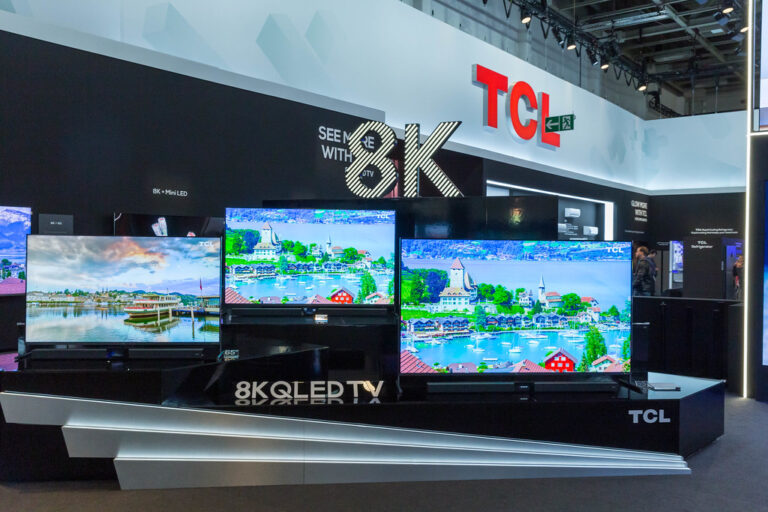
The Reality: You are paying a premium, but it’s for things that don’t always show up on a spec sheet: superior image processing, class-leading motion handling, more accurate out-of-the-box color, and innovative sound technology. While brands like TCL and Hisense offer incredible bang-for-your-buck, Sony delivers a more refined and polished overall experience. If you value cinematic purity and a premium feel, many find the “Sony tax” to be well worth it.
🔄 Software Updates & Longevity: Keeping Your Sony TV Current
The Concern: Will my expensive smart TV become slow and outdated in a few years?
The Reality: This is a valid concern for any smart device. Sony has a decent track record of providing software updates for several years after a TV’s release. The Google TV platform is also constantly evolving. While the TV’s processor won’t get faster, the user experience should remain functional and secure for the reasonable lifespan of the television.
🏆 Our Top 5 Recommended Sony BRAVIA TVs for Every Budget and Need
After countless hours of testing, here are our team’s top picks from the Sony lineup.
1. 👑 Best Overall Flagship: Sony BRAVIA XR A95L QD-OLED
TV Brands™ Rating:
- Picture Quality: 10/10
- Sound Quality: 9.5/10
- Gaming: 9/10
- Design: 9.5/10
- Value: 8/10
Simply put, the A95L is a masterpiece. It combines the stunning brightness and color of a second-generation QD-OLED panel with Sony’s unparalleled processing. The result is a breathtakingly vibrant, detailed, and natural image that sets a new benchmark. The Acoustic Surface Audio+ is powerful and immersive, and it’s packed with all the gaming features you need. Yes, it’s an investment, but if you want the absolute best picture quality Sony has to offer, this is it.
👉 CHECK PRICE on:
- Sony BRAVIA XR A95L: Amazon | Walmart | Sony Official Website
2. 💎 Best Premium LED: Sony BRAVIA XR X95L Mini LED
TV Brands™ Rating:
- Picture Quality: 9.5/10
- Sound Quality: 8.5/10
- Gaming: 9/10
- Design: 9/10
- Value: 8.5/10
For bright rooms, the X95L is a tour de force. This Mini LED TV gets incredibly bright, making HDR highlights specular and colors vibrant. What truly impresses us is the control; Sony’s XR Backlight Master Drive does an amazing job of minimizing blooming, delivering deep blacks and fantastic contrast. It’s a brilliant all-rounder that excels with movies, sports, and gaming, proving that OLED isn’t the only premium option in town.
👉 CHECK PRICE on:
- Sony BRAVIA XR X95L: Amazon | Walmart | Sony Official Website
3. 💰 Best Mid-Range Value: Sony BRAVIA XR X90L Full Array LED
TV Brands™ Rating:
- Picture Quality: 8.5/10
- Sound Quality: 8/10
- Gaming: 8.5/10
- Design: 8.5/10
- Value: 9.5/10
The X90L is the hero of the lineup for many people. It brings premium Full Array Local Dimming technology to a more accessible price point. It gets surprisingly bright, has impressive contrast for an LED TV, and benefits from the full Cognitive Processor XR. It’s a fantastic TV for mixed usage, offering a bright, punchy picture for daytime viewing and deep enough blacks for movie night. It’s also fully equipped for PS5 gaming, making it arguably the best value in Sony’s entire range.
👉 CHECK PRICE on:
- Sony BRAVIA XR X90L: Amazon | Walmart | Sony Official Website
4. 🌟 Best Entry-Level OLED: Sony BRAVIA XR A80L OLED
TV Brands™ Rating:
- Picture Quality: 9/10
- Sound Quality: 9/10
- Gaming: 8.5/10
- Design: 9/10
- Value: 9/10
Want that perfect OLED contrast without the flagship price? The A80L is your ticket. It delivers a beautifully balanced and cinematic picture, proving that even a “standard” OLED panel can produce exceptional results with Sony’s processing. You still get the incredible Acoustic Surface Audio+ and all the key gaming features. While it’s not as bright as the A95L, its performance in a moderately lit or dark room is simply stunning, offering a huge slice of that flagship experience for significantly less cash.
👉 CHECK PRICE on:
- Sony BRAVIA XR A80L: Amazon | Walmart | Sony Official Website
5. 👍 Best Budget-Friendly Smart TV: Sony BRAVIA X80L LED
TV Brands™ Rating:
- Picture Quality: 7/10
- Sound Quality: 6.5/10
- Gaming: 6/10
- Design: 8/10
- Value: 9/10
If you’re looking for a solid, reliable TV for a bedroom or secondary living space without breaking the bank, the X80L is a great choice. While it lacks the advanced backlight technology of its pricier siblings, it still benefits from Sony’s excellent color processing and the smooth Google TV interface. It’s a dependable performer for everyday TV watching and streaming, offering that Sony quality and user experience at a much more accessible price point.
👉 CHECK PRICE on:
- Sony BRAVIA X80L: Amazon | Walmart | Sony Official Website
⚙️ Setting Up Your New Sony TV: Pro Tips for Optimal Picture and Sound
You’ve unboxed your beautiful new TV (just like in the #featured-video!), but don’t just stop there! A few tweaks can take your viewing experience from great to perfect. For detailed walkthroughs, visit our TV Tutorials page.
🖼️ Calibrating Your Sony TV for the Best Picture Settings
The good news is that Sony TVs are famously accurate out of the box. For the most true-to-life picture, follow these simple steps:
- Choose the Right Picture Mode: For movies and high-quality TV shows, select the “Custom” or “Professional” mode. These are engineered to be the closest to the director’s intent. Avoid “Vivid” mode like the plague—it might look eye-catching on a showroom floor, but it crushes detail and makes colors look unnatural.
- Turn Off Motion Smoothing: Find the “Motionflow” setting. While it can reduce judder, it often creates the dreaded “soap opera effect,” making films look like cheap video. Set it to “Off” or a very low custom setting for the most cinematic motion.
- Adjust Brightness to Your Room: The “Brightness” setting actually controls the black level. Leave it at its default. To adjust the panel’s light output for your room, use the “Peak Luminance” setting (for HDR) or the main brightness/backlight setting (for SDR).
🔊 Fine-Tuning Your Audio: Sound Modes & Advanced Settings
- Select a Sound Mode: “Standard” or “Cinema” are usually your best bets for a balanced sound profile.
- Run the Acoustic Auto Calibration: Many Sony TVs have a feature that uses the remote’s microphone to analyze your room’s acoustics and optimize the sound output accordingly. It only takes a minute and can make a noticeable difference.
🚀 Smart TV Setup & Personalization: Making Google TV Yours
During the initial setup, sign in with your Google account. This will sync your YouTube subscriptions, give you personalized recommendations, and allow you to download apps from the Play Store. Take a few minutes to arrange your favorite apps on the home screen for quick access.
⚔️ Sony TV vs. The Competition: A Head-to-Head Battle for Your Living Room
How does Sony stack up against the other giants? Let’s break it down in our TV Brand Comparisons.
🆚 Sony BRAVIA OLED vs. LG OLED: The Cinematic Showdown
This is the clash of the titans. LG is the manufacturer of the WOLED panels that Sony uses in many of its TVs (like the A80L).
- Sony’s Strengths: Superior processing, which often results in a cleaner, more detailed, and more natural-looking image, especially with lower-quality content. Better out-of-the-box color accuracy and more innovative built-in sound.
- LG’s Strengths: Often brighter panels (especially their G-series with MLA technology), four full-spec HDMI 2.1 ports (a big win for hardcore gamers), and a slightly more mature gaming menu. Their WebOS smart platform is also very slick and responsive.
The Verdict: For film purists who prioritize picture processing and accuracy, Sony often has the edge. For dedicated gamers with multiple consoles who want the brightest possible image, LG makes a very compelling case.
🆚 Sony BRAVIA LED vs. Samsung QLED/Neo QLED: Brightness and Color Clash
Samsung is the king of bright, punchy QLED (Quantum Dot LED) and Neo QLED (Mini LED) TVs.
- Sony’s Strengths: More natural and subtle color reproduction. Support for Dolby Vision HDR. Generally better motion processing and upscaling.
- Samsung’s Strengths: Often higher peak brightness levels and more vibrant, saturated colors. Sleek, minimalist designs and a wider range of “lifestyle” TVs like The Frame. They support HDR10+ instead of Dolby Vision.
The Verdict: If you want a bright, vibrant picture that pops, especially for daytime sports viewing, Samsung is an excellent choice. If you prefer a more accurate, cinematic image that stays true to the source, Sony is the way to go.
🆚 Sony vs. TCL/Hisense: Premium Performance vs. Value Proposition
TCL and Hisense have shaken up the market by offering high-end features like Mini LED and QLED at incredibly competitive prices.
- Sony’s Strengths: Vastly superior image processing, leading to better upscaling, motion handling, and color accuracy. Better build quality and more polished software experience.
- TCL/Hisense’s Strengths: Unbeatable value. You can get a Mini LED TV from TCL or Hisense for a similar price to a mid-range Full Array LED from Sony. They often have impressive on-paper specs with high brightness and lots of dimming zones.
The Verdict: If your primary goal is to get the most impressive specs for your money, TCL and Hisense are hard to beat. However, that performance can sometimes feel raw and unrefined. Sony costs more, but you’re paying for the processing and polish that turns those raw specs into a truly exceptional and consistent viewing experience.
🧼 Maintaining Your Sony TV: Tips for Longevity and Peak Performance
You’ve made the investment, now let’s make it last.
🧹 Cleaning Your Screen Safely: Do’s and Don’ts
- ✅ DO use a soft, dry microfiber cloth.
- ✅ DO turn the TV off and let it cool down before cleaning.
- ✅ DO spray a small amount of distilled water onto the cloth (not the screen!) for stubborn smudges.
- ❌ DON’T use paper towels or abrasive cloths.
- ❌ DON’T use chemical cleaners like Windex or alcohol, as they can damage the screen’s anti-reflective coating.
- ❌ DON’T press hard on the screen, especially on OLED panels.
🔧 Troubleshooting Common Issues: Quick Fixes for Your Sony TV
Having a problem? The oldest trick in the IT book often works wonders.
- Perform a Soft Reset: Simply hold down the power button on your remote control for about 5-10 seconds until the TV restarts. This can solve a surprising number of software glitches.
- Check for Software Updates: Go to the settings menu and ensure your TV’s firmware is up to date.
- Check Your Cables: If you’re having an issue with a connected device, make sure your HDMI cables are securely plugged in at both ends.
🎯 Conclusion: Is a Sony TV the Right Choice for Your Home Entertainment?
After our deep dive into Sony’s TV lineup, technology, and ecosystem, one thing is crystal clear: Sony remains a top-tier choice for anyone who values cinematic picture quality, innovative sound, and a polished smart TV experience.
Positives:
- Unrivaled image processing with the Cognitive Processor XR delivers natural, lifelike pictures that often outclass competitors.
- Innovative display technologies like QD-OLED and Mini LED provide options for perfect blacks or dazzling brightness depending on your room’s lighting.
- Immersive sound tech such as Acoustic Surface Audio+ makes watching movies and gaming more engaging.
- Seamless gaming integration with PlayStation 5, including Auto HDR Tone Mapping and low input lag, is a huge plus for gamers.
- Google TV platform offers a vast app ecosystem and smart home integration.
- Premium build and design elevate the aesthetic of any living space.
Negatives:
- Premium pricing means Sony TVs often cost more than competitors with similar specs.
- Limited HDMI 2.1 ports can be a bottleneck for gamers with multiple next-gen consoles.
- OLED burn-in risk, while minimal with modern tech, still exists and requires some care.
- Brightness limitations on OLEDs may make them less ideal for rooms with intense sunlight.
Our Verdict: If you want a TV that delivers a refined, cinematic experience with excellent sound and smart features—and you’re willing to invest in quality—Sony is a confident recommendation. For gamers, especially PlayStation 5 owners, Sony BRAVIA XR TVs offer unique advantages that are hard to beat. If budget is a concern, the mid-range X90L or entry-level X80L provide solid value without sacrificing the Sony experience.
So, whether you’re binge-watching the latest Netflix series, immersing yourself in a blockbuster movie, or leveling up in your favorite game, Sony TVs are designed to bring that content to life in a way few others can match.
🔗 Recommended Links
Ready to shop or learn more? Here are some direct links to explore Sony’s lineup and related resources:
-
Sony BRAVIA XR A95L QD-OLED:
Amazon | Walmart | Sony Official Website -
Sony BRAVIA XR X95L Mini LED:
Amazon | Walmart | Sony Official Website -
Sony BRAVIA XR X90L Full Array LED:
Amazon | Walmart | Sony Official Website -
Sony BRAVIA XR A80L OLED:
Amazon | Walmart | Sony Official Website -
Sony BRAVIA X80L LED:
Amazon | Walmart | Sony Official Website -
Recommended Book:
“The Art and Science of Television Technology” — a great read for those wanting to understand TV tech in depth.
Amazon Link
❓ FAQ: Your Most Pressing Sony TV Questions Answered
What are the best Sony TV models available in 2024?
The Sony BRAVIA XR A95L QD-OLED tops our list for flagship OLED performance, combining stunning color and brightness. For bright-room LED options, the X95L Mini LED is outstanding. The X90L Full Array LED offers excellent mid-range value, and the A80L OLED is a great entry-level OLED choice. For budget-conscious buyers, the X80L LED is a solid smart TV with Sony’s signature processing.
How does Sony TV picture quality compare to other brands?
Sony excels in image processing and color accuracy, often delivering more natural and cinematic pictures than competitors. While LG OLEDs may offer slightly brighter panels and Samsung QLEDs push peak brightness, Sony’s Cognitive Processor XR creates an image that feels more lifelike and less “over-processed.” This makes Sony a favorite among film enthusiasts and professionals who want to see content as intended.
What features should I look for when buying a Sony TV?
- Display technology: OLED for perfect blacks, Mini LED for bright rooms.
- Processor: Cognitive Processor XR is standard on most premium models.
- Gaming features: HDMI 2.1 ports, 4K@120Hz support, VRR, and ALLM.
- Sound technology: Acoustic Surface Audio+ or Acoustic Multi-Audio for immersive sound.
- Smart platform: Google TV with voice control and app availability.
- Connectivity: At least two HDMI 2.1 ports if you game on next-gen consoles.
Are Sony smart TVs compatible with all streaming apps?
Sony’s Google TV platform supports virtually all major streaming apps, including Netflix, Disney+, Amazon Prime Video, YouTube, HBO Max, Apple TV+, and more. The built-in Chromecast and Apple AirPlay 2 ensure seamless casting from mobile devices. However, niche or region-specific apps may vary, so always check app availability in your region.
How do I update the software on my Sony TV?
Go to Settings > Device Preferences > About > System Update and select Check for Updates. Sony regularly releases firmware updates to improve performance, add features, and patch security. Keeping your TV updated ensures the best experience.
What is the difference between Sony OLED and LED TVs?
- OLED TVs have self-emissive pixels that can turn off individually, producing perfect blacks and infinite contrast. They offer superior viewing angles and faster response times but generally lower peak brightness.
- LED TVs use a backlight behind an LCD panel. Mini LED models have thousands of tiny LEDs for precise local dimming and higher brightness, making them better for bright rooms. Full Array LED TVs have fewer dimming zones but still offer good contrast.
How can I troubleshoot common issues with my Sony TV?
- Soft reset: Hold the power button on the remote for 5-10 seconds to restart.
- Check cables: Ensure HDMI and power cables are securely connected.
- Update software: Outdated firmware can cause glitches.
- Factory reset: As a last resort, reset to factory settings via Settings > Device Preferences > Reset.
- Contact support: Visit Sony Support for help.
📚 Reference Links
- Sony BRAVIA Official Site: https://electronics.sony.com/tv-video/televisions/c/all-tvs
- Sony Support for Televisions: https://www.sony.com/electronics/support/televisions-projectors
- HDMI Licensing Administrator, Inc. (HDMI 2.1 Specs): https://www.hdmi.org/spec/hdmi2_1
- Google TV Platform Overview: https://tv.google/
- Dolby Vision HDR Technology: https://www.dolby.com/technologies/dolby-vision/
- Consumer Reports TV Ratings: https://www.consumerreports.org/electronics-computers/tvs/
- RTINGS.com Sony TV Reviews: https://www.rtings.com/tv/reviews/sony
For more expert insights and comparisons, visit our TV Brand Comparisons and Smart TV Reviews at TV Brands™.
Thanks for sticking with us through this epic Sony TV journey! Ready to bring home your perfect screen? Happy viewing! 📺✨