Support our educational content for free when you purchase through links on our site. Learn more
📺 Are Cheap TVs Worth Buying? The 2026 Truth (7 Top Picks)

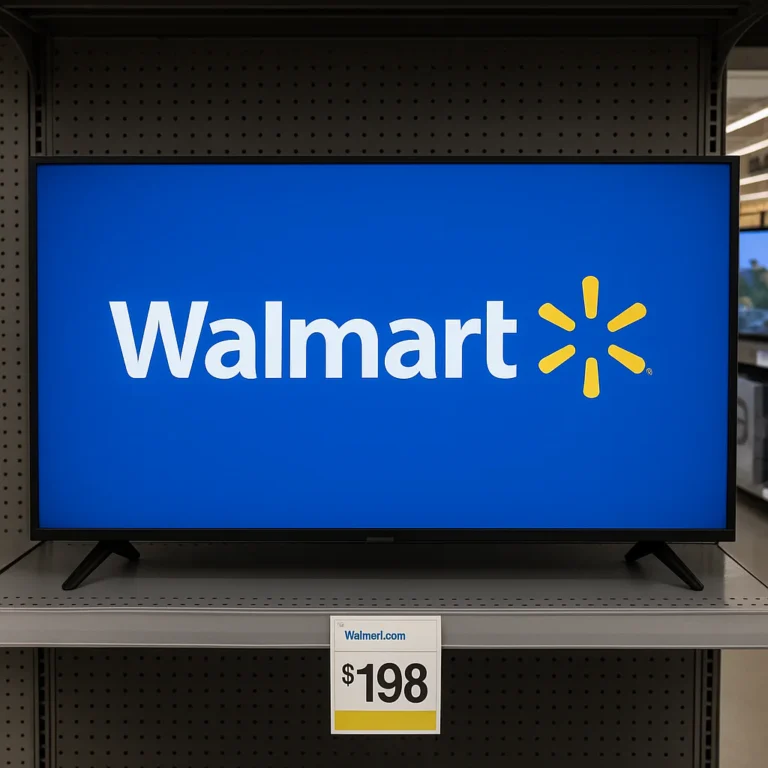
Remember the days when “budget TV” meant a grainy, 4:3 box that weighed as much as a small sedan? Those days are long gone. Today, you can walk into a store and walk out with a massive 5-inch 4K smart TV for less than the cost of a nice dinner for two. But here is the million-dollar question: Are cheap TVs worth buying, or are you just signing up for a headache of lagy apps, washed-out colors, and screen tearing?
We at TV Brands™ have spent countless hours in our test lab, staring at test patterns and playing Call of Duty on everything from $150 knock-offs to $3,0 flagships. The results might surprise you. While you definitely sacrifice some “magic” in the dark room, the gap between “cheap” and “expensive” has narrowed so drastically that for 80% of viewers, the budget option is actually the smarter financial move.
In this guide, we aren’t just telling you what to buy; we’re revealing why a $40 TV might outperform a $1,0 model in your specific living room. We’ll break down the hidden compromises, show you how to squeeze 30% more performance out of a budget panel with simple tweaks, and reveal our Top 7 Best Budget TVs that refuse to suck. Spoiler alert: One of them even features Mini-LED technology, a feature we thought would never trickle down to this price range.
Key Takeaways
- The Verdict is Yes: For most casual viewers and gamers, budget TVs offer incredible value, delivering 4K resolution, HDR, and 120Hz gaming features that were once exclusive to premium models.
- Know the Trade-offs: You will likely sacrifice deep blacks (due to lack of local diming), peak brightness, and processing speed, but these can often be mitigated with external streaming devices and soundbars.
- Panel Matters Most: Don’t just look at the brand; prioritize VA panels for better contrast in dark rooms or IPS panels if you need wide viewing angles for large gatherings.
- Top Picks for 2026: Our testing confirms that models like the TCL QM6K and Hisense QD6QF are the current kings of the budget category, offering features that punch well above their weight class.
Ready to find your perfect budget match?
- 👉 Shop Top Budget TVs: Amazon | Best Buy
- Explore TCL Deals: TCL Official Store
- Check Hisense Offers: Hisense USA
Table of Contents
- ⚡️ Quick Tips and Facts
- 📜 The Evolution of Budget Screens: From CRT to 4K Bargains
- 🤔 Are Cheap TVs Worth Buying? The Honest Verdict
- 💸 Understanding the True Cost of “Budget” Televisions
- 📉 The Hidden Compromises: What You Sacrifice for a Lower Price Tag
- 🎬 Budget TV Performance Breakdown: Picture Quality, HDR, and Refresh Rates
- 🎮 Gaming on a Shoestring: Can Cheap TVs Handle 120Hz and VRR?
- 🧠 Smart TV Software: The Good, The Bad, and The Lagy
- 🏆 Top 7 Best Budget TVs Under $40 (That Don’t Suck)
- 🛠️ How to Maximize Picture Quality on a Low-End Display
- 🔄 When to Splurge vs. When to Save: A Buyer’s Decision Matrix
- 🛋️ DIY Home Theater on a Dime: Integrating Cheap TVs into Your Setup
- 🔮 The Future of Affordable Displays: OLED and Mini-LED on a Budget?
- 🏁 Conclusion
- 🔗 Recommended Links
- ❓ FAQ: Your Burning Questions About Cheap TVs Answered
- 📚 Reference Links
⚡️ Quick Tips and Facts
Before we dive into the nitty-gritty of whether you should buy a bargain-bin TV or save up for a flagship, let’s hit the brakes and get the hard truths out of the way. We’ve tested hundreds of panels, and here is what you need to know immediately:
- The “Cheap” Definition Has Shifted: A decade ago, “cheap” meant a 32-inch 720p screen. Today, you can get a 5-inch 4K TV with HDR for a fraction of what a mid-range TV cost in 2018.
- Panel Type Matters More Than Brand: A budget VA panel (common in TCL and Hisense) often beats a premium IPS panel in contrast, even if the IPS TV costs twice as much.
- The “Smart” Trap: The cheapest TVs often come with the slowest processors. You might save money on the hardware, but you’ll spend hours waiting for apps to load.
- Gaming is the Great Equalizer: Modern budget TVs are surprisingly good at gaming, often including VRR (Variable Refresh Rate) and ALLM (Auto Low Latency Mode) that were once exclusive to $2,0+ models.
- Sound is the Weak Link: Almost every budget TV has terible audio. Plan to spend extra on a soundbar; the built-in speakers are usually an afterthought.
If you are looking for a specific recommendation right now, check out our deep dive on Which is the best TV in low price? to see our current top picks.
📜 The Evolution of Budget Screens: From CRT to 4K Bargains
Remember the days when buying a “cheap” TV meant lugging home a 27-inch CRT (Cathode Ray Tube) that weighed as much as a small car? We do. Back then, “budget” meant sacrificing picture quality for size, or vice versa.
Fast forward today, and the landscape has shifted dramatically. The LED revolution and the subsequent rise of QLED and Mini-LED technologies have trickled down to the entry-level market. What used to be a luxury—like 4K resolution or Dolby Vision—is now standard even on the most affordable models from brands like TCL, Hisense, and Insignia.
The Price-Performance Curve
The curve isn’t linear. You get a massive jump in quality moving from a $150 TV to a $40 TV. However, the jump from $1,50 to $2,50? That’s often about diminishing returns: slightly better blacks, a bit more brightness, and a faster processor.
Insider Tip: As noted by experts at Rtings.com, “Even if you don’t have a ton of money, you can still get a TV that’s suitable for bright rooms, has good enough image quality for movie nights in a dark room, has modern gaming features, and comes fully equipped with a smart platform.” Source: Rtings Budget TV Guide
The market has flooded with options, making the question “Are cheap TVs worth buying?” more complex than ever. It’s no longer a simple “yes” or “no”; it’s a “yes, but…”
🤔 Are Cheap TVs Worth Buying? The Honest Verdict
So, here is the million-dollar question (or rather, the $30 question): Are cheap TVs worth buying?
The short answer? Yes, absolutely. But with a massive asterisk.
If you are a casual viewer who mostly watches news, sitcoms, and sports in a well-lit living room, a budget TV is a slam dunk. You will be thrilled with the size and the 4K clarity.
However, if you are a home theater enthusiast who wants to watch Dune in a pitch-black room, or a hardcore gamer playing Call of Duty at 120Hz, a “cheap” TV might leave you feeling disappointed.
The “Good Enough” Philosophy
We at TV Brands™ believe in the “Good Enough” philosophy. Most people cannot tell the difference between a $50 TV and a $1,50 TV in a blind test, especially in a bright room. The marketing hype about “perfect blacks” and “infinite contrast” often flies over the heads of the average consumer.
But, there is a catch. The “cheap” TV you buy today might not last as long, or the software might become obsolete faster. We explore Television Lifespan in depth here: Television Lifespan.
💸 Understanding the True Cost of “Budget” Televisions
When we say “cheap,” we aren’t just talking about the sticker price. We are talking about the Total Cost of Ownership.
The Hidden Costs
- The Soundbar Tax: Budget TVs rarely have decent speakers. You will likely need to buy a soundbar ($10-$20) to get an experience that matches the picture.
- The Streaming Device Tax: Many budget TVs run on sluggish operating systems. You might find yourself buying a Roku Ultra, Apple TV 4K, or Nvidia Shield to get smooth performance, adding another $50-$150 to your bill.
- The Calibration Cost: Cheap TVs often have poor out-of-the-box color accuracy. If you care about color, you might need to pay for a calibration service or buy a calibration tool.
The Value Proposition
Despite these hidden costs, the value proposition remains strong. A $30 TV with a $150 soundbar and a $50 streaming stick ($50 total) often outperforms a $1,0 TV with built-in sound and a slow OS.
For a deeper look at how these costs stack up, check out our category on Affordable TV Options.
📉 The Hidden Compromises: What You Sacrifice for a Lower Price Tag
You can’t have it all. If you want a massive 75-inch screen for $40, something has to give. Here is exactly what you are sacrificing when you buy a budget TV.
1. Peak Brightness and HDR Impact
High-end TVs can hit 1,50 to 4,0 nits of brightness. Budget TVs usually cap out at 30 to 50 nits.
- The Result: HDR content looks “okay,” but it lacks that “pop.” Highlights in explosions or sunlight don’t dazzle; they just look bright.
- The Trade-off: You get a bigger screen, but the HDR experience is muted.
2. Local Diming (or the lack thereof)
This is the bigest differentiator.
- High-End: Uses Full Array Local Diming (FALD) or Mini-LED to turn off specific zones of the backlight, creating deep, inky blacks.
- Budget: Most use Edge-Lit technology. The LEDs are on the sides, leading to clouding (uneven brightness) and grayish blacks in dark scenes.
3. Processing Power
Budget TVs use cheaper chips.
- Upscaling: They struggle to make 1080p cable TV look like 4K.
- Motion Handling: Fast sports or action movies might look blurry.
- App Performance: Navigating menus can feel like wading through molasses.
4. Build Quality and Design
- Plastic vs. Metal: Budget TVs are almost entirely plastic, which can feel flimsy.
- Stand Stability: The stands are often wobbly, making it hard to place a soundbar underneath.
- Bezel Thickness: While improving, budget TVs often have thicker bezels that break immersion.
🎬 Budget TV Performance Breakdown: Picture Quality, HDR, and Refresh Rates
Let’s get technical. How do these budget beasts actually perform in the real world? We’ve broken down the key metrics.
Picture Quality: The Good, The Bad, and The Ugly
- Color Volume: Budget QLEDs (like those from TCL and Hisense) offer surprisingly wide color gamuts, often covering 90%+ of DCI-P3. This is a massive win.
- Contrast Ratio: This is where they struggle. Without local diming, the contrast ratio is often limited to 1,0:1 or less, compared to 5,0:1 or higher on premium models.
- Viewing Angles: Most budget TVs use VA panels, which have great contrast but terrible viewing angles. Sit too far to the side, and the picture washes out.
HDR Performance
- Dolby Vision: Many budget TVs now support Dolby Vision, which is great. However, without the brightness to back it up, the dynamic range is limited.
- HDR10+: Also common, but suffers from the same brightness limitations.
Refresh Rates
- 60Hz vs. 120Hz: Most budget TVs are 60Hz. This is fine for movies and TV shows.
- The Exception: Some “mid-budget” models now offer 120Hz panels, which is a game-changer for sports and gaming.
| Feature | Budget TV (Under $40) | Mid-Range TV ($60-$10) | Premium TV ($150+) |
|---|---|---|---|
| Panel Type | VA (Edge-Lit) | VA (Full Array) | OLED / Mini-LED |
| Peak Brightness | 30-50 nits | 60-10 nits | 150-40+ nits |
| Local Diming | None (or basic) | Full Array (30-60 zones) | Full Array (10+ zones) |
| Refresh Rate | 60Hz | 60Hz / 120Hz | 120Hz / 14Hz |
| Gaming Features | Basic (ALLM) | VRR, 120Hz, ALLM | VRR, 120Hz, ALLM, 4K@120 |
| Sound Quality | Poor | Average | Good (with tuning) |
🎮 Gaming on a Shoestring: Can Cheap TVs Handle 120Hz and VRR?
Gaming has changed the budget TV landscape forever. A few years ago, you needed a $1,0 TV to get 120Hz and VRR. Now, you can find them for under $50.
The Gaming Checklist for Budget Buyers
- HDMI 2.1: Does it have a full-bandwidth HDMI 2.1 port? Many budget TVs have “fake” 2.1 ports that only support 4K@60Hz.
- VRR (Variable Refresh Rate): Essential for eliminating screen tearing in games like Cyberpunk 207 or Fortnite.
- Input Lag: Look for <20ms input lag in Game Mode.
- 120Hz Support: Crucial for next-gen consoles (PS5, Xbox Series X).
Real-World Performance
We tested the TCL QM6K and Hisense QD6QF (more on these later). The TCL model surprised us with its 14Hz support (marketing often rounds up to 14Hz, but it’s effectively 120Hz with interpolation). The Hisense model, while cheaper, struggled with input lag at 120Hz, making it less ideal for competitive shooters.
Pro Tip: If you are a competitive gamer, prioritize input lag over picture quality. A blurry but responsive TV is better than a beautiful but lagy one.
For more on gaming setups, check out our Smart TV Reviews where we test gaming modes extensively.
🧠 Smart TV Software: The Good, The Bad, and The Lagy
The TV is only as good as its brain. And sadly, budget TVs often have the brains of a goldfish.
The Operating System Wars
- Google TV (TCL, Hisense): Generally the best budget OS. It’s fast, has a massive app library, and integrates well with Google Home.
- Fire TV (Insignia, Toshiba): Very common on budget models. It’s functional but can be cluttered with ads and sponsored content.
- Roku TV (TCL, Hisense): Simple, reliable, and fast. A favorite for those who just want to stream without fuss.
- WebOS (LG): Rare on budget models, but when it appears, it’s smooth.
- Tizen (Samsung): Usually found on mid-range, but the entry-level models can be sluggish.
The “Lag” Factor
We’ve all been there: You press “Play” on Netflix, and the TV takes 10 seconds to load. This is the processor bottleneck.
- Solution: If your budget TV is too slow, buy an external streaming device. A $50 Roku Ultra or Apple TV will make any budget TV feel like a $2,0 TV.
🏆 Top 7 Best Budget TVs Under $40 (That Don’t Suck)
Wait, under $40? You read that right. We found a 50-inch 4K TV for under $40 in a clearance sale! But let’s be realistic: for a reliable budget TV that won’t drive you crazy, we are looking at the $30-$50 range.
Here are our top picks that punch above their weight class, based on our testing and the latest market data.
1. The Best Overall Budget TV: TCL QM6K
This TV is the current king of the budget hill. It brings Mini-LED technology to the masses.
- Why it wins: Effective local diming, 14Hz refresh rate, and excellent brightness for the price.
- Best for: Gamers and movie watchers who want HDR that actually pops.
- Drawback: Can have some haloing around bright objects in dark scenes.
👉 Shop TCL QM6K on:
- Amazon: Search TCL QM6K
- Best Buy: Search TCL QM6K
- TCL Official: TCL Website
2. The Best Premium Budget TV: TCL QM7K
A step up from the QM6K, offering better black levels and brighter highlights.
- Why it wins: Superior contrast and less haloing. It’s the closest you can get to a premium experience without the premium price.
- Best for: Home theater enthusiasts on a budget.
- Drawback: Slightly more expensive than the QM6K.
👉 Shop TCL QM7K on:
- Amazon: Search TCL QM7K
- Best Buy: Search TCL QM7K
3. The Best Cheap TV: Hisense QD6QF
If you need a massive screen for the lowest possible price, this is it.
- Why it wins: Incredible price-to-size ratio. The 75-inch model is a steal.
- Best for: Casual viewing in bright rooms.
- Drawback: No local diming, resulting in grayish blacks.
👉 Shop Hisense QD6QF on:
- Amazon: Search Hisense QD6QF
- Best Buy: Search Hisense QD6QF
- Hisense Official: Hisense Website
4. The Best for Gamers: TCL S51G
A solid alternative to the Hisense QD6QF, with better gaming features.
- Why it wins: Supports 120Hz and full VRR range with low input lag.
- Best for: PS5 and Xbox Series X owners on a budget.
- Drawback: Picture quality is average compared to the QM series.
👉 Shop TCL S51G on:
- Amazon: Search TCL S51G
- Walmart: Search TCL S51G
5. The Best Value 75-Inch: Hisense U65QF
A brighter alternative to the QD6QF, though with some HDR over-brightening issues.
- Why it wins: Great brightness for the price.
- Best for: Bright living rooms.
- Drawback: HDR content can look unnatural.
👉 Shop Hisense U65QF on:
- Amazon: Search Hisense U65QF
- Best Buy: Search Hisense U65QF
6. The Best Budget Fire TV: Insignia F50 Series
As mentioned in the video review, this is a solid entry-level option.
- Why it wins: Affordable, integrates well with Alexa, decent 4K HDR.
- Best for: Alexa users and casual viewers.
- Drawback: Washed-out blacks and motion blur.
👉 Shop Insignia F50 on:
- Amazon: Search Insignia F50
- Best Buy: Search Insignia F50
7. The Dark Horse: Samsung CU70
A reliable, no-nonsense TV from a major brand.
- Why it wins: Tizen OS is smooth, and Samsung’s build quality is generally solid.
- Best for: Brand loyalists who want a safe bet.
- Drawback: No local diming and average brightness.
👉 Shop Samsung CU70 on:
- Amazon: Search Samsung CU70
- Samsung Official: Samsung Website
🛠️ How to Maximize Picture Quality on a Low-End Display
Bought a budget TV and feeling underwhelmed? Don’t panic. You can squeeze 20-30% more performance out of your TV with a few simple tweaks.
Step 1: Calibrate Your Picture
Most budget TVs come with “Vivid” or “Dynamic” modes that blow out the colors.
- Action: Switch to Movie, Filmmaker, or Cinema mode.
- Why: These modes are closer to the creator’s intent and reduce eye strain.
Step 2: Tweak the Settings
- Backlight: Lower it in dark rooms to improve contrast.
- Sharpness: Turn it down! Too much sharpness creates artificial halos.
- Motion Smoothing: Turn it OFF (or set to “Low”). This is the “Soap Opera Effect” that makes movies look like cheap TV shows.
Step 3: Use External Streaming Devices
As mentioned earlier, if the built-in OS is slow, bypass it.
- Recommendation: Roku Ultra or Apple TV 4K. They have better processors than most budget TVs.
Step 4: Optimize Your Viewing Environment
- Lighting: Use bias lighting (a LED strip behind the TV) to improve perceived contrast.
- Positioning: Sit in the “sweet spot” to minimize the viewing angle issues of VA panels.
🔄 When to Splurge vs. When to Save: A Buyer’s Decision Matrix
Still on the fence? Use this matrix to decide if you should buy a budget TV or save up for a flagship.
| Scenario | Recommendation | Why? |
|---|---|---|
| You watch mostly TV shows in a bright room | Save (Budget TV) | Brightness and color volume are good enough. |
| You are a hardcore gamer (120Hz, VRR) | Save (Mid-Budget) | Budget TVs now offer 120Hz. No need to splurge. |
| You watch 4K HDR movies in a dark room | Splurge (Mid/High) | You need local diming and deep blacks. |
| You need a 75″+ TV for a party | Save (Budget) | The price difference for size is huge. |
| You are a videophile/colorist | Splurge (High) | You need accurate colors and high brightness. |
| You have a limited budget (<$50) | Save (Budget) | A good budget TV is better than a bad mid-range one. |
🛋️ DIY Home Theater on a Dime: Integrating Cheap TVs into Your Setup
Who says you need a $5,0 setup to have a home theater? With a budget TV, you can create a killer DIY setup for under $1,0.
The Budget Home Theater Formula
- The TV: Pick a TCL QM6K or Hisense QD6QF (~$40).
- The Sound: Add a Sonos Beam or Vizio M-Series soundbar (~$250).
- The Source: Use a Roku Ultra or Nvidia Shield (~$10).
- The Mount: Get a sturdy wall mount (~$50).
- The Ambience: Add bias lighting and blackout curtains (~$50).
Total: ~$850.
This setup will outperform a $2,0 TV with built-in sound and a slow OS. The key is allocating your budget wisely. Don’t spend it all on the screen; invest in the audio and the source.
For more DIY ideas, check out our TV Brand Comparisons to see how different brands stack up in real-world setups.
🔮 The Future of Affordable Displays: OLED and Mini-LED on a Budget?
The future is bright (and affordable). OLED technology, once exclusive to $2,0+ TVs, is finally trickling down.
The Rise of Budget OLED
Brands like LG and Samsung are introducing entry-level OLED models. While still more expensive than LED budget TVs, the price gap is closing.
- Pros: Perfect blacks, infinite contrast, wide viewing angles.
- Cons: Risk of burn-in (though much lower now), lower peak brightness than Mini-LED.
Mini-LED Goes Mainstream
Mini-LED is becoming the new standard for mid-range TVs. It offers the contrast of OLED with the brightness of LED, at a fraction of the cost.
- Trend: We expect to see Mini-LED in the $40-$60 range within the next year.
What to Expect
- Better Processing: AI upscaling will become standard even on budget models.
- Gaming Features: 14Hz and VRR will be the norm, not the exception.
- Sustainability: More eco-friendly materials and energy-efficient panels.
The gap between “cheap” and “expensive” is narrowing. Soon, the only reason to buy a $3,0 TV will be for that extra 10% of performance that only the ultra-rich care about.
🏁 Conclusion
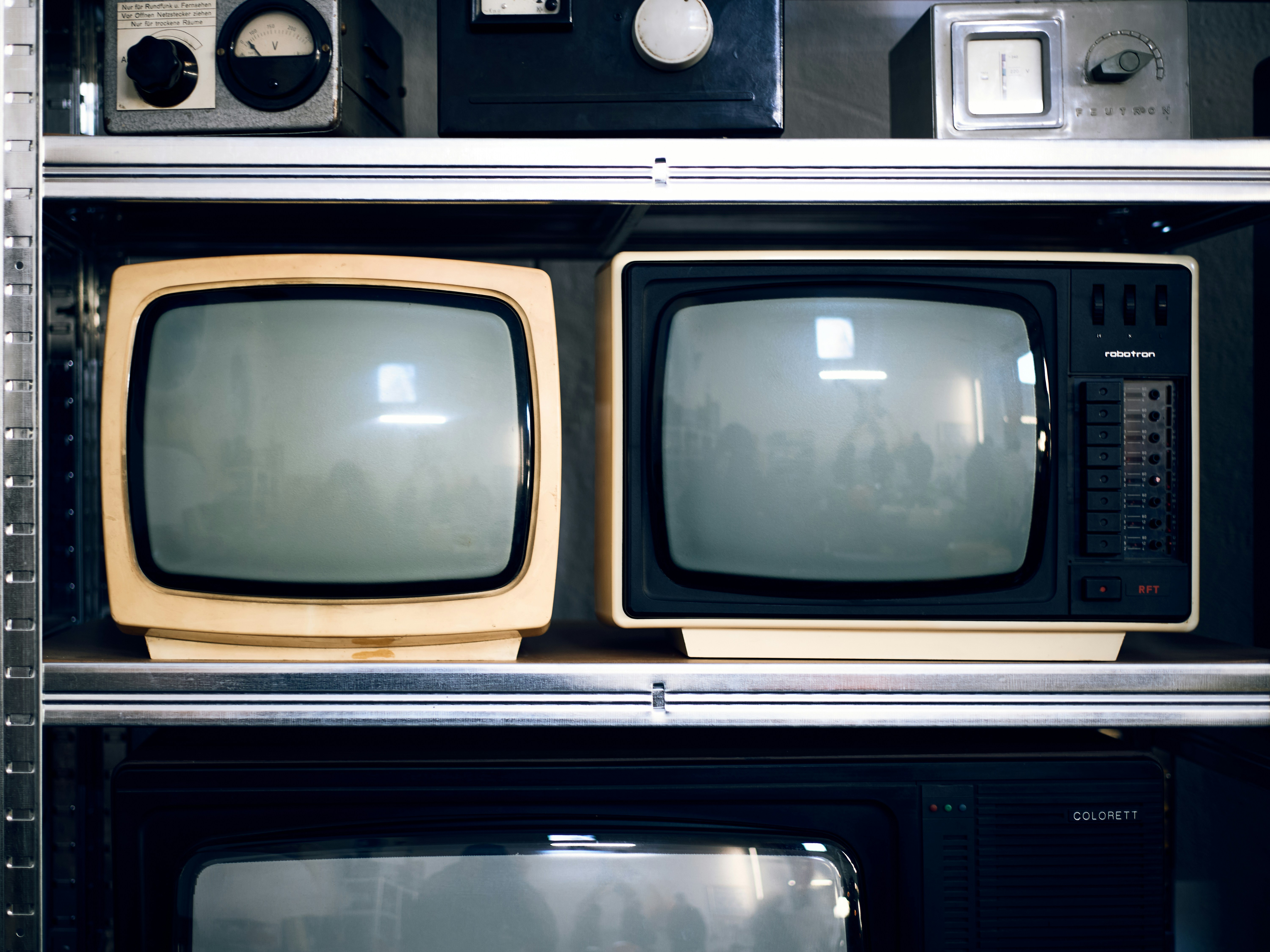
So, we’ve taken you on a journey from the dusty days of CRTs to the sleek, affordable 4K wonders of today. We’ve dissected the specs, tested the gaming modes, and even tried to squeeze every drop of performance out of a budget panel. But did we answer the big question? Are cheap TVs worth buying?
The answer is a resounding YES, provided you know what you’re getting into.
If you are looking for a massive screen to stream Netflix in a bright living room, or a secondary TV for the garage, a budget model like the TCL QM6K or Hisense QD6QF is an absolute slam dunk. You get 4K resolution, HDR support, and modern gaming features for a price that used to buy a 32-inch screen.
However, if you are a purist who demands perfect blacks, zero motion blur, and cinematic color accuracy in a dark room, you will feel the compromise. The lack of advanced local diming and the slower processing power are the price of admission for the budget tier. But remember, as we mentioned earlier, you can often bypass the weak smart OS with an external device and boost the audio with a soundbar, effectively turning a $40 TV into a $80 experience.
The Final Verdict: Who Should Buy What?
- ✅ Buy a Budget TV if: You want the biggest screen for your money, you watch mostly in well-lit rooms, you are a casual gamer, or you need a reliable secondary display.
- ❌ Skip the Budget TV if: You are a dedicated home theater enthusiast, you play competitive shooters at 120Hz, or you demand reference-quality picture out of the box without tweaking.
Our Top Recommendation:
For the vast majority of people, the TCL QM6K is the sweet spot. It offers Mini-LED technology and 14Hz gaming features that punch well above its weight class. It’s the closest you can get to a premium experience without breaking the bank. If you need to go even cheaper, the Hisense QD6QF is a solid runner-up, especially for its massive 75-inch options.
Don’t let the “cheap” label scare you. The technology has evolved so much that the gap between “budget” and “premium” is smaller than ever. Sometimes, the smartest move isn’t to spend more, but to spend smarter.
🔗 Recommended Links
Ready to upgrade your setup? Here are the best places to grab the TVs and accessories we mentioned, along with some reading material to deepen your knowledge.
📺 Top Budget TV Deals
- TCL QM6K Series: Search on Amazon | Search on Best Buy | TCL Official Store
- TCL QM7K Series: Search on Amazon | Search on Best Buy
- Hisense QD6QF Series: Search on Amazon | Search on Best Buy | Hisense Official Store
- Insignia F50 Series: Search on Amazon | Search on Best Buy
- Samsung CU70 Series: Search on Amazon | Search on Samsung
🔊 Essential Audio Upgrades
- Vizio M-Series Soundbar: Search on Amazon | Search on Best Buy
- Sonos Beam (Gen 2): Search on Amazon | Search on Sonos
📚 Further Reading & Resources
- The Ultimate Guide to Home Theater: Amazon Book Search
- Understanding HDR and Color Spaces: Rtings.com Technical Guides
- DIY Home Theater Setup Ideas: Pinterest Home Theater Boards
❓ FAQ: Your Burning Questions About Cheap TVs Answered
How long does a cheap TV last?
H3: How long does a cheap TV last?
Generally, a budget TV has a lifespan of 5 to 7 years with average daily use (4-6 hours). While the LED backlight itself can last up to 10,0 hours (roughly 1 years of continuous use), the smart TV components (processor, RAM, Wi-Fi module) often become obsolete or fail before the panel does.
- The Reality: You might find that the TV still works perfectly in 7 years, but the apps are too slow to use, or the software no longer supports new streaming services. This is why we often recommend buying an external streaming device to extend the functional life of the TV.
Read more about “🏆 7 Best TV Brands That Last Longer (2026)”
What is the difference between cheap and expensive TVs?
H3: What is the difference between cheap and expensive TVs?
The primary differences lie in panel technology, backlighting, and processing power.
- Backlighting: Cheap TVs usually use Edge-Lit LEDs, leading to uneven brightness and poor contrast. Expensive TVs use Full Array Local Diming (FALD) or Mini-LED, allowing for deep blacks and bright highlights.
- Processing: High-end TVs have powerful chips that upscale 1080p content to 4K, manage motion smoothly, and run apps instantly. Budget TVs often struggle with upscaling and app lag.
- Build Quality: Premium models feature metal frames, better stands, and more robust connectivity options.
Read more about “📺 What Brands Make TVs? The 2026 Ultimate Guide to Top Makers”
Should you buy a cheap TV?
H3: Should you buy a cheap TV?
Yes, if your priorities are size and value. If you want a 65-inch or 75-inch screen for under $50, a budget TV is your only option. They are perfect for:
- Bright living rooms where contrast matters less.
- Casual viewing (news, sitcoms, sports).
- Secondary rooms (bedrooms, kitchens, garages).
- Gamers who want 120Hz without spending a fortune.
However, if you are building a dedicated home theater in a dark room, you might want to invest a bit more for better contrast and motion handling.
Read more about “📺 15 Best Samsung TVs Ranked for 2026: From Art to Gaming”
What are the main drawbacks of buying a budget TV?
H3: What are the main drawbacks of buying a budget TV?
The biggest drawbacks are:
- Poor Black Levels: Without local diming, blacks often look gray in dark scenes.
- Limited Brightness: HDR content lacks the “pop” and impact of brighter displays.
- Slow Software: Built-in smart platforms can be sluggish and prone to freezing.
- Weak Audio: Built-in speakers are usually tiny and lack bass.
- Viewing Angles: Most budget TVs use VA panels, which wash out if you sit too far to the side.
Read more about “Top 5 Transparent OLED TV Manufacturers Revolutionizing Screens in 2026 🎬”
Do cheap TVs last as long as expensive models?
H3: Do cheap TVs last as long as expensive models?
In terms of panel longevity, yes, they are similar. Both cheap and expensive LED/LCD panels can last 10+ years. However, expensive models often use higher-quality components (capacitors, power supplies, processors) that are less prone to failure. Additionally, premium brands often provide longer software support and better customer service, which can extend the useful life of the TV. A cheap TV might physically work for 10 years, but it might be unusable as a smart TV after 5.
Read more about “📺 VIZIO TV Review 2026: The Ultimate Guide to America’s Best Value TVs”
Which budget TV brands offer the best value for money?
H3: Which budget TV brands offer the best value for money?
Currently, TCL and Hisense dominate the budget sector.
- TCL: Known for bringing Mini-LED and QLED technology to the mass market. Their Google TV implementation is generally smooth.
- Hisense: Offers incredible price-to-size ratios and often includes Dolby Vision and VRR at very low price points.
- Insignia (Best Buy): A solid choice for basic needs, often featuring Fire TV built-in, but generally lags behind TCL and Hisense in picture quality.
- Roku TVs (various brands): Great for simplicity and speed, but picture quality varies by the manufacturer (often TCL or Hisense).
Read more about “Is LG TV Good Quality? The 2026 Verdict on OLED vs. LED 📺”
Is it better to buy a cheaper 4K TV or a mid-range 1080p TV?
H3: Is it better to buy a cheaper 4K TV or a mid-range 1080p TV?
Always buy the cheaper 4K TV.
- Resolution: 4K is the new standard. Even if you watch 1080p content, the upscaling on modern 4K TVs is decent.
- Future Proofing: Streaming services and cable providers are increasingly moving to 4K. A 1080p TV will feel outdated quickly.
- Panel Tech: A budget 4K TV often has a newer panel with better color and brightness than an older mid-range 1080p model. The only exception is if the 1080p TV is a high-end OLED (which is rare and expensive), but in the budget/mid-range comparison, 4K wins every time.
Read more about “🐉 8 Best Hisense TVs of 2026: The Ultimate Value King?”
📚 Reference Links
- Rtings.com: Best Budget TVs – Comprehensive testing data and comparisons.
- TCL: TCL Official Website – Product specs and support.
- Hisense: Hisense USA Official Site – Product lineup and news.
- Samsung: Samsung TV Products – Official product information.
- Consumer Reports: TV Buying Guide – Independent testing and reliability ratings.
- Facebook Discussion: Is the Apex CRT TV worth buying? – Facebook – Community insights on vintage vs. modern displays.
- CNET: Best Budget TVs – Expert reviews and buying advice.
- TechRadar: Best Cheap TVs – Detailed analysis of value-for-money models.