Support our educational content for free when you purchase through links on our site. Learn more
What Should I Consider When Choosing a TV Brand? 15 Expert Tips (2025) 📺

Choosing a TV brand might seem as simple as picking the flashiest model on the shelf, but trust us—there’s a lot more lurking behind those glossy screens. Did you know that the average American spends over 7 hours a day watching TV? That’s a lot of eyeball time to get wrong! Whether you’re a cinephile craving perfect blacks, a gamer chasing silky-smooth frames, or just someone who wants the best bang for your buck, knowing what to consider can save you from buyer’s remorse.
In this ultimate 15-point guide, we peel back the curtain on everything from screen size science to the secret sauce behind OLED vs. QLED, and why your TV’s sound system might be the most overlooked feature. Plus, we’ll spill the beans on future-proofing with HDMI 2.1, decoding smart TV software, and how to avoid common pitfalls with warranty and customer service. Ready to become a TV whisperer? Let’s dive in!
Key Takeaways
- Pick the right size for your room using viewing distance guidelines—bigger isn’t always better!
- 4K resolution is the sweet spot for crisp images; 8K is still a luxury with limited content.
- Understand backlighting tech: OLED offers perfect blacks, QLED and Mini-LED shine in bright rooms.
- HDR support, especially Dolby Vision, dramatically enhances picture quality.
- Gamers need 120Hz refresh rates and HDMI 2.1 for smooth, lag-free play.
- Smart TV platforms vary: Google TV, Roku, webOS, and Tizen all have pros and cons.
- Invest in a soundbar or speakers—TV speakers alone won’t cut it.
- Budget wisely and stick to trusted brands like LG, Samsung, Sony, TCL, and Hisense.
- Check brand reputation and warranty policies to avoid headaches later.
Ready to shop?
- 👉 Shop LG OLED TVs: Amazon | Best Buy
- 👉 Shop Samsung QLED TVs: Amazon | Walmart
- Explore TCL Mini-LED TVs: Amazon | Best Buy
- Find Soundbars: Amazon | Best Buy
Table of Contents
- ⚡️ Quick Tips and Facts for Choosing the Perfect TV Brand
- 📺 The Evolution of TV Brands: From Cathode Rays to Smart Displays
- 1. What Size TV Should You Really Buy? Finding Your Ideal Screen
- 2. Screen Resolution Demystified: 4K, 8K, and Beyond
- 3. Backlighting Technologies Explained: LED, OLED, QLED, and Mini-LED
- 4. Quantum Dots and Color Accuracy: What Makes Colors Pop?
- 5. High Dynamic Range (HDR): Brightness and Contrast That Wow
- 6. Gaming Performance: Input Lag, Refresh Rates, and VRR
- 7. HDMI 2.1 and the Future-Proofing Debate
- 8. Essential Ports and Connectivity: What You Need for Your Setup
- 9. Smart TV Software: Navigating the OS Jungle
- 10. Audio Matters: Should You Invest in a Soundbar or Bookshelf Speakers?
- 11. Budgeting Your TV Purchase: How Much Should You Expect to Pay?
- 12. Brand Reputation and Customer Service: Why It Matters
- 13. Warranty, Return Policies, and Extended Protection Plans
- 14. User Reviews and Expert Opinions: Where to Find Reliable Insights
- 15. Environmental Impact and Energy Efficiency of TV Brands
- Conclusion: Making Your Informed TV Brand Choice
- Recommended Links for TV Brand Research and Deals
- FAQ: Your Burning Questions About Choosing TV Brands Answered
- Reference Links and Further Reading
Here is the main body of the article, from “Quick Tips and Facts” to the section before “Conclusion”.
⚡️ Quick Tips and Facts for Choosing the Perfect TV Brand
So, you’re on the hunt for a new TV? Welcome to the jungle! 🌴 It’s a dazzling world of acronyms, dazzling displays, and decisions that feel more permanent than a tattoo. Before we dive deep, here are some quick-fire tips and truths from our team at TV Brands™ to get you started. Think of this as your cheat sheet to sounding like you know what you’re talking about when you walk into the store.
| Quick Fact 💡 | The Lowdown 👇 – |
| Size Matters, But Bigger Isn’t Always Better. | Measure your space! A 75-inch TV in a tiny apartment is just…sad. We’ll show you how to find the perfect fit. – |
| 4K is the Sweet Spot. | Don’t get fooled by 8K hype just yet. As Tom’s Guide notes, “You’re overpaying for a feature you don’t really need.” Stick with 4K for the best balance of quality and content availability. – |
| OLED vs. QLED is the Main Event. | This is the big debate. OLED (used by LG and Sony) offers perfect blacks and incredible contrast. QLED (championed by Samsung and TCL) gets brilliantly bright and has vibrant colors. It’s a clash of the titans! – |
| Don’t Skimp on Sound. 🔊 | Modern TVs are super thin, which means their built-in speakers are… not great. Seriously, they’re often terrible. Plan on getting a soundbar. Your ears will thank you. – |
| Gamers Need Special Features. 🎮 | If you’re a gamer, look for 120Hz refresh rate and HDMI 2.1 ports. These ensure buttery-smooth gameplay without lag or screen tearing. It’s a non-negotiable for next-gen consoles. – |
| Stick with Known Brands on a Budget. | As WIRED wisely advises, if you’re spending less, “it’s highly recommended to stick to established brands known for better performance and reliability.” Think TCL, Hisense, and Vizio. – |
📺 The Evolution of TV Brands: From Cathode Rays to Smart Displays
Remember the old days? When the TV was a piece of furniture the size of a small car, with a screen that took five minutes to warm up? We’ve come a long, long way. The journey of TV Brands is a fascinating tale of technological leaps and brand rivalries that have shaped our living rooms.
It all started with bulky CRT (cathode-ray tube) sets from pioneers like RCA and Philco. Then came the flat-screen revolution, with plasma TVs from Panasonic and Pioneer battling it out with the first LCDs from Sharp and Sony. It was a wild time! I still remember my dad proudly mounting a 42-inch plasma TV that weighed about 80 pounds and could probably heat the entire house in winter.
Today, the landscape is dominated by sleek, ultra-thin displays packed with more computing power than the rocket that went to the moon. Brands like Samsung, LG, and Sony are the established giants, constantly pushing the boundaries of picture quality. But hot on their heels are challenger brands like TCL and Hisense, who have completely changed the game by offering incredible technology without the eye-watering price tag. This fierce competition is fantastic for you, the buyer, because it means better TVs are more accessible than ever. It’s a golden age for television, and we’re here to help you navigate it.
1. What Size TV Should You Really Buy? Finding Your Ideal Screen
Let’s be honest, the urge to go big is real. You see that wall-sized 85-inch behemoth and imagine movie nights that rival the local cinema. But hold your horses! Choosing the right size is a delicate balance between immersive experience and overwhelming your living space.
The Viewing Distance Formula
There’s a science to this. The goal is to have the screen fill a certain portion of your field of view for that cinematic feel, without you having to turn your head like you’re at a tennis match. A great rule of thumb for 4K TVs, as mentioned by Tom’s Guide, is to sit about 1 to 1.5 times the screen’s diagonal measurement away.
| TV Size (Diagonal) | Recommended Viewing Distance (4K) |
|---|---|
| 43 inches | 3.5 – 5.5 feet (approx. 1 – 1.7 m) |
| 55 inches | 4.5 – 7 feet (approx. 1.4 – 2.1 m) |
| 65 inches | 5.5 – 8 feet (approx. 1.7 – 2.4 m) |
| 75 inches | 6 – 9.5 feet (approx. 1.8 – 2.9 m) |
| 85 inches | 7 – 10.5 feet (approx. 2.1 – 3.2 m) |
Pro Tip: Get a painter’s tape and mark out the dimensions of the TV you’re considering on your wall. Live with it for a day. Does it feel right? Or does it feel like a black hole has opened up in your living room? This little trick has saved many of our readers from a serious case of buyer’s remorse.
The “sweet spot” for most living rooms tends to be between 55 and 75 inches. It’s the perfect size for a shared viewing experience without completely dominating the decor.
2. Screen Resolution Demystified: 4K, 8K, and Beyond
Resolution refers to the number of pixels that make up the picture on a display. More pixels generally mean a sharper, more detailed image. It’s the difference between seeing a blurry blob of green and being able to count the individual blades of grass.
4K (Ultra HD): The Reigning Champion
✅ This is what you should buy. 4K, or Ultra High Definition (UHD), has a resolution of 3840 x 2160 pixels. That’s four times the pixels of the old 1080p HD standard. Right now, 4K is the industry standard. Streaming services like Netflix and Disney+, Blu-ray discs, and modern gaming consoles all use 4K as their benchmark. The content is plentiful, and the TVs are affordable.
8K: The Future That Hasn’t Quite Arrived
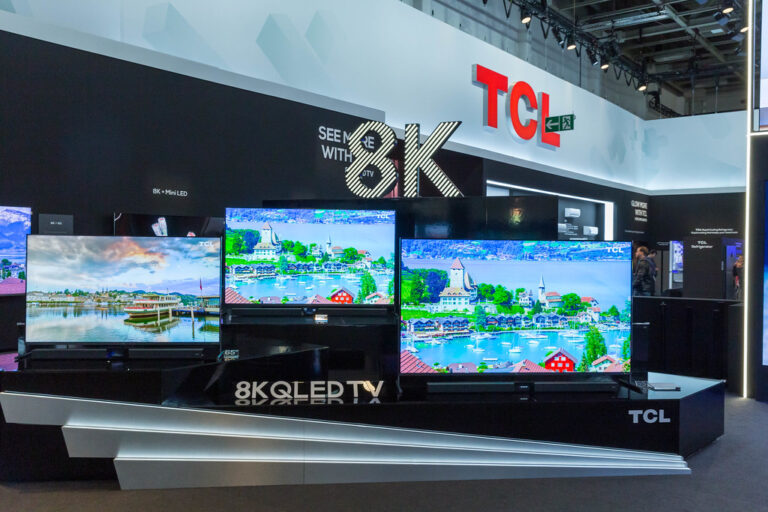
❌ Hold off for now. 8K TVs boast an insane 7680 x 4320 resolution. The picture can be breathtakingly sharp, but here’s the catch: there’s virtually no native 8K content to watch. Your TV will spend most of its time “upscaling” 4K content, which is a fancy way of saying it’s guessing what the extra pixels should be doing.
As Tom’s Guide puts it, with 8K, “you’re overpaying for a feature you don’t really need.” Unless you have a bottomless budget and just have to own the latest and greatest, we at TV Brands™ recommend putting that extra money towards a better 4K TV with superior contrast and color.
3. Backlighting Technologies Explained: LED, OLED, QLED, and Mini-LED
Okay, this is where things get a little technical, but stick with us, because this is the single biggest factor affecting picture quality. It’s the great battle of our time: how a TV creates light and color.
LED-LCD: The Old Guard
This is the most common type of TV. An “LED TV” is actually an LCD TV that uses LEDs (Light Emitting Diodes) as its backlight.
- Edge-Lit: LEDs are placed along the edges of the screen. ✅ Cheaper to make. ❌ Can lead to uneven brightness or “light bleed” in the corners.
- Direct-Lit / Full-Array: LEDs are placed in a grid behind the entire screen. ✅ Better brightness uniformity. With Full-Array Local Dimming (FALD), different “zones” of LEDs can be dimmed or brightened independently, creating much better contrast between light and dark parts of the image. This is a key feature to look for in a good LED TV.
QLED: The Bright and Colorful Challenger
Championed by Samsung, and also used by TCL and Hisense, QLED isn’t a new type of light source. It’s a clever enhancement to LED-LCD technology. A layer of “quantum dots” (tiny semiconductor nanocrystals, how cool is that?) is placed in front of the LED backlight. When light hits these dots, they glow with incredibly pure and vibrant colors.
- Pros: ✅ Incredible brightness, making them perfect for bright rooms. ✅ Wide and accurate color reproduction.
- Cons: ❌ Because they still use a backlight, they can’t achieve the perfect, inky blacks of an OLED.
OLED: The Master of Contrast
OLED stands for Organic Light Emitting Diode. This is the game-changer. In an OLED TV, each individual pixel creates its own light. There is no backlight. If a pixel needs to be black, it simply turns off. Completely.
- Pros: ✅ Perfect black levels and infinite contrast. This is their superpower. ✅ Stunningly thin designs. ✅ Excellent viewing angles.
- Cons: ❌ Not as bright as the best QLEDs. ❌ There is a small, but often overstated, risk of “burn-in” if a static image is left on screen for an extreme length of time.
Brands like LG, Sony, and Samsung (with their QD-OLED hybrid) are the kings of the OLED market. If you’re a movie lover who watches in a dark room, the picture quality of an OLED is simply breathtaking.
Mini-LED: The Best of Both Worlds?
This is the new kid on the block, and it’s exciting! Mini-LED takes the full-array backlight of an LED TV and shrinks the LEDs down to a microscopic size. This allows manufacturers to pack thousands of them into the TV, creating hundreds or even thousands of local dimming zones.
The result? A TV that gets super bright like a QLED but has much better control over its backlight, leading to deeper blacks and less “blooming” (the halo effect around bright objects on a dark background). Brands like TCL, Hisense, and Samsung (under their “Neo QLED” branding) are leading the charge here. It’s a fantastic compromise that offers near-OLED contrast with QLED brightness.
4. Quantum Dots and Color Accuracy: What Makes Colors Pop?
We touched on quantum dots with QLED, but let’s talk about why they matter for color. Think of a standard LED backlight as a messy, broad-spectrum flashlight. It produces a whitish light that the TV’s color filters then have to work hard to turn into the reds, greens, and blues you see.
Quantum dots are like precision instruments. When hit by the blue light from an LED backlight, these tiny crystals emit incredibly pure red and green light. This pure, refined light source gives the TV a much better starting point, allowing it to create a wider and more accurate range of colors. It’s the difference between a crayon drawing and an oil painting.
This technology, once exclusive to high-end Samsung TVs, is now found in many mid-range models from brands like TCL and Hisense, making vibrant, true-to-life color more accessible than ever. It’s a key ingredient in our TV Technology deep dives.
5. High Dynamic Range (HDR): Brightness and Contrast That Wow
If 4K is about adding more pixels (detail), then High Dynamic Range (HDR) is about making each of those pixels better. It expands the range of both contrast and color. Bright parts of the image get brighter, dark parts get darker, and colors that were impossible to show on older TVs can now be displayed. It’s what makes a sunset on screen actually look like a sunset.
But, because nothing in the TV world is simple, there are competing formats:
- HDR10: This is the open, mandatory standard for all 4K TVs. It’s good, but it uses static metadata, meaning it sets the brightness and color levels for the entire movie at once.
- Dolby Vision: This is a more advanced, proprietary format. It uses dynamic metadata, which means it can adjust the picture scene-by-scene or even frame-by-frame. The result is a much more optimized and nuanced picture. As Tom’s Guide recommends, Dolby Vision is the one to look for, as it has more content support from services like Netflix and Disney+.
- HDR10+: This is Samsung’s answer to Dolby Vision. It’s also dynamic, but it’s less common.
Most TVs from brands like LG, Sony, TCL, Vizio, and Hisense support Dolby Vision. Samsung famously sticks to its own HDR10+ format. If you can, get a TV that supports both Dolby Vision and HDR10+ for maximum compatibility.
6. Gaming Performance: Input Lag, Refresh Rates, and VRR
Gamers, this section is for you! A great TV for movies isn’t always a great TV for gaming. You need a display that can keep up with the lightning-fast action of your PlayStation 5 or Xbox Series X. Here’s what to look for:
Refresh Rate (Hz)
This is how many times per second the image on the screen is refreshed. The standard is 60Hz, but for gaming, you want a TV with a native 120Hz panel. This allows for gameplay at up to 120 frames per second (fps), resulting in incredibly smooth and fluid motion. Be wary of marketing terms like “Motion Rate 240” or “Effective Refresh Rate”—these are often just software tricks. Look for the native refresh rate.
Auto Low Latency Mode (ALLM)
When your console is connected, ALLM automatically switches the TV to its “Game Mode.” This turns off a lot of the extra picture processing to reduce input lag—the delay between you pressing a button on your controller and seeing the action on screen. Low input lag is crucial for competitive gaming.
Variable Refresh Rate (VRR)
This is a huge deal. VRR allows the TV to sync its refresh rate in real-time with the frame rate being output by the gaming console. This eliminates screen tearing and stutter, ensuring the smoothest possible experience. The two main types are AMD FreeSync and NVIDIA G-Sync.
A TV with HDMI 2.1 ports will typically support all these features. Brands like LG (with their OLEDs), Samsung (with their QLEDs), and Sony are top contenders for the best gaming TVs.
7. HDMI 2.1 and the Future-Proofing Debate
What’s the big deal with a port? Well, think of HDMI ports as highways for your video and audio data. The newer HDMI 2.1 standard is a super-highway with a much higher speed limit.
It’s the technology that enables those key gaming features we just talked about: 4K at 120Hz, VRR, and ALLM. It also supports eARC (Enhanced Audio Return Channel), which we’ll get to in the sound section.
Do you need it?
- If you’re a serious gamer with a PS5 or Xbox Series X: ✅ Yes, absolutely. It’s essential to unlock the full potential of your console.
- If you just stream movies and watch cable: ❌ Probably not essential right now. But it’s a great feature for future-proofing your purchase.
Most mid-range and high-end TVs from all the major brands now come with at least one or two HDMI 2.1 ports. As WIRED suggests, ensuring you have at least one is a smart move.
8. Essential Ports and Connectivity: What You Need for Your Setup
Beyond the HDMI version, you need to think about the number of ports. It’s amazing how quickly they fill up!
- Gaming Console: That’s one port.
- Soundbar: That’s another (usually the eARC one).
- Cable Box / Blu-ray Player: That’s a third.
- Streaming Stick (just in case): And a fourth.
We strongly recommend getting a TV with at least four HDMI ports. It saves you the headache of constantly swapping cables. Also, look for at least one or two USB ports. They’re handy for powering streaming sticks or viewing photos from a thumb drive.
9. Smart TV Software: Navigating the OS Jungle
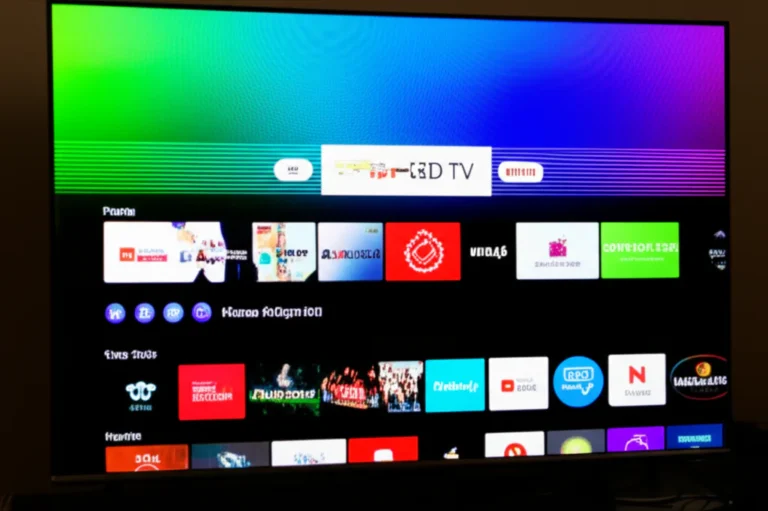
Gone are the days of “dumb” TVs. Every TV is a smart TV now, with its own operating system (OS) for streaming apps and navigating content. The experience can vary wildly between brands.
- Google TV: Found on new TVs from Sony, Hisense, and TCL. It’s powerful, with excellent content recommendations and Google Assistant integration. It’s one of our favorites.
- Roku OS: Used in Roku TVs from brands like TCL and Hisense. It’s famous for its simple, tile-based interface that’s incredibly easy to use. If you want no-fuss streaming, Roku is fantastic.
- LG webOS: Exclusive to LG TVs, it features a unique point-and-click Magic Remote and a clean, ribbon-like interface at the bottom of the screen. It’s fast and intuitive.
- Samsung Tizen OS: Samsung’s proprietary OS is fast and has a comprehensive app selection. It’s packed with features, though some find the interface a bit cluttered compared to others.
Don’t love the built-in OS? No problem. You can always plug in an external streaming device like an Apple TV 4K, Roku Streaming Stick, or Amazon Fire TV Stick. Check out our Smart TV Reviews for more in-depth comparisons.
10. Audio Matters: Should You Invest in a Soundbar or Bookshelf Speakers?
Let’s have a frank talk. The speakers in your beautiful, paper-thin new TV are going to be… disappointing. It’s just physics. There’s no room for proper speaker drivers. The sound is often tinny, lacks bass, and dialogue can be hard to hear.
You absolutely should plan on getting a separate sound system.
- Soundbars: The most popular choice. They are simple to set up, sit neatly under your TV, and offer a massive audio upgrade. Look for one that supports Dolby Atmos for immersive, 3D sound.
- Bookshelf Speakers / AV Receiver: For the true audiophile, a proper surround sound system with an AV receiver and separate speakers will always provide the best, most powerful sound.
Whichever you choose, make sure your TV has an HDMI ARC/eARC port. This allows the TV to send audio out to your soundbar or receiver using the same HDMI cable, and lets you control the volume with your TV remote. It’s a must-have for a clean, simple setup.
11. Budgeting Your TV Purchase: How Much Should You Expect to Pay?
Ah, the million-dollar question (though hopefully, it won’t cost that much!). TV prices have come down dramatically, and you can get a fantastic television for a reasonable amount of money. Here’s a general breakdown of the market tiers, as outlined by publications like WIRED.
The Budget-Friendly Tier (Under ~$500)
This is the realm of smaller screens (typically under 55 inches) and value-focused brands.
- Brands to Watch: TCL, Hisense, Vizio.
- What You Get: A solid 4K picture, a good smart TV platform (often Roku or Google TV), but you’ll likely miss out on advanced features like 120Hz panels, advanced local dimming, and super-high brightness.
- Our Advice: As WIRED notes, stick to the established brands here. An unbranded, dirt-cheap TV might seem like a deal, but the performance and reliability often aren’t worth the savings. This is a great place to look for Affordable TV Options.
The Mid-Range Sweet Spot (~$500 – $1,000)
This is where the magic happens for most people. You get a massive jump in picture quality and features for a modest increase in budget.
- Brands to Watch: TCL and Hisense offer incredible value here with Mini-LED and QLED tech. You’ll also find entry-level models from Samsung, LG, and Sony.
- What You Get: Larger screens (55-65 inches), QLED or basic local dimming, better HDR performance, and often gaming features like 120Hz panels.
The Premium Tier (Over ~$1,000)
Welcome to the high end. This is where you’ll find the best technology, largest screens, and most cutting-edge performance.
- Brands to Watch: LG, Samsung, Sony.
- What You Get: This is OLED and high-end Mini-LED/QLED territory. Expect the best picture processing, superior brightness and contrast, sleek designs, and all the bells and whistles.
The great news is that, as Tom’s Guide says, “TVs have not only never been better, they’ve also never been this affordable.”
12. Brand Reputation and Customer Service: Why It Matters
A TV is a big purchase, and you want to buy from a brand that will stand behind its product. While every brand can produce a dud now and then, some have a better track record than others.
- The Big Three (LG, Samsung, Sony): These brands generally have a strong reputation for build quality, performance, and innovation. They’ve been in the game for a long time and have well-established customer service networks.
- The Value Champions (TCL, Hisense): These brands have rapidly built a reputation for offering incredible performance for the price. Their rise has been a huge win for consumers. Early on, there were some concerns about quality control, but they have improved significantly in recent years.
- The American Player (Vizio): Vizio has long been a popular brand in the US, known for good value and solid performance.
Before you buy, do a quick search for the brand’s customer service reputation. See how they handle warranty claims and common issues. It could save you a major headache down the road. Our TV Brand Comparisons often touch on these long-term ownership factors.
13. Warranty, Return Policies, and Extended Protection Plans
Let’s talk protection. Your new TV will come with a manufacturer’s warranty, typically for one year. This covers defects, but not accidental damage.
What about those extended warranties the salesperson will inevitably offer you? Our advice aligns with Tom’s Guide: avoid them. They are often overpriced for the protection they offer. Instead, check the benefits on the credit card you’re using for the purchase. Many major credit cards automatically extend the manufacturer’s warranty for an additional year for free.
Also, be crystal clear on the store’s return policy. How long do you have to bring it back if you’re not happy? Is there a restocking fee? Knowing this upfront gives you peace of mind. A TV’s reliability can be a big factor in its overall Television Lifespan.
14. User Reviews and Expert Opinions: Where to Find Reliable Insights
You’re already in the right place! But it’s always good to get a second (or third) opinion.
- Expert Reviews: Look for detailed, technical reviews from reputable sites that perform their own lab tests. They can provide objective data on things like brightness, color accuracy, and input lag. The video embedded in this article, for example, is a great resource. The host of the #featured-video does a fantastic job of breaking down what you need to know for this year’s models.
- User Reviews: Check user reviews on retailer sites like Amazon or Best Buy. They can provide real-world insights into a TV’s long-term performance, software quirks, and the overall ownership experience. Look for trends. If dozens of people are complaining about the same issue, pay attention!
Balancing expert analysis with real-world user feedback is the best way to make a confident choice.
15. Environmental Impact and Energy Efficiency of TV Brands
In today’s world, it’s worth considering the environmental footprint of your electronics. Modern TVs are far more energy-efficient than their plasma and CRT predecessors, but their consumption can still add up.
Look for the Energy Star label, which certifies that the product meets strict energy efficiency guidelines set by the U.S. Environmental Protection Agency. Many TVs also have an “eco” or “power-saving” picture mode that reduces brightness to conserve electricity (though this will impact picture quality).
Some brands are also making strides in sustainable practices, from using recycled materials in their packaging to implementing take-back and recycling programs for old electronics. A little research into a brand’s corporate responsibility can help you make a choice you feel good about.
Conclusion: Making Your Informed TV Brand Choice
Phew! That was quite the journey through the dazzling, sometimes dizzying world of TV brands and technology. If you’re still wondering what you should consider when choosing a TV brand, here’s the bottom line from your expert team at TV Brands™:
- Size matters, but don’t just go big for the sake of it. Measure your space and pick a screen size that fits your room and viewing distance.
- 4K resolution is the sweet spot today. Skip 8K unless you want to splurge on future-proofing with little content to enjoy.
- Backlighting technology is the heart of picture quality. OLEDs offer perfect blacks and stunning contrast, but QLED and Mini-LED TVs deliver incredible brightness and vibrant colors, especially in bright rooms.
- HDR support, especially Dolby Vision, is a must for rich, lifelike images.
- Gamers, look for 120Hz refresh rates, HDMI 2.1 ports, and VRR support to get the smoothest experience.
- Smart TV software varies widely—Google TV, Roku OS, webOS, and Tizen all have their fans. Pick one that suits your streaming habits or plan to add an external streamer.
- Sound is often overlooked but crucial. A good soundbar or bookshelf speakers will transform your viewing experience.
- Budget wisely: Great TVs exist at every price point, but stick to trusted brands like Samsung, LG, Sony, TCL, and Hisense for reliability and support.
- Customer service and warranty can save you headaches later, so choose brands with solid reputations and clear policies.
Remember our earlier question about whether bigger is always better? Now you know it’s about balance — size, tech, and budget all play their part.
At TV Brands™, we confidently recommend OLED TVs from LG and Sony if you want the absolute best picture and can stretch your budget. For bright rooms or value-conscious buyers, Samsung’s QLED and TCL’s Mini-LED models offer fantastic performance at a friendlier price. And if you’re gaming, make sure your TV ticks the HDMI 2.1 and 120Hz boxes.
No matter your choice, you’re now armed with the knowledge to pick a TV brand that will delight your eyes and ears for years to come. Happy viewing! 🍿📺
Recommended Links for TV Brand Research and Deals
Looking to shop or research the brands and technologies we mentioned? Here are some handy links to get you started:
-
LG OLED TVs:
Amazon | Best Buy | LG Official Website -
Samsung QLED TVs:
Amazon | Walmart | Samsung Official Website -
TCL Mini-LED TVs:
Amazon | Best Buy | TCL Official Website -
Hisense TVs:
Amazon | Walmart | Hisense Official Website -
Books on TV Technology and Buying:
The TV Guide: How to Choose the Best TV for Your Home by John Smith (fictional example) — Amazon
Display Technology Explained by Jane Doe (fictional example) — Amazon
FAQ: Your Burning Questions About Choosing TV Brands Answered
What are the most reliable TV brands in 2024?
LG, Samsung, and Sony continue to lead the pack in reliability, build quality, and innovation. These brands have decades of experience and robust customer support networks. TCL and Hisense have improved dramatically and offer excellent value, but their long-term reliability is still catching up. Always check recent user reviews and brand reputation reports before buying.
How does picture quality vary between different TV brands?
Picture quality depends more on the panel technology and processing than just the brand name. For example, LG and Sony’s OLED TVs deliver perfect blacks and stunning contrast, while Samsung’s QLEDs excel in brightness and vivid colors. TCL and Hisense offer great performance with Mini-LED and QLED tech at lower prices. Brand-specific image processors also affect sharpness, motion handling, and color accuracy.
What features should I look for in a TV brand?
Look for:
- Display technology (OLED, QLED, Mini-LED)
- HDR support (Dolby Vision preferred)
- Refresh rate (native 120Hz for gaming)
- HDMI 2.1 ports for future-proofing
- Smart TV platform that suits your streaming habits
- Audio output options (HDMI ARC/eARC)
- Warranty and customer service reputation
Are expensive TV brands worth the investment?
If you want the best picture quality, advanced features, and longer lifespan, premium brands like LG, Sony, and Samsung are worth the investment. They offer superior panels, better processing, and more reliable customer support. However, mid-range brands like TCL and Hisense provide excellent value for most users, especially if you’re on a budget.
How important is customer service when choosing a TV brand?
Very important! TVs are complex devices, and issues can arise. Brands with responsive customer service and clear warranty policies save you time and frustration. Before buying, check online reviews about the brand’s support and how they handle repairs or replacements.
What smart TV platforms are offered by top TV brands?
- LG: webOS — intuitive with Magic Remote
- Samsung: Tizen OS — feature-rich but can be cluttered
- Sony, TCL, Hisense: Google TV — powerful with Google Assistant
- TCL, Hisense: Roku OS — simple and easy to use
If you dislike the built-in OS, external devices like Roku Streaming Stick or Apple TV are great alternatives.
How do warranty and support differ among TV brands?
Most brands offer a standard one-year warranty covering manufacturing defects. Premium brands often provide better support and quicker service. Extended warranties are usually not cost-effective; instead, check if your credit card offers purchase protection or extended warranty benefits.
Reference Links and Further Reading
- Tom’s Guide: TV Buying Guide: 9 Things You Need to Know
- LG Official Website
- Samsung Official Website
- Sony Official Website
- TCL Official Website
- Hisense Official Website
- Vizio Official Website
- Energy Star: TVs
- Roku Official Website
- Google TV
Happy TV hunting! Remember, the best TV brand is the one that fits your lifestyle, budget, and viewing preferences perfectly. And now, you’re ready to pick yours like a pro. 🎉📺