Support our educational content for free when you purchase through links on our site. Learn more
Which Is the Most Reliable TV Brand? 10 Compared 📺

Which is the most reliable TV brand? There’s no proven winner for every model and market, but Sony and LG are strong premium picks, while Samsung, TCL, and Hisense are worth comparing model by model. For a dependable buy, the exact TV, warranty, and local repair support matter more than the logo.
We’ve seen shoppers focus on a familiar brand name, then discover that its budget and flagship TVs can differ dramatically. Independent surveys can help: Which? reports that its reliability research draws on thousands of TV owners, but its detailed brand ratings aren’t all publicly available—so confident-sounding rankings deserve a closer look.
Key Takeaways
- Sony and LG make strong premium shortlists, but neither is a guaranteed reliability winner across every model.
- Compare exact model numbers, not just brands. Picture technology, software, and support can vary within a lineup.
- Check warranty coverage and local repair options before buying, especially for panel-related faults.
- TCL and Hisense can offer compelling value, but model-specific reviews and a good return policy are essential.
- Use multiple sources. Owner surveys, independent testing, warranty terms, and recurring model-specific complaints each tell part of the story.
👉 Shop TV brands: Sony TVs on Amazon | LG TVs on Amazon | Samsung TVs on Amazon | TCL TVs on Amazon | Hisense TVs on Amazon
Table of Contents
- ⚡️ Quick Tips and Facts: Which TV Brand Is Most Reliable?
- 🔎 How We Judge TV Brand Reliability
- What “reliable” means for a television
- Reliability, repairability, and lifespan: what’s the difference?
- How to read TV owner surveys and warranty data
- 📺 TV Brand Reliability at a Glance
- 🏆 10 Most Reliable TV Brands Compared
- 1. Sony: dependable processing and premium build quality
- 2. Samsung: broad selection and strong smart-TV support
- 3. LG: reliable OLEDs and a polished webOS experience
- 4. TCL: feature-packed TVs at accessible prices
- 5. Hisense: impressive performance with model-to-model variation
- 6. Panasonic: a strong reputation for picture quality
- 7. Philips: Ambilight appeal and regional model differences
- 8. Vizio: value-focused TVs and support considerations
- 9. Roku TV brands: simple streaming, varied hardware quality
- 10. Sharp: familiar name, changing manufacturers
- 🕰️ TV Brand History: Why Reliability Varies by Region and Model
- Who actually makes a television?
- Why one brand can sell very different TVs
- 🛠️ Common TV Problems and How Long TVs Typically Last
- Screen, backlight, and panel failures
- Smart-TV software, Wi-Fi, and HDMI issues
- OLED burn-in, LED wear, and everyday use
- 🎮 Best Reliable TVs for Gaming, Movies, and Everyday Viewing
- Best TV brands for PS5, Xbox, and PC gaming
- Best dependable OLED and Mini-LED options
- Best reliable budget and family TVs
- 🛒 How to Choose a Reliable TV: A Practical Buying Checklist
- Check the exact model, not just the brand
- Compare warranty coverage and repair options
- Choose the right screen size and display type
- Look for long-term software and security updates
- 🧰 TV Care Tips to Extend Your Television’s Lifespan
- ✅ Our Verdict: Which TV Brand Is the Most Reliable?
- Conclusion
- Recommended Links
- FAQ
- Which TV brand lasts the longest?
- Are Sony TVs more reliable than Samsung or LG?
- Are TCL and Hisense TVs reliable?
- Is OLED or LED more reliable over time?
- How many years should a TV last?
- Is an extended TV warranty worth buying?
- Reference Links
⚡️ Quick Tips and Facts: Which TV Brand Is Most Reliable?
Our TV Brands™ reviewers’ short answer: Sony and LG are the safest premium-brand bets, but reliability depends more on the specific model, warranty, and local repair support than on a logo alone. For an overview of how different manufacturers compare, see our best TV brands ranking.
There isn’t one universally proven winner. Independent reliability surveys can point in different directions because they use different owners, sample sizes, regions, and definitions of “reliable.” For example, Which?’s TV reliability survey reports results from thousands of sets, but its detailed brand ratings are available to members. That makes it useful evidence, not a public, definitive podium.
| What you want | Brands worth shortlisting | What to check before buying |
|---|---|---|
| Premium build and processing | Sony, LG | Exact model reviews, warranty terms, and repair availability |
| OLED picture quality | LG OLED, Sony OLED | Burn-in coverage, usage pattern, and panel-care settings |
| Bright-room LED or Mini-LED | Samsung, TCL, Hisense | Local diming behavior, software updates, and return policy |
| A dependable lower-cost option | TCL, Hisense | Model-specific testing and access to service in your area |
Quick reliability rules:
- ✅ Compare models, not just brand names. A company’s premium OLED and its entry-level LED TV can have different components, software, and support.
- ✅ Read the warranty before checkout. Check what it covers, how long coverage lasts, and who handles service.
- ✅ Look for long-term owner feedback. Early reviews reveal picture and setup quality; later feedback may expose recurring faults.
- ❌ Don’t assume expensive means fault-proof. More elaborate TVs have more components and features that may need troubleshooting.
- ✅ Factor in software support. A working screen is only part of the experience if apps become sluggish or stop receiving support.
- ✅ Use your retailer’s return window wisely. Test HDMI inputs, Wi-Fi, sound, streaming apps, and screen uniformity early.
A TV can look spectacular in a showroom and still be a headache three years later. So what should “reliable” actually mean? Let’s separate the evidence from the marketing.
🔎 How We Judge TV Brand Reliability
For this guide, reliability means more than “it turned on when we unboxed it.” We consider fault frequency, fault severity, repairability, warranty service, software support, and the experience of living with the TV over time.
Our reviewers compare manufacturer information, independent testing, consumer-survey findings, and owner reports. Anecdotes can flag patterns, but they aren’t a substitute for representative data: a memorable online complaint doesn’t tell us how common a fault is across thousands of sets.
What “reliable” means for a television
A reliable TV should do its everyday jobs consistently:
- Display a stable picture without persistent lines, dead pixels, or abnormal diming.
- Play clear sound without crackling or intermittent dropouts.
- Keep its key apps, Wi-Fi, HDMI connections, and remote control working.
- Receive practical software and security support.
- Be serviceable through the manufacturer, retailer, or a qualified repair provider if something does go wrong.
Which? considers how many televisions develop faults, how soon faults appear, and how seriously they affect use. That’s a stronger yardstick than simply asking owners whether they “like” their TV. Its published survey summary says results draw on 5,911 TVs bought in the previous six years, with a minimum sample requirement of 50 for a brand rating; see Which?’s methodology and reliability article.
Reliability, repairability, and lifespan: what’s the difference?
These terms often get bundled together, but they answer different questions.
| Measure | The question it answers | Example |
|---|---|---|
| Reliability | How likely is the TV to develop a fault? | Does the backlight fail unusually early? |
| Severity | How disruptive is the fault? | Is it a minor remote issue or a dead panel? |
| Repairability | Can a fault be fixed economically and practically? | Are parts and qualified service available? |
| Support | Will the company or retailer help? | Is the process clear, timely, and covered? |
| Lifespan | How long does the TV remain useful to its owner? | Does it still meet viewing needs after many years? |
A TV may be reliable but difficult to repair after its warranty expires. Another may have an occasional minor issue but a strong repair network. A dependable purchase is the whole package: sound hardware, useful support, and realistic repair options.
How to read TV owner surveys and warranty data
No single source tells the entire story. Use several kinds of evidence:
- Check the sample. A survey of thousands of owners is generally more informative than a handful of reviews, but see whether it covers your region and the models you’re considering.
- Check the age of the TVs. A new model cannot yet have a meaningful long-term fault record.
- Separate faults from dissatisfaction. A slow menu can frustrate owners without being a hardware failure.
- Look for repeated, specific problems. A pattern across multiple sources matters more than one dramatic post.
- Read the warranty terms. Coverage can vary by model, country, seller, and type of fault.
- Treat viral rankings carefully. A video can raise useful questions, but its claims need transparent data to support them.
The competing YouTube video’s perspective argues that Sony is a strong choice for peace of mind and LG for OLED picture quality, while raising concerns about some lower-cost sets and warranty support. That’s a useful hypothesis to investigate, not proof of failure rates: the summary provides no underlying sample size or independently verifiable brand-by-brand statistics.
Some competing pages offer little evidence at all. The supplied Quora page shows a security-verification screen rather than accessible answers, and the supplied Facebook post doesn’t expose its discussion. We won’t invent consumer quotes from content we can’t verify.
📺 TV Brand Reliability at a Glance
This is a practical shortlist, not a statistically proven league table. Publicly available evidence does not support a universal ranking for every country and model family.
| Brand | Broad strengths | Cautions to weigh | Best fit |
|---|---|---|---|
| Sony | Picture processing, premium models, broad product experience | Model prices and repair costs; verify local service | Buyers prioritizing polished performance |
| Samsung | Wide lineup, bright QLED and Mini-LED options, mature smart platform | Software preferences and model-specific features vary | Bright rooms, sports, and varied budgets |
| LG | Strong OLED range, webOS platform, extensive display expertise | OLED usage habits and exact warranty terms matter | Movies, gaming, and deep blacks |
| TCL | Feature-rich QLED and Mini-LED choices | Quality and support can vary by model and region | Value-minded shoppers seeking advanced features |
| Hisense | Strong specifications across several segments | Check model reviews, firmware, and service access | Shoppers comparing feature-per-dollar |
| Panasonic | Long-standing television and picture-quality reputation in markets where available | Product availability and service vary by country | Buyers who can confirm local model support |
| Philips | Ambilight on supported models; broad regional range | Brand, operating system, and manufacturer differ by market | Viewers who value Ambilight and local availability |
| Vizio | Value-oriented options in its supported markets | Availability, ownership, and support conditions can change | Shoppers checking current regional support |
| Roku TV partners | Straightforward Roku interface on selected sets | Hardware quality depends on the actual manufacturer and model | People who want simple streaming |
| Sharp | Familiar brand with market-specific product arrangements | Verify who makes and services the exact set | Buyers comparing a specific local model |
Why the hedging? Which? says its survey shows a “stark” gap between the best and worst brands, but the supplied public summary does not identify the full ratings. It also says four of 14 surveyed brands received five stars for reliability. Without those brand-level results, naming a survey winner would be guesswork.
Our consumer-minded recommendation is to start with a short list of Sony, LG, Samsung, TCL, and Hisense models, then compare exact model reviews and support. For lower-cost candidates, see our affordable TV options guide.
🏆 10 Most Reliable TV Brands Compared
The order below reflects a buying shortlist, not a claimed failure-rate ranking. We prioritize established product ranges, available manufacturer support, and the ability to find independent model testing. Reliability still varies within every brand.
1. Sony: dependable processing and premium build quality
Sony’s BRAVIA television range is a strong place to start if you care about upscaling, motion handling, and a well-finished overall experience. Sony’s image processing can make mixed-quality streaming and broadcast footage look more composed, while its premium models compete in both LED and OLED categories.
What we like
- ✅ Strong picture processing and motion presentation on many models.
- ✅ A broad range of screen technologies, including OLED and Mini-LED/LED options depending on market.
- ✅ A premium-feling interface and remote experience on selected sets.
What to check
- ❌ Don’t assume every Sony has the same panel, processor, or features.
- ❌ Premium positioning doesn’t guarantee that every repair will be simple or inexpensive.
- ❌ Confirm the precise model number and local warranty before buying.
Reviewer’s take: When friends ask us for the “safe premium pick,” Sony often makes the shortlist. But we still ask what they watch, how bright their room is, and who would service the set locally. A good badge can’t fix the wrong screen for your room.
👉 Shop Sony TVs: Amazon | Walmart | Sony Official Website
2. Samsung: broad selection and strong smart-TV support
Samsung TVs span entry-level LED sets through premium QLED, Neo QLED, and OLED models. That wide lineup is useful, but it also means brand-level generalizations are especially risky.
What we like
- ✅ Broad model selection for different room sizes and viewing habits.
- ✅ Bright-screen options that suit rooms with daylight.
- ✅ Feature-rich models for gaming and streaming.
What to check
- ❌ Compare the exact panel and backlight system; similar names can hide important differences.
- ❌ If you prefer a particular smart-TV operating system, try the interface in person.
- ❌ Check owner feedback for the model year you’re considering rather than assuming all Samsung sets behave alike.
The video summary describes Samsung as a leading seller with Neo QLED performance, but also mentions reported software lag. That doesn’t establish how often lag occurs or whether it affects a particular model. Treat it as a prompt to test the menus and apps, not a brand-wide verdict.
👉 Shop Samsung TVs: Amazon | Walmart | Samsung Official Website
3. LG: reliable OLEDs and a polished webOS experience
LG’s TV range is especially well known for OLED, where each pixel produces its own light. That design enables deep blacks and avoids the separate LED backlight layer used by traditional LCD TVs. LG also sells LCD-based models, so don’t treat every LG television as an OLED.
What we like
- ✅ Excellent contrast on OLED models.
- ✅ Strong gaming features on many higher-end TVs.
- ✅ An extensive OLED lineup; explore the category’s OLED TV advancements.
What to check
- ❌ OLED is not automatically the best fit for every room or usage pattern.
- ❌ Static content left onscreen for long periods deserves sensible care; review the maker’s guidance.
- ❌ Check warranty language for panel-related coverage, because terms can differ by product and market.
The video summary calls LG OLEDs strong for picture longevity because they don’t use a separate backlight. That explains one LCD-specific issue they avoid, but it does not prove OLEDs have lower overall failure rates. OLED panels have their own characteristics, and reliability should be judged from model-level evidence.
👉 Shop LG TVs: Amazon | Walmart | LG Official Website
4. TCL: feature-packed TVs at accessible prices
TCL has become a prominent choice for shoppers wanting QLED and Mini-LED features without automatically moving to a flagship model. The trade-off is that performance, firmware, and support can differ significantly across TCL’s lineup and across regions.
What we like
- ✅ Often offers advanced display features across several model tiers.
- ✅ A strong brand to compare when shopping for value.
- ✅ Many models use familiar streaming platforms.
What to check
- ❌ Don’t assume a budget TCL and a premium TCL share the same panel quality or processing.
- ❌ Check brightness, blooming, motion handling, and software performance in reviews of the exact model.
- ❌ Confirm the retailer’s return process and the service route in your area.
The video summary calls TCL reliability “fair” and mentions possible backlight-zone faults or clouding. Since it doesn’t provide a documented sample, we can’t present that as a measured rate. Still, it’s reasonable to inspect uniformity and test local-dimming scenes during the return window.
👉 Shop TCL TVs: Amazon | Walmart | TCL Official Website
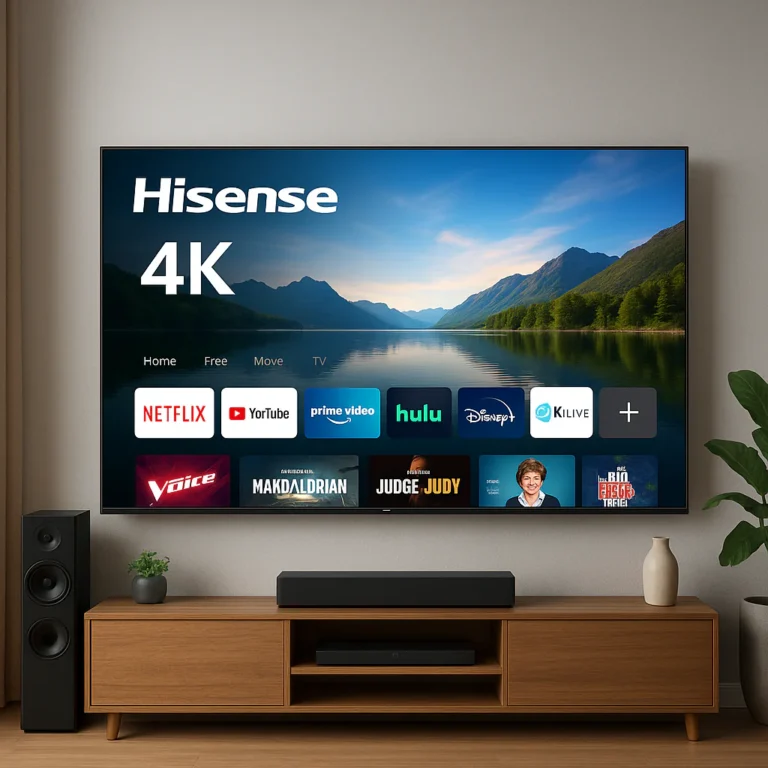
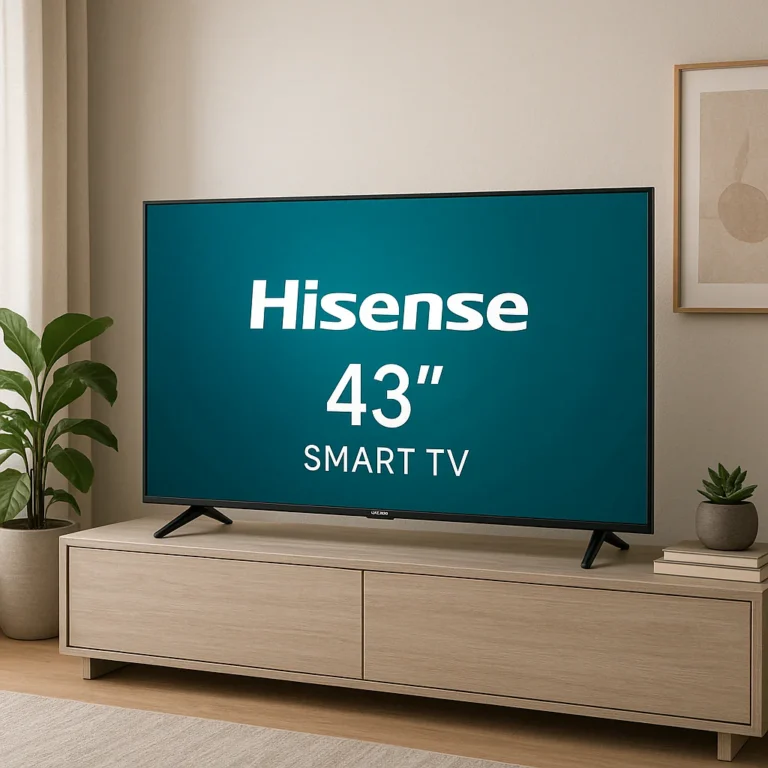
5. Hisense: impressive performance with model-to-model variation
Hisense competes aggressively in QLED and Mini-LED segments. Its televisions can be compelling on paper, but the model number matters more than the logo: check independent tests for actual brightness, motion, color, interface behavior, and support.
What we like
- ✅ Strong feature sets on selected midrange and premium models.
- ✅ A useful comparison against TCL and more established high-end models.
- ✅ Options across several screen technologies and sizes.
What to check
- ❌ Verify firmware behavior and app support for the exact set.
- ❌ Check availability of authorized repair and replacement parts where you live.
- ❌ Search for recurring issues tied to the same model rather than judging the whole brand by isolated posts.
The video summary makes a similar caution about backlight zones and clouding in years two and three. That statement needs underlying data before it can establish a brand-wide pattern. Our advice: compare warranty, return policy, and model-specific reviews before choosing based on the spec sheet alone.
👉 Shop Hisense TVs: Amazon | Walmart | Hisense Official Website
6. Panasonic: a strong reputation for picture quality
Panasonic’s television offerings vary by country. In markets where its TVs are widely sold, buyers often consider the brand for picture tuning and home-cinema use. The key caveat is availability: a reputation in one region doesn’t tell you which models, service options, or warranty terms you can get locally.
Before buying, confirm:
- The exact model is officially supported in your country.
- The TV’s operating system meets your streaming needs.
- Local technicians can obtain parts if service is required.
7. Philips: Ambilight appeal and regional model differences
Philips televisions are particularly recognizable in markets where Ambilight models are available. As with several global TV names, the product range and manufacturing arrangements can vary by country.
Check the exact product page for:
- Which smart platform the TV uses.
- Whether Ambilight is included on that model.
- Who provides warranty service in your market.
- Whether the set has independent test coverage.
8. Vizio: value-focused TVs and support considerations
Vizio TVs have historically appealed to value-focused buyers in markets where the brand is sold. Because availability, business arrangements, product lineups, and service coverage can change, we recommend checking current support details rather than relying on an older brand reputation.
Before committing, look up the exact model, verify current warranty terms, and confirm that the retailer can handle returns or repairs.
9. Roku TV brands: simple streaming, varied hardware quality
Roku TV describes a TV platform used across sets from different manufacturers. That means the interface may be familiar while the panel, backlight, build, and service depend on the TV’s actual brand and model.
Roku’s own TV partner information is a useful starting point, but it doesn’t replace model-specific testing. Check who makes the set, who handles its warranty, and how long the model is expected to receive software updates.
10. Sharp: familiar name, changing manufacturers
Sharp’s television products differ by market, and a familiar badge doesn’t necessarily mean the same design or manufacturer everywhere. For Sharp, the practical buying question is simple: who made this exact TV, and who will repair it?
Check the product’s official regional page, retailer listing, and warranty documentation. If you can’t identify the local service route, that uncertainty is a reason to compare another model.
🕰️ TV Brand History: Why Reliability Varies by Region and Model
Television brands have expanded, restructured, licensed names, and partnered with manufacturers over time. As a result, a logo alone may not tell you who designed, assembled, updates, or services a television.
Who actually makes a television?
A TV’s brand may own the product design and support process, or it may license its name to a regional manufacturer. Components can also come from multiple suppliers. The exact arrangement depends on the brand, product line, and market.
That does not automatically make a licensed or partner-built TV unreliable. It does mean you should verify:
- The manufacturer and model identifier on the product listing.
- The warranty provider’s name and contact details.
- Which company supplies software updates.
- Whether authorized repairs and parts are available locally.
The U.S. Federal Trade Commission’s consumer advice on warranties explains why reading the written terms matters: a brand’s reputation is not the same thing as a warranty promise.
Why one brand can sell very different TVs
A brand portfolio can include entry-level LCDs, premium QLED sets, OLED panels, and Mini-LED models. They may use different components, processors, factories, and software versions.
| What changes | Why it matters |
|---|---|
| Display type | OLED and LCD have different strengths and potential issues |
| Backlight design | LED and Mini-LED sets can differ in diming, uniformity, and repair needs |
| Processor and memory | Can affect menus, upscaling, and app responsiveness |
| Operating system | Influences app availability, updates, and interface behavior |
| Regional model | Can have different panels, tuners, support terms, or features |
| Retailer and warranty | Affects return, repair, and replacement processes |
That’s why the line from the competing video, “A brand’s flagship reputation does not automatically apply to its budget lineup,” is sensible as buying advice, even though it isn’t a measured reliability statistic. Apply the same caution in both directions: a weak entry model doesn’t prove the flagship is poor, either.
🛠️ Common TV Problems and How Long TVs Typically Last
No brand is immune to faults. Which? lists picture or screen trouble, sound problems, and hardware failures among issues consumers may encounter. Its suggested first steps include checking connections and signal, restarting the TV, and contacting the manufacturer or retailer when a hardware failure appears; see its TV reliability guidance.
Screen, backlight, and panel failures
Possible signs include:
- Persistent lines, spots, or dead pixels.
- Uneven brightness or dark sections.
- Clouding, halos, or visible backlight bleed on some LCD TVs.
- A screen that stays black while sound continues.
Before assuming the panel has failed, try this sequence:
- Check the source. Switch to a different app, HDMI input, or broadcast channel.
- Inspect the cable and signal. Reseat HDMI connections and test another source.
- Restart the TV. Turn it off, unplug it briefly, and reconnect it.
- Review picture settings. Disable unusually aggressive motion or contrast settings temporarily.
- Document the fault. Take photos or video, note when it happens, and record the model number.
- Contact the retailer or manufacturer. Avoid opening the TV yourself, especially while it is under warranty.
A poor antenna or internet connection can look like a picture problem, so test more than one source before calling the screen defective.
Smart-TV software, Wi-Fi, and HDMI issues
Many “my TV is broken” moments turn out to be software or connection issues. A frozen app, slow menu, or dropped Wi-Fi may improve after a restart, app update, or router check.
Try:
- Restarting the TV and router.
- Updating the TV’s software and streaming app.
- Testing another HDMI cable and input.
- Checking that the router is close enough for a stable signal.
- Removing an unused app or reconnecting to the network.
- Contacting the manufacturer if the same fault returns repeatedly.
Don’t factory-reset first if you haven’t saved your settings or confirmed you know your account passwords. A reset can erase preferences without fixing a hardware problem.
OLED burn-in, LED wear, and everyday use
OLED and LCD/LED TVs produce images differently. OLED pixels emit their own light; LCD TVs rely on a backlight behind the display. OLED can deliver exceptional black levels, while LCD technologies can suit bright rooms and come in many price and size tiers. For background on the technology, see OLED TV advancements.
Burn-in is a potential consideration with OLED when static elements remain in the same place for extended periods. Most people watching a mix of films, shows, and games can use an OLED normally, but anyone running a constant news channel, dashboard, or game HUD for very long sessions should read the manufacturer’s care guidance. Don’t disable protective features to chase a marginal brightness boost.
🎮 Best Reliable TVs for Gaming, Movies, and Everyday Viewing
A “reliable” set should suit the job you ask it to do. The right choice for bright sports viewing may not be the best choice for late-night movies or a console-heavy setup.
| Your use | What to prioritize | Brands/models to compare |
|---|---|---|
| Console gaming | HDMI features, low input lag, VR support, stable software | LG OLED, Samsung, Sony, TCL, Hisense |
| Movies in a dark room | Contrast, black levels, accurate picture modes | LG OLED, Sony OLED, Panasonic models where available |
| Bright living room | Brightness, reflection handling, viewing angle | Samsung QLED/Neo QLED, Sony LED, TCL and Hisense Mini-LED |
| Family streaming | Simple interface, reliable Wi-Fi, app support | Sony, Samsung, LG, Roku TV models |
| Budget viewing | Strong return policy, suitable screen size, model reviews | TCL, Hisense, selected LG and Samsung models |
For independent picture, gaming, and usability tests, compare exact models at RTINGS, Consumer Reports where available, and Which?.
Best TV brands for PS5, Xbox, and PC gaming
For gaming, shortlist models with the features you’ll actually use—not just a gaming logo on the box.
Check:
- HDMI 2.1 features: Confirm the number of full-bandwidth ports and supported functions.
- Variable refresh rate (VR): Useful for reducing tearing with compatible devices.
- Auto Low Latency Mode (ALLM): Can switch the TV into a lower-latency setting.
- Input lag and response time: Independent tests provide more useful comparisons than brand claims alone.
- Burn-in habits: OLED can be a superb gaming display, but vary content and leave protective features enabled.
LG, Samsung, Sony, TCL, and Hisense all have gaming-capable models. The reliable pick is the specific model that passes testing and has support you can reach—not the brand with the flashiest gaming menu.
Best dependable OLED and Mini-LED options
OLED and Mini-LED are different display approaches, not reliability grades.
- OLED: Excellent contrast and pixel-level light control; consider static-content habits and warranty terms.
- Mini-LED LCD: Uses many small backlight zones to improve contrast and brightness; check for blooming and uniformity in reviews.
- Standard LED LCD: Often practical for everyday viewing, but quality varies widely by model.
Before choosing, compare:
- Room brightness and seating angle.
- The content you watch most.
- Independent measurements and real-world testing.
- The warranty and panel coverage.
- Local repair options.
Best reliable budget and family TVs
If the budget matters, a well-reviewed midrange television with a good retailer return policy can be a smarter purchase than an unknown bargain set with impressive marketing. Explore our affordable TV options, then compare TCL, Hisense, LG, and Samsung models by exact model number.
For a family room, prioritize:
- A bright enough screen for daytime viewing.
- A straightforward remote and interface.
- Stable app support for the services you use.
- Enough HDMI ports for consoles and media players.
- A stand or mount suited to your household.
- A retailer with clear return and service terms.
🛒 How to Choose a Reliable TV: A Practical Buying Checklist
Use this step-by-step process before you buy. It takes less time than troubleshooting a television that looked perfect in a product listing.
Check the exact model, not just the brand
- Write down the full model number. Similar names can refer to different screen sizes or regional versions.
- Find independent testing. Look for measurements of brightness, contrast, viewing angle, motion, and gaming.
- Search owner feedback by model. Filter for recurring faults, not one-off complaints.
- Compare the operating system. Check app availability, responsiveness, and update information.
- Confirm the panel type. Make sure the product listing matches the TV you intend to buy.
Compare warranty coverage and repair options
Read the warranty document before placing the order. Confirm:
- Coverage duration and start date.
- Whether the seller or manufacturer handles the claim.
- What happens if the panel fails.
- Whether shipping or in-home service is included.
- Which faults and types of damage are excluded.
- Whether a repair, replacement, or refund is offered under applicable terms.
The FTC warranty guide is a useful primer for U.S. buyers. Consumer rights and warranty rules differ by country, so check your local protections as well.
Choose the right screen size and display type
A bigger screen isn’t automatically better if it overwhelms your room or shows lower-resolution content poorly. Before choosing, consider:
- Viewing distance and room layout.
- Daylight and reflections.
- How many people watch from off-center seats.
- The kind of content you stream.
- Whether you watch for long sessions with static graphics.
For shoppers choosing between OLED and LCD, our OLED TV advancements guide explains the technology trade-offs.
Look for long-term software and security updates
A TV may keep displaying an image long after some apps or services have changed. Check the manufacturer’s support page for software information and confirm that the apps you need are currently supported.
Also ask:
- Can you use an external streaming device if built-in apps age?
- Can the TV still receive security updates?
- Does the manufacturer publish model-specific support information?
- Can you easily disable features you don’t want, such as voice assistants?
🧰 TV Care Tips to Extend Your Television’s Lifespan
No care routine can guarantee a fault-free TV, but sensible setup and maintenance can prevent avoidable trouble.
- Provide ventilation. Follow the manual’s clearance guidance, and don’t block vents.
- Use a stable mount or stand. Make sure it’s rated for the TV’s size and weight.
- Keep liquids away. A spill can damage electronics long before you notice a problem.
- Use a surge protector where appropriate. Follow local electrical-safety guidance and the TV maker’s recommendations.
- Keep software updated. Install updates from the TV’s settings or official support page.
- Clean gently. Use a soft, dry microfiber cloth; avoid spraying cleaners directly onto the panel.
- Give OLED protective features room to work. Keep panel-care settings enabled and vary static content.
- Record your purchase details. Save the receipt, model number, serial number, and warranty document.
- Test connections early. Check HDMI, Wi-Fi, speakers, apps, and remote functions during the retailer’s return period.
- Don’t open the TV yourself. Internal components can be hazardous, and self-repair may affect warranty coverage.
If you hear crackling, notice a persistent screen fault, or find the TV will not turn on, stop experimenting once basic checks are complete. Record the symptoms and contact the retailer or manufacturer. Which? also recommends seeking repair support for serious sound or hardware faults rather than assuming a settings change will fix them.
✅ Our Verdict: Which TV Brand Is the Most Reliable?
There is no publicly verifiable, universal winner for every TV buyer. Sony is a strong premium shortlist choice, LG is an excellent OLED choice, and Samsung offers broad coverage across bright-room and feature-rich models. TCL and Hisense can deliver strong value, but we’d be especially careful to compare the exact model, warranty, and local service options.
Our confident advice is less flashy than a one-brand crown, but more useful:
- For premium peace of mind: start with Sony, then compare the exact model’s support and independent tests.
- For OLED: shortlist LG and Sony, check usage fit, and read the panel warranty.
- For bright rooms and varied budgets: compare Samsung, TCL, Hisense, and Sony model by model.
- For a lower-cost set: prioritize independent testing, easy returns, and an accessible repair route over extra features you may never use.
The video’s summary says, “For picture, LG. For peace of mind, Sony.” That’s a reasonable personal preference, but the available summary doesn’t include data sufficient to prove Sony has the lowest failure rate or that LG OLED lasts longer overall. Which?’s public article indicates a substantial reliability gap among surveyed brands, yet its detailed brand ratings are restricted to members. Trust transparent, model-specific evidence and warranty terms over an unsupported absolute ranking.
A reader once asked us whether buying a cheaper TV was “rolling the dice.” We said: not necessarily. A carefully chosen midrange set from a supported brand can be a sensible buy. The real gamble is purchasing by logo or specification sheet alone, without checking who will help if the screen goes dark.
Sources: