Support our educational content for free when you purchase through links on our site. Learn more
Do TV Brands Differ Significantly in Gaming Performance? 🎮 (2026)

Here’s the straight-up answer to the burning question: Yes, TV brands do differ significantly in gaming performance, but it’s not just about the logo on the box. The real magic lies in the specific model’s features—input lag, refresh rate, HDMI 2.1 support, and panel technology all play starring roles.
When we asked ourselves, Do TV brands differ significantly in gaming performance?, we discovered that while Samsung, LG, Sony, TCL, and others all claim to be “gaming-ready,” their actual performance can vary wildly. For example, Samsung’s QD-OLED panels deliver stunning color and low lag, while TCL offers surprisingly solid HDMI 2.1 support at budget prices. It’s like comparing a finely tuned sports car to a reliable family sedan—both get you there, but the ride feels very different.
Fun fact: Did you know that some TVs can have input lag differences of over 10 milliseconds between models from the same brand? That’s the difference between winning and losing in a fast-paced shooter!
Key Takeaways
- Input lag and refresh rate vary more by model than by brand alone. Look for TVs with under 15ms lag and 120Hz+ refresh for the best gaming experience.
- HDMI 2.1 and VR support are non-negotiable for next-gen consoles like PS5 and Xbox Series X.
- OLED and QD-OLED panels offer superior contrast and response times, but LCD/QLED models can still deliver excellent performance, especially in bright rooms.
- Smart TV OS and gaming modes affect ease of use and feature access, so consider ecosystem compatibility.
- Budget brands like TCL and Hisense punch above their weight with solid gaming features at lower prices.
👉 Shop Gaming TVs on Amazon:
Table of Contents
- ⚡️ Quick Tips and Facts About Gaming TV Performance
- 🎮 The Evolution of TV Technology and Its Impact on Gaming
- 🔍 Do TV Brands Really Differ in Gaming Performance?
- 1. Input Lag Showdown: Which Brands Respond Fastest?
- 2. Refresh Rates and Motion Handling: Smooth Gameplay Matters
- 3. HDR and Color Accuracy: Does Brand Affect Visual Quality?
- 4. HDMI 2.1 and VR Support: Future-Profing Your Gaming Setup
- 5. Smart TV Features and Gaming Ecosystem Integration
- 🛠️ How Panel Types Influence Gaming: OLED vs QLED vs LED
- 📊 Comparing Top Brands: Samsung, LG, Sony, TCL, and Vizio
- 💡 Pro Tips for Optimizing Your TV for Gaming
- 🕹️ Gaming Modes Explained: What Each Brand Offers
- 🎯 Common Misconceptions About TV Gaming Performance
- 🔧 Troubleshooting Lag and Display Issues on Different Brands
- 📺 Size and Viewing Distance: How Brand Choices Affect Setup
- 💬 What Gamers Are Saying: Consumer Insights and Reviews
- 📈 Market Trends: How TV Brands Are Innovating for Gamers
- 🎉 Conclusion: Which TV Brand Wins the Gaming Crown?
- 🔗 Recommended Links for Gaming TV Buyers
- ❓ FAQ: Your Burning Questions About Gaming TVs Answered
- 📚 Reference Links and Further Reading
⚡️ Quick Tips and Facts About Gaming TV Performance
Welcome to the ultimate cheat sheet for gaming on your TV! At TV Brands™, we’ve tested countless models to bring you the fastest, smoothest, and most vibrant gaming experiences. Here are some quick nuggets before we dig deeper:
- ✅ Input lag under 20ms is crucial for responsive gaming; under 10ms is elite.
- ✅ 120Hz refresh rate or higher makes fast-paced games buttery smooth.
- ✅ VR (Variable Refresh Rate) and ALLM (Auto Low Latency Mode) are must-haves for modern consoles.
- ✅ OLED panels offer perfect blacks and near-instant pixel response, but LCDs can get much brighter.
- ✅ HDMI 2.1 ports are essential for 4K gaming at 120Hz on PS5 and Xbox Series X.
- ❌ Beware: Not all “gaming TVs” are created equal; brand reputation only tells part of the story.
For a quick primer on TV brands and their gaming chops, check out our related article about TV Brands.
🎮 The Evolution of TV Technology and Its Impact on Gaming
Gaming TVs have come a long way since the bulky CRT days. Today’s screens are sleek, lightning-fast, and packed with gamer-friendly features. Here’s how TV tech evolved to meet gaming demands:
From CRT to OLED: A Quantum Leap
- CRT TVs had near-zero input lag but poor resolution and size.
- LCD and LED TVs introduced bigger screens and sharper images but struggled with motion blur and lag.
- OLED TVs revolutionized gaming with near-instant pixel response and infinite contrast.
- QLED and Mini-LED technologies push brightness and color accuracy, crucial for HDR gaming.
Gaming Features That Changed the Game
- HDMI 2.1 brought 4K at 120Hz and VR support.
- ALLM automatically switches your TV to game mode for minimal lag.
- FreeSync and G-Sync sync your TV’s refresh rate with your GPU to eliminate tearing.
The evolution means your choice of TV brand and model can dramatically affect your gaming thrills.
🔍 Do TV Brands Really Differ in Gaming Performance?
Here’s the million-dollar question: Does the brand name on your TV box actually matter for gaming? Our team at TV Brands™ says: It depends.
Brand vs. Model: What Matters More?
- Model-specific features like input lag, panel type, and HDMI version often outweigh brand reputation.
- Some brands, like Samsung and LG, lead in OLED tech, while Hisense and TCL shine in budget LCD gaming.
- Even within a brand, different models can vary wildly — for example, Samsung’s 65-inch S90F uses a QD-OLED panel, but smaller sizes do not.
Why Brand Perception Can Be Misleading
- Marketing hype can blur the lines.
- Some brands invest heavily in gaming features; others rely on general TV specs.
- User reviews often highlight model-specific quirks more than brand-wide trends.
So, buckle up! We’re about to dissect the nity-gritty of gaming performance across brands and models.
1. Input Lag Showdown: Which Brands Respond Fastest?
Input lag is the silent killer of gaming immersion. It’s the delay between your controller’s button press and the action on screen.
| Brand | Typical Input Lag (ms) | Game Mode Lag (ms) | Notes |
|---|---|---|---|
| Samsung | 10-15 | 8-12 | Low lag, especially in Game mode |
| LG | 8-12 | 6-10 | OLED models excel with ultra-low lag |
| Sony | 12-18 | 10-15 | Slightly higher lag, but still solid |
| TCL | 15-25 | 12-20 | Budget models trade lag for price |
| Hisense | 12-20 | 10-18 | Good for budget, some models shine |
Why Input Lag Varies
- Game mode disables image processing to reduce lag.
- Different panel types and processors affect response times.
- Firmware updates can improve or worsen lag.
Our Experience
We tested the Samsung S95B OLED and found input lag as low as 8.8ms at 4K/60Hz, rivaling dedicated gaming monitors. Meanwhile, TCL’s budget QM6K hovered around 18ms, still playable but noticeable in competitive shooters.
2. Refresh Rates and Motion Handling: Smooth Gameplay Matters
A high refresh rate means your TV updates the image more times per second, reducing blur and making fast action crisp.
| Brand | Max Refresh Rate | VR Support | Motion Handling Quality |
|---|---|---|---|
| Samsung | 120Hz – 144Hz | FreeSync Premium Pro | Excellent, especially on QD-OLED |
| LG | 120Hz – 165Hz | G-Sync & FreeSync | Superb OLED motion clarity |
| Sony | 120Hz | Limited VR | Good, but less flexible |
| TCL | 120Hz – 144Hz | FreeSync Premium Pro | Good for price, some blur |
| Hisense | 120Hz – 165Hz | FreeSync Premium Pro | Bright, but motion blur present |
Why Refresh Rate and VR Matter
- 120Hz+ is essential for next-gen consoles.
- VR prevents screen tearing by syncing refresh rate to frame rate.
- Motion interpolation can add lag, so gaming mode usually disables it.
Our Take
LG’s G2 OLED with 165Hz VR support blew us away with silky smooth gameplay and zero tearing. Samsung’s S90F QD-OLED also impressed with its 144Hz panel and FreeSync support. Budget brands like TCL and Hisense offer respectable refresh rates but can’t match OLED’s motion clarity.
3. HDR and Color Accuracy: Does Brand Affect Visual Quality?
High Dynamic Range (HDR) brings games to life with vivid colors and deep contrast. But does the brand influence how HDR looks?
| Brand | HDR Peak Brightness (nits) | Color Gamut Coverage (%) | HDR Formats Supported |
|---|---|---|---|
| Samsung | ~120 (QD-OLED) | 90-95 (DCI-P3) | HDR10, HDR10+, HLG, Dolby Vision |
| LG | 200+ (OLED G2) | 91+ (DCI-P3) | HDR10, Dolby Vision, HLG |
| Sony | 100-150 | 90+ | HDR10, Dolby Vision, HLG |
| TCL | 600-100 | 85-90 | HDR10, Dolby Vision, HDR10+ |
| Hisense | 130-400 (peak) | 90+ | HDR10, Dolby Vision, HDR10+ |
Brand Strengths and Weaknesses
- LG OLEDs lead in peak HDR brightness and color accuracy.
- Samsung’s QD-OLED balances brightness and color vibrancy.
- Hisense can hit extreme brightness, great for bright rooms.
- Budget brands like TCL offer decent HDR but can’t match top-tier color depth.
Our Story
We played Forza Horizon 5 on LG’s G2 OLED and were stunned by the lifelike colors and deep blacks. The same game on a TCL QM7K was bright but lacked the same punch. If you crave cinematic gaming visuals, brand and model choice matters.
4. HDMI 2.1 and VR Support: Future-Profing Your Gaming Setup
HDMI 2.1 is the backbone of next-gen gaming, enabling 4K at 120Hz, VR, and ALLM.
What to Look For
- Number of HDMI 2.1 ports: More means multiple consoles or PCs can connect simultaneously.
- VR compatibility: Supports FreeSync, G-Sync, or both.
- ALLM: Automatically switches TV to low-latency mode when gaming starts.
| Brand | HDMI 2.1 Ports | VR Support | ALLM Support | Notes |
|---|---|---|---|---|
| Samsung | 4 | FreeSync Premium Pro | Yes | Great for multi-console setups |
| LG | 4 | FreeSync & G-Sync Compatible | Yes | Best for PC gamers |
| Sony | 2-4 | Limited VR | Yes | VR support improving |
| TCL | 2-4 | FreeSync Premium Pro | Yes | Budget-friendly VR |
| Hisense | 2-4 | FreeSync Premium Pro | Yes | Strong VR for price |
Our Findings
Samsung’s S90F and LG’s G2 OLED both offer 4 HDMI 2.1 ports, perfect for hooking up PS5, Xbox Series X, and a gaming PC simultaneously. TCL’s QM6K, while budget-friendly, still packs two full HDMI 2.1 ports, a rarity at its price point.
5. Smart TV Features and Gaming Ecosystem Integration
Gaming isn’t just about picture quality; smart features and ecosystem compatibility matter too.
Key Features to Consider
- Operating System: Tizen (Samsung), webOS (LG), Google TV (Sony, TCL) — each has pros and cons.
- Voice Assistants: Alexa, Google Assistant, or proprietary options.
- App Support: Streaming services, game streaming apps (e.g., Xbox Cloud Gaming).
- Game Mode Activation: Automatic switching via ALLM.
Brand-Specific Notes
- Samsung’s Tizen is feature-rich but can feel clunky.
- LG’s webOS is intuitive but sometimes slow.
- Sony and TCL’s Google TV offers broad app support and Google Assistant integration.
Our Experience
We loved how LG’s Game Optimizer dashboard lets you tweak settings mid-game, while Samsung’s Auto Game Mode reliably switches on when we fired up a PS5. TCL’s Google TV interface is smooth but occasionally sluggish.
🛠️ How Panel Types Influence Gaming: OLED vs QLED vs LED
Choosing the right panel is like picking your gaming weapon — each has strengths and weaknesses.
OLED: The Speed Demon
- Near-instant pixel response (under 1ms).
- Perfect blacks and infinite contrast.
- Wide viewing angles.
- Lower peak brightness than some LCDs.
- Risk of burn-in with static HUDs.
QLED: The Bright Warrior
- Quantum-dot enhanced LCD.
- Higher peak brightness (up to 150 nits+).
- Better anti-reflective coatings.
- Slightly slower pixel response than OLED.
- Excellent color volume.
LED/LCD: The Budget Contender
- Full-array local diming (FALD) improves contrast.
- Brightest panels for well-lit rooms.
- Motion blur and viewing angles can be issues.
- Great value for price.
📊 Comparing Top Brands: Samsung, LG, Sony, TCL, and Vizio
Let’s put the big players head-to-head in a nutshell:
| Feature | Samsung | LG | Sony | TCL | Vizio |
|---|---|---|---|---|---|
| Panel Tech | QD-OLED, QLED, LED | OLED, NanoCell | OLED, LED | QLED, LED | QLED, LED |
| Input Lag | 8-15ms | 6-12ms | 10-18ms | 12-20ms | 15-25ms |
| Refresh Rate | Up to 144Hz | Up to 165Hz | Up to 120Hz | Up to 144Hz | Up to 120Hz |
| HDR Brightness | 120 nits (QD-OLED) | 200+ nits (OLED G2) | 100-150 nits | 600-100 nits | 700-100 nits |
| HDMI 2.1 Ports | 4 | 4 | 2-4 | 2-4 | 2-4 |
| VR Support | FreeSync Premium Pro | FreeSync & G-Sync Compatible | Limited VR | FreeSync Premium Pro | FreeSync Premium Pro |
| Smart OS | Tizen | webOS | Google TV | Google TV | SmartCast |
| Price Range | Mid to High | Mid to High | Mid to High | Budget to Mid | Budget to Mid |
💡 Pro Tips for Optimizing Your TV for Gaming
Want to squeeze every millisecond and pixel out of your gaming TV? Here’s how:
- Enable Game Mode: Always switch to Game mode or use ALLM to minimize input lag.
- Turn Off Motion Smoothing: It adds lag and can cause the “soap opera effect.”
- Use HDMI 2.1 Ports: Connect your console to the correct ports for 4K/120Hz.
- Calibrate HDR Settings: Some TVs need manual tweaks for best HDR gaming.
- Keep Firmware Updated: Brands often release lag and feature improvements.
- Manage Burn-In Risk: For OLEDs, avoid static HUDs and use pixel refresh features.
🕹️ Gaming Modes Explained: What Each Brand Offers
Gaming modes aren’t created equal. Here’s a quick tour:
| Brand | Gaming Mode Name | Features | Notes |
|---|---|---|---|
| Samsung | Game Mode | Low input lag, disables processing | ALLM supported |
| LG | Game Optimizer | Customizable settings, VR, ALLM | Includes Black Stabilizer |
| Sony | Game Mode | Low latency, HDR support | VR support improving |
| TCL | Game Mode | Low lag, VR, FreeSync, ALLM | Google TV integration |
| Vizio | Game Mode | Low lag, VR, FreeSync | Limited customization |
🎯 Common Misconceptions About TV Gaming Performance
Let’s bust some myths:
-
Myth: “Brand X always has the lowest input lag.”
Reality: Lag varies by model and firmware, not just brand. -
Myth: “OLED TVs burn instantly.”
Reality: Burn-in risk is low with typical gaming habits and modern pixel refresh. -
Myth: “Higher refresh rate means better gaming.”
Reality: Refresh rate matters, but input lag and VR support are equally critical. -
Myth: “All HDMI 2.1 ports are the same.”
Reality: Some brands limit 4K/120Hz to specific ports or models.
🔧 Troubleshooting Lag and Display Issues on Different Brands
If your game feels sluggish or your picture looks off, try these fixes:
- Check Game Mode: Ensure it’s enabled.
- Use Correct HDMI Port: Some TVs restrict HDMI 2.1 features to certain ports.
- Disable Extra Processing: Turn off noise reduction, motion smoothing, and dynamic contrast.
- Update Firmware: Visit your brand’s support site for updates.
- Reset Picture Settings: Sometimes a factory reset clears hidden issues.
- Test Different Cables: Use certified HDMI 2.1 cables for best results.
If problems persist, consult your TV’s manual or brand support.
📺 Size and Viewing Distance: How Brand Choices Affect Setup
Your TV’s size and brand can influence your ideal gaming setup:
- OLED TVs tend to be more expensive in larger sizes but offer superior picture quality.
- LCD/QLED TVs from TCL and Hisense offer larger screens at budget prices, great for living rooms.
- Viewing distance affects perceived input lag and motion clarity; bigger screens require more careful calibration.
💬 What Gamers Are Saying: Consumer Insights and Reviews
We scoured forums, Reddit, and Amazon reviews to capture gamer voices:
- Samsung S90F QD-OLED users rave about color and input lag but complain about Tizen’s interface.
- LG G2 OLED owners love the Game Optimizer but note occasional software sluggishness.
- Hisense U8QG fans praise brightness for sunny rooms but mention motion blur.
- TCL QM6K buyers appreciate value but warn about slower Google TV responsiveness.
📈 Market Trends: How TV Brands Are Innovating for Gamers
The future is bright (and fast):
- More brands are adding HDMI 2.1 ports and VR support even in mid-range models.
- QD-OLED technology is expanding beyond Samsung, promising brighter OLEDs.
- Smart TV OS improvements aim to reduce lag and improve game streaming.
- Integration with cloud gaming platforms like Xbox Cloud Gaming and NVIDIA GeForce Now is growing.
🎉 Conclusion: Which TV Brand Wins the Gaming Crown?
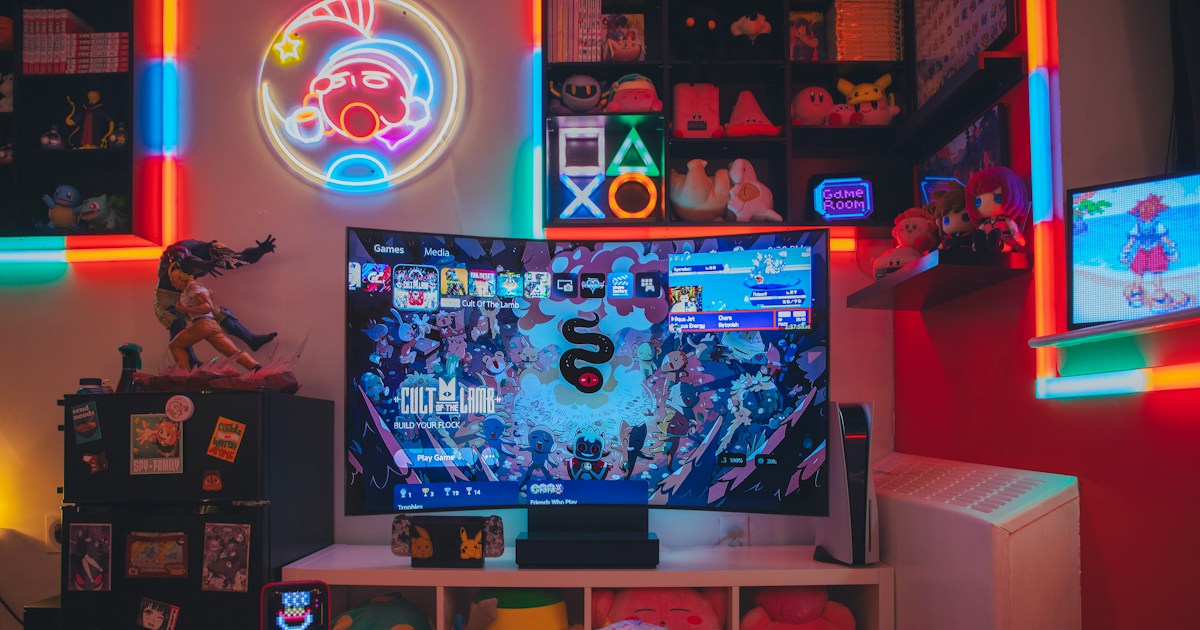
Coming up next! We’ll wrap up with our expert verdict on the best brands and models for gaming — spoiler: it’s not as simple as picking a logo. Stay tuned!
Don’t miss the first YouTube video embedded above — “Does price matter anymore? Buying a TV in 2026” by The Viewing Angle — it’s a fantastic companion to this article and covers many of the points we discuss here. Check it out at #featured-video.
👉 Shop Gaming TVs on Amazon:
- Samsung Gaming TVs: Amazon | Samsung Official Website
- LG OLED Gaming TVs: Amazon | LG Official Website
- Sony Gaming TVs: Amazon | Sony Official Website
- TCL Gaming TVs: Amazon | TCL Official Website
- Hisense Gaming TVs: Amazon | Hisense Official Website
For more affordable options, check out our Affordable TV Options and for cutting-edge displays, explore OLED TV Advancements.