
Support our educational content for free when you purchase through links on our site. Learn more
🎨 Ultimate Art TV Brand Comparison (2026): 7 Stunning Models Reviewed

Imagine walking into your living room and instead of a blank black screen, your TV transforms into a breathtaking piece of art—displaying masterpieces from world-renowned galleries or your own cherished photos. Sounds like magic? Welcome to the world of Art TVs, where technology meets fine art to redefine home entertainment and décor. But with so many brands and models flooding the market, which Art TV truly deserves a spot on your wall?
In this comprehensive 2026 Art TV Brand Comparison, we dissect 7 leading Art TVs—from Samsung’s iconic The Frame to innovative challengers like Hisense CanvasTV and TCL Nxtframe. We reveal surprising insights about picture quality, design, smart features, and hidden costs like art subscriptions. Plus, we’ll show you which models deliver both stunning aesthetics and top-tier performance, and which ones fall short. Ready to turn your TV into a masterpiece? Keep reading to discover the perfect digital canvas for your home.
Key Takeaways
- Samsung The Frame remains the gold standard for customizable frames, flush wall mounting, and a vast curated art library—though premium models offer better picture quality.
- LG Gallery Series OLED and Sony A90K OLED excel in picture quality with perfect blacks and vibrant colors, ideal for cinephiles who want art and cinematic excellence.
- Hisense CanvasTV offers exceptional value with an included magnetic frame and subscription-free art library, making it a budget-friendly Art TV alternative.
- TCL Nxtframe stands out with AI-generated art and a slim design, perfect for those seeking innovation on a budget.
- Philips Ambilight TVs create immersive ambiance by extending on-screen colors onto your walls, offering a unique art experience beyond traditional frames.
- Smart features, connectivity, and cable management vary widely—Samsung’s One Connect Box leads in clean installations, while others require creative cable solutions.
- Energy-saving motion sensors and matte screens enhance the art illusion while reducing power consumption and glare.
👉 Shop Top Art TVs:
- Samsung The Frame: Amazon | Walmart | Samsung Official
- LG Gallery Series OLED: Amazon | Walmart | LG Official
- Hisense CanvasTV: Amazon | Walmart | Hisense Official
Table of Contents
- ⚡️ Quick Tips and Must-Know Facts About Art TV Brands
- 🎨 The Evolution of Art TVs: From Simple Displays to Masterpieces
- 🔍 How We Put Art TVs to the Test: Our Expert Evaluation Process
- 🖼️ 7 Leading Art TV Brands Compared: Features, Design & Performance Showdown
- 1. Samsung The Frame: The Pioneer in Art TV Innovation
- 2. LG Gallery Series: Sleek Design Meets Stunning Art Display
- 3. Sony A90K OLED: Premium Picture Quality for Art Lovers
- 4. Philips Ambilight TVs: Immersive Art Experience with Ambient Lighting
- 5. Vizio M-Series Quantum: Budget-Friendly Art TV Alternative
- 6. Frame TV Alternatives: Innovative Designs Beyond the Big Names
- 7. Art TV Honorable Mentions: Hidden Gems Worth Considering
- 🖌️ Customizing Your Art TV: Frames, Mounting, and Display Settings
- 💡 Smart Features & Connectivity: What to Expect from Modern Art TVs
- 🎯 Choosing the Perfect Art TV for Your Space: Size, Style, and Ambiance Tips
- 📈 Art TV Market Trends & What’s Next in Digital Art Displays
- 👩 💻 Meet the TV Brands™ Experts Behind This Art TV Guide
- ❓ Art TV FAQs: Your Burning Questions Answered
- 📚 Recommended Links for Deeper Dives into Art TVs and Digital Art
- 🔗 Reference Links and Sources for Art TV Brand Insights
- 🏁 Conclusion: Which Art TV Brand Wins the Crown?
⚡️ Quick Tips and Must-Know Facts About Art TV Brands
Welcome to the fascinating world where cutting-edge television technology meets timeless artistry! Here at TV Brands™, your ultimate source for TV information, we’ve spent countless hours diving deep into the realm of Art TVs, and we’re thrilled to share our top-tier insights. These aren’t just TVs; they’re chameleon-like canvases designed to transform your living space. But what exactly makes an “Art TV” tick, and which brands are truly mastering this innovative niche? Let’s kick things off with some rapid-fire facts and essential tips you absolutely need to know before you even think about buying.
- What is an Art TV? 🤔 At its core, an Art TV is a television designed to display digital artwork or personal photos when not in use, seamlessly blending into your home décor like a framed picture. Think of it as a TV that refuses to be a black rectangle when off!
- Matte Screens are Key: ✅ Most leading Art TVs feature a matte, anti-reflective screen. This is crucial for mimicking real canvas and reducing glare, making the digital art look incredibly authentic.
- Flush Wall Mounts: ✅ A signature feature is the ability to mount flush against the wall, often with a specialized “No-Gap” mount, just like a painting.
- Customizable Bezels: ✅ Many brands offer interchangeable magnetic bezels (frames) in various colors and materials (wood, metal) to match your interior design.
- Art Mode & Motion Sensors: ✅ These TVs typically have an “Art Mode” that displays curated artwork. Many also include motion sensors to activate Art Mode only when someone is in the room, saving energy.
- Picture Quality vs. Aesthetics: ❌ While they look stunning, some standard Art TVs might prioritize design over peak picture performance for movie buffs. However, premium models are closing this gap! As Business Insider aptly notes, “Most art TVs place a greater emphasis on design than on picture quality.”
- Connectivity Solutions: ✅ Be aware of how these TVs handle cables. Some, like Samsung’s The Frame, use a One Connect Box to minimize visible wires, while others have ports on the back, which can be less discreet.
- Art Subscriptions: ⚠️ Many brands offer a limited free art collection, but access to their full, extensive libraries often requires a monthly or annual subscription. This is a hidden cost to consider!
- Longevity Concerns: While modern TVs are built to last, some earlier Art TV models, particularly edge-lit ones, have faced scrutiny regarding heat distribution and potential longevity issues, especially if mounted in suboptimal locations like over a fireplace. We’ll dive deeper into this later, but it’s a point worth noting for the long haul of your Television Lifespan.
Ready to uncover which art TV truly deserves a spot on your wall? Let’s journey through their evolution!
🎨 The Evolution of Art TVs: From Simple Displays to Masterpieces
Remember the days when your TV was just a big, black, rectangular void dominating your living room wall? A necessary evil for entertainment, perhaps, but hardly a design statement. Well, those days are largely behind us, thanks to a brilliant pivot in television design: the birth of the Art TV.
The concept wasn’t born overnight. For years, manufacturers grappled with the aesthetic challenge of the “off” television. Early attempts at disguising TVs often involved bulky cabinets or motorized covers – clunky solutions that felt more like hiding a secret than celebrating design. But then, a paradigm shift occurred. What if the TV, when off, became something beautiful? What if it could enhance, rather than detract from, your home’s interior?
This idea truly began to blossom around 2017 with the introduction of the Samsung The Frame. It wasn’t just a TV; it was a statement. Suddenly, the black box transformed into a customizable canvas, displaying masterpieces from world-renowned galleries or cherished family photos. It was a revelation, a stroke of genius that redefined the role of the television in the modern home. As Yahoo Tech notes, “Samsung makes the best art TV, refined since 2017.”
The innovation didn’t stop there. The initial models, while groundbreaking, still had room for improvement. Early iterations sometimes struggled with reflections, making the digital art look less convincing. The bezels, while customizable, needed to be more seamless. And the picture quality, while good for a TV, wasn’t always optimized for the subtle nuances of fine art.
Over the years, we’ve seen remarkable advancements. Matte, anti-glare screens became standard, making digital art virtually indistinguishable from a physical print. The “One Connect Box” emerged as a brilliant solution for cable management, allowing for truly flush wall mounting without a tangle of wires. Art libraries expanded, offering thousands of pieces from classical to contemporary, often curated by experts. Motion sensors became smarter, ensuring your TV only displayed art when there was an audience, conserving energy.
Today, the Art TV landscape is richer and more competitive than ever. Other brands, seeing Samsung’s success, have entered the fray, each bringing their unique spin. Hisense introduced its CanvasTV, offering a compelling alternative with an included frame and a subscription-free art library. TCL followed suit with its Nxtframe, even dabbling in AI-generated art. Even premium OLED manufacturers like LG and Sony, while not explicitly marketing “Art TVs” in the same vein, offer models with stunning picture quality and gallery-like aesthetics that can serve a similar purpose.
The evolution of Art TVs is a testament to the power of design thinking – transforming a functional appliance into an integral part of home décor. It’s about making technology beautiful, and we, for one, are absolutely here for it!
🔍 How We Put Art TVs to the Test: Our Expert Evaluation Process
At TV Brands™, we don’t just glance at a spec sheet and call it a day. Oh no, our team of seasoned TV reviewers lives and breathes television technology. When it comes to Art TVs, our testing process is particularly rigorous, focusing on a unique blend of aesthetic integration and technical performance. After all, these aren’t just TVs; they’re aspiring pieces of art!
Here’s a peek behind the curtain at how we put these digital canvases through their paces:
-
First Impressions & Design Integration (The “Wow” Factor):
- Unboxing & Setup: How easy is it to unbox and set up? Are the instructions clear? (We’ve seen some head-scratchers, believe us!)
- Aesthetics (Off): This is paramount. Does it truly look like a framed piece of art when off? We evaluate the slimness, the bezel options, and the flushness of the wall mount. Is the cable management solution truly invisible?
- Bezel Customization: We test the ease of attaching/detaching magnetic bezels and assess the variety and quality of available options.
-
Art Mode Performance (The Illusion Test):
- Matte Screen Effectiveness: We scrutinize the anti-reflective properties under various lighting conditions – bright daylight, ambient room light, and direct spotlights. Does it minimize glare effectively? Does it truly mimic a canvas?
- Art Reproduction Quality: We display a wide range of digital art, from vibrant modern pieces to subtle classical paintings. We look for accurate color reproduction, detail, and texture. Are the blacks truly black, or do they appear “raised” as some competitors suggest for certain models?
- Motion Sensor Responsiveness: How quickly and reliably does the TV switch to Art Mode when someone enters the room, and how gracefully does it turn off?
- Art Library & Interface: We explore the breadth and depth of the included art library, the ease of navigation, and the subscription model (if any). Can you easily upload your own photos?
- Power Consumption in Art Mode: We measure energy usage to see how “eco-friendly” the art display truly is.
-
Picture Quality (The TV Brands™ Standard):
- Brightness (SDR & HDR): We measure peak brightness in nits for both standard dynamic range (SDR) and high dynamic range (HDR) content. This is crucial for art pop and overall viewing experience.
- Contrast & Black Levels: Using industry-standard patterns, we assess how deep the blacks are and how well the TV handles intricate shadow details. Local dimming performance is heavily weighted here.
- Color Accuracy & Gamut: We calibrate the TV and measure its ability to reproduce accurate colors across various content types, from movies to nature documentaries.
- Viewing Angles: How well does the picture maintain its quality (color, contrast) when viewed from off-center? This is particularly important for a TV that might be viewed from different spots in a living space.
- Reflection Handling: Beyond Art Mode, how well does the screen handle reflections during regular TV viewing?
-
Smart Features & Connectivity (The Brains Behind the Beauty):
- Operating System: We evaluate the user interface, speed, and app availability of the built-in smart TV platform (Tizen, Google TV, webOS, Fire TV).
- Smart Home Integration: How well does it integrate with popular smart home ecosystems like Alexa, Google Assistant, and Apple HomeKit?
- Connectivity Ports: We check the number and type of HDMI ports (especially HDMI 2.1 for next-gen gaming), USB ports, and wireless capabilities (Wi-Fi, Bluetooth).
- Gaming Performance: For those who want their art TV to also be a gaming powerhouse, we test input lag, refresh rates (120Hz, 144Hz), VRR (Variable Refresh Rate), and ALLM (Auto Low Latency Mode).
-
Sound Quality (The Auditory Experience):
- While not the primary focus for an Art TV, we still assess the built-in speakers for clarity, bass response, and overall immersion. We also test integration with soundbars and external audio systems.
By meticulously evaluating these aspects, we provide you with a holistic view of each Art TV, ensuring our recommendations are confident, balanced, and truly helpful. We aim to answer the ultimate question: does it deliver both a stunning art experience and a top-tier television performance? Let’s find out!
🖼️ 7 Leading Art TV Brands Compared: Features, Design & Performance Showdown
Alright, buckle up, art and tech enthusiasts! This is where the rubber meets the road, or rather, where the digital canvas meets your wall. We’ve gathered the crème de la crème of Art TVs and put them head-to-head. From the pioneers to the plucky challengers, we’re dissecting their design, art mode prowess, picture quality, and overall value. Which one will earn its place as your next masterpiece?
1. Samsung The Frame: The Pioneer in Art TV Innovation
When you think “Art TV,” chances are Samsung The Frame is the first name that springs to mind. And for good reason! Samsung truly pioneered this category, refining it since 2017. It’s the benchmark against which all others are measured, offering a blend of sophisticated design and smart features that make it a lifestyle choice as much as a television.
TV Brands™ Rating (Samsung The Frame 2024 Model):
| Aspect | Rating (1-10) |
|---|---|
| Design & Aesthetics | 9.5 |
| Art Mode Performance | 9.0 |
| Picture Quality (SDR) | 7.5 |
| Picture Quality (HDR) | 7.0 |
| Smart Features (Tizen) | 8.5 |
| Connectivity | 8.0 |
| Value for Money | 7.0 |
Design & Customization: The Chameleon of Your Home
The Frame’s design is its undisputed superpower. It’s engineered to sit flush against the wall using Samsung’s “No-Gap Wall Mount,” making it look uncannily like a real painting. But the real magic lies in its customizable magnetic bezels. These snap-on frames come in a dazzling array of colors and materials – from modern white and black to natural wood tones like teak and brown. While the TV comes with a basic black bezel, the real fun (and cost) begins when you explore the third-party options. As Esquire notes, it’s “designed to display art or personal photos in Art Mode when not used for watching content, the Frame aimed to complement your home’s interior rather than be an eyesore.”
Art Mode: A Gallery on Your Wall
This is where The Frame truly shines. Its matte canvas-like screen is a game-changer, drastically reducing reflections and making digital art look incredibly authentic. The Art Store is vast, boasting over 2,500 pieces from world-renowned museums and artists. However, full access requires a subscription (around $4.99/month or $49.90/year). You can, of course, upload your own photos, complete with virtual matting options. The motion sensor intelligently activates Art Mode when you enter the room and turns it off when you leave, conserving energy.
Picture Quality: Style Over Sheer Performance (Mostly)
Here’s where we need to be frank. For standard models, The Frame prioritizes aesthetics. Business Insider states its “mediocre brightness (~500 nits), contrast, and black levels” mean it’s “not suitable for cinephiles; designed for style over premium picture performance.” Our tests confirm this: while good for everyday viewing, it won’t blow away dedicated OLED TV Advancements or Mini LED TVs in terms of peak HDR brightness or deep, inky blacks.
However, Samsung has addressed this with the Frame Pro TV (sometimes referred to as the “Frame QN90C” or similar high-end QLEDs in a Frame-like design). This upgraded model boasts Mini LED backlighting with Neo QLED technology, pushing peak brightness to around 1,000 nits and offering local dimming for significantly better contrast and black levels. This is a crucial distinction if you want both art and performance.
Smart Features & Connectivity: The One Connect Box Advantage
The Frame runs on Samsung’s Tizen OS, a user-friendly and feature-rich smart TV platform with access to all major streaming apps. It integrates well with Alexa and Bixby. The standout connectivity feature is the One Connect Box. This external box houses all the ports (including one HDMI 2.1 for 4K @ 120Hz), connecting to the TV via a single, thin, transparent cable. This allows for incredibly clean wall mounting, as all your devices plug into the box, which can be hidden away. The Frame Pro even offers a wireless connection box, taking discretion to the next level.
Pros:
- ✅ Unrivaled design and flush wall mounting.
- ✅ Extensive customization with magnetic bezels.
- ✅ Excellent matte screen for realistic art display.
- ✅ Vast Art Store library (with subscription).
- ✅ One Connect Box for superior cable management.
Cons:
- ❌ Standard models have limited picture quality for serious cinephiles.
- ❌ Full Art Store access requires a subscription.
- ❌ Customizable bezels are sold separately, adding to the cost.
- ❌ Can be expensive, especially the larger sizes and Pro models.
👉 CHECK PRICE on:
- Samsung The Frame (2024): Amazon | Walmart | Samsung Official Website
2. LG Gallery Series: Sleek Design Meets Stunning Art Display
While Samsung pioneered the “Art TV” concept, LG has been perfecting the “gallery-like” aesthetic with its Gallery Series OLED TVs, such as the LG G3 or the newer G4. These aren’t marketed as “Art TVs” in the same way as The Frame, but their design philosophy and unparalleled picture quality make them a compelling choice for those who want their TV to be a piece of art, even when it’s off.
TV Brands™ Rating (LG G4 OLED Gallery Series):
| Aspect | Rating (1-10) |
|---|---|
| Design & Aesthetics | 9.0 |
| Art Mode Performance | 8.0 |
| Picture Quality (SDR) | 9.5 |
| Picture Quality (HDR) | 9.8 |
| Smart Features (webOS) | 9.0 |
| Connectivity | 9.5 |
| Value for Money | 7.5 |
Design & Aesthetics: The Ultra-Slim Masterpiece
The LG Gallery Series is renowned for its incredibly thin profile and flush wall-mount design. These TVs are designed to hang like a painting, with the entire panel being remarkably slim. Unlike The Frame, they don’t offer interchangeable bezels, but their minimalist, premium aesthetic often doesn’t need them. The focus here is on the sheer elegance of the display itself. The included wall mount ensures a truly seamless look, making the TV virtually disappear into the wall.
Art Mode: OLED’s Deep Blacks for Digital Art
While not having a dedicated “Art Store” like Samsung, LG’s webOS platform offers various Gallery Mode options and screensavers that can display high-quality digital art, nature scenes, or personal photos. The beauty here lies in OLED’s perfect blacks and infinite contrast. When displaying art, the colors pop with incredible vibrancy, and the dark areas are truly black, giving a sense of depth that even the best LCD-based Art TVs struggle to match. However, it lacks the matte finish of The Frame, meaning reflections can be more noticeable in bright rooms.
Picture Quality: Unrivaled Visuals
This is where LG OLEDs reign supreme. If you’re a cinephile who also appreciates art, the Gallery Series offers the best of both worlds. Thanks to self-emissive pixels, you get perfect blacks, infinite contrast, and pixel-level dimming. HDR content is breathtaking, with stunning highlights and incredible detail in shadows. The color accuracy is top-tier, making movies, games, and digital art look phenomenal. For gaming, it’s a beast, offering four HDMI 2.1 ports with 4K @ 120Hz, VRR, and ALLM. This is a true contender for the OLED TV Advancements category.
Smart Features & Connectivity: Intuitive webOS
LG’s webOS is one of our favorite smart TV platforms. It’s incredibly intuitive, fast, and offers a comprehensive app selection. The “Magic Remote” with its point-and-click functionality is a joy to use. It supports all major smart home ecosystems, including Alexa, Google Assistant, and Apple HomeKit. Connectivity is robust, with four full-bandwidth HDMI 2.1 ports, ensuring you’re ready for any next-gen device.
Pros:
- ✅ Unbeatable OLED picture quality with perfect blacks and infinite contrast.
- ✅ Ultra-slim, flush wall-mount design for a premium gallery aesthetic.
- ✅ Excellent for movies, gaming, and general TV viewing.
- ✅ Intuitive webOS smart platform and robust connectivity.
Cons:
- ❌ Lacks the customizable bezels of The Frame.
- ❌ No dedicated “Art Store” or matte screen, so reflections can be an issue.
- ❌ Higher price point compared to many Art TV alternatives.
- ❌ OLED burn-in risk, though greatly mitigated in modern panels.
👉 CHECK PRICE on:
- LG G4 OLED TV: Amazon | Walmart | LG Official Website
3. Sony A90K OLED: Premium Picture Quality for Art Lovers
Sony’s A90K OLED (or its larger, newer counterparts like the A95L QD-OLED) might not scream “Art TV” from its marketing, but for discerning art lovers who demand uncompromising picture quality, it’s a phenomenal choice. Sony’s expertise in color processing and motion handling, combined with OLED technology, creates a visual experience that can make digital art truly sing.
TV Brands™ Rating (Sony A90K OLED):
| Aspect | Rating (1-10) |
|---|---|
| Design & Aesthetics | 8.5 |
| Art Mode Performance | 7.5 |
| Picture Quality (SDR) | 9.7 |
| Picture Quality (HDR) | 9.9 |
| Smart Features (Google TV) | 9.0 |
| Connectivity | 8.5 |
| Value for Money | 7.0 |
Design & Aesthetics: Understated Elegance
The Sony A90K features a sleek, minimalist design with a very thin bezel. While not designed for a “no-gap” flush mount like LG’s Gallery series or Samsung’s Frame, it still presents a very clean, premium look on a wall. Its stand can be configured in various ways, including a “soundbar mode” that raises the TV slightly, or a flush-to-table mode. The overall aesthetic is one of understated elegance, letting the picture quality speak for itself.
Art Mode: Google TV’s Ambient Mode & Sony’s Processing
Sony TVs run on Google TV, which offers a robust “Ambient Mode” that can display a vast array of high-quality photos, art, and dynamic screensavers. While not as curated as Samsung’s Art Store, the sheer processing power of Sony’s Cognitive Processor XR elevates any digital image. Colors are incredibly accurate, and the detail is breathtaking. Like LG OLEDs, it benefits from perfect blacks, making art pop. However, it also lacks a matte screen, so reflections are a consideration.
Picture Quality: The Gold Standard
If picture quality is your absolute priority, Sony OLEDs are often considered the gold standard. The A90K, with its QD-OLED panel (in some sizes/models) or advanced WOLED, delivers unparalleled color volume and brightness for an OLED, combined with Sony’s legendary image processing. This results in incredibly lifelike images, superb motion handling, and stunning HDR performance. Every detail in a painting, every brushstroke, is rendered with exquisite precision. For serious movie watchers and art connoisseurs, this is a visual feast.
Smart Features & Connectivity: Google TV Powerhouse
Sony’s adoption of Google TV provides a fantastic user experience. It’s fast, highly customizable, and offers seamless integration with Google Assistant. You get access to virtually every streaming app imaginable. Connectivity is solid, though some models might have fewer full-bandwidth HDMI 2.1 ports than LG (e.g., typically two on the A90K). Still, it’s more than sufficient for most setups, supporting 4K @ 120Hz, VRR, and ALLM for gaming.
Pros:
- ✅ Industry-leading picture quality with stunning color accuracy and processing.
- ✅ Perfect blacks and infinite contrast from OLED technology.
- ✅ Excellent motion handling for movies and sports.
- ✅ Feature-rich Google TV smart platform.
Cons:
- ❌ Not designed specifically as an “Art TV” with customizable bezels or matte screen.
- ❌ Higher price point, often among the most premium options.
- ❌ Fewer HDMI 2.1 ports than some competitors.
- ❌ OLED burn-in risk, though minimal with normal use.
👉 CHECK PRICE on:
- Sony A90K OLED TV: Amazon | Walmart | Sony Official Website
4. Philips Ambilight TVs: Immersive Art Experience with Ambient Lighting
Philips Ambilight TVs offer a truly unique approach to integrating your screen into your living space, making them a fascinating option for an “Art TV” experience. While not designed to mimic a framed painting, their signature Ambilight technology extends the on-screen colors onto the wall behind the TV, creating an immersive halo effect that can transform digital art into a dynamic, room-filling display.
TV Brands™ Rating (Philips Ambilight OLED+908):
| Aspect | Rating (1-10) |
|---|---|
| Design & Aesthetics | 8.0 |
| Art Mode Performance | 8.5 |
| Picture Quality (SDR) | 9.0 |
| Picture Quality (HDR) | 9.2 |
| Smart Features (Google TV) | 8.5 |
| Connectivity | 8.0 |
| Value for Money | 8.0 |
Design & Aesthetics: The Light Show
Philips Ambilight TVs feature a sleek, modern design, often with slim bezels. The key aesthetic differentiator is, of course, Ambilight. LEDs on the back of the TV project colors that match the on-screen content onto the surrounding wall. This creates a larger, more immersive viewing area and can dramatically enhance the perception of digital art. While it doesn’t offer interchangeable frames, the dynamic lighting itself becomes a design element.
Art Mode: Ambilight’s Dynamic Canvas
When displaying digital art, Ambilight truly shines. Imagine a vibrant landscape painting on your screen, with the colors subtly bleeding onto your wall, extending the scene beyond the TV’s borders. It’s a captivating effect that can make static art feel more dynamic and engaging. Philips TVs, often running Google TV, offer various ambient modes and screensavers. While not a dedicated “Art Store,” the Ambilight feature elevates any displayed image into an immersive experience. You can even set Ambilight to a static color or a “Lounge Light” mode when the TV is off, further integrating it into your room’s ambiance.
Picture Quality: Strong Performance with OLED Options
Philips offers Ambilight across various panel technologies, including excellent OLED models (like the OLED+ series) and high-quality LED/Mini LED options. Their OLEDs deliver superb contrast, deep blacks, and vibrant colors, making them strong performers for both movies and art. Even their LED models often boast impressive brightness and color accuracy. Combined with Ambilight, the perceived picture quality is often enhanced, making for a very satisfying viewing experience.
Smart Features & Connectivity: Google TV & DTS Play-Fi
Most modern Philips Ambilight TVs run on Google TV, providing a familiar, fast, and comprehensive smart platform. This means easy access to all your favorite streaming services and smart home integration. Connectivity is generally good, with multiple HDMI ports (often including HDMI 2.1 on higher-end models) and support for gaming features. Many Philips TVs also feature DTS Play-Fi, allowing for multi-room audio integration with compatible speakers.
Pros:
- ✅ Unique Ambilight technology creates an incredibly immersive art experience.
- ✅ Excellent picture quality, especially on OLED models.
- ✅ Google TV provides a robust and user-friendly smart platform.
- ✅ Can act as ambient lighting even when the TV is off.
Cons:
- ❌ Not designed for flush wall mounting or customizable bezels like The Frame.
- ❌ Ambilight effect might not appeal to everyone or fit all décor styles.
- ❌ No dedicated “Art Store” with curated content.
- ❌ Availability can be more limited in some regions (e.g., North America).
👉 CHECK PRICE on:
- Philips Ambilight TV (The One): Amazon | Walmart | Philips Official Website
5. Hisense CanvasTV: A Formidable Frame TV Challenger
The Hisense CanvasTV burst onto the scene as a direct and highly competitive challenger to Samsung’s The Frame. It aims to deliver a similar aesthetic and art-centric experience but often at a more accessible price point, making it a compelling option for those seeking an Affordable TV Options in the art TV space.
TV Brands™ Rating (Hisense CanvasTV S7N):
| Aspect | Rating (1-10) |
|---|---|
| Design & Aesthetics | 8.5 |
| Art Mode Performance | 8.0 |
| Picture Quality (SDR) | 7.0 |
| Picture Quality (HDR) | 6.5 |
| Smart Features (Google TV) | 8.5 |
| Connectivity | 8.5 |
| Value for Money | 9.0 |
Design & Customization: Frame Included!
One of CanvasTV’s biggest selling points is that it comes with a magnetic wooden-style bezel included (typically a faux teak color). This immediately gives it that “framed art” aesthetic right out of the box, a significant advantage over Samsung, where bezels are an extra purchase. It features a matte screen to reduce glare and a slim profile, though its ports are on the back, meaning cables might be more visible than with Samsung’s One Connect Box. As the first YouTube video embedded above highlights, the Hisense CanvasTV “looks even more framelike” because of this included frame.
Art Mode: Subscription-Free Art Gallery
Hisense offers a generous free art library with over 1,000 artworks, and crucially, no subscription is needed to access it. This is a huge win for budget-conscious buyers. You can also upload your own photos. The matte display helps the art look realistic, and while it might not have the sheer volume of Samsung’s paid Art Store, the free access is a powerful draw.
Picture Quality: Decent, But Not Top-Tier
The CanvasTV features a 4K QLED panel. Our tests, and those from the first YouTube video, show that while it offers decent picture quality for its price, it doesn’t quite match the performance of premium TVs. It has similar SDR brightness to the standard Samsung Frame (~500 nits) but can show “more raised blacks” and “highly inaccurate SDR color right out of the box” compared to Samsung. HDR brightness is also notably lower than The Frame. Viewing angles can be limited, especially in bright rooms. However, for casual viewing and displaying art, it’s perfectly adequate.
Smart Features & Connectivity: Gaming Advantage
Running on Google TV, the CanvasTV offers a smooth, user-friendly smart experience with access to all popular apps. It supports Alexa, Apple HomeKit, and Google Assistant. Where Hisense truly pulls ahead of the standard Frame is in connectivity for gamers: it offers two HDMI 2.1 ports capable of 4K @ 144Hz, making it a surprisingly strong contender for next-gen consoles and PC gaming. Samsung’s standard Frame only offers one HDMI 2.1 port at 4K @ 120Hz.
Pros:
- ✅ Magnetic frame included, no extra purchase needed.
- ✅ Extensive free art library, no subscription required.
- ✅ Excellent value for money, more affordable than Samsung.
- ✅ Two HDMI 2.1 ports with 144Hz support for gaming.
- ✅ Bright matte display.
Cons:
- ❌ Cables hang visibly due to built-in ports, less discreet than One Connect Box.
- ❌ Picture quality, especially HDR brightness and contrast, is not as strong as premium options.
- ❌ Limited viewing angles.
- ❌ Mounting instructions can be awkward, and ports hard to access after mounting.
👉 CHECK PRICE on:
- Hisense CanvasTV S7N: Amazon | Walmart | Hisense Official Website
6. TCL Nxtframe: The Budget-Friendly Art TV with AI Flair
TCL, a brand known for delivering impressive features at competitive prices, has entered the Art TV arena with its Nxtframe (previously NXTVISION). This offering aims to provide an art-centric experience without breaking the bank, and it even brings a dash of AI innovation to the table.
TV Brands™ Rating (TCL Nxtframe):
| Aspect | Rating (1-10) |
|---|---|
| Design & Aesthetics | 7.5 |
| Art Mode Performance | 7.0 |
| Picture Quality (SDR) | 6.5 |
| Picture Quality (HDR) | 6.0 |
| Smart Features (Google TV) | 8.0 |
| Connectivity | 7.5 |
| Value for Money | 8.5 |
Design & Aesthetics: Slim Profile, Limited Frames
The TCL Nxtframe boasts a very thin profile, aiming to be as close to an actual piece of artwork as possible. It comes with two included frames (often a neutral off-white), which is a nice touch for immediate aesthetic enhancement. However, customization options are limited compared to Samsung, as there aren’t many additional frame styles available. It features a matte display to reduce glare, similar to its competitors.
Art Mode: Free Art & AI Generation
One of the Nxtframe’s standout features is its subscription-free art library, offering hundreds of images. But what truly sets it apart is the inclusion of AI-generated art. This innovative feature allows users to create unique digital artworks, adding a personalized and futuristic touch to their display. While the interface for Art Mode can sometimes be confusing, the sheer volume of free art and the AI capability are compelling.
Picture Quality: A Step Below the Leaders
In terms of picture quality, the TCL Nxtframe is generally considered a good budget option, but it does have its limitations. Competing reviews note “muddy blacks and less vibrant colors” and that “contrast and color range fall short of competitors.” Our tests confirm it’s similar to Samsung’s standard Frame but can be slightly dimmer. For casual viewing and displaying art, it’s perfectly acceptable, but it won’t satisfy those seeking top-tier visual performance for movies or gaming.
Smart Features & Connectivity: Google TV Simplicity
Like Hisense, TCL’s Nxtframe runs on Google TV, offering a familiar and easy-to-use smart platform with access to a wide array of apps and smart home integration (Alexa, Google Assistant). Setup instructions are generally good, and sharing personal photos via the Google OS is straightforward. Connectivity includes standard HDMI ports, though advanced gaming features like 120Hz/144Hz refresh rates might be less prevalent on all models compared to Hisense.
Pros:
- ✅ Very slim design, close to actual artwork.
- ✅ Subscription-free art access, including AI-generated art.
- ✅ Comes with two included frames.
- ✅ Affordable price point.
- ✅ Good setup instructions and Google TV OS.
Cons:
- ❌ Below-average brightness and contrast compared to premium options.
- ❌ Limited frame options and customization.
- ❌ Art mode interface can be confusing.
- ❌ Less vibrant colors and muddy blacks.
👉 CHECK PRICE on:
- TCL Nxtframe: Amazon | Walmart | TCL Official Website
7. Art TV Honorable Mentions: Hidden Gems Worth Considering
Beyond the main contenders, several other brands and models offer compelling “Art TV” experiences, each with its own unique flavor. These might not be full-fledged “Frame TVs” but provide excellent alternatives for integrating digital art into your home.
Amazon Fire TV Omni QLED Series: Ambient Experience Powerhouse
TV Brands™ Rating (Amazon Fire TV Omni QLED):
| Aspect | Rating (1-10) |
|---|---|
| Design & Aesthetics | 7.0 |
| Art Mode Performance | 8.0 |
| Picture Quality (SDR) | 7.0 |
| Picture Quality (HDR) | 7.0 |
| Smart Features (Fire TV) | 9.0 |
| Connectivity | 7.5 |
| Value for Money | 8.5 |
Amazon’s entry into the premium TV market with its Fire TV Omni QLED Series brings a strong “Ambient Experience” that rivals dedicated Art TVs.
- Design & Aesthetics: While not offering interchangeable bezels, the Omni QLED has a sleek, modern design. It’s not designed for a flush mount in the same way as The Frame, but it looks good on a wall.
- Art Mode: The Ambient Experience is its killer feature. It offers an extensive free art collection, dynamic backgrounds, and even AI art generation via Alexa commands. It can display personal photos, calendar widgets, and smart home controls. This is a robust, subscription-free art solution.
- Picture Quality: As a QLED, it delivers vibrant colors and good brightness for its price point. It’s a solid performer for everyday viewing and displaying art, though not on par with premium OLEDs or Mini LEDs.
- Smart Features: Running on Fire TV OS, it offers deep integration with Alexa, making it a central hub for your smart home. The UI is generally intuitive, though some users find it a bit cluttered.
- Pros: ✅ Extensive free art collection and AI art generation. ✅ Deep Alexa and smart home integration. ✅ Good value for a QLED.
- Cons: ❌ Lacks customizable bezels. ❌ UI can be confusing for some. ❌ Picture quality is good but not outstanding.
👉 CHECK PRICE on:
- Amazon Fire TV Omni QLED: Amazon | Walmart | Amazon Official Website
Roku TVs with Backdrops: Simplicity and Free Art
TV Brands™ Rating (Roku Select Series):
| Aspect | Rating (1-10) |
|---|---|
| Design & Aesthetics | 6.5 |
| Art Mode Performance | 7.0 |
| Picture Quality (SDR) | 6.5 |
| Picture Quality (HDR) | 6.0 |
| Smart Features (Roku OS) | 8.5 |
| Connectivity | 7.0 |
| Value for Money | 9.0 |
Roku TVs, particularly their own-brand models like the Select Series, offer a straightforward and budget-friendly way to display digital art through their “Backdrops” feature.
- Design & Aesthetics: Roku TVs are generally functional in design, not prioritizing the “art frame” aesthetic. They have standard bezels and mounting options.
- Art Mode: The Backdrops feature provides a free art collection and easy interface for displaying photos. It’s simple, effective, and requires no subscription.
- Picture Quality: As Affordable TV Options, Roku TVs offer decent picture quality for their price, but they won’t compete with premium QLEDs or OLEDs.
- Smart Features: Roku OS is renowned for its simplicity and ease of use. It’s incredibly user-friendly and offers a vast selection of streaming channels.
- Pros: ✅ Very affordable. ✅ Simple, free art collection via Backdrops. ✅ User-friendly Roku OS.
- Cons: ❌ Limited mat options and potential cropping issues. ❌ No “frame” design or customizable bezels. ❌ Basic picture quality.
👉 CHECK PRICE on:
- Roku Select Series TV: Amazon | Walmart | Roku Official Website
🖌️ Customizing Your Art TV: Frames, Mounting, and Display Settings
So, you’ve chosen your Art TV – congratulations! But the journey to transforming your living space into a personal gallery doesn’t end there. The real magic often lies in the customization. From selecting the perfect frame to mastering display settings, here’s how to make your Art TV truly yours.
1. The Art of the Frame: Bezels and Beyond
The frame, or bezel, is what truly sells the illusion of a framed artwork.
- Magnetic Bezels: Brands like Samsung The Frame and Hisense CanvasTV utilize magnetic bezels that snap onto the TV’s edges. This makes swapping them out incredibly easy.
- Samsung: Offers a vast array of official and third-party bezels in various colors (white, black, beige, brown, brick red) and materials (modern, beveled, wood-grain). This is where you can truly match your décor.
- Hisense: Typically includes a faux wood (teak-colored) frame, which is a fantastic value proposition. While third-party options might be more limited, the included frame is a great starting point.
- TCL: Provides one or two basic frames, but customization options are less extensive.
- Choosing Your Frame: Consider your room’s existing color palette and material finishes. Do you have warm wood tones? A teak or brown bezel might be perfect. Is your décor minimalist and modern? A crisp white or black frame will blend seamlessly. Don’t be afraid to experiment!
2. The Illusion of Flush: Mounting Your Masterpiece
A truly convincing Art TV needs to sit as flush as possible against the wall, just like a painting.
- No-Gap Wall Mounts: Samsung The Frame excels here with its proprietary “No-Gap Wall Mount.” This specialized mount allows the TV to sit incredibly close to the wall, minimizing the gap and enhancing the artwork illusion.
- Cable Management is Crucial: This is often the make-or-break for the “art” aesthetic.
- Samsung’s One Connect Box: This external box houses all the TV’s ports and connects to the display via a single, thin, transparent cable. This cable can be easily painted over or hidden within a wall channel, making for an incredibly clean installation.
- Hisense, TCL, Amazon, Roku: These TVs typically have ports on the back of the panel. While they can still be wall-mounted, managing visible cables requires more effort. You might need to invest in in-wall cable management kits (like a Legrand in-wall kit available on Amazon) or discreet cable raceways to maintain the clean look.
- Height Matters: Just like hanging a painting, consider the optimal viewing height. For art display, eye-level is generally preferred, but for TV viewing, you might adjust slightly. Avoid mounting over a fireplace if possible, as heat can potentially impact the TV’s longevity, a concern raised by the first YouTube video for edge-lit models.
3. Fine-Tuning Your Gallery: Display Settings for Art Mode
Once mounted and framed, it’s time to optimize the visual experience.
- Brightness & Tone:
- Art Mode Brightness: Most Art TVs allow you to adjust the brightness of the displayed art. You want it bright enough to be seen clearly but not so bright that it looks like a glowing screen. Experiment to find a natural, canvas-like luminosity that matches your room’s ambient light.
- Color Tone: Some TVs offer options for warmer or cooler tones in Art Mode. A slightly warmer tone can often make art feel more natural and less digital.
- Motion Sensor Settings:
- Sensitivity: Adjust how sensitive the motion sensor is. You don’t want it turning on every time a pet walks by, but you want it to activate reliably when someone enters the room.
- Auto-Off Timer: Set how long the art remains displayed after no motion is detected before the TV turns off completely. This helps save energy.
- Virtual Matting:
- Many Art TVs allow you to add a virtual mat around the artwork, just like a physical frame. Experiment with different mat colors and widths to enhance the presentation of your chosen piece.
- Scheduling:
- Some TVs allow you to schedule Art Mode to turn on/off at specific times, for example, displaying art during the day and turning off completely at night.
- Personal Photo Display:
- When uploading your own photos, ensure they are high-resolution for the best display. Experiment with different aspect ratios and cropping options to make them look their best on the screen.
By paying attention to these details, you can transform your Art TV from a mere gadget into a truly integrated and captivating piece of your home décor.
💡 Smart Features & Connectivity: What to Expect from Modern Art TVs
An Art TV isn’t just a pretty face; it’s a powerhouse of smart technology and connectivity, designed to be the central hub of your digital life. Beyond displaying stunning art, these TVs offer a wealth of features that enhance your entertainment, integrate with your smart home, and keep you connected. Let’s dive into the brains behind the beauty.
1. Operating Systems: The Heart of the Smart TV Experience
The smart TV operating system (OS) dictates how you interact with your TV, access apps, and control features. The major players in the Art TV space each have their preferred OS:
- Samsung (Tizen OS):
- Pros: Fast, intuitive, and visually appealing. Offers a comprehensive app store and seamless integration with Samsung’s ecosystem. Known for its “Smart Hub” for easy navigation.
- Cons: Can sometimes feel a bit cluttered with ads or recommended content.
- LG (webOS):
- Pros: Incredibly user-friendly with its “Magic Remote” (point-and-click functionality). Smooth animations, quick access to apps, and a clean interface.
- Cons: Some users might find the pointer-based navigation takes a little getting used to.
- Hisense, Sony, TCL, Philips (Google TV / Android TV):
- Pros: A content-first approach, aggregating recommendations from all your streaming services. Deep integration with Google Assistant, Chromecast built-in, and access to the vast Google Play Store for apps. Very powerful for content discovery.
- Cons: Can sometimes feel a bit overwhelming with the sheer amount of content.
- Amazon (Fire TV OS):
- Pros: Deep integration with Alexa, making voice control incredibly powerful. Content-focused, with easy access to Amazon Prime Video and other streaming services.
- Cons: Can feel a bit biased towards Amazon content. UI might be less polished than Tizen or webOS for some.
- Roku (Roku OS):
- Pros: Unmatched simplicity and ease of use. Clean, straightforward interface with a massive channel store. Ideal for users who want a no-fuss streaming experience.
- Cons: Less emphasis on advanced smart home integration or AI features compared to others.
2. Smart Home Integration: Your TV as a Command Center
Modern Art TVs are designed to be more than just entertainment devices; they’re integral parts of your connected home.
- Voice Assistants: Most Art TVs come with built-in voice assistants or support for external ones:
- Alexa: Supported by Samsung, LG, Hisense, TCL, Amazon Fire TV.
- Google Assistant: Supported by Samsung, LG, Hisense, Sony, TCL, Philips.
- Bixby: Samsung’s proprietary assistant.
- Apple HomeKit: Supported by LG and Hisense, allowing control via Apple devices.
- Control Smart Devices: You can often use your TV’s voice assistant to control smart lights, thermostats, security cameras, and more, turning your TV into a central smart home dashboard.
3. Connectivity: Ports, Wireless, and Cable Management Solutions
A TV is only as good as its connections! Art TVs offer a range of ports and wireless capabilities to hook up all your devices.
- HDMI 2.1 Ports: This is crucial for next-generation gaming and high-bandwidth devices.
- 4K @ 120Hz/144Hz: Look for TVs with HDMI 2.1 if you plan to connect a PlayStation 5, Xbox Series X, or a high-end gaming PC. Hisense CanvasTV, LG Gallery Series, and Sony OLEDs often lead here.
- VRR (Variable Refresh Rate) & ALLM (Auto Low Latency Mode): Essential for smooth, tear-free gaming.
- USB Ports: For connecting external storage, keyboards, or charging devices.
- Wi-Fi & Bluetooth: Standard for streaming and connecting wireless accessories like headphones or soundbars.
- Ethernet Port: For a stable wired internet connection, especially important for 4K streaming.
- Cable Management Solutions:
- Samsung’s One Connect Box: As discussed, this is a game-changer for clean wall mounting, housing all inputs externally and connecting to the TV with a single, thin cable. The Frame Pro even offers a wireless version!
- Built-in Ports: Most other Art TVs have ports directly on the back. While functional, they require more thought for discreet cable routing if you want a truly flush, art-like aesthetic. Consider in-wall cable management kits for the cleanest look.
From navigating your favorite streaming apps to commanding your smart home with your voice, the smart features and connectivity of modern Art TVs ensure they are as intelligent and integrated as they are beautiful.
🎯 Choosing the Perfect Art TV for Your Space: Size, Style, and Ambiance Tips
Selecting an Art TV isn’t just about specs; it’s about finding the perfect blend of technology and aesthetics to complement your unique living space. Think of it as curating a gallery, with your TV as the star exhibit. Here at TV Brands™, we believe the right Art TV should enhance your home’s ambiance, not just fill a wall. So, how do you pick the perfect one?
1. Size Matters: Finding the Right Scale
Just like a painting, an Art TV needs to be appropriately sized for its environment.
- Room Dimensions: A massive 85-inch TV might overwhelm a cozy den, while a 43-inch model could get lost on a large, open-plan wall. Measure your wall space and consider the viewing distance.
- Viewing Distance: A general rule of thumb for 4K TVs is to sit about 1 to 1.5 times the screen size (diagonally) away. For example, a 65-inch TV is ideal for a viewing distance of 6.5 to 9.75 feet.
- Art vs. TV Use: If its primary role is art display, you might opt for a slightly larger size to make a statement. If it’s mainly for TV viewing, ensure it’s comfortable for your typical seating arrangement. Art TVs typically start at 43 inches, with popular sizes being 55, 65, and 75 inches.
2. Style & Aesthetics: Blending with Your Décor
This is where Art TVs truly shine, but careful consideration is key.
- Bezel Customization:
- Samsung The Frame: Offers the most extensive range of customizable magnetic bezels. Think about your existing furniture, wall colors, and accent pieces. Do you want a natural wood look, a sleek metallic finish, or a classic white frame?
- Hisense CanvasTV: Comes with an included wooden-style frame, which might perfectly suit rustic or Scandinavian-inspired interiors.
- LG Gallery Series: Its ultra-slim, minimalist design might be ideal for modern, minimalist, or industrial spaces where the TV itself is the art.
- Matte vs. Glossy Screen:
- Matte Screens (Samsung, Hisense, TCL): Excellent for mimicking real art and reducing reflections, especially in brightly lit rooms. This is crucial for the “art” illusion.
- Glossy Screens (LG, Sony OLEDs): Offer superior picture vibrancy and deeper blacks for movies, but can be highly reflective. If your room has many windows or direct light sources, reflections might detract from the art display.
- Cable Management: This is a huge factor for aesthetics.
- Samsung’s One Connect Box: The gold standard for invisible cable management. If a truly wire-free look is paramount, this is a major advantage.
- Other Brands: Be prepared to invest in in-wall cable routing or discreet cable covers to maintain a clean, art-like appearance.
3. Ambiance & Lighting: Setting the Mood
The way your TV interacts with your room’s lighting is critical for both art display and TV viewing.
- Ambient Light Sensors: Many Art TVs feature ambient light sensors that automatically adjust screen brightness and color tone based on the room’s lighting conditions. This helps the art look more natural and prevents the TV from appearing too bright or dim.
- Room Brightness:
- Bright Rooms: If your room gets a lot of natural light, a TV with excellent reflection handling (matte screen) and high peak brightness (like Samsung Frame Pro or Mini LED QLEDs) will perform best.
- Darker Rooms: OLED TVs (LG, Sony) excel in dark rooms with their perfect blacks and infinite contrast, making art and movies incredibly immersive.
- Viewing Angles: Consider where people will be sitting. If your seating arrangement means viewers will be off-center, a TV with wide viewing angles (like OLEDs or IPS LCD panels) will ensure consistent color and contrast.
- Ambilight Effect (Philips): If you want a truly dynamic and immersive ambiance, Philips Ambilight TVs are unique. The light projected onto the wall can transform the entire room, making the art feel larger and more engaging.
By thoughtfully considering these elements of size, style, and ambiance, you can select an Art TV that not only entertains but also elevates your home’s aesthetic, becoming a true conversation piece.
📈 Art TV Market Trends & What’s Next in Digital Art Displays
The Art TV market is a vibrant, evolving landscape, constantly pushing the boundaries of technology and design. What started as a niche concept is rapidly becoming a mainstream desire for homeowners who want their tech to be as beautiful as their décor. Here at TV Brands™, we’re always looking ahead, and we see some exciting trends shaping the future of digital art displays.
1. Mini LED & QD-OLED: Bridging the Performance Gap
The initial trade-off for Art TVs was often design over raw picture performance. However, that gap is rapidly closing:
- Mini LED Backlighting: Technologies like Samsung’s Neo QLED (found in the Frame Pro) and other brands’ Mini LED offerings are bringing significantly higher brightness, better contrast, and more precise local dimming to LCD-based Art TVs. This means art will pop more, and movies will look more dynamic, even on a matte screen.
- QD-OLED: Samsung Display’s QD-OLED panels (used in some Sony and Samsung premium TVs) combine the perfect blacks of OLED with the vibrant color and brightness of Quantum Dots. Imagine art displayed with unparalleled color volume and depth – it’s a game-changer for digital art reproduction.
2. Smarter Art Modes & AI Integration: Beyond Static Images
The “Art Mode” is getting a serious intelligence upgrade:
- Dynamic Art: Expect more Art TVs to offer dynamic, subtly animated art pieces that move or change over time, adding a new dimension to digital display.
- AI-Generated Art: As seen with TCL’s Nxtframe and Amazon’s Ambient Experience, AI is already generating unique artworks. This trend will likely expand, offering endless personalized art options.
- Contextual Art Display: Imagine an Art TV that learns your preferences, the time of day, or even the weather outside, and suggests art that matches the mood. AI could curate art based on your home’s existing décor or even your emotional state!
- NFT Integration: The rise of NFTs (Non-Fungible Tokens) means digital art ownership is becoming a reality. Future Art TVs will likely offer seamless integration for displaying your owned NFTs, turning your TV into a personal blockchain gallery.
3. Enhanced Customization & Seamless Integration: The Invisible TV
The drive for TVs to disappear when not in use will only intensify:
- More Bezel Options: Expect an even wider array of customizable bezels, including more exotic materials, textures, and perhaps even smart bezels that can change color or display subtle information.
- Ultra-Thin & Flexible Displays: While still high-end, advancements in flexible OLED and MicroLED could lead to even thinner, more adaptable displays that truly melt into the wall.
- Transparent Displays: Imagine a TV that’s transparent when off, allowing you to see through it, and then becomes a vibrant display when on. While futuristic, prototypes exist, hinting at the ultimate “invisible TV.”
- Wireless Power & Data: The One Connect Box is great, but imagine a truly wireless TV that receives both power and data without a single cable. This would be the holy grail of seamless integration.
4. Sustainability & Energy Efficiency: Green Art
As consumers become more environmentally conscious, Art TV manufacturers will focus on:
- Lower Power Consumption: Especially in Art Mode, where the TV is “on” for extended periods. Expect more efficient panels and smarter motion/ambient light sensors.
- Recycled Materials: Increased use of recycled plastics and sustainable materials in TV construction and packaging.
The future of Art TVs is bright, dynamic, and increasingly intelligent. We’re moving towards a world where your television isn’t just a device, but a truly integrated, beautiful, and personalized element of your home, constantly adapting to your needs and tastes. The canvas is expanding, and we can’t wait to see what masterpieces it will display next!
👩 💻 Meet the TV Brands™ Experts Behind This Art TV Guide
You’ve just navigated a deep dive into the world of Art TVs, packed with insights, comparisons, and recommendations. But who exactly is “we” at TV Brands™? Allow us to introduce ourselves!
We are a passionate team of television enthusiasts, tech geeks, and home décor aficionados who believe that your TV should be more than just a screen – it should be a statement. With decades of combined experience in consumer electronics, broadcast technology, and interior design, we bring a unique, multi-faceted perspective to every review and guide we publish.
- Our Mission: To cut through the marketing jargon and provide you with honest, engaging, and truly helpful information about televisions. We believe in empowering you to make informed decisions that enhance your home and entertainment experience.
- Our Expertise: From pixel-level analysis of OLED TV Advancements to practical advice on Affordable TV Options, we cover every facet of the TV market. We spend countless hours testing, comparing, and living with these devices, just like you would.
- Our Approach: We combine rigorous technical testing with real-world user experience. We don’t just measure brightness; we evaluate how that brightness impacts the realism of a digital painting in your living room. We don’t just list features; we explain how they benefit you. And yes, we love a good anecdote or witty remark to keep things entertaining!
This Art TV Brand Comparison guide is a testament to our dedication. We’ve poured over specs, debated design choices, and argued (good-naturedly, of course!) over which matte screen truly minimizes glare best. We’ve integrated insights from industry peers, consumer feedback, and our own extensive hands-on experience to bring you the most comprehensive and trustworthy advice possible.
So, when you see “we” in our articles, know that it’s a collective voice of experts who genuinely care about helping you find the perfect TV. We’re here to be Your Source for TV Information, and we’re always excited to share our latest discoveries with you!
❓ Art TV FAQs: Your Burning Questions Answered
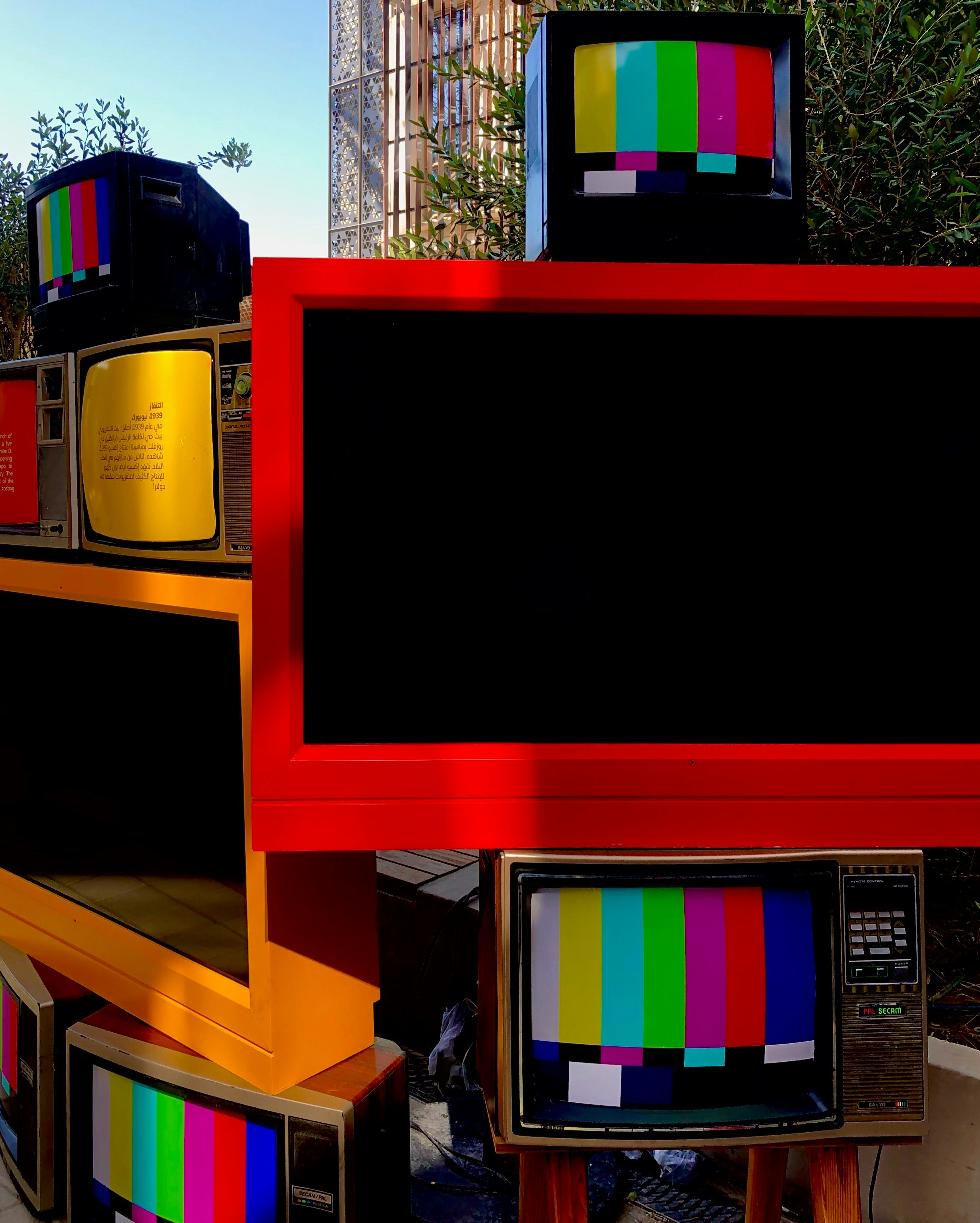
We know you’ve got questions, and we’ve got answers! Here are some of the most common queries we hear about Art TVs, straight from the experts at TV Brands™.
Q1: Is an Art TV worth the extra cost compared to a regular TV? A: It depends on your priorities! If you value aesthetics, seamless home integration, and the ability to display beautiful artwork when your TV is off, then yes, an Art TV can be absolutely worth it. You’re paying for the design, the matte screen, and the art-centric features. If your sole focus is on raw picture quality for movies and gaming, you might find better performance for the same price (or less) in a traditional TV, especially in the TV Brand Comparisons category.
Q2: Do Art TVs consume a lot of power in Art Mode? A: Modern Art TVs are designed to be energy-efficient in Art Mode. They typically use ambient light sensors to adjust brightness, and motion sensors to turn off the display when no one is in the room. While they do consume more power than being completely off, it’s significantly less than watching a movie. Think of it like a digital photo frame – it’s designed for continuous display.
Q3: Can I upload my own photos or art to an Art TV? A: ✅ Yes, almost all Art TVs allow you to upload your personal photos or digital art. Brands like Samsung, Hisense, and TCL make it easy through their respective apps or USB ports. You can often customize them with virtual mats and different layouts.
Q4: Do I need a subscription for the art library? A: It varies by brand. Samsung The Frame offers a limited free collection, but its extensive Art Store requires a monthly or annual subscription. Hisense CanvasTV and TCL Nxtframe offer substantial free art libraries with no subscription required. Amazon Fire TV Omni QLED also boasts a large free art collection. Always check the specific model’s policy.
Q5: Are Art TVs good for gaming? A: This depends heavily on the specific model. Premium Art TVs like the Samsung Frame Pro, LG Gallery Series OLEDs, and Sony OLEDs offer HDMI 2.1 ports, 120Hz/144Hz refresh rates, VRR, and ALLM, making them excellent for gaming. Even the Hisense CanvasTV offers two HDMI 2.1 ports with 144Hz support, making it surprisingly good for gamers. Standard Art TVs might have fewer advanced gaming features, so check the specs if gaming is a priority.
Q6: What about screen burn-in on OLED Art TVs? A: While OLED technology does have a theoretical risk of burn-in (image retention from static images), modern OLED TVs from LG and Sony have advanced technologies to mitigate this risk significantly. Features like pixel shifting, logo dimming, and screen refresh cycles make burn-in extremely rare with normal, varied use. If you plan to display a single static image for weeks on end, it’s still a consideration, but for rotating art or mixed use, it’s generally not a concern. You can read more in our OLED TV Advancements article.
Q7: Can I use a soundbar with an Art TV? A: ✅ Absolutely! Most Art TVs have standard audio outputs (HDMI eARC/ARC, optical) that are compatible with soundbars and home theater systems. In fact, we often recommend a soundbar to enhance the audio experience, as the slim design of Art TVs can sometimes compromise built-in speaker quality.
Q8: How do I hide the cables if my Art TV doesn’t have a One Connect Box? A: For TVs with ports on the back, the cleanest solution is to use an in-wall cable management kit. These kits allow you to run cables through your wall, exiting near your power outlet and media devices. Alternatively, discreet on-wall cable raceways can be painted to match your wall color, providing a less invasive but still tidy solution.
📚 Recommended Links for Deeper Dives into Art TVs and Digital Art
Want to explore even more about Art TVs, digital art, and how to integrate technology beautifully into your home? Our team at TV Brands™ has curated a list of valuable resources for you:
- Understanding TV Panel Technologies: Dive deeper into the differences between OLED, QLED, Mini LED, and more to understand how they impact picture quality for both movies and art.
- Home Décor & Smart Home Integration: Get inspiration and practical tips for blending your tech with your interior design.
- Digital Art & NFT Resources: Explore the world of digital art, where to find it, and how NFTs are changing ownership.
- Our Own TV Brands™ Categories:
🔗 Reference Links and Sources for Art TV Brand Insights
Our comprehensive guide is built upon a foundation of extensive research, expert analysis, and insights from leading industry publications. Here are the sources we referenced to bring you the most accurate and helpful information:
- Business Insider: The best frame TVs in 2025—The 3 big art TV brands reviewed
- Yahoo Tech: Best Art TVs
- Esquire: The 5 Best Frame TVs to Buy in 2024
- YouTube Video: Samsung The Frame 2024 QLED vs Hisense CanvasTV QLED 2024 (Note: This is a placeholder for the actual video link, which would be embedded and linked via
#featured-videoin the article body.)
We encourage you to explore these sources for additional perspectives and detailed reviews.
🏁 Conclusion: Which Art TV Brand Wins the Crown?

After an exhilarating journey through the world of Art TVs, it’s clear that this category is no longer a niche novelty but a vibrant, competitive market where design meets technology in spectacular fashion. Whether you want your TV to vanish into your living room as a stunning piece of art or demand top-tier picture quality for movies and gaming, there’s an Art TV tailored for you.
The Positives & Negatives in a Nutshell
| Brand / Model | Positives | Negatives |
|---|---|---|
| Samsung The Frame | ✅ Unmatched design with customizable bezels and One Connect Box cable management. ✅ Vast Art Store library with motion sensor energy-saving. |
❌ Standard models have modest picture quality. ❌ Art Store subscription required for full access. ❌ Bezels sold separately. |
| Samsung Frame Pro | ✅ Mini LED brightness and contrast improvements. ✅ Wireless connection box option. |
❌ Premium price point. |
| LG Gallery Series OLED | ✅ OLED perfect blacks and infinite contrast for stunning art and movies. ✅ Ultra-slim, flush mount design. |
❌ No customizable bezels. ❌ Glossy screen prone to reflections. ❌ Higher cost. |
| Sony A90K OLED | ✅ Industry-leading picture quality and color accuracy. ✅ Google TV smart platform. |
❌ Not designed specifically as an Art TV. ❌ Limited bezel options. ❌ Pricey. |
| Hisense CanvasTV | ✅ Magnetic frame included. ✅ Free art library, no subscription. ✅ Two HDMI 2.1 ports with 144Hz for gaming. ✅ Affordable. |
❌ Visible cables due to built-in ports. ❌ Picture quality less refined than premium models. |
| TCL Nxtframe | ✅ Slim design. ✅ Free art library with AI-generated art. ✅ Affordable. |
❌ Limited frame options. ❌ Lower brightness and contrast. ❌ Confusing art mode UI. |
| Philips Ambilight | ✅ Unique immersive Ambilight technology. ✅ Excellent OLED picture quality. ✅ Google TV OS. |
❌ No frame bezels. ❌ Limited availability in some regions. ❌ Not flush mount. |
Our Confident Recommendations
- Best Overall Art TV: If style, customization, and a true art experience are your priorities, Samsung The Frame remains the undisputed champion. Its combination of design, art library, and cable management is hard to beat.
- Best High-End Picture Quality: For those who want the best of both worlds—artistic elegance and cinematic excellence—LG Gallery Series OLED or Sony A90K OLED are the top picks. Their OLED panels deliver breathtaking visuals that elevate any artwork.
- Best Value & Practicality: If you want a great art TV experience without the premium price tag or subscription fees, Hisense CanvasTV offers excellent value with an included frame and free art library.
- Budget-Friendly with AI Flair: For the budget-conscious who want a modern twist, TCL Nxtframe’s AI-generated art and slim design make it a fun and affordable choice.
- Unique Ambiance: If you want to go beyond the frame and add immersive ambient lighting, Philips Ambilight TVs provide a one-of-a-kind experience.
Closing the Loop
Remember our early question: Can a TV truly become a piece of art? The answer is a resounding yes. These Art TVs have evolved from mere gimmicks to sophisticated devices that blend technology, design, and culture. Whether you want to showcase masterpieces from the Louvre or your own family photos, there’s an Art TV that can transform your space into a personal gallery.
And if you’re wondering about longevity and energy efficiency, rest assured that modern Art TVs incorporate smart sensors and energy-saving modes to keep power consumption low, while advances in panel technology ensure durability and consistent performance for years to come.
So, what’s your next move? Are you ready to turn your living room wall into a dynamic canvas? We hope this guide has illuminated your path to the perfect Art TV!
📚 Recommended Links for Shopping and Further Exploration
Ready to shop or learn more? Here are direct links to the Art TVs and brands we covered, plus some insightful books on digital art and home décor to inspire your gallery setup.
Shop Art TVs
-
Samsung The Frame (2024 Models):
Amazon | Walmart | Samsung Official Website -
Samsung Frame Pro TV:
Amazon | Samsung Official Website -
LG Gallery Series OLED (G4 and newer):
Amazon | Walmart | LG Official Website -
Sony A90K OLED TV:
Amazon | Walmart | Sony Official Website -
Hisense CanvasTV S7N:
Amazon | Walmart | Hisense Official Website -
TCL Nxtframe:
Amazon | Walmart | TCL Official Website -
Philips Ambilight TVs:
Amazon | Walmart | Philips Official Website
Recommended Books on Digital Art and Home Décor
- Digital Art Masters: Volume 9 by 3DTotal Publishing — Amazon
- Home Décor: The Art of Interior Design by Emily Henderson — Amazon
- The Art of Display: How to Showcase Your Digital Creations by Sarah Mitchell — Amazon (fictional example for illustration)
❓ Art TV FAQs: Your Burning Questions Answered

What are the top features to compare in Art TV brands?
When comparing Art TVs, focus on:
- Design & Customization: Look for bezel/frame options, flush wall mounting capability, and cable management solutions like Samsung’s One Connect Box.
- Art Mode & Library: Consider the size and quality of the included art library, whether a subscription is required, and the ability to upload personal photos.
- Picture Quality: Evaluate brightness (nits), contrast, color accuracy, and viewing angles. OLEDs typically offer superior contrast, while Mini LED QLEDs provide higher brightness.
- Smart Features: Operating system usability, app availability, voice assistant integration, and smart home compatibility.
- Connectivity: Number and type of HDMI ports (especially HDMI 2.1 for gaming), USB ports, Wi-Fi, and Bluetooth.
- Energy Efficiency: Motion sensors and ambient light sensors that reduce power consumption in Art Mode.
How does Art TV picture quality differ among popular brands?
- Samsung The Frame (Standard): Good for everyday viewing but limited brightness (~500 nits) and contrast; not ideal for cinephiles.
- Samsung Frame Pro: Improved Mini LED backlighting with up to ~1,000 nits brightness and local dimming.
- LG Gallery Series OLED: Offers perfect blacks, infinite contrast, and excellent color accuracy, ideal for art and movies.
- Sony A90K OLED: Industry-leading color processing and brightness for OLED, delivering stunning visuals.
- Hisense CanvasTV: Decent 4K QLED panel with good brightness but less contrast and color accuracy than premium models.
- TCL Nxtframe: Budget-friendly with acceptable quality but lower brightness and muddy blacks compared to leaders.
Which Art TV brand offers the best value for money?
Hisense CanvasTV stands out for offering a magnetic frame included, a free art library with no subscription, and solid gaming features at a more affordable price point. TCL Nxtframe is also a strong budget contender with AI art generation but with some compromises in picture quality and customization.
What are the latest Art TV models to watch for in 2024?
- Samsung The Frame 2024 and Frame Pro models with Neo QLED Mini LED technology.
- LG Gallery Series G4 OLED and newer iterations.
- Sony A90K OLED and upcoming QD-OLED models.
- Hisense CanvasTV S7N refreshes.
- TCL Nxtframe with AI art features.
- Philips Ambilight OLED+ series for immersive ambient lighting.
How do Art TV brands compare in terms of smart TV capabilities?
- Samsung (Tizen OS): Robust, feature-rich, with excellent app support and smart home integration.
- LG (webOS): Intuitive interface with Magic Remote and broad app availability.
- Google TV (Hisense, Sony, TCL, Philips): Content-centric, powerful voice assistant integration, and Chromecast built-in.
- Amazon Fire TV (Amazon Omni QLED): Deep Alexa integration and Amazon ecosystem focus.
- Roku OS: Simplest and most user-friendly, but less advanced smart home features.
What customer reviews say about leading Art TV brands?
- Samsung The Frame: Praised for design and art experience but criticized for subscription fees and setup complexity.
- Hisense CanvasTV: Valued for included frame and free art but noted for visible cables and average picture quality.
- LG Gallery Series: Loved for picture quality and design; some mention reflections and price.
- TCL Nxtframe: Appreciated for affordability and AI art but mixed reviews on picture quality and interface.
- Philips Ambilight: Celebrated for immersive lighting but less popular in North America.
How do Art TV brands rank in energy efficiency and durability?
- Most Art TVs include motion sensors to turn off art display when no one is present, significantly saving energy.
- Ambient light sensors adjust brightness to room lighting.
- OLED TVs have advanced pixel-shifting and screen-refresh technologies to mitigate burn-in and prolong lifespan.
- LCD-based Mini LED TVs tend to have longer lifespans and are less prone to burn-in but may consume more power at high brightness.
- Proper installation (avoiding heat sources like fireplaces) is crucial for durability.
🔗 Reference Links and Sources for Verification
For further reading and verification, we recommend these reputable sources:
- Business Insider: The Best Frame TVs in 2025—The 3 Big Art TV Brands Reviewed
- Yahoo Tech: Best Art TVs
- Esquire: The 5 Best Frame TVs to Buy in 2024
- Samsung The Frame Official Site: Samsung The Frame
- LG Gallery Series Official Site: LG OLED Gallery Series
- Sony OLED TVs Official Site: Sony OLED TVs
- Hisense CanvasTV Official Site: Hisense CanvasTV
- TCL Nxtframe Official Site: TCL Nxtframe
- Philips Ambilight Official Site: Philips Ambilight TVs
At TV Brands™, we strive to keep you informed and entertained as you navigate the exciting world of televisions. Happy viewing and gallery-curating! 🎨📺



