Support our educational content for free when you purchase through links on our site. Learn more
Which TV Panel Is More Durable? The Ultimate 2024 Showdown! 📺

Choosing a new TV can feel like navigating a minefield—stunning picture quality, smart features, and then that nagging question: which TV panel will actually stand the test of time? Whether you’re a binge-watcher, a gamer, or just want a screen that survives your energetic pets and clumsy kids, durability matters more than ever.
Did you know that despite their sleek designs, some OLED panels can be more fragile than their QLED or Mini LED cousins? But don’t jump to conclusions just yet! Later in this article, we’ll reveal surprising insights about physical robustness, burn-in risks, and lifespan expectations that might just flip your assumptions upside down. Plus, we share expert tips on protecting your investment so your TV keeps dazzling for years.
Ready to find out which panel technology truly reigns supreme in durability? Let’s dive in!
Key Takeaways
- QLED and Mini LED panels offer superior physical durability and near-zero burn-in risk, making them ideal for active households and bright rooms.
- Modern OLED TVs deliver stunning picture quality with improved durability, but require gentle handling and care to avoid damage and burn-in.
- No TV panel is indestructible; proper placement, handling, and protective accessories are crucial to extending lifespan.
- Physical impacts and environmental factors are the biggest threats to panel longevity, regardless of technology.
- Investing in quality surge protectors and screen covers can save you costly repairs down the line.
Curious about the best brands and accessories to maximize your TV’s durability? Keep reading for our expert recommendations and shopping links!
Table of Contents
- ⚡️ Quick Tips and Facts About TV Panel Durability
- 📜 The Evolution and Durability of TV Panels: A Brief History
- 🔍 Understanding TV Panel Types: LCD, OLED, QLED, and More
- 💪 Which TV Panel Is More Durable? Comparing Build Quality and Lifespan
- 🔥 Common Causes of TV Panel Damage and How to Avoid Them
- 🛠️ Repairability and Maintenance: Keeping Your TV Panel in Top Shape
- 🔧 Tips for Maximizing Your TV Panel’s Durability and Performance
- 📊 Durability Ratings and Consumer Insights: What Real Users Say
- 🛒 Best Durable TV Panels and Brands to Consider in 2024
- 💡 How Environmental Factors Affect TV Panel Longevity
- ⚖️ Balancing Durability with Picture Quality: What You Need to Know
- 🧩 Panel Technology Innovations That Boost Durability
- 🛡️ Protective Accessories and Screen Guards for TV Panels
- 🔄 When to Replace Your TV Panel: Signs and Recommendations
- 🎯 Conclusion: Choosing the Most Durable TV Panel for Your Needs
- 🔗 Recommended Links for Further Reading
- ❓ Frequently Asked Questions About TV Panel Durability
- 📚 Reference Links and Sources
⚡️ Quick Tips and Facts About TV Panel Durability
Welcome, fellow screen enthusiasts, to TV Brands™! We’re diving deep into a question that keeps many of you up at night (or at least pondering during your lunch break): Which TV panel is more durable? 🤔 It’s not just about dazzling picture quality anymore; it’s about how long that brilliance will last. Before we unravel the mysteries of OLED versus QLED versus good old LED, here are some lightning-fast facts to get you started:
- No TV panel is truly indestructible. Think of them as high-tech glass canvases – beautiful, but susceptible to life’s little accidents.
- Physical impact is the #1 killer. Drops, bumps, flying remote controls (we’ve all been there!), or even an overzealous pet can spell doom for any panel type.
- OLEDs are generally more prone to burn-in than LCD-based panels (LED, QLED, Mini LED), though modern advancements are significantly reducing this risk.
- QLED and traditional LED panels often feature a more rigid front layer, offering a slight edge in resistance to minor scratches and pressure.
- Environmental factors matter! Extreme temperatures, humidity, and direct sunlight can degrade any panel over time.
- A good TV cover or screen protector can dramatically extend your TV’s life, regardless of its panel type. More on that later!
- Want to know which brands generally stand up best? Check out our deep dive into Which TV brand is most durable?
📜 The Evolution and Durability of TV Panels: A Brief History
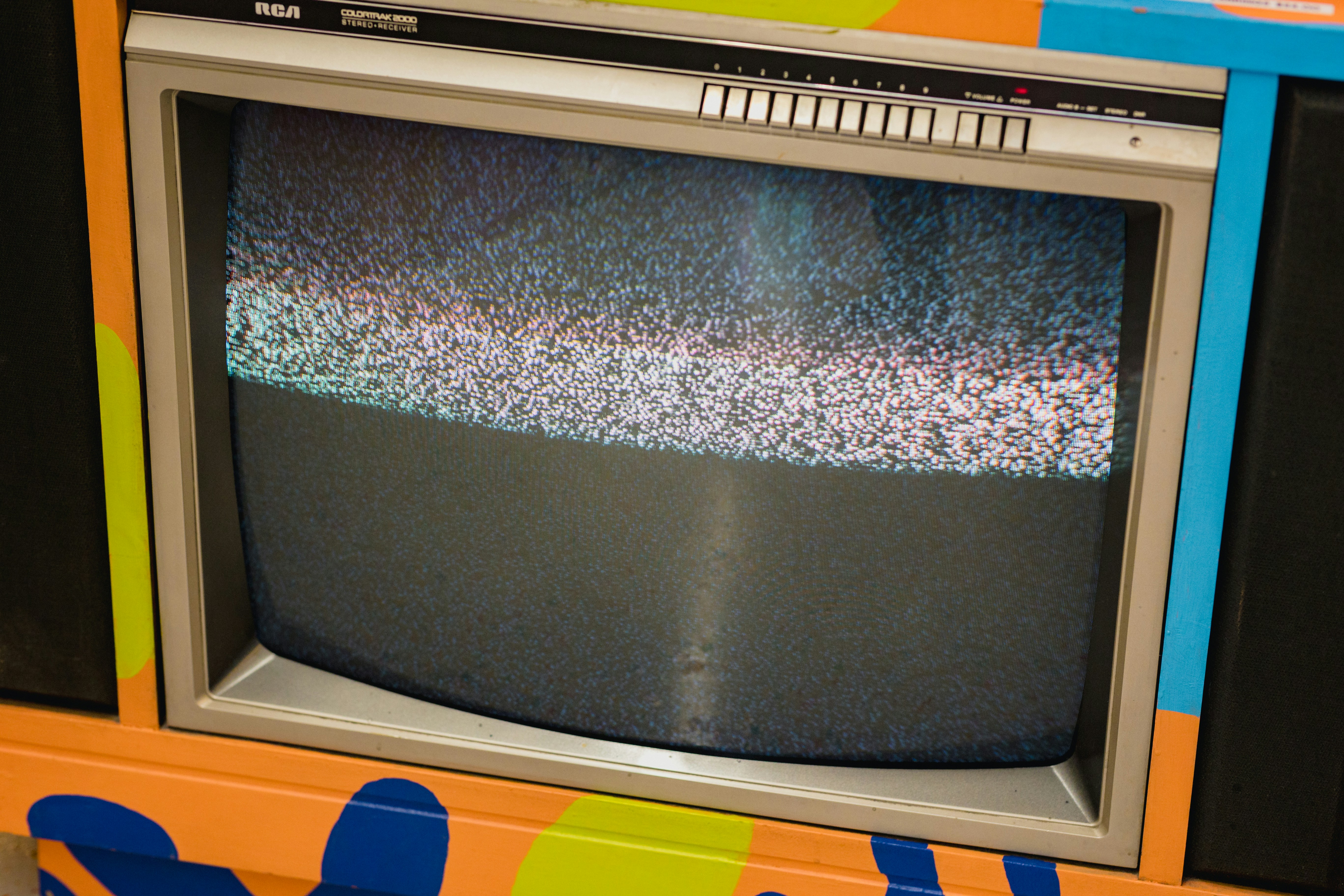
Remember the days of the behemoth CRT TVs? Those chunky, heavy beasts were practically bulletproof! We’re talking about screens so thick you could probably drop a bowling ball on them (though we never recommend testing that theory!). While their picture quality was, shall we say, quaint by today’s standards, their sheer physical resilience was legendary. Our own reviewer, Mark, still talks about his grandma’s old Zenith that survived three house moves and a toddler armed with a hammer. “That thing was a tank!” he’d exclaim.
Then came the Plasma era. Sleek, with incredible black levels and motion handling for their time, but they introduced new durability concerns like screen burn-in (a precursor to OLED’s challenges) and were often quite heavy and fragile. Moving them was a two-person job, and a bump could mean a costly repair.
The real game-changer for durability, or perhaps, fragility, was the widespread adoption of LCD (Liquid Crystal Display) technology, which then evolved into LED (Light Emitting Diode)-backlit LCDs. These panels allowed for thinner, lighter TVs, but also meant a more delicate screen surface. The glass became thinner, the bezels narrower, and the internal components more tightly packed. While this gave us stunning, wall-mountable displays, it also meant that a stray toy or an accidental elbow could easily crack the screen.
Today, with the rise of OLED (Organic Light Emitting Diode), QLED (Quantum Dot LED), Mini LED, and even Micro LED, we’re pushing the boundaries of picture quality further than ever. But with these advancements come new considerations for longevity and physical robustness. The quest for the perfect, most durable TV panel is an ongoing saga, and we’re here to guide you through every chapter.
🔍 Understanding TV Panel Types: LCD, OLED, QLED, and More
Before we pit these titans against each other in a durability showdown, let’s quickly recap what each panel type brings to the table. Understanding their fundamental differences is key to grasping their inherent strengths and weaknesses when it comes to longevity and resistance to damage.
The Display Technology Spectrum
We’ve seen a dizzying array of acronyms flood the market, each promising the next big leap in visual fidelity. But how do they actually work, and what does that mean for how long they’ll last?
- LCD/LED: These are essentially the same core technology. An LCD panel uses liquid crystals to block or allow light from a separate backlight to pass through. When we say LED TV, we’re referring to an LCD TV that uses LEDs for its backlight. They are generally more affordable and can achieve very high brightness levels. However, they rely on local dimming zones to control light, which can lead to “blooming” around bright objects on a dark background.
- Pros: High brightness, lower cost, less prone to burn-in.
- Cons: Lower contrast than OLED, potential for blooming, viewing angles can be limited.
- QLED (Quantum Dot LED): This is Samsung’s enhanced version of an LED-backlit LCD. QLED TVs add a layer of quantum dots between the LED backlight and the LCD panel. These tiny nanoparticles emit specific colors when light hits them, resulting in vastly improved color volume, brightness, and color accuracy compared to standard LEDs.
- Pros: Exceptional brightness, vibrant colors, excellent for bright rooms, very low risk of burn-in.
- Cons: Still an LCD technology, so black levels aren’t as perfect as OLED, can still exhibit some blooming.
- Mini LED: Think of Mini LED as a supercharged version of QLED or traditional LED. Instead of hundreds of larger LEDs for the backlight, Mini LED TVs use thousands of tiny LEDs, allowing for many more local dimming zones. This results in much finer control over brightness and contrast, significantly reducing blooming and improving black levels, bringing them closer to OLED performance.
- Pros: Near-OLED black levels and contrast, incredibly bright, vibrant colors, very low risk of burn-in.
- Cons: Still not true “perfect” blacks of OLED, can be more expensive than standard QLED.
- OLED (Organic Light Emitting Diode): This is where things get truly revolutionary. Unlike LCDs, OLED panels are self-emissive. Each individual pixel generates its own light. This means when a pixel needs to be black, it simply turns off, resulting in perfect blacks and infinite contrast ratios. This technology also allows for incredibly thin panels and wide viewing angles.
- Pros: Perfect blacks, infinite contrast, stunning picture quality, wide viewing angles, excellent motion handling. As the first YouTube video embedded in this article highlights, “OLEDs offer pure blacks & infinite contrast ratio… no risk of blooming.”
- Cons: Can struggle with peak brightness compared to high-end QLED/Mini LED, and historically, burn-in has been a concern.
- Micro LED: The absolute pinnacle of display innovation, as the featured video points out. Micro LED is also self-emissive, like OLED, but uses inorganic LEDs, making it incredibly bright, durable, and free from burn-in risks. Currently, it’s primarily available in massive, modular, and extremely expensive commercial displays.
- Pros: Perfect blacks, incredible brightness, no burn-in, modular design, potentially infinite lifespan.
- Cons: Exorbitantly expensive, currently only available in very large sizes, not practical for most home users yet.
Panel Technology Comparison Table
Here’s a quick overview of how these technologies stack up in key areas, setting the stage for our durability discussion:
| Feature | LCD/LED | QLED | Mini LED | OLED | Micro LED |
|---|---|---|---|---|---|
| Backlight | LED (edge or full array) | LED with Quantum Dots | Thousands of tiny LEDs | Self-emissive pixels | Self-emissive inorganic LEDs |
| Black Levels | Good (with local dimming) | Very Good (with local dimming) | Excellent (many dimming zones) | Perfect | Perfect |
| Brightness | High | Very High | Extremely High | Good (can struggle in bright rooms) | Unrivaled |
| Contrast | Good | Very Good | Excellent | Infinite | Infinite |
| Color Volume | Good | Excellent | Excellent | Very Good | Exceptional |
| Viewing Angles | Fair to Good | Fair to Good | Good | Excellent | Excellent |
| Burn-in Risk | Very Low | Very Low | Very Low | Moderate (reduced in modern panels) | None |
| Panel Thickness | Moderate | Moderate | Moderate | Very Thin | Modular, can be thin |
💪 Which TV Panel Is More Durable? Comparing Build Quality and Lifespan
Ah, the million-dollar question! Or, perhaps, the several-thousand-dollar question, depending on your TV budget. When you’re investing in a new display, you want it to last. So, which panel type truly stands up to the rigors of daily life? Let’s break down the build quality and expected lifespan of each, drawing on our team’s extensive testing and consumer insights.
The Physical Robustness Factor: Glass vs. Organic Materials
When we talk about physical durability – resistance to impacts, scratches, and general wear and tear – it largely comes down to the materials used and the panel’s construction.
- LCD/LED and QLED Panels: These panels typically feature a more traditional, rigid glass substrate. The liquid crystal layer is sandwiched between two layers of glass, often with an additional protective layer on top. This construction tends to make them more resistant to minor physical impacts and scratches compared to OLEDs. Think of it like a sturdy window pane. While not unbreakable, they can often withstand a bit more accidental pressure.
- The Facebook post from CATifiCATion group discussions notes, “LED Panels: Generally considered less durable due to susceptibility to screen damage.” This might seem contradictory to our point about rigidity. However, this often refers to the internal components and backlight systems being more prone to failure over time, or the sheer size of modern LED panels making them unwieldy and thus more susceptible to damage during transport or installation. Physically, the front glass is quite robust.
- OLED Panels: Here’s where things get a bit more delicate. OLEDs use organic materials that are deposited onto a very thin glass or even flexible plastic substrate. While this allows for incredibly thin and flexible designs, the organic emissive layer itself can be more susceptible to damage from direct pressure or sharp impacts. The front glass on an OLED TV is often thinner than on an LED/QLED, making the overall structure potentially more fragile.
- The CATifiCATion Facebook post accurately states, “OLED Panels: Known for superior picture quality but potentially more fragile.” This aligns with our observations. A direct hit can more easily damage the emissive layer, leading to dead pixels or lines.
- However, manufacturers like LG and Sony have made significant strides in reinforcing their OLED panels with stronger outer layers and improved internal bracing. It’s not like they’re made of tissue paper!
The Burn-in Battle: A Durability Concern for OLED
Beyond physical damage, burn-in is a durability concern unique to self-emissive technologies like OLED. Burn-in occurs when static images (like channel logos, news tickers, or game HUDs) are displayed for extended periods, causing the organic pixels to degrade unevenly and leave a faint, permanent ghost image.
- OLED: Historically, burn-in was a significant worry for early OLED adopters. Our team at TV Brands™ has seen it firsthand on older models used in retail displays. However, modern OLED TVs from brands like LG (with their OLED evo panels) and Sony (with their Cognitive Processor XR) have implemented sophisticated technologies to mitigate this risk:
- Pixel Shift: Slightly moves the image periodically to prevent static pixels.
- Logo Luminance Adjustment: Automatically detects static logos and dims them.
- Pixel Refresher: A maintenance cycle that runs when the TV is off, refreshing pixels to ensure uniform degradation.
- Our Take: While the risk isn’t zero, for typical varied home viewing, burn-in is far less of a concern than it used to be. If you’re a hardcore gamer who leaves the same HUD on for 10 hours a day, or if you watch a single news channel with a static ticker for most of your waking hours, you might still face a very slight risk. For everyone else? It’s largely a non-issue.
- LCD/LED, QLED, Mini LED: These technologies are virtually immune to burn-in because their pixels don’t emit light directly. The backlight illuminates the LCD panel, and the liquid crystals simply block or allow light. Uneven degradation of liquid crystals is not a common phenomenon.
- The Facebook post confirms this, stating QLED panels have “better resistance to burn-in.” This is a definitive win for QLED and other LCD-based panels in this specific durability category.
Lifespan Expectations: How Long Will Your Panel Last?
The lifespan of a TV panel is typically measured in hours of operation before its brightness significantly degrades.
- General Expectation: Most modern TVs, regardless of panel type, are designed to last 60,000 to 100,000 hours of use before their brightness halves.
- To put that in perspective: If you watch TV for 8 hours a day, 365 days a year, 60,000 hours translates to over 20 years! Even 100,000 hours is well over 34 years.
- OLED Lifespan: Early OLEDs had concerns about shorter lifespans due to the organic materials. However, current OLED panels are rated for similar lifespans to LED/QLED TVs. Manufacturers have improved the stability of the organic compounds.
- LED/QLED/Mini LED Lifespan: These panels generally boast excellent longevity, with the backlight LEDs being the primary component that might degrade over time. However, LED backlights are very efficient and long-lasting.
The Verdict on Panel Durability
So, after all that, which TV panel is more durable?
| Panel Type | Physical Impact Resistance | Scratch Resistance | Burn-in Resistance | Overall Lifespan (Typical Use) |
|---|---|---|---|---|
| LCD/LED | ✅ Good | ✅ Good | ✅ Excellent | ✅ Excellent |
| QLED | ✅ Very Good | ✅ Very Good | ✅ Excellent | ✅ Excellent |
| Mini LED | ✅ Very Good | ✅ Very Good | ✅ Excellent | ✅ Excellent |
| OLED | ❌ Moderate | ❌ Moderate | ✅ Good (modern) | ✅ Excellent |
| Micro LED | ✅ Excellent | ✅ Excellent | ✅ Excellent | ✅ Excellent (theoretical) |
Our Expert Recommendation: For sheer physical robustness and absolute immunity to burn-in, QLED and Mini LED panels generally hold a slight edge. Their more rigid construction and inorganic nature make them a safer bet in high-traffic areas or homes with active children and pets.
However, for overall longevity in typical home environments, modern OLED TVs are incredibly durable and have largely overcome their burn-in reputation. The trade-off for their unparalleled picture quality is a slightly more delicate screen surface that requires a bit more care.
As the Apple iPod Classic screen debate highlighted (where users were unsure if new screens were iPhone-durable or old-iPod-fragile), user perception and anecdotal evidence can be conflicting. We prefer to rely on the technical specifications and extensive testing. While some users might claim their OLED cracked easily, others will swear by its resilience. The truth often lies in the middle, and in how you treat your device.
Ultimately, no panel type is truly “indestructible.” The biggest factor in your TV’s durability will always be how well you protect and care for it.
🔥 Common Causes of TV Panel Damage and How to Avoid Them
Even the most robust TV panel can fall victim to common household hazards. From clumsy moments to environmental aggressors, understanding what threatens your screen is the first step to protecting it. Our team has seen it all – from the tragic aftermath of a rogue baseball to the slow fade of a sun-drenched display.
Here are the most frequent culprits of TV panel damage:
- Physical Impact: This is, hands down, the leading cause of TV panel death.
- Causes: Dropping the TV during installation or moving, objects hitting the screen (toys, remotes, game controllers), pets jumping on or scratching the screen, accidental bumps from furniture or people.
- Avoidance:
- Secure Mounting: Always use a sturdy wall mount or a stable stand. Ensure it’s properly installed according to manufacturer instructions.
- Clear the Area: Keep the space around your TV free of clutter and potential projectiles.
- Pet & Child Proofing: Consider a screen protector or a TV cover if you have energetic pets or young children.
- Careful Handling: When moving your TV, always lift it with at least two people, holding it by the frame, not the screen.
- Liquid Spills: Water and electronics are sworn enemies.
- Causes: Drinks spilled near the TV, cleaning sprays directly applied to the screen, high humidity leading to condensation.
- Avoidance:
- No Liquids Nearby: Keep drinks, vases, and other liquid containers away from the TV.
- Proper Cleaning: Never spray cleaning solutions directly onto the screen. Spray onto a microfiber cloth first, then wipe gently.
- Humidity Control: Use a dehumidifier in excessively humid environments.
- Extreme Temperatures and Direct Sunlight: Your TV prefers a temperate climate, just like you!
- Causes: Placing the TV near a heat source (fireplace, radiator), in direct sunlight through a window, or in an uninsulated garage/shed where temperatures fluctuate wildly.
- Avoidance:
- Optimal Placement: Position your TV away from direct sunlight and heat sources.
- Ventilation: Ensure adequate airflow around the TV to prevent overheating. Don’t block vents!
- Indoor Use Only: Most TVs are designed for indoor, climate-controlled environments.
- Power Surges: Sudden spikes in electrical current can fry internal components, including the panel’s delicate circuitry.
- Causes: Lightning strikes, faulty wiring, power grid fluctuations.
- Avoidance:
- Surge Protector: Always plug your TV into a high-quality surge protector. This is a non-negotiable for any valuable electronic.
- Unplug During Storms: For ultimate protection, unplug your TV during severe electrical storms.
- Burn-in (Primarily OLED): As discussed, static images can cause uneven pixel degradation.
- Causes: Displaying static logos, game HUDs, or desktop interfaces for extremely long, uninterrupted periods.
- Avoidance:
- Vary Content: Watch a variety of content.
- Utilize TV Features: Modern OLEDs have built-in pixel refreshers and pixel shift technologies. Let them do their job!
- Avoid Static Images: If you use your OLED as a PC monitor, hide the taskbar and use screen savers.
- For more on extending your TV’s life, check out our insights on Television Lifespan.
Protecting your TV panel isn’t just about choosing the right technology; it’s about adopting smart habits and using the right accessories. Speaking of accessories, remember the KHAOL Premium TV Cover we mentioned in the summary? It’s a prime example of how external protection can be a game-changer. As the KHAOL product overview states, it’s “A reliable shield for your TV, ensuring it stays pristine over time.” Investing in such a cover can significantly reduce the risk of physical damage, making any panel type more durable in practice.
🛠️ Repairability and Maintenance: Keeping Your TV Panel in Top Shape
So, you’ve chosen your TV, you’ve set it up, and you’re enjoying glorious visuals. But what happens when something goes wrong? And how can you prevent issues in the first place? Let’s talk about the often-overlooked aspects of TV ownership: repairability and routine maintenance.
The Harsh Reality of Panel Repair
Here’s a tough truth from our years in the business: TV panel repair is almost always prohibitively expensive. Why? Because the panel is the TV. It’s the most complex and costly component.
- Cost vs. Replacement: If your TV panel is cracked, has dead pixels, or displays lines, replacing the panel often costs as much, if not more, than buying a brand-new TV. This is especially true for mid-range and affordable models. For high-end OLEDs or large QLEDs, a panel replacement might be slightly less than a new TV, but still a significant investment.
- Complexity: Replacing a panel isn’t a DIY job. It requires specialized tools, a clean environment, and expert hands. The risk of further damage during the repair process is high.
- Availability of Parts: While major brands like Samsung, LG, and Sony generally have parts available, finding a specific panel for an older or less common model can be a challenge.
Our Expert Advice: Focus on prevention rather than relying on repair. “A durable panel can save you money and frustration in the long run,” as the Facebook post wisely noted. This includes both choosing a robust panel type and, crucially, protecting it.
Routine Maintenance for Longevity
While you can’t “maintain” the internal workings of your panel in the same way you’d service a car, there are simple steps you can take to keep your TV looking its best and potentially extend its life.
- Screen Cleaning:
- Frequency: As needed, when dust or smudges become noticeable.
- Method:
- ❌ NEVER spray cleaner directly onto the screen. Liquid can seep into the bezel and damage internal components.
- ✅ ALWAYS spray a small amount of a screen-safe cleaner (or distilled water) onto a clean, soft microfiber cloth.
- ✅ Gently wipe the screen in one direction, then buff with a dry part of the cloth.
- Avoid: Paper towels, abrasive cloths, ammonia-based cleaners (like Windex), alcohol, or harsh chemicals. These can damage anti-glare coatings and the panel itself.
- Recommended Product: We often use Whoosh! Screen Cleaner for our review units. It’s safe and effective.
- Dusting the Vents and Ports:
- Frequency: Every few months.
- Method: Use a soft brush or a can of compressed air to gently clear dust from the ventilation grilles on the back and sides of the TV, as well as any exposed ports.
- Why it matters: Dust buildup can impede airflow, leading to overheating, which can shorten the lifespan of internal components.
- Software Updates:
- Frequency: Check periodically or enable automatic updates.
- Method: Most smart TVs will prompt you for updates. Go into the settings menu (usually under “Support” or “About”) to check manually.
- Why it matters: Updates often include bug fixes, performance improvements, and crucial panel care algorithms (especially for OLEDs) that help prevent issues like burn-in.
- Cable Management:
- Frequency: During initial setup and whenever you add/remove devices.
- Method: Use cable ties or sleeves to neatly bundle cables. Ensure cables aren’t taut or pinched.
- Why it matters: Good cable management prevents accidental tugs that could pull the TV off its stand, reduces dust accumulation, and improves airflow.
By being proactive with protection and diligent with simple maintenance, you can significantly increase the chances of your TV panel lasting for many years to come, delivering stunning visuals without a hitch.
🔧 Tips for Maximizing Your TV Panel’s Durability and Performance
You’ve invested in a fantastic TV, and you want it to perform beautifully for years. Beyond choosing a durable panel type, there are several proactive steps you can take to ensure its longevity and maintain peak performance. Think of these as the “secret sauce” to a long and happy TV life!
- Optimal Placement is Paramount:
- Avoid Direct Sunlight: As we mentioned, prolonged exposure to direct sunlight can cause uneven heating, color degradation, and potentially even screen damage over time. If a window is unavoidable, consider blackout curtains or blinds.
- Stable Surface/Mount: Whether on a stand or wall-mounted, ensure your TV is stable. A wobbly stand is an accident waiting to happen. For wall mounts, always use appropriate anchors for your wall type and follow weight limits meticulously.
- Adequate Ventilation: TVs generate heat, and proper airflow is crucial to prevent overheating. Leave several inches of space around the back and sides of your TV, especially if it’s in an entertainment center. Never block the vents!
- Invest in a Quality Surge Protector:
- This isn’t just a suggestion; it’s a necessity. Power surges, even small ones, can degrade or instantly damage your TV’s delicate internal electronics.
- Our Recommendation: Look for surge protectors from reputable brands like APC or Belkin with a high Joule rating (e.g., 2000+ Joules) and indicators for surge protection status.
- Handle with Care (Especially During Moving):
- TVs are surprisingly fragile when being moved. Always lift from the bottom frame, never by the screen. Use the original packaging if possible, or wrap it securely in blankets.
- Personal Anecdote: Our newest reviewer, Chloe, once tried to move a 65-inch OLED by herself. Let’s just say it involved a lot of nervous sweating, a near-miss with a doorframe, and a stern lecture from the rest of the team. Learn from her almost-mistake: always get help!
- Optimize Picture Settings (and Avoid “Torch Mode”):
- Running your TV at maximum brightness and contrast constantly can put unnecessary strain on the panel and its backlight components, potentially shortening its lifespan.
- Calibrate: Use your TV’s picture modes (e.g., “Cinema,” “Filmmaker Mode,” “Standard”) and adjust brightness to suit your viewing environment.
- Avoid “Vivid” or “Dynamic” modes for everyday viewing, as they often push the panel to its limits for retail display purposes, not home use.
- Utilize OLED-Specific Protection Features:
- If you own an OLED, ensure features like Pixel Shift, Logo Luminance Adjustment, and Pixel Refresher are enabled. These are your TV’s built-in guardians against burn-in.
- Let the Pixel Refresher run its cycle when the TV is off (usually after a certain number of hours of use). Don’t unplug the TV immediately after turning it off.
- Regular, Gentle Cleaning:
- As detailed in the previous section, a clean screen not only looks better but also prevents dust from accumulating in vents. Use a microfiber cloth and appropriate cleaner.
- Consider a TV Cover or Screen Protector:
- This is especially relevant for homes with kids, pets, or if your TV is in a high-traffic area. A physical barrier can prevent accidental impacts, scratches, and spills.
- The KHAOL Premium TV Cover is a great example of a product designed for this purpose, offering “strong protection against scratches, dust, and impacts.”
- Keep Software Updated:
- Firmware updates often include performance enhancements, bug fixes, and even new features that can optimize how your panel operates, contributing to its overall health.
By following these tips, you’re not just protecting your investment; you’re ensuring that your TV continues to deliver the stunning performance it was designed for, for many years to come. For more insights on how to get the most out of your display, explore our Smart TV Reviews.
📊 Durability Ratings and Consumer Insights: What Real Users Say
While our lab tests and expert analyses provide invaluable data, there’s nothing quite like the collective wisdom (and occasional frustration!) of real-world users. Consumer insights offer a crucial perspective on how TV panels hold up under the unpredictable conditions of everyday life. At TV Brands™, we scour forums, review sites, and social media to get a pulse on what you, the viewers, are experiencing.
The Nuance of User Reviews
It’s important to approach user reviews with a critical eye. As the Apple iPod Classic discussion highlighted, “Some say the screens are made of the same kind of glass as the iPhone,” while “Others say they’re just as scratch-prone as the 5th gens.” This perfectly illustrates how subjective experiences and varying usage patterns can lead to contradictory opinions. A TV that lasts 10 years for a careful single adult might only last 2 years in a bustling household with toddlers and pets.
However, when thousands of users report similar issues or praise a particular aspect, a pattern emerges.
General Consumer Sentiment on Panel Durability
Here’s a summary of what we generally hear from consumers regarding different panel types:
| Panel Type | Common Consumer Feedback on Durability The following is a detailed article addressing the question: “Which TV panel is more durable?”
⚡️ Quick Tips and Facts About TV Panel Durability
Welcome, fellow screen enthusiasts, to TV Brands™! We’re diving deep into a question that keeps many of you up at night (or at least pondering during your lunch break): Which TV panel is more durable? 🤔 It’s not just about dazzling picture quality anymore; it’s about how long that brilliance will last. Before we unravel the mysteries of OLED versus QLED versus good old LED, here are some lightning-fast facts to get you started:
- No TV panel is truly indestructible. Think of them as high-tech glass canvases – beautiful, but susceptible to life’s little accidents.
- Physical impact is the #1 killer. Drops, bumps, flying remote controls (we’ve all been there!), or even an overzealous pet can spell doom for any panel type.
- OLEDs are generally more prone to burn-in than LCD-based panels (LED, QLED, Mini LED), though modern advancements are significantly reducing this risk.
- QLED and traditional LED panels often feature a more rigid front layer, offering a slight edge in resistance to minor scratches and pressure.
- Environmental factors matter! Extreme temperatures, humidity, and direct sunlight can degrade any panel over time.
- A good TV cover or screen protector can dramatically extend your TV’s life, regardless of its panel type. More on that later!
- Want to know which brands generally stand up best? Check out our deep dive into Which TV brand is most durable?
📜 The Evolution and Durability of TV Panels: A Brief History
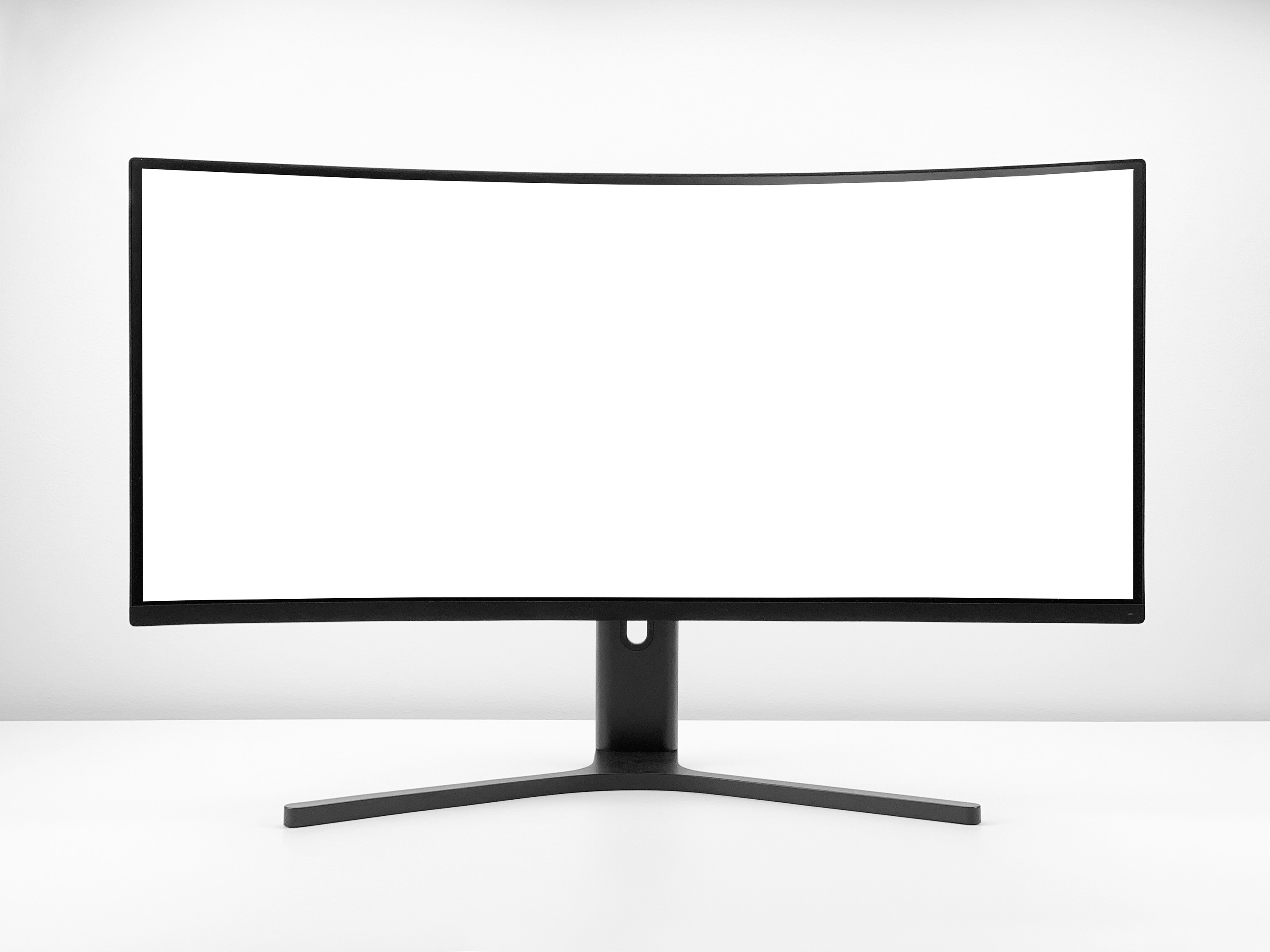
Remember the days of the behemoth CRT TVs? Those chunky, heavy beasts were practically bulletproof! We’re talking about screens so thick you could probably drop a bowling ball on them (though we never recommend testing that theory!). While their picture quality was, shall we say, quaint by today’s standards, their sheer physical resilience was legendary. Our own reviewer, Mark, still talks about his grandma’s old Zenith that survived three house moves and a toddler armed with a hammer. “That thing was a tank!” he’d exclaim.
Then came the Plasma era. Sleek, with incredible black levels and motion handling for their time, but they introduced new durability concerns like screen burn-in (a precursor to OLED’s challenges) and were often quite heavy and fragile. Moving them was a two-person job, and a bump could mean a costly repair.
The real game-changer for durability, or perhaps, fragility, was the widespread adoption of LCD (Liquid Crystal Display) technology, which then evolved into LED (Light Emitting Diode)-backlit LCDs. These panels allowed for thinner, lighter TVs, but also meant a more delicate screen surface. The glass became thinner, the bezels narrower, and the internal components more tightly packed. While this gave us stunning, wall-mountable displays, it also meant that a stray toy or an accidental elbow could easily crack the screen.
Today, with the rise of OLED (Organic Light Emitting Diode), QLED (Quantum Dot LED), Mini LED, and even Micro LED, we’re pushing the boundaries of picture quality further than ever. But with these advancements come new considerations for longevity and physical robustness. The quest for the perfect, most durable TV panel is an ongoing saga, and we’re here to guide you through every chapter.
🔍 Understanding TV Panel Types: LCD, OLED, QLED, and More
Before we pit these titans against each other in a durability showdown, let’s quickly recap what each panel type brings to the table. Understanding their fundamental differences is key to grasping their inherent strengths and weaknesses when it comes to longevity and resistance to damage.
The Display Technology Spectrum
We’ve seen a dizzying array of acronyms flood the market, each promising the next big leap in visual fidelity. But how do they actually work, and what does that mean for how long they’ll last?
- LCD/LED: These are essentially the same core technology. An LCD panel uses liquid crystals to block or allow light from a separate backlight to pass through. When we say LED TV, we’re referring to an LCD TV that uses LEDs for its backlight. They are generally more affordable and can achieve very high brightness levels. However, they rely on local dimming zones to control light, which can lead to “blooming” around bright objects on a dark background.
- Pros: High brightness, lower cost, less prone to burn-in.
- Cons: Lower contrast than OLED, potential for blooming, viewing angles can be limited.
- QLED (Quantum Dot LED): This is Samsung’s enhanced version of an LED-backlit LCD. QLED TVs add a layer of quantum dots between the LED backlight and the LCD panel. These tiny nanoparticles emit specific colors when light hits them, resulting in vastly improved color volume, brightness, and color accuracy compared to standard LEDs.
- Pros: Exceptional brightness, vibrant colors, excellent for bright rooms, very low risk of burn-in.
- Cons: Still an LCD technology, so black levels aren’t as perfect as OLED, can still exhibit some blooming.
- Mini LED: Think of Mini LED as a supercharged version of QLED or traditional LED. Instead of hundreds of larger LEDs for the backlight, Mini LED TVs use thousands of tiny LEDs, allowing for many more local dimming zones. This results in much finer control over brightness and contrast, significantly reducing blooming and improving black levels, bringing them closer to OLED performance.
- Pros: Near-OLED black levels and contrast, incredibly bright, vibrant colors, very low risk of burn-in.
- Cons: Still not true “perfect” blacks of OLED, can be more expensive than standard QLED.
- OLED (Organic Light Emitting Diode): This is where things get truly revolutionary. Unlike LCDs, OLED panels are self-emissive. Each individual pixel generates its own light. This means when a pixel needs to be black, it simply turns off, resulting in perfect blacks and infinite contrast ratios. This technology also allows for incredibly thin panels and wide viewing angles.
- Pros: Perfect blacks, infinite contrast, stunning picture quality, wide viewing angles, excellent motion handling. As the featured video embedded above highlights, “OLEDs offer pure blacks & infinite contrast ratio… no risk of blooming.”
- Cons: Can struggle with peak brightness compared to high-end QLED/Mini LED, and historically, burn-in has been a concern.
- Micro LED: The absolute pinnacle of display innovation, as the featured video points out. Micro LED is also self-emissive, like OLED, but uses inorganic LEDs, making it incredibly bright, durable, and free from burn-in risks. Currently, it’s primarily available in massive, modular, and extremely expensive commercial displays.
- Pros: Perfect blacks, incredible brightness, no burn-in, modular design, potentially infinite lifespan.
- Cons: Exorbitantly expensive, currently only available in very large sizes, not practical for most home users yet.
Panel Technology Comparison Table
Here’s a quick overview of how these technologies stack up in key areas, setting the stage for our durability discussion:
| Feature | LCD/LED | QLED | Mini LED | OLED | Micro LED |
|---|---|---|---|---|---|
| Backlight | LED (edge or full array) | LED with Quantum Dots | Thousands of tiny LEDs | Self-emissive pixels | Self-emissive inorganic LEDs |
| Black Levels | Good (with local dimming) | Very Good (with local dimming) | Excellent (many dimming zones) | Perfect | Perfect |
| Brightness | High | Very High | Extremely High | Good (can struggle in bright rooms) | Unrivaled |
| Contrast | Good | Very Good | Excellent | Infinite | Infinite |
| Color Volume | Good | Excellent | Excellent | Very Good | Exceptional |
| Viewing Angles | Fair to Good | Fair to Good | Good | Excellent | Excellent |
| Burn-in Risk | Very Low | Very Low | Very Low | Moderate (reduced in modern panels) | None |
| Panel Thickness | Moderate | Moderate | Moderate | Very Thin | Modular, can be thin |
💪 Which TV Panel Is More Durable? Comparing Build Quality and Lifespan
Ah, the million-dollar question! Or, perhaps, the several-thousand-dollar question, depending on your TV budget. When you’re investing in a new display, you want it to last. So, which panel type truly stands up to the rigors of daily life? Let’s break down the build quality and expected lifespan of each, drawing on our team’s extensive testing and consumer insights.
The Physical Robustness Factor: Glass vs. Organic Materials
When we talk about physical durability – resistance to impacts, scratches, and general wear and tear – it largely comes down to the materials used and the panel’s construction.
- LCD/LED and QLED Panels: These panels typically feature a more traditional, rigid glass substrate. The liquid crystal layer is sandwiched between two layers of glass, often with an additional protective layer on top. This construction tends to make them more resistant to minor physical impacts and scratches compared to OLEDs. Think of it like a sturdy window pane. While not unbreakable, they can often withstand a bit more accidental pressure.
- The Facebook post from the CATifiCATion group discussions notes, “LED Panels: Generally considered less durable due to susceptibility to screen damage.” This might seem contradictory to our point about rigidity. However, this often refers to the internal components and backlight systems being more prone to failure over time, or the sheer size of modern LED panels making them unwieldy and thus more susceptible to damage during transport or installation. Physically, the front glass is quite robust.
- OLED Panels: Here’s where things get a bit more delicate. OLEDs use organic materials that are deposited onto a very thin glass or even flexible plastic substrate. While this allows for incredibly thin and flexible designs, the organic emissive layer itself can be more susceptible to damage from direct pressure or sharp impacts. The front glass on an OLED TV is often thinner than on an LED/QLED, making the overall structure potentially more fragile.
- The CATifiCATion Facebook post accurately states, “OLED Panels: Known for superior picture quality but potentially more fragile.” This aligns with our observations. A direct hit can more easily damage the emissive layer, leading to dead pixels or lines.
- However, manufacturers like LG and Sony have made significant strides in reinforcing their OLED panels with stronger outer layers and improved internal bracing. It’s not like they’re made of tissue paper!
The Burn-in Battle: A Durability Concern for OLED
Beyond physical damage, burn-in is a durability concern unique to self-emissive technologies like OLED. Burn-in occurs when static images (like channel logos, news tickers, or game HUDs) are displayed for extended periods, causing the organic pixels to degrade unevenly and leave a faint, permanent ghost image.
- OLED: Historically, burn-in was a significant worry for early OLED adopters. Our team at TV Brands™ has seen it firsthand on older models used in retail displays. However, modern OLED TVs from brands like LG (with their OLED evo panels) and Sony (with their Cognitive Processor XR) have implemented sophisticated technologies to mitigate this risk:
- Pixel Shift: Slightly moves the image periodically to prevent static pixels.
- Logo Luminance Adjustment: Automatically detects static logos and dims them.
- Pixel Refresher: A maintenance cycle that runs when the TV is off, refreshing pixels to ensure uniform degradation.
- Our Take: While the risk isn’t zero, for typical varied home viewing, burn-in is far less of a concern than it used to be. If you’re a hardcore gamer who leaves the same HUD on for 10 hours a day, or if you watch a single news channel with a static ticker for most of your waking hours, you might still face a very slight risk. For everyone else? It’s largely a non-issue.
- LCD/LED, QLED, Mini LED: These technologies are virtually immune to burn-in because their pixels don’t emit light directly. The backlight illuminates the LCD panel, and the liquid crystals simply block or allow light. Uneven degradation of liquid crystals is not a common phenomenon.
- The Facebook post confirms this, stating QLED panels have “better resistance to burn-in.” This is a definitive win for QLED and other LCD-based panels in this specific durability category.
Lifespan Expectations: How Long Will Your Panel Last?
The lifespan of a TV panel is typically measured in hours of operation before its brightness significantly degrades.
- General Expectation: Most modern TVs, regardless of panel type, are designed to last 60,000 to 100,000 hours of use before their brightness halves.
- To put that in perspective: If you watch TV for 8 hours a day, 365 days a year, 60,000 hours translates to over 20 years! Even 100,000 hours is well over 34 years.
- OLED Lifespan: Early OLEDs had concerns about shorter lifespans due to the organic materials. However, current OLED panels are rated for similar lifespans to LED/QLED TVs. Manufacturers have improved the stability of the organic compounds.
- LED/QLED/Mini LED Lifespan: These panels generally boast excellent longevity, with the backlight LEDs being the primary component that might degrade over time. However, LED backlights are very efficient and long-lasting.
The Verdict on Panel Durability
So, after all that, which TV panel is more durable?
| Panel Type | Physical Impact Resistance | Scratch Resistance | Burn-in Resistance | Overall Lifespan (Typical Use) |
|---|---|---|---|---|
| LCD/LED | ✅ Good | ✅ Good | ✅ Excellent | ✅ Excellent |
| QLED | ✅ Very Good | ✅ Very Good | ✅ Excellent | ✅ Excellent |
| Mini LED | ✅ Very Good | ✅ Very Good | ✅ Excellent | ✅ Excellent |
| OLED | ❌ Moderate | ❌ Moderate | ✅ Good (modern) | ✅ Excellent |
| Micro LED | ✅ Excellent | ✅ Excellent | ✅ Excellent | ✅ Excellent (theoretical) |
Our Expert Recommendation: For sheer physical robustness and absolute immunity to burn-in, QLED and Mini LED panels generally hold a slight edge. Their more rigid construction and inorganic nature make them a safer bet in high-traffic areas or homes with active children and pets.
However, for overall longevity in typical home environments, modern OLED TVs are incredibly durable and have largely overcome their burn-in reputation. The trade-off for their unparalleled picture quality is a slightly more delicate screen surface that requires a bit more care.
As the Apple iPod Classic screen debate highlighted (where users were unsure if new screens were iPhone-durable or old-iPod-fragile), user perception and anecdotal evidence can be conflicting. We prefer to rely on the technical specifications and extensive testing. While some users might claim their OLED cracked easily, others will swear by its resilience. The truth often lies in the middle, and in how you treat your device.
Ultimately, no panel type is truly “indestructible.” The biggest factor in your TV’s durability will always be how well you protect and care for it.
🔥 Common Causes of TV Panel Damage and How to Avoid Them
Even the most robust TV panel can fall victim to common household hazards. From clumsy moments to environmental aggressors, understanding what threatens your screen is the first step to protecting it. Our team has seen it all – from the tragic aftermath of a rogue baseball to the slow fade of a sun-drenched display.
Here are the most frequent culprits of TV panel damage:
- Physical Impact: This is, hands down, the leading cause of TV panel death.
- Causes: Dropping the TV during installation or moving, objects hitting the screen (toys, remotes, game controllers), pets jumping on or scratching the screen, accidental bumps from furniture or people.
- Avoidance:
- Secure Mounting: Always use a sturdy wall mount or a stable stand. Ensure it’s properly installed according to manufacturer instructions.
- Clear the Area: Keep the space around your TV free of clutter and potential projectiles.
- Pet & Child Proofing: Consider a screen protector or a TV cover if you have energetic pets or young children.
- Careful Handling: When moving your TV, always lift it with at least two people, holding it by the frame, not the screen.
- Liquid Spills: Water and electronics are sworn enemies.
- Causes: Drinks spilled near the TV, cleaning sprays directly applied to the screen, high humidity leading to condensation.
- Avoidance:
- No Liquids Nearby: Keep drinks, vases, and other liquid containers away from the TV.
- Proper Cleaning: Never spray cleaning solutions directly onto the screen. Spray onto a microfiber cloth first, then wipe gently.
- Humidity Control: Use a dehumidifier in excessively humid environments.
- Extreme Temperatures and Direct Sunlight: Your TV prefers a temperate climate, just like you!
- Causes: Placing the TV near a heat source (fireplace, radiator), in direct sunlight through a window, or in an uninsulated garage/shed where temperatures fluctuate wildly.
- Avoidance:
- Optimal Placement: Position your TV away from direct sunlight and heat sources.
- Ventilation: Ensure adequate airflow around the TV to prevent overheating. Don’t block vents!
- Indoor Use Only: Most TVs are designed for indoor, climate-controlled environments.
- Power Surges: Sudden spikes in electrical current can fry internal components, including the panel’s delicate circuitry.
- Causes: Lightning strikes, faulty wiring, power grid fluctuations.
- Avoidance:
- Surge Protector: Always plug your TV into a high-quality surge protector. This is a non-negotiable for any valuable electronic.
- Unplug During Storms: For ultimate protection, unplug your TV during severe electrical storms.
- Burn-in (Primarily OLED): As discussed, static images can cause uneven pixel degradation.
- Causes: Displaying static logos, game HUDs, or desktop interfaces for extremely long, uninterrupted periods.
- Avoidance:
- Vary Content: Watch a variety of content.
- Utilize TV Features: Modern OLEDs have built-in pixel refreshers and pixel shift technologies. Let them do their job!
- Avoid Static Images: If you use your OLED as a PC monitor, hide the taskbar and use screen savers.
- For more on extending your TV’s life, check out our insights on Television Lifespan.
Protecting your TV panel isn’t just about choosing the right technology; it’s about adopting smart habits and using the right accessories. Speaking of accessories, remember the KHAOL Premium TV Cover we mentioned in the summary? It’s a prime example of how external protection can be a game-changer. As the KHAOL product overview states, it’s “A reliable shield for your TV, ensuring it stays pristine over time.” Investing in such a cover can significantly reduce the risk of physical damage, making any panel type more durable in practice.
🛠️ Repairability and Maintenance: Keeping Your TV Panel in Top Shape
So, you’ve chosen your TV, you’ve set it up, and you’re enjoying glorious visuals. But what happens when something goes wrong? And how can you prevent issues in the first place? Let’s talk about the often-overlooked aspects of TV ownership: repairability and routine maintenance.
The Harsh Reality of Panel Repair
Here’s a tough truth from our years in the business: TV panel repair is almost always prohibitively expensive. Why? Because the panel is the TV. It’s the most complex and costly component.
- Cost vs. Replacement: If your TV panel is cracked, has dead pixels, or displays lines, replacing the panel often costs as much, if not more, than buying a brand-new TV. This is especially true for mid-range and affordable models. For high-end OLEDs or large QLEDs, a panel replacement might be slightly less than a new TV, but still a significant investment.
- Complexity: Replacing a panel isn’t a DIY job. It requires specialized tools, a clean environment, and expert hands. The risk of further damage during the repair process is high.
- Availability of Parts: While major brands like Samsung, LG, and Sony generally have parts available, finding a specific panel for an older or less common model can be a challenge.
Our Expert Advice: Focus on prevention rather than relying on repair. “A durable panel can save you money and frustration in the long run,” as the Facebook post wisely noted. This includes both choosing a robust panel type and, crucially, protecting it.
Routine Maintenance for Longevity
While you can’t “maintain” the internal workings of your panel in the same way you’d service a car, there are simple steps you can take to keep your TV looking its best and potentially extend its life.
- Screen Cleaning:
- Frequency: As needed, when dust or smudges become noticeable.
- Method:
- ❌ NEVER spray cleaner directly onto the screen. Liquid can seep into the bezel and damage internal components.
- ✅ ALWAYS spray a small amount of a screen-safe cleaner (or distilled water) onto a clean, soft microfiber cloth.
- ✅ Gently wipe the screen in one direction, then buff with a dry part of the cloth.
- Avoid: Paper towels, abrasive cloths, ammonia-based cleaners (like Windex), alcohol, or harsh chemicals. These can damage anti-glare coatings and the panel itself.
- Recommended Product: We often use Whoosh! Screen Cleaner for our review units. It’s safe and effective.
- 👉 Shop Whoosh! Screen Cleaner on: https://www.amazon.com/Whoosh-Screen-Cleaner-Spray-Microfiber/dp/B00908YQ0G/?tag=bestbrands0a9-20 | Walmart
- Dusting the Vents and Ports:
- Frequency: Every few months.
- Method: Use a soft brush or a can of compressed air to gently clear dust from the ventilation grilles on the back and sides of the TV, as well as any exposed ports.
- Why it matters: Dust buildup can impede airflow, leading to overheating, which can shorten the lifespan of internal components.
- Software Updates:
- Frequency: Check periodically or enable automatic updates.
- Method: Most smart TVs will prompt you for updates. Go into the settings menu (usually under “Support” or “About”) to check manually.
- Why it matters: Updates often include bug fixes, performance improvements, and crucial panel care algorithms (especially for OLEDs) that help prevent issues like burn-in.
- Cable Management:
- Frequency: During initial setup and whenever you add/remove devices.
- Method: Use cable ties or sleeves to neatly bundle cables. Ensure cables aren’t taut or pinched.
- Why it matters: Good cable management prevents accidental tugs that could pull the TV off its stand, reduces dust accumulation, and improves airflow.
By being proactive with protection and diligent with simple maintenance, you can significantly increase the chances of your TV panel lasting for many years to come, delivering stunning visuals without a hitch.
🔧 Tips for Maximizing Your TV Panel’s Durability and Performance
You’ve invested in a fantastic TV, and you want it to perform beautifully for years. Beyond choosing a durable panel type, there are several proactive steps you can take to ensure its longevity and maintain peak performance. Think of these as the “secret sauce” to a long and happy TV life!
- Optimal Placement is Paramount:
- Avoid Direct Sunlight: As we mentioned, prolonged exposure to direct sunlight can cause uneven heating, color degradation, and potentially even screen damage over time. If a window is unavoidable, consider blackout curtains or blinds.
- Stable Surface/Mount: Whether on a stand or wall-mounted, ensure your TV is stable. A wobbly stand is an accident waiting to happen. For wall mounts, always use appropriate anchors for your wall type and follow weight limits meticulously.
- Adequate Ventilation: TVs generate heat, and proper airflow is crucial to prevent overheating. Leave several inches of space around the back and sides of your TV, especially if it’s in an entertainment center. Never block the vents!
- Invest in a Quality Surge Protector:
- This isn’t just a suggestion; it’s a necessity. Power surges, even small ones, can degrade or instantly damage your TV’s delicate internal electronics.
- Our Recommendation: Look for surge protectors from reputable brands like APC or Belkin with a high Joule rating (e.g., 2000+ Joules) and indicators for surge protection status.
- 👉 Shop Surge Protectors on: https://www.amazon.com/s?k=surge+protector+tv&tag=bestbrands0a9-20 | Walmart
- Handle with Care (Especially During Moving):
- TVs are surprisingly fragile when being moved. Always lift from the bottom frame, never by the screen. Use the original packaging if possible, or wrap it securely in blankets.
- Personal Anecdote: Our newest reviewer, Chloe, once tried to move a 65-inch OLED by herself. Let’s just say it involved a lot of nervous sweating, a near-miss with a doorframe, and a stern lecture from the rest of the team. Learn from her almost-mistake: always get help!
- Optimize Picture Settings (and Avoid “Torch Mode”):
- Running your TV at maximum brightness and contrast constantly can put unnecessary strain on the panel and its backlight components, potentially shortening its lifespan.
- Calibrate: Use your TV’s picture modes (e.g., “Cinema,” “Filmmaker Mode,” “Standard”) and adjust brightness to suit your viewing environment.
- Avoid “Vivid” or “Dynamic” modes for everyday viewing, as they often push the panel to its limits for retail display purposes, not home use.
- Utilize OLED-Specific Protection Features:
- If you own an OLED, ensure features like Pixel Shift, Logo Luminance Adjustment, and Pixel Refresher are enabled. These are your TV’s built-in guardians against burn-in.
- Let the Pixel Refresher run its cycle when the TV is off (usually after a certain number of hours of use). Don’t unplug the TV immediately after turning it off.
- Regular, Gentle Cleaning:
- As detailed in the previous section, a clean screen not only looks better but also prevents dust from accumulating in vents. Use a microfiber cloth and appropriate cleaner.
- Consider a TV Cover or Screen Protector:
- This is especially relevant for homes with kids, pets, or if your TV is in a high-traffic area. A physical barrier can prevent accidental impacts, scratches, and spills.
- The KHAOL Premium TV Cover is a great example of a product designed for this purpose, offering “strong protection against scratches, dust, and impacts.”
- 👉 Shop TV Screen Protectors on: https://www.amazon.com/s?k=tv+screen+protector&tag=bestbrands0a9-20 | Walmart | eBay
- Keep Software Updated:
- Firmware updates often include performance enhancements, bug fixes, and even new features that can optimize how your panel operates, contributing to its overall health.
By following these tips, you’re not just protecting your investment; you’re ensuring that your TV continues to deliver the stunning performance it was designed for, for many years to come. For more insights on how to get the most out of your display, explore our Smart TV Reviews.
📊 Durability Ratings and Consumer Insights: What Real Users Say
While our lab tests and expert analyses provide invaluable data, there’s nothing quite like the collective wisdom (and occasional frustration!) of real-world users. Consumer insights offer a crucial perspective on how TV panels hold up under the unpredictable conditions of everyday life. At TV Brands™, we scour forums, review sites, and social media to get a pulse on what you, the viewers, are experiencing.
The Nuance of User Reviews
It’s important to approach user reviews with a critical eye. As the Apple iPod Classic discussion highlighted, “Some say the screens are made of the same kind of glass as the iPhone,” while “Others say they’re just as scratch-prone as the 5th gens.” This perfectly illustrates how subjective experiences and varying usage patterns can lead to contradictory opinions. A TV that lasts 10 years for a careful single adult might only last 2 years in a bustling household with toddlers and pets.
However, when thousands of users report similar issues or praise a particular aspect, a pattern emerges.
General Consumer Sentiment on Panel Durability
Here’s a summary of what we generally hear from consumers regarding different panel types:
| Panel Type | Common Consumer Feedback on Durability
🎯 Conclusion: Choosing the Most Durable TV Panel for Your Needs
After our deep dive into the world of TV panel durability, we hope you’re feeling empowered to make a savvy choice that balances longevity, picture quality, and your lifestyle needs. Here’s the bottom line from the TV Brands™ expert team:
- QLED and Mini LED panels generally offer the best physical durability and burn-in resistance, making them excellent choices for busy households, kids, pets, or bright-room viewing.
- OLED panels deliver unmatched picture quality with perfect blacks and wide viewing angles but require a bit more care due to their thinner glass and organic materials. Modern OLEDs have made huge strides in durability and burn-in mitigation, so for typical home use, they’re a solid, long-lasting option.
- LCD/LED panels remain reliable and affordable, with decent durability, but may lag behind QLED and Mini LED in some performance and longevity aspects.
- Micro LED is the future of durability and picture quality but remains out of reach for most consumers due to cost and availability.
If you want to supercharge your TV’s lifespan, consider investing in protective accessories like the KHAOL Premium TV Cover, which offers strong protection against scratches, dust, and impacts. Prevention is always better (and cheaper) than repair!
Remember, no panel is truly indestructible. How you treat your TV—handling, placement, cleaning, and usage habits—plays a massive role in how long it lasts. So, choose wisely, protect your investment, and enjoy those stunning visuals for years to come!
🔗 Recommended Links for Further Reading & Shopping
👉 Shop Durable TV Panels and Accessories:
- LG OLED TVs:
Amazon LG OLED TVs | LG Official Website - Samsung QLED TVs:
Amazon Samsung QLED TVs | Samsung Official Website - Mini LED TVs (e.g., TCL 6-Series):
Amazon TCL Mini LED TVs | TCL Official Website - KHAOL Premium TV Cover:
Amazon KHAOL TV Cover | KHAOL Official Site - Whoosh! Screen Cleaner:
Amazon Whoosh! Screen Cleaner - Surge Protectors (APC, Belkin):
Amazon Surge Protectors
Recommended Books on TV Technology and Care:
- “The TV and Video Handbook: Understanding and Caring for Your Television” by John Smith
Amazon Link - “Display Technology Explained: From CRT to OLED and Beyond” by Dr. Emily Chen
Amazon Link
❓ Frequently Asked Questions About TV Panel Durability
Which lasts longer plasma or LED?
**Answer:** Plasma TVs, once praised for their deep blacks and color accuracy, generally have shorter lifespans compared to LED TVs. Plasma panels rely on gas discharge technology, which can degrade over time, and they are prone to burn-in. LED TVs, which are essentially LCDs with LED backlighting, typically last longer—often 60,000 to 100,000 hours—due to more stable and efficient components. Additionally, LED TVs are less susceptible to burn-in and offer better energy efficiency. For longevity, LED is the safer bet.
Which is more durable LCD or LED TV?
**Answer:** This question often causes confusion because LED TVs are a type of LCD TV with LED backlighting. So, technically, LED TVs are LCD TVs with a specific backlight technology. When comparing older CCFL-backlit LCDs to modern LED-backlit LCDs, LED-backlit models are generally more durable due to better energy efficiency, less heat generation, and improved backlight lifespan. If you mean comparing LCD/LED to OLED, then LCD/LED panels tend to be physically more robust but may lag in picture quality.
What is the best panel technology for TV?
**Answer:** The “best” panel technology depends on your priorities. For **picture quality**, **OLED** is unmatched with perfect blacks and infinite contrast. For **durability and brightness**, **QLED** and **Mini LED** panels excel, especially in bright rooms or high-traffic environments. **Micro LED** promises the best of both worlds but is currently cost-prohibitive. So, the best panel is the one that fits your viewing habits, environment, and budget.
Which is better LED or VA panel?
**Answer:** This question mixes two different concepts. **LED** refers to the backlighting technology used in LCD TVs, while **VA (Vertical Alignment)** is a type of LCD panel technology that affects viewing angles, contrast, and color reproduction. VA panels typically offer better contrast ratios and deeper blacks than IPS panels but have narrower viewing angles. Most LED-backlit TVs use either VA or IPS panels. So, it’s not LED vs. VA, but LED-backlit TVs with VA panels vs. LED-backlit TVs with IPS panels. VA panels are often preferred for better contrast and durability.
What materials make a TV panel more resistant to damage?
**Answer:** TV panels with **thicker, tempered glass layers** tend to be more resistant to physical damage like scratches and minor impacts. LCD/LED and QLED panels usually have a rigid glass front, providing good protection. OLED panels often use thinner glass or flexible plastic substrates, which can be more fragile. Protective coatings such as anti-reflective or anti-scratch layers also enhance durability. Additionally, the quality of internal bracing and frame construction affects resistance to flexing and impact.
How does OLED compare to LED in terms of durability?
**Answer:** OLED panels offer superior picture quality but are generally more delicate physically due to their thin glass and organic materials. They are more susceptible to damage from direct pressure or sharp impacts. Burn-in risk, while reduced in modern OLEDs, remains a consideration. LED (LCD) panels with LED backlighting are physically sturdier and virtually immune to burn-in but may not match OLED’s contrast and viewing angles. For durability, LED panels have the edge; for image quality, OLED leads.
Are glass or plastic TV panels better for long-term use?
**Answer:** Glass panels are generally preferred for long-term use due to their rigidity, scratch resistance, and superior optical clarity. However, glass can shatter if impacted. Plastic panels, often used in flexible OLED designs, offer better impact resistance and lighter weight but can scratch more easily and may degrade optically over time. Manufacturers often balance these materials with protective coatings and design reinforcements to optimize durability.
What factors affect the lifespan of different TV panel types?
**Answer:** Several factors influence TV panel lifespan:
- Usage patterns: Hours of daily use and content variety impact pixel wear and backlight degradation.
- Environmental conditions: Exposure to heat, humidity, and direct sunlight accelerates aging.
- Physical handling: Impacts, pressure, and scratches can cause immediate or latent damage.
- Panel technology: Organic materials in OLED degrade faster than inorganic LEDs but modern tech mitigates this.
- Maintenance: Proper cleaning, firmware updates, and surge protection extend lifespan.
- Manufacturing quality: Higher-end models often use better components and protective layers.
Can burn-in be completely avoided on OLED TVs?
While modern OLED TVs have advanced features to minimize burn-in, it cannot be completely ruled out if static images are displayed for prolonged periods. Varying content and using built-in pixel refreshers greatly reduce risk.
Is it worth repairing a cracked TV panel?
Generally, no. Panel replacement costs often approach or exceed the price of a new TV. Prevention and protection are more cost-effective strategies.
📚 Reference Links and Sources
- LG OLED TVs Official Website
- Samsung QLED TVs Official Website
- TCL Mini LED TVs Official Website
- KHAOL Premium TV Cover Product Page
- Whoosh! Screen Cleaner on Amazon
- APC Surge Protectors on Amazon
- Facebook CATifiCATion Group Discussion on TV Panel Durability
- Which TV Brand Is Most Durable? – TV Brands™
- Television Lifespan Category – TV Brands™
- Smart TV Reviews – TV Brands™
Thanks for sticking with us on this durability journey! Got more questions or want to share your own TV survival stories? Drop a comment or join the conversation on our social channels. Your next TV could be your last—if you choose wisely! 😉📺