Support our educational content for free when you purchase through links on our site. Learn more
How to Choose the Best TV Brand in 2026 📺

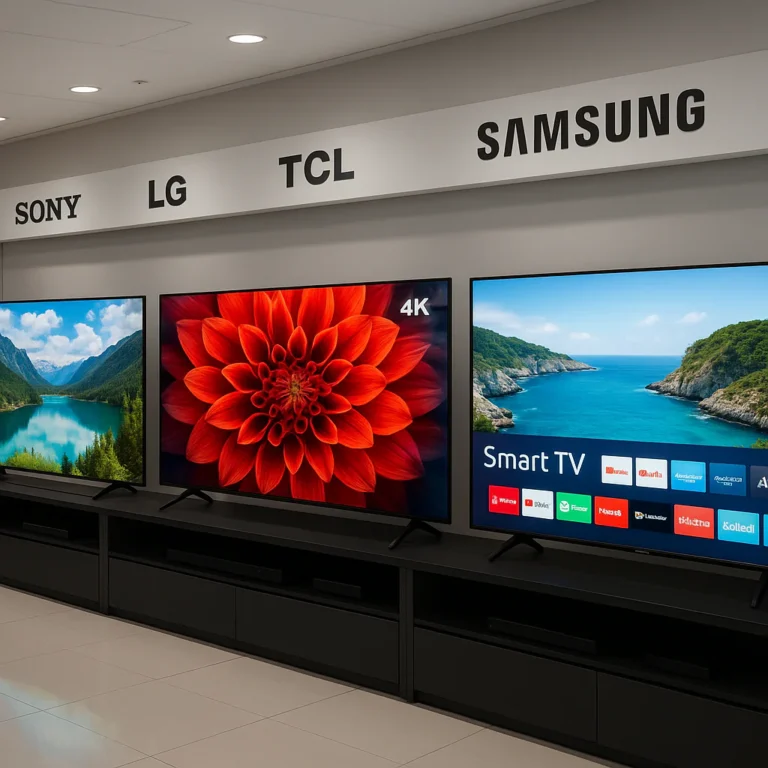
How do I choose the best TV brand for my budget and viewing needs? Start with your room, viewing habits, and must-have features, then choose the brand whose specific model matches them. TCL and Hisense often lead on value, LG and Samsung shine for OLED and gaming, while Sony is a standout for sports, cable, and natural picture processing.
A TV logo can point you in the right direction, but it cannot tell you whether a screen will handle window glare, fast football plays, dark movie scenes, or your PS5. The panel type, refresh rate, HDMI ports, smart-TV software, and warranty often matter more than the badge on the frame.
We have seen shoppers nearly buy a dazzling 85-inch television, only to discover that it overwhelmed the room and made compressed cable look like pixel soup. We have also watched modestly priced TCL and Hisense models outperform far more expensive sets in bright rooms, while OLED televisions transformed dark-room movie nights with genuinely inky blacks.
The best TV brand is therefore not universal. It is the one that gives your budget the right combination of picture quality, size, gaming performance, streaming features, reliability, and long-term usability.
Key Takeaways
- Choose the specific TV model, not just the brand. A premium TCL or Hisense can outperform an entry-level Samsung, LG, or Sony.
- TCL and Hisense are excellent value choices for bright rooms, large screens, HDR, and gaming features.
- LG and Samsung OLED TVs are ideal for movies and gaming thanks to deep blacks, fast response times, and wide viewing angles.
- Sony is a strong choice for sports, cable, and movies because of its excellent motion handling and upscaling.
- 4K is enough for most buyers. Prioritize contrast, brightness, HDR performance, and processing before paying extra for 8K.
- Match screen size to viewing distance. A 65-inch TV suits many living rooms, while larger screens need more space and better-quality source content.
- Gamers should look for HDMI 2.1, 4K/120Hz, VR, ALLM, and low input lag.
- Bright rooms benefit from Mini-LED or high-end QLED TVs, while dark rooms often favor OLED.
- Check smart-TV software, app support, privacy settings, HDMI ports, warranty coverage, and return policies before buying.
- A soundbar can dramatically improve a thin TV’s dialogue clarity and cinematic impact.
👉 Shop TV brands and categories:
- TCL TVs: Amazon | TCL Official Website
- Hisense TVs: Amazon | Hisense Official Website
- LG OLED TVs: Amazon | LG Official Website
- Samsung OLED and QLED TVs: Amazon | Samsung Official Website
- Sony BRAVIA TVs: Amazon | Sony Official Website
Table of Contents
- ⚡️ Quick Tips and Facts: Choosing the Best TV Brand for Your Budget
- 🧭 How to Match a TV Brand to Your Viewing Needs
- Movies, Sports, Streaming, Gaming, and Cable: Which TV Priorities Matter Most?
- Brand Reputation vs. Real-World Picture Quality
- 📚 TV Brand and Display Technology Background
- How LCD, LED, QLED, Mini-LED, OLED, and QD-OLED Evolved
- What TV Brand Marketing Terms Actually Mean
- 💰 How Much Should You Spend on a TV? Budget Tiers Explained
- Entry-Level TVs: Best for Casual Streaming and Guest Rooms
- Midrange TVs: The Sweet Spot for Most Living Rooms
- Premium TVs: When Better Contrast, Brightness, and Processing Pay Off
- Hidden Ownership Costs: Mounting, Warranty, Internet, and Audio
- 📺 The Best TV Brands for Different Budgets and Viewing Needs
- 1. Best Budget TV Brand: Hisense, TCL, Amazon Fire TV, and Roku TV
- 2. Best Mainstream TV Brand: Samsung, LG, Sony, TCL, and Hisense
- 3. Best Premium TV Brand: Sony, LG, and Samsung
- 4. Best TV Brand for OLED Picture Quality: LG and Samsung
- 5. Best TV Brand for Bright Rooms: Samsung, Sony, and Hisense
- 6. Best TV Brand for Gaming: LG, Samsung, Sony, and TCL
- 7. Best TV Brand for Sports: Sony, Samsung, LG, and TCL
- 8. Best TV Brand for Smart Features and Streaming: Google TV, Roku TV, and Fire TV
- 🔍 TV Screen Technology Explained: LCD, QLED, Mini-LED, OLED, and QD-OLED
- What Screen Resolution Do You Need: 4K, 8K, or Full HD?
- What Is Backlighting? Edge-Lit, Full-Array, and Mini-LED Explained
- What Are Quantum Dots and QLED TVs?
- What’s High Dynamic Range? HDR10, Dolby Vision, HDR10+, and HLG
- OLED vs. QLED vs. Mini-LED: Which Panel Type Fits Your Room?
- Glossy vs. Matte Screens and Reflection Handling
- 📏 What Size TV Should You Get? Viewing Distance and Room Planning
- TV Size and Viewing Distance Chart
- Choosing Between 55-Inch, 65-Inch, 75-Inch, and 85-Inch TVs
- Wall Mounting, TV Stand Width, and Screen Height
- 🎬 Picture Quality Features That Matter Most
- Native Contrast, Black Levels, and Local Dimming
- Peak Brightness, Color Volume, and Wide Color Gamut
- Upscaling, Motion Processing, and Image Interpolation
- Viewing Angles and Seating Position
- Avoiding Soap Opera Effect and Unatural Processing
- 🎮 Gaming Performance: Refresh Rate, VR, and Input Lag
- 120Hz vs. 144Hz vs. 165Hz Refresh Rates
- HDMI 2.1, VR, ALLM, FreeSync, and G-SYNC Explained
- PS5, Xbox Series X|S, Nintendo Switch 2, and PC Gaming Compatibility
- What About HDMI 2.2? Future-Profing Your Next TV
- 🔌 The Right TV Ports and Connections
- How Many HDMI Ports Do You Need?
- eARC, ARC, Optical Audio, Ethernet, USB, and Headphone Outputs
- Wi-Fi 6, Bluetooth, and Wireless Speaker Compatibility
- AmazonBasics HDMI Cable: Is an Ultra High-Speed Cable Necessary?
- 📡 What Is ATSC 3.0 or NextGen TV?
- Over-the-Air Antennas, 4K Broadcasts, and Free Local Channels
- ATSC 3.0 Tuner Support by TV Brand
- 🧠 What About TV Software? Smart Platforms Compared
- Google TV and Android TV
- Roku TV
- Amazon Fire TV
- Samsung Tizen
- LG webOS
- Vizio Smart TV and Other TV Operating Systems
- Ads, Privacy, Updates, and App Support
- 🧪 Eight TV Models Worth Comparing for Picture Quality and Value
- 1. Amazon Fire TV 4-Series: Affordable 4K Streaming
- 2. TCL QM6K QLED: Value-Packed Quantum Dot Performance
- 3. Hisense U75QG QLED: Bright-Room HDR and Gaming Features
- 4. TCL QM8K QLED: High-End Mini-LED Contrast
- 5. Samsung S90D QD-OLED: Vivid Color and Gaming Speed
- 6. LG G5 OLED: Premium OLED Brightness and Design
- 7. Sony Bravia 9 QLED: Elite Processing and HDR Impact
- 8. Sony Bravia 8 II QD-OLED: Cinema-Style Contrast and Color
- 🔊 Should You Get a Soundbar or Bookshelf Speakers?
- When a Soundbar Is the Smarter Choice
- Bookshelf Speakers and an AV Receiver for Better Music
- Dolby Atmos, DTS, eARC, and TV Audio Compatibility
- 🛒 How to Shop for the Best TV Brand Without Overpaying
- Compare Model Numbers, Retailer Exclusives, and Regional Variants
- Use Independent TV Tests and Consumer Reviews Wisely
- Wired Coupons, Deal Alerts, and Reliable Buying Guides
- Hardwired Strategies for Finding the Best Prime Day TV Deals
- Best Times of Year to Buy a New TV
- Delivery, Returns, Dead Pixels, and Panel Uniformity Checks
- ✅ TV Buying Checklist: Match the Brand to Your Room and Routine
- Checklist for Bright Living Rooms
- Checklist for Dark Home Theaters
- Checklist for Sports Fans
- Checklist for Console and PC Gamers
- Checklist for Streamers and Cord-Cutters
- Checklist for Seniors, Families, and Easy Remote Control
- 🧰 TV Setup Tips for Better Picture and Sound
- The Best Picture Mode for Movies, Sports, and Gaming
- Calibrating Brightness, Contrast, Color, and Motion
- Reducing Reflections and Improving Viewing Comfort
- Firmware Updates, App Management, and Network Setup
- ⚠️ Common TV-Buying Mistakes to Avoid
- Choosing a Brand Without Checking the Specific Model
- Paying for 8K When 4K Better Fits Your Content
- Ignoring HDMI Inputs, HDR Support, or Viewing Angles
- Assuming More Brightness Always Means Better Picture Quality
- Forgetting About Long-Term Software and Warranty Support
- 🔧 TV Longevity, Burn-In, Reliability, and Warranty Advice
- OLED Burn-In: Causes, Prevention, and Realistic Risk
- LCD and Mini-LED Panel Uniformity Issues
- Manufacturer Warranty vs. Extended Protection Plans
- How to Recycle or Replace an Old TV Responsibly
- 🏆 Our Final TV Brand Recommendations by Budget and Viewing Style
- Conclusion
- Recommended Links
- ❓ FAQ
- Which TV brand is most reliable?
- Is LG better than Samsung for TVs?
- Is Sony worth the extra money?
- Are TCL and Hisense good TV brands?
- Should you buy OLED or QLED?
- What is the best TV brand for gaming?
- What is the best TV brand for a bright room?
- How long should a modern TV last?
- Do you need a soundbar with a new TV?
- Reference Links
⚡️ Quick Tips and Facts: Choosing the Best TV Brand for Your Budget
Choosing the best TV brand starts with your room, content, and habits, not the logo on the bezel. Our TV Brands TV buying hub is the best place to begin, but here is the short version:
- Best all-around value: TCL and Hisense frequently deliver more brightness, local diming, and gaming features per dollar than premium brands.
- Best OLED experience: LG and Samsung offer superb black levels, fast response times, and wide color gamuts.
- Best image processing: Sony remains a standout for upscaling, motion handling, and natural-looking movies and sports.
- Best smart-TV simplicity: Roku TV is wonderfully straightforward; Google TV offers broader recommendations and app flexibility.
- Best bright-room performance: Look for a bright Mini-LED or QLED model with strong reflection handling, not merely “4K HDR” printed on the box.
- Best dark-room movie performance: OLED still rules for perfect black levels, though Mini-LED can be brighter and more forgiving.
- Best gaming features: Confirm 120Hz or higher, HDMI 2.1, variable refresh rate, and low input lag.
- Best resolution for most buyers: 4K UHD. Native 8K content remains scarce, and 8K often costs more without a visible benefit at ordinary seating distances.
- Best sizing rule: Measure viewing distance and furniture before buying. A giant TV that overwhelms your room is not a bargain; it is a glowing wall with commitment issues.
- Best buying rule: Compare the specific model, not just the brand. A budget Samsung can be weaker than a midrange TCL, while a premium Sony can outperform both.
The U.S. Department of Energy explains that television energy use varies with screen size, brightness, and usage. That matters because a brighter, larger display can affect long-term running costs.
A five-minute decision filter
Ask yourself these questions:
- What is my total budget, excluding accessories?
- How far will I sit from the screen?
- Is the room bright, dim, or mixed?
- Do I mainly watch streaming shows, sports, movies, broadcast TV, or games?
- How many HDMI devices need to remain connected?
- Do people watch from the sides?
- Will I keep the TV for several years?
- Do I care more about deep blacks, brightness, simplicity, or gaming speed?
If you answer those honestly, the “best TV brand” question becomes much less mysterious. The logo is only the opening act. The panel, processor, ports, operating system, and warranty determine whether you enjoy the show.
🧭 How to Match a TV Brand to Your Viewing Needs
A TV brand should solve a problem. Sony’s processing may rescue low-quality cable, while TCL’s Mini-LED backlight may make HDR movies punchier. LG OLED may deliver the cleanest dark-room image, while Samsung’s anti-glare technology can help in a sunny living room.
We often see shoppers begin with “Is LG better than Samsung?” That is like asking whether a sports car is better than an SUV without mentioning the road. The answer depends on what you watch, where you sit, and what annoys you most.
Movies, Sports, Streaming, Gaming, and Cable: Which TV Priorities Matter Most?
| Viewing habit | Prioritize | TV technologies and brands to consider | Watch out for |
|---|---|---|---|
| Movies in a dark room | Perfect blacks, contrast, accurate color, Dolby Vision | LG OLED, Sony OLED, Samsung QD-OLED, Panasonic OLED | OLED image retention, aggressive processing |
| Sports | Motion clarity, brightness, wide viewing angles, upscaling | Sony, LG, Samsung, TCL Mini-LED | Dirty-screen effect, narrow VA-panel angles |
| Cable or antenna TV | Upscaling, motion processing, tuner quality | Sony, LG, Samsung, TCL, Hisense | Cheap processors exaggerating compression artifacts |
| Netflix, Disney+, and streaming | 4K HDR, app support, stable Wi-Fi, easy interface | Google TV, Roku TV, webOS, Tizen, Fire TV | Ads, sluggish menus, missing apps |
| Console gaming | HDMI 2.1, 4K/120Hz, VR, ALLM, low input lag | LG OLED, Samsung OLED, TCL Mini-LED, Sony | Not every HDMI port supports the full specification |
| PC gaming | High refresh rate, chroma support, VR range, text clarity | Samsung OLED, LG OLED, TCL Mini-LED | OLED text fringing and burn-in concerns |
| Bright living room | High sustained brightness, reflection control, wide color | Hisense, TCL, Samsung, Sony Mini-LED/QLED | Glossy screens reflecting windows |
| Side-angle viewing | Wide viewing angles, uniform color | OLED, IPS-style LCD models, select premium screens | Many VA LCD panels lose contrast off-axis |
| Children’s rooms or casual use | Durability, simple controls, reasonable brightness | TCL, Hisense, Roku TV, Amazon Fire TV | Cheap speakers and limited motion performance |
The Consumer Technology Association maintains standards and terminology used throughout the consumer-electronics industry, but labels alone do not tell the whole story. “HDR” can describe anything from a modest improvement to a spectacular leap, depending on brightness and local diming.
Brand Reputation vs. Real-World Picture Quality
The brands we trust most tend to fall into three broad groups:
Premium processing specialists
- Sony: Excellent upscaling, natural motion, and film handling.
- Panasonic: Strong cinema-oriented picture modes where available.
- LG: Excellent OLED range, robust gaming support, and polished webOS.
- Samsung: Strong brightness, vivid color, excellent gaming features, and broad availability.
Value-performance specialists
- TCL: Excellent Mini-LED and high-refresh gaming value in many model families.
- Hisense: High brightness and aggressive specifications, often attractive prices.
- Roku: Simple software and accessible controls, though panel performance depends heavily on the model.
Platform-first or retailer-focused brands
- Amazon Fire TV: Convenient Alexa integration and broad streaming access.
- Vizio: Often competitive hardware, but software support and app experience should be checked carefully.
- Insignia and On: Useful for basic, low-cost viewing, with more compromises in processing, brightness, and motion.
Our advice: Treat brand reputation as a starting filter, then inspect the model’s panel technology, refresh rate, HDR support, ports, warranty, and independent testing.
📚 TV Brand and Display Technology Background

The modern television aisle is packed with words that sound futuristic enough to power a spaceship: QLED, Neo QLED, Mini-LED, OLED evo, XR, Cognitive Processor, Quantum Color, Dolby Vision IQ. Some describe meaningful hardware. Others are polished marketing labels.
How LCD, LED, QLED, Mini-LED, OLED, and QD-OLED Evolved
Most non-OLED TVs are variations of LCD panels illuminated by LEDs. The LCD layer controls light and color, while the backlight supplies the brightness.
- LED TV: Usually an LCD TV with LED backlighting.
- QLED: An LCD/LED TV using a quantum-dot layer to improve color volume and brightness.
- Mini-LED: An LCD TV with many smaller LEDs, enabling more precise local diming.
- OLED: Each pixel emits its own light and can turn completely off.
- QD-OLED: An OLED display using quantum dots to produce brighter, more saturated colors than traditional OLED in many situations.
The Society for Information Display provides technical resources covering display engineering and emerging panel technologies. For shoppers, the practical translation is simpler:
| Technology | How it creates an image | Main strength | Main weakness |
|---|---|---|---|
| Standard LED/LCD | LED backlight behind LCD layer | Affordable, widely available | Grayish blacks, uneven lighting |
| QLED | LED/LCD plus quantum-dot color layer | Bright color and high volume | Still dependent on LCD contrast |
| Full-array local diming | Independently controlled backlight zones | Better blacks and HDR | Blooming around bright objects |
| Mini-LED | Many small local-dimming LEDs | High brightness and improved contrast | Blooming and processing variation |
| OLED | Self-emitting pixels | Perfect blacks, fast response | Potential burn-in, lower full-screen brightness |
| QD-OLED | Blue OLED plus quantum-dot conversion | Rich color, perfect blacks, gaming speed | Reflection, burn-in considerations |
What TV Brand Marketing Terms Actually Mean
Here is our translation guide:
- “Quantum Color” or “Quantum Dot”: Usually means a QLED-style color layer. It does not automatically mean strong blacks.
- “120Hz panel”: A genuine high-refresh panel can improve motion and gaming, but some TVs use software frame insertion or confusing terminology.
- “HDR”: The TV accepts HDR content. It does not guarantee enough brightness to display HDR impressively.
- “Local diming”: The backlight is split into zones. More zones can help, but algorithms matter just as much.
- “AI upscaling”: The processor analyzes lower-resolution content and reconstructs detail. Results vary widely.
- “Wide color gamut”: The TV can display more saturated colors, especially in HDR.
- “Filmmaker Mode”: A picture mode designed to reduce motion smoothing and preserve creator intent; the UHD Alliance outlines the broader industry goals behind such standards.
- “Smart TV”: The TV has an operating system and internet-connected apps. It does not mean the interface will be fast or pleasant.
The first video’s comparisons underline this point. It praised the TCL QM6K as “the definition of a budget champion,” while criticizing some televisions with impressive-sounding specifications for weak dark-scene performance or poor reflection handling. A specification sheet is a map, not the destination.
💰 How Much Should You Spend on a TV? Budget Tiers Explained
There is no magic spending threshold, but there is a practical relationship between screen size, panel quality, processing, and quality control. WIRED’s TV-buying guidance recommends avoiding extremely cheap large-screen models unless you accept compromises, and we agree with the principle: flaws become easier to see as the screen grows.
Entry-Level TVs: Best for Casual Streaming and Guest Rooms
Entry-level televisions make sense when:
- You watch mostly YouTube, sitcoms, news, or casual streaming.
- The TV is for a bedroom, kitchen, dorm, or guest room.
- You do not need 4K gaming at 120Hz.
- You sit close to the center of the screen.
- You want a simple replacement rather than a home-cinema centerpiece.
Good candidates include selected models from TCL, Hisense, Roku, Amazon Fire TV, Vizio, Insignia, and On.
✅ What you can reasonably expect:
- 4K resolution on common screen sizes.
- Basic HDR compatibility.
- Built-in streaming apps.
- Acceptable brightness in moderate lighting.
- 60Hz operation on many models.
❌ Typical compromises:
- Weak black levels.
- Limited local diming.
- Narrow viewing angles.
- More motion blur.
- Fewer HDMI 2.1 ports.
- Less polished upscaling.
- Speakers that sound like they are trapped inside a tin lunchbox.
Our Affordable TV Options coverage is useful for separating genuinely good budget models from televisions that merely have a large screen and a loud promotional sticker.
Midrange TVs: The Sweet Spot for Most Living Rooms
For a main living-room TV, the midrange is often the most sensible zone. You can find:
- QLED or Mini-LED backlighting.
- Better contrast and local diming.
- 120Hz or 144Hz refresh rates.
- HDMI 2.1 gaming features.
- Stronger HDR brightness.
- Better upscaling and motion processing.
- More robust stands and build quality.
TCL QM6K, Hisense U7-series models, TCL QM7-series models, Sony X90-series televisions, Samsung QN-series models, and LG B-series OLEDs can all be relevant depending on the room and current model generation.
Premium TVs: When Better Contrast, Brightness, and Processing Pay Off
Premium spending is justified when you:
- Watch several hours daily.
- Want a cinematic dark-room experience.
- Sit at different angles.
- Watch sports or low-quality cable frequently.
- Use a PS5, Xbox Series X, or high-end gaming PC.
- Want better anti-reflection performance.
- Need more consistent panel quality on a very large screen.
- Plan to keep the TV for many years.
Premium models usually add better processing, stronger calibration, superior construction, more capable audio, improved reflection handling, or a more sophisticated backlight.
However, premium does not mean flawless. A flagship Mini-LED can still show blooming. A premium OLED can still dim during sustained bright scenes. A luxury TV can still have a terrible built-in interface if the manufacturer gets overconfident.
Hidden Ownership Costs: Mounting, Warranty, Internet, and Audio
Before committing, account for:
- Wall mount or larger TV stand.
- Professional installation for very large screens.
- Longer HDMI cables.
- Soundbar or powered speakers.
- Streaming subscriptions.
- Surge protection.
- Extended warranty, if it offers meaningful panel coverage.
- Replacement remote or universal remote.
- Better router placement for 4K streaming.
The Federal Trade Commission advises consumers to examine extended warranties carefully. Read what is excluded, especially for OLED burn-in, accidental damage, dead pixels, and labor.
📺 The Best TV Brands for Different Budgets and Viewing Needs
Below is our practical brand map. It is not a popularity contest; it is a guide to where each manufacturer tends to excel.
1. Best Budget TV Brand: Hisense, TCL, Amazon Fire TV, and Roku TV
TCL is often our first stop for value because its better models combine quantum dots, local diming, high refresh rates, and Google TV without demanding flagship money.
Hisense frequently delivers excellent brightness and ambitious specifications. It can be especially compelling for HDR and bright-room viewing, though quality control, motion processing, and viewing angles vary by series.
Amazon Fire TV is appealing if you already use Alexa, Prime Video, and Amazon’s ecosystem. Its interface can be convenient, but entry-level Fire TVs may use modest processors and 60Hz panels.
Roku TV remains one of the easiest smart platforms to recommend for simplicity. The downside is that affordable Roku panels can be dim, reflective, or basic.
✅ Choose TCL when you want:
- Strong all-around value.
- Gaming features.
- Google TV.
- Mini-LED availability.
- Vibrant HDR color.
✅ Choose Hisense when you want:
- High brightness.
- Large screens.
- Strong HDR impact.
- A bright-room television.
✅ Choose Roku TV when you want:
- Straightforward menus.
- Easy app access.
- A low learning curve.
✅ Choose Amazon Fire TV when you want:
- Alexa voice control.
- Prime Video integration.
- An Amazon-centered home.
2. Best Mainstream TV Brand: Samsung, LG, Sony, TCL, and Hisense
At the mainstream level, all five can be excellent, but they emphasize different strengths.
| Brand | Strongest traits | Best fit | Main caution |
|---|---|---|---|
| Samsung | Bright QLED, strong gaming, polished design | Bright rooms and gamers | Often omits Dolby Vision |
| LG | OLED expertise, gaming, wide viewing angles | Movies and console gaming | OLED brightness and burn-in considerations |
| Sony | Upscaling, motion, natural image | Sports, cable, movies | Premium models can be expensive |
| TCL | Value, Mini-LED, high refresh rate | Budget-conscious gamers | Processing and angles vary |
| Hisense | Brightness, large screens, HDR value | Bright rooms and big-screen buyers | Model-to-model consistency varies |
Samsung, LG, and Sony also tend to offer stronger retail support and more predictable software ecosystems. TCL and Hisense often win the feature-per-dollar argument.
3. Best Premium TV Brand: Sony, LG, and Samsung
There is no universal winner here.
- Sony: Best for viewers who value natural motion, nuanced upscaling, and film-like processing.
- LG: Best for OLED enthusiasts and gamers who want extensive HDMI 2.1 support.
- Samsung: Best for vivid HDR, high brightness, design, and gaming features.
The Sony BRAVIA lineup is particularly strong for mixed-quality content. A high-end Sony can make ordinary broadcast TV look less rough, although it cannot turn a compressed channel into a 4K masterpiece.
4. Best TV Brand for OLED Picture Quality: LG and Samsung
LG has deep OLED expertise and offers a broad range from the value-oriented B series to brighter premium G-series models. Samsung’s QD-OLED televisions can produce extraordinarily rich color while preserving OLED contrast.
Consider:
- LG OLED: Natural, cinematic, strong gaming features, Dolby Vision support.
- Samsung QD-OLED: Punchy color, excellent gaming, often bright and vivid.
- Sony OLED: Superb processing and cinematic image, usually at a premium.
Our OLED TV Advancements coverage explains why self-emissive displays remain so compelling, especially for viewers who dim the lights and care about shadow detail.
5. Best TV Brand for Bright Rooms: Samsung, Sony, and Hisense
A bright room needs more than raw brightness. Look for:
- Strong peak and sustained brightness.
- Reflection-resistant coating.
- Good black levels despite ambient light.
- A screen position away from direct windows.
- Enough color volume to prevent HDR from looking washed out.
Hisense U-series models can deliver tremendous brightness. Samsung’s premium QLED and Neo QLED sets often provide excellent glare management. Sony Mini-LED models can balance brightness with refined processing.
A glossy screen may look spectacular in a dark showroom and behave like a mirror beside your living-room window. Bring a flashlight to the store if you want the full detective experience.
6. Best TV Brand for Gaming: LG, Samsung, Sony, and TCL
Gaming buyers should prioritize specifications that affect play, not marketing adjectives:
- 4K at 120Hz or higher.
- HDMI 2.1.
- VR.
- ALLM.
- Low input lag.
- Good motion clarity.
- Sufficient HDMI ports.
- A game dashboard or easy settings access.
LG OLED remains a favorite for response time and console compatibility. Samsung often offers high refresh rates and vivid HDR. TCL provides outstanding value in many Mini-LED gaming sets. Sony integrates especially well with PlayStation features, though its gaming options vary by model.
The PlayStation support guide explains how to configure 4K and 120Hz output on compatible displays. Microsoft’s Xbox display settings guide is equally useful for Series X|S owners.
7. Best TV Brand for Sports: Sony, Samsung, LG, and TCL
Sports expose weaknesses quickly. Panning cameras reveal blur, uneven screens, dirty-screen effect, and poor upscaling.
We generally recommend:
- Sony for motion processing and cable upscaling.
- Samsung for brightness and vivid color.
- LG OLED for near-instant response and wide seating angles.
- TCL Mini-LED for value and large-screen impact.
Sports viewers should inspect a TV with a full-field hockey rink, soccer pitch, or football field. Dark movie scenes can conceal uniformity problems; a bright green field is much less forgiving.
8. Best TV Brand for Smart Features and Streaming: Google TV, Roku TV, and Fire TV
The best smart platform depends on your tolerance for recommendations, ads, menus, and voice assistants.
| Platform | Best feature | Common drawback |
|---|---|---|
| Google TV | Broad app ecosystem and content discovery | Busy recommendations and account integration |
| Roku TV | Simple navigation | Fewer advanced customization options |
| Fire TV | Alexa and Amazon integration | Promotional content and occasional sluggishness |
| Samsung Tizen | Polished ecosystem and SmartThings | Ads and model-dependent performance |
| LG webOS | Clean launcher and Magic Remote | App layout can change between generations |
| Vizio OS | Familiar streaming essentials | Smaller ecosystem and uncertain long-term support |
The FCC’s consumer resources are helpful when reviewing connected-device privacy. A smart TV is also a data-connected computer, so check privacy settings during setup instead of clicking through every screen like a contestant on a game show.
🔍 TV Screen Technology Explained: LCD, QLED, Mini-LED, OLED, and QD-OLED
What Screen Resolution Do You Need: 4K, 8K, or Full HD?
Resolution describes the number of pixels on screen:
| Resolution | Pixel dimensions | Practical use |
|---|---|---|
| Full HD / 1080p | 1,920 × 1,080 | Small TVs, older content |
| 4K UHD | 3,840 × 2,160 | Best choice for most buyers |
| 8K UHD | 7,680 × 4,320 | Very large screens and niche future-proofing |
A 4K TV has roughly four times as many pixels as 1080p, while 8K has roughly four times as many as 4K. But your eyes do not count pixels like beads on a string. Viewing distance, screen size, eyesight, source quality, and processing determine whether the extra resolution is visible.
For most 55-inch to 75-inch televisions, 4K remains the practical sweet spot. The Consumer Technology Association’s 4K UHD guidance provides useful industry context, while RTINGS’ budget TV testing reinforces the point that overall picture quality matters more than resolution alone.
What Is Backlighting? Edge-Lit, Full-Array, and Mini-LED Explained
Edge-lit LED
LEDs sit along the TV’s edges. These designs can be thin and efficient but may show uneven brightness or weaker local contrast.
Full-array local diming
LEDs sit behind the LCD panel in zones. The TV dims dark areas and brightens highlights independently.
Mini-LED
Mini-LED uses much smaller LEDs, allowing more backlight control points. This can improve contrast and HDR brightness but does not eliminate blooming.
Blooming is the glow around bright objects against dark backgrounds, such as white subtitles on a stary sky. A premium Mini-LED may reduce it dramatically, but an OLED avoids it because each pixel controls itself.
What Are Quantum Dots and QLED TVs?
Quantum dots are microscopic materials that convert light into highly saturated colors. In a QLED TV, a blue or white LED backlight shines through the quantum-dot layer before reaching the LCD system.
✅ Benefits:
- Strong color volume.
- High brightness.
- Excellent HDR potential.
- No OLED-style permanent burn-in risk under normal LCD use.
❌ Limitations:
- Blacks depend on the LCD panel and local diming.
- Blooming can occur.
- Viewing angles may be narrower than OLED.
- “QLED” quality varies dramatically between models.
Samsung popularized the QLED label, but TCL, Hisense, Vizio, and other brands also use quantum-dot technology.
What’s High Dynamic Range? HDR10, Dolby Vision, HDR10+, and HLG
HDR expands the range between dark and bright parts of an image and can increase color volume. It is most effective when the TV has sufficient brightness, contrast, and local diming.
| HDR format | Where it appears | What to know |
|---|---|---|
| HDR10 | Nearly universal | Static metadata; broad compatibility |
| Dolby Vision | Many streaming services and discs | Dynamic scene-by-scene metadata |
| HDR10+ | Supported by Samsung, Amazon, and others | Dynamic metadata alternative |
| HLG | Broadcast and live content | Designed for TV broadcasting |
The Dolby Vision overview explains how dynamic metadata can optimize picture presentation. The UHD Alliance also provides background on Ultra HD and HDR standards.
Important: HDR compatibility is not HDR excellence. An inexpensive TV can accept Dolby Vision and still lack the brightness or contrast to make it look impressive.
OLED vs. QLED vs. Mini-LED: Which Panel Type Fits Your Room?
| If your priority is… | Best starting point | Why |
|---|---|---|
| Perfect blacks and movie contrast | OLED | Pixels turn off individually |
| Bright HDR in a sunny room | Mini-LED or high-end QLED | Higher sustained brightness |
| Wide seating angles | OLED | Color and contrast remain consistent off-axis |
| Lowest burn-in concern | LED/QLED/Mini-LED | No self-emissive OLED pixel wear pattern |
| Fast gaming response | OLED or high-refresh Mini-LED | Very low response times or high refresh |
| Large-screen value | Mini-LED/QLED | More affordable at very large sizes |
| Vivid, saturated HDR colors | QD-OLED or premium QLED | Strong color volume |
| Mixed TV quality and cable | Sony LED/OLED or premium Mini-LED | Stronger processing can help |
Glossy vs. Matte Screens and Reflection Handling
Glossy screens can deliver richer perceived contrast in controlled lighting, but they reflect windows, lamps, and your own face with uncomfortable honesty.
Mate or semi-matte coatings reduce reflections but may soften perceived contrast or produce a slight haze. The right choice depends on your room:
- Dark room: Glossy can look spectacular.
- Bright room with windows: Matte or strong anti-reflection coating is preferable.
- Mixed room: Position the TV perpendicular to windows and choose brightness plus reflection control.
📏 What Size TV Should You Get? Viewing Distance and Room Planning
The best screen size is large enough to feel immersive but not so large that low-quality content becomes distracting.
TV Size and Viewing Distance Chart
Use this as a starting point rather than a rigid law:
| Screen size | Approximate comfortable distance | Typical room |
|---|---|---|
| 43 inches | 4–7 feet | Bedroom, office |
| 50 inches | 5–8 feet | Small living room |
| 55 inches | 5–9 feet | Apartment or average room |
| 65 inches | 6–11 feet | Main living room |
| 75 inches | 7–12 feet | Larger living room |
| 85 inches | 8–14 feet | Large room or theater |
The Society of Motion Picture and Television Engineers provides industry context for viewing-angle principles, while THX offers consumer-facing guidance on immersive display placement through its home theater resources. Recommendations differ because one source may target cinematic immersion while another emphasizes everyday comfort.
Choosing Between 55-Inch, 65-Inch, 75-Inch, and 85-Inch TVs
55 inches
A sensible choice for smaller rooms and apartments. It is also common in OLED ranges, where premium picture quality is available without requiring a huge wall.
65 inches
Our default recommendation for many living rooms. It provides a meaningful cinematic upgrade without becoming physically overwhelming.
75 inches
Excellent for group viewing and larger seating distances. Buy carefully because cheaper large panels can make uniformity, processing, and backlight problems easier to see.
85 inches
A spectacular option when the room permits it. Measure doorways, staircases, elevators, and wall space before ordering. Many “TV delivery disasters” begin with someone measuring only the wall.
Wall Mounting, TV Stand Width, and Screen Height
Before buying:
- Measure the wall width.
- Measure the stand’s usable width and depth.
- Check the TV’s foot spacing.
- Confirm VESA mounting dimensions.
- Locate power outlets and cable routes.
- Check glare from windows and lamps.
- Plan for soundbar clearance.
- Confirm that the mount supports the TV’s weight and size.
Mounting too high is common. Your eyes should generally land around the upper-middle portion of the screen when seated, though the ideal height varies with reclined seating and furniture.
🎬 Picture Quality Features That Matter Most
Native Contrast, Black Levels, and Local Dimming
Native contrast describes the panel’s ability to make dark areas darker without relying on backlight tricks. VA LCD panels often provide stronger contrast than IPS-style LCD panels, while OLED provides per-pixel control.
Local diming improves LCD contrast by darkening parts of the backlight. The challenge is balancing:
- Black depth.
- Highlight brightness.
- Blooming.
- Subtitle behavior.
- Shadow detail.
- Scene transitions.
A TV that crushes shadow detail can make blacks look impressive by hiding information. We prefer a display that preserves subtle detail in dark clothing, caves, and nighttime scenes.
Peak Brightness, Color Volume, and Wide Color Gamut
Peak brightness matters for small HDR highlights: sunlight glinting off a car, sparks, explosions, or a bright moon. Sustained brightness matters for large areas such as snowy landscapes or hockey rinks.
Color volume describes how well a TV maintains saturated color at high brightness. This is where premium QLED and QD-OLED televisions can look especially lively.
Upscaling, Motion Processing, and Image Interpolation
Most of what you watch is not native 4K. Broadcast television, DVDs, older streaming content, and compressed sports feeds need processing.
- Upscaling: Enlarges lower-resolution content.
- Noise reduction: Reduces compression and broadcast artifacts.
- Motion interpolation: Creates additional frames for smoother motion.
- Black-frame insertion: Can improve motion clarity but reduces brightness.
- Deinterlacing: Converts older broadcast formats into progressive images.
Sony is frequently praised for natural processing. TCL and Hisense have improved substantially, but lower-tier models may expose jaged edges or blocky compression more readily.
Viewing Angles and Seating Position
OLED generally maintains contrast and color better from the side. Many VA LCD televisions lose contrast when viewed off-axis.
If your seating is spread across a sectional sofa:
✅ Consider OLED or a wide-angle LCD design.
❌ Avoid choosing a narrow-angle panel solely because it looks excellent from the center seat in a store.
Avoiding Soap Opera Effect and Unatural Processing
Motion smoothing can make films look like live video. Some viewers love the extra smoothness for sports; others find it distracting.
Start with:
- Filmmaker Mode.
- Cinema or Movie mode.
- Motion smoothing disabled for films.
- Custom motion settings for sports.
- Game Mode for consoles.
The Filmmaker Mode initiative explains the goal of preserving cinematic intent. We still encourage you to adjust it: the best setting is the one that looks natural to your eyes.
🎮 Gaming Performance: Refresh Rate, VR, and Input Lag
Gaming is where television specifications become tangible. A slow display can turn a competitive match into a slideshow wearing a headset.
120Hz vs. 144Hz vs. 165Hz Refresh Rates
- 60Hz: Fine for movies, most TV, and casual gaming.
- 120Hz: A major upgrade for PS5, Xbox Series X, and many PC games.
- 144Hz: Useful for PC gaming and select high-refresh consoles or compatible sources.
- 165Hz: Mainly relevant to PC gaming.
A 120Hz display can show 24fps film content cleanly using an even refresh cadence, while high refresh rates improve motion clarity and responsiveness.
HDMI 2.1, VR, ALLM, FreeSync, and G-SYNC Explained
- HDMI 2.1: A family of capabilities enabling higher bandwidth, though individual features still vary.
- VR: Matches display refresh to game frame rate, reducing tearing.
- ALLM: Automatically switches to a low-latency game mode.
- FreeSync: AMD’s adaptive-sync technology.
- G-SYNC: NVIDIA’s adaptive-sync technology.
The HDMI Licensing Administrator explains the HDMI 2.1 specification, while AMD FreeSync and NVIDIA G-SYNC document their respective technologies.
PS5, Xbox Series X|S, Nintendo Switch 2, and PC Gaming Compatibility
Before buying, check:
- Number of HDMI 2.1 ports.
- Whether all ports support 4K/120Hz.
- VR range.
- HDR game mode behavior.
- PC resolutions and chroma support.
- Input lag at 4K/60Hz and 4K/120Hz.
- Whether eARC occupies one of the high-bandwidth ports.
A television may advertise four HDMI inputs but provide only two HDMI 2.1 ports. That is fine for one console and a soundbar, less convenient for several consoles plus a gaming PC.
What About HDMI 2.2? Future-Profing Your Next TV
HDMI 2.2 is a newer standard designed to increase bandwidth and support future high-resolution, high-refresh applications. However, the presence of HDMI 2.2 does not automatically make a TV better for current PS5, Xbox, or streaming use.
Our advice:
- Buy HDMI 2.1 confidently for current 4K/120Hz gaming.
- Consider HDMI 2.2 if you are building a high-end PC gaming system or want maximum future headroom.
- Do not sacrifice current picture quality merely to chase a port standard.
- Verify the exact port features rather than relying on the number printed on a retail page.
🔌 The Right TV Ports and Connections
How Many HDMI Ports Do You Need?
Count every device:
- Cable box.
- Streaming stick.
- Soundbar or AV receiver.
- PlayStation.
- Xbox.
- Nintendo console.
- Gaming PC.
- Blu-ray player.
- Laptop.
- Set-top antenna tuner.
A household with a soundbar and two consoles may need four usable HDMI inputs. If the TV has only three, you may be reaching behind the cabinet every weekend, which is not the sort of family bonding we recommend.
eARC, ARC, Optical Audio, Ethernet, USB, and Headphone Outputs
- eARC: Sends high-quality audio, including lossless formats and Dolby Atmos, from TV apps to compatible equipment.
- ARC: Older, lower-bandwidth audio return connection.
- Optical: Reliable digital audio but limited compared with eARC.
- Ethernet: More stable than Wi-Fi for streaming, though many TVs use slower wired networking than modern Wi-Fi.
- USB: Useful for media playback, accessories, and sometimes power.
- Headphone output: Helpful for private listening, but increasingly uncommon.
The Dolby Atmos support guide explains how immersive audio formats work. Compatibility depends on the TV, streaming app, soundbar, receiver, and source device.
Wi-Fi 6, Bluetooth, and Wireless Speaker Compatibility
Check whether the television supports:
- Dual-band Wi-Fi.
- Wi-Fi 6 or newer, if relevant to your network.
- Bluetooth headphones.
- Bluetooth keyboards or game controllers.
- Proprietary wireless speakers.
- Hearing-aid compatibility.
Wireless features are convenient but can introduce delay. Bluetooth headphones may not synchronize perfectly with on-screen speech, and some televisions limit simultaneous Bluetooth connections.
AmazonBasics HDMI Cable: Is an Ultra High-Speed Cable Necessary?
For 4K/120Hz, VR, and HDR, choose a certified Ultra High Speed HDMI cable rather than an old mystery cable from a drawer.
AmazonBasics HDMI cables can be perfectly adequate when the specific cable is certified for the bandwidth you need. Cable branding matters less than:
- Official certification.
- Appropriate length.
- Secure connectors.
- Reliable return policy.
- No unnecessary “audiophile” claims.
HDMI.org’s certified cable program explains how to identify Ultra High Speed certification.
📡 What Is ATSC 3.0 or NextGen TV?
ATSC 3.0, marketed as NextGen TV, is a newer over-the-air broadcast standard that can support higher-quality video, improved audio, emergency alerts, and interactive services.
Over-the-Air Antennas, 4K Broadcasts, and Free Local Channels
ATSC 3.0 can provide:
- Improved broadcast efficiency.
- Potential 4K broadcasts.
- Better audio formats.
- Enhanced emergency alerts.
- Interactive and connected features.
But deployment varies by market. A tuner is useful only if local stations transmit compatible signals and if your antenna receives them reliably.
Use the NextGen TV station finder, then check reception with the FCC’s DTV reception tools.
ATSC 3.0 Tuner Support by TV Brand
ATSC 3.0 support is inconsistent across brands and model tiers. Some premium LG, Samsung, Sony, Hisense, and other models include it, while many affordable TVs do not.
Before buying:
- Search the exact model number.
- Confirm “ATSC 3.0 tuner” rather than merely “digital tuner.”
- Check whether encrypted broadcasts require additional equipment.
- Confirm antenna placement.
- Verify local station support.
If you primarily stream, ATSC 3.0 may not matter. If you rely on free broadcast TV, it could be valuable future headroom.
🧠 What About TV Software? Smart Platforms Compared
Google TV and Android TV
Google TV emphasizes content discovery across services, voice search, profiles, and recommendations. It is available on many TCL, Hisense, Sony, and other televisions.
✅ Strengths:
- Broad app catalog.
- Strong voice search.
- Good Google Assistant integration.
- Personalized profiles.
- Chromecast functionality on compatible models.
❌ Weaknesses:
- Busy home screen.
- Recommendations and advertisements.
- Performance varies with processor quality.
Roku TV
Roku’s great strength is clarity. Apps are presented in a familiar grid, and most people understand the remote immediately.
✅ Strengths:
- Simple navigation.
- Broad app support.
- Excellent accessibility.
- Easy setup.
❌ Weaknesses:
- Budget panels may be dim.
- Customization is limited.
- Some users dislike advertising and content recommendations.
Amazon Fire TV
Fire TV is ideal for households already using Alexa and Amazon services.
✅ Strengths:
- Alexa voice control.
- Prime Video integration.
- Smart-home support.
- Large streaming selection.
❌ Weaknesses:
- Promotional content.
- Entry-level hardware can feel slow.
- Menus may prioritize Amazon content.
Samsung Tizen
Tizen provides a polished interface across Samsung televisions and integrates with SmartThings.
✅ Strengths:
- Strong gaming hub features.
- Good device integration.
- Broad app support.
- Consistent design.
❌ Weaknesses:
- Advertising.
- Model-specific performance.
- Dolby Vision is generally not supported on Samsung TVs.
LG webOS
LG webOS uses a launcher-style interface and works especially well with the Magic Remote.
✅ Strengths:
- Easy pointer navigation.
- Excellent OLED integration.
- Strong gaming features.
- Useful multitasking and quick settings.
❌ Weaknesses:
- Interface changes across generations.
- Ads and recommendations.
- Older models may receive fewer updates.
Vizio Smart TV and Other TV Operating Systems
Vizio’s smart platform can handle major services, but app availability, update policies, and interface quality deserve careful checking. Smaller brands may offer fewer apps or slower updates.
Ads, Privacy, Updates, and App Support
A smart TV is not a one-time purchase from a software perspective. Consider:
- How long the manufacturer supports updates.
- Whether apps remain available.
- How much advertising appears on the home screen.
- Whether you can disable personalized recommendations.
- Which data is collected.
- Whether the TV remains usable without an account.
The Federal Trade Commission’s connected-device privacy guidance offers practical advice for securing smart devices.
🧪 Eight TV Models Worth Comparing for Picture Quality and Value
The following models represent different approaches rather than one universal winner. Availability and specifications can vary by region and model year, so verify the exact listing before purchasing.
1. Amazon Fire TV 4-Series: Affordable 4K Streaming
| Category | Rating |
|---|---|
| Design | 6/10 |
| Picture quality | 6/10 |
| HDR impact | 5/10 |
| Gaming | 5/10 |
| Smart features | 7/10 |
| Audio | 5/10 |
| Value | 7/10 |
| Overall | 6/10 |
The Amazon Fire TV 4-Series is designed for uncomplicated streaming rather than reference-quality cinema.
What it does well
- 4K resolution.
- Fire TV app ecosystem.
- Alexa voice control.
- Straightforward integration with Prime Video.
- Useful for bedrooms and casual viewing.
Where it falls short
- Many versions use 60Hz panels.
- Dark scenes can look gray or lacking in detail.
- HDR impact is modest.
- Processing may struggle with low-quality content.
The first video praised the Fire TV 55 for brightness and HDR pop but criticized its dark-scene performance and 60Hz limitation. That is exactly the trade-off: it can look lively in a bright retail aisle but less convincing during a shadowy thriller.
👉 CHECK PRICE on: Amazon Fire TV 4-Series on Amazon | Amazon Fire TV Official
2. TCL QM6K QLED: Value-Packed Quantum Dot Performance
| Category | Rating |
|---|---|
| Design | 7/10 |
| Picture quality | 8/10 |
| HDR impact | 7/10 |
| Gaming | 8/10 |
| Smart features | 8/10 |
| Audio | 6/10 |
| Value | 9/10 |
| Overall | 8/10 |
The TCL QM6K has become a strong example of why brand prestige is not the same as value. RTINGS describes it as a budget model that “punches well above its weight class,” citing deep blacks, vibrant colors, Google TV, and high-refresh gaming support.
What it does well
- QLED color.
- Local diming and strong contrast for its class.
- 144Hz native refresh rate.
- 4K/144Hz gaming support.
- VR and low motion blur.
- Google TV.
- Multiple screen sizes.
What to watch for
- Blooming around subtitles and bright objects.
- Mirror-like reflections in bright rooms.
- HDR performance below premium Mini-LED models.
- Narrower viewing angles than OLED.
- Built-in speakers that are merely serviceable.
The first video called the QM6K “the definition of a budget champion.” We agree with the spirit, while adding a footnote: champion does not mean heavyweight champion. If your room is extremely bright or you demand OLED-level black precision, the limits appear.
👉 CHECK PRICE on: TCL QM6K on Amazon | TCL Official TV Website
3. Hisense U75QG QLED: Bright-Room HDR and Gaming Features
| Category | Rating |
|---|---|
| Design | 7/10 |
| Picture quality | 8/10 |
| HDR impact | 9/10 |
| Gaming | 8/10 |
| Smart features | 7/10 |
| Audio | 6/10 |
| Value | 8/10 |
| Overall | 8/10 |
The Hisense U75QG targets viewers who want brightness, color, and gaming capability without moving directly into flagship territory.
What it does well
- Strong HDR brightness.
- Quantum-dot color.
- Local diming.
- High-refresh gaming support.
- Good fit for bright rooms.
- Large screen availability.
Potential drawbacks
- Processing may be less natural than Sony’s.
- Viewing angles can be limited.
- Blooming varies by scene.
- Smart interface may feel less refined than LG webOS or Roku.
For sports and games in a sunny room, the U75QG can be more satisfying than a dimer OLED. For a dark home theater with centered seating, OLED may still look cleaner.
👉 CHECK PRICE on: Hisense U75QG on Amazon | Hisense Official TV Website
4. TCL QM8K QLED: High-End Mini-LED Contrast
| Category | Rating |
|---|---|
| Design | 8/10 |
| Picture quality | 9/10 |
| HDR impact | 9/10 |
| Gaming | 9/10 |
| Smart features | 8/10 |
| Audio | 7/10 |
| Value | 8/10 |
| Overall | 9/10 |
The TCL QM8K represents TCL’s push toward premium Mini-LED performance.
What it does well
- Very high brightness.
- Strong local diming.
- High-refresh gaming.
- Rich quantum-dot color.
- Excellent large-screen impact.
- Google TV.
Potential drawbacks
- Blooming is reduced, not eliminated.
- Viewing angles can remain limited.
- Processing preferences are subjective.
- Large models may require careful installation.
This is a television for someone who wants to ask, “How bright can HDR get?” and then turn the answer into a practical living-room experience. The TCL official television page provides model-specific details.
👉 CHECK PRICE on: TCL QM8K on Amazon | TCL Official QM8K
5. Samsung S90D QD-OLED: Vivid Color and Gaming Speed
| Category | Rating |
|---|---|
| Design | 9/10 |
| Picture quality | 9/10 |
| HDR impact | 9/10 |
| Gaming | 10/10 |
| Smart features | 8/10 |
| Audio | 7/10 |
| Value | 8/10 |
| Overall | 9/10 |
The Samsung S90D QD-OLED combines OLED contrast with quantum-dot color and strong gaming performance.
What it does well
- Perfect black levels.
- Excellent response time.
- Rich HDR color.
- 4K high-refresh gaming.
- Slim design.
- Strong viewing angles.
Potential drawbacks
- No Dolby Vision support.
- Burn-in remains a long-term consideration.
- Reflection handling varies by screen size and finish.
- Samsung’s vivid factory modes may need adjustment.
For a gamer who also watches movies, this is an exceptionally compelling combination. For a household with a permanent news ticker or static PC desktop, a Mini-LED may be the more relaxed choice.
👉 CHECK PRICE on: Samsung S90D on Amazon | Samsung Official S90D
6. LG G5 OLED: Premium OLED Brightness and Design
| Category | Rating |
|---|---|
| Design | 10/10 |
| Picture quality | 10/10 |
| HDR impact | 9/10 |
| Gaming | 10/10 |
| Smart features | 8/10 |
| Audio | 7/10 |
| Value | 7/10 |
| Overall | 9/10 |
The LG G5 OLED is aimed at buyers who want a premium wall-mounted design and top-tier OLED picture quality.
What it does well
- Superb black levels.
- Excellent motion clarity.
- Strong gaming features.
- Wide viewing angles.
- Premium thin design.
- High-end image processing.
Potential drawbacks
- Premium positioning.
- OLED burn-in remains a consideration.
- Sound quality does not match the visual performance.
- Wall mounting may be central to the design experience.
Our OLED TV coverage explores why the G-series remains attractive for home theater enthusiasts. This is the television that makes a dark room feel like a private cinema, provided you add audio that deserves the screen.
👉 CHECK PRICE on: LG G5 OLED on Amazon | LG Official OLED TVs
7. Sony Bravia 9 QLED: Elite Processing and HDR Impact
| Category | Rating |
|---|---|
| Design | 9/10 |
| Picture quality | 10/10 |
| HDR impact | 10/10 |
| Gaming | 8/10 |
| Smart features | 8/10 |
| Audio | 9/10 |
| Value | 7/10 |
| Overall | 9/10 |
The Sony Bravia 9 combines Mini-LED brightness with Sony’s processing and acoustic design approach.
What it does well
- Excellent contrast and local diming.
- Superb HDR brightness.
- Natural upscaling.
- Strong motion handling.
- Cinematic image quality.
- Better built-in audio than many rivals.
Potential drawbacks
- Viewing angles may not match OLED.
- Premium positioning.
- Fewer high-refresh gaming inputs than some competitors.
- Processing can appear too restrained to viewers who prefer exaggerated color.
This is a strong choice for families watching cable, streaming, sports, and movies one screen. Sony’s strength is not merely making images brighter; it is making mixed-quality sources look more coherent.
👉 CHECK PRICE on: Sony Bravia 9 on Amazon | Sony Bravia Official
8. Sony Bravia 8 II QD-OLED: Cinema-Style Contrast and Color
| Category | Rating |
|---|---|
| Design | 9/10 |
| Picture quality | 10/10 |
| HDR impact | 9/10 |
| Gaming | 8/10 |
| Smart features | 8/10 |
| Audio | 8/10 |
| Value | 7/10 |
| Overall | 9/10 |
The Sony Bravia 8 II targets viewers who want QD-OLED contrast and Sony’s image processing.
What it does well
- Excellent blacks and contrast.
- Rich color.
- Natural motion.
- Strong upscaling.
- Wide viewing angles.
- Cinematic presentation.
Potential drawbacks
- Premium cost.
- Potential OLED burn-in.
- Fewer HDMI 2.1 ports than some gaming-focused rivals.
- Bright-room performance depends heavily on reflections and room lighting.
This is the model for the viewer who notices when a director’s shadow detail looks wrong, when a camera pan juders, or when skin tones become cartoonishly orange. If that sounds like you, welcome to the club.
👉 CHECK PRICE on: Sony Bravia 8 II on Amazon | Sony Official TV Website
🔊 Should You Get a Soundbar or Bookshelf Speakers?
Modern televisions are thin, attractive, and acoustically constrained. There simply is not much room for large speaker drivers behind a panel thinner than a sandwich.
When a Soundbar Is the Smarter Choice
Choose a soundbar when you want:
- Clearer dialogue.
- Better volume and bass.
- Simple setup.
- A tidy living room.
- Dolby Atmos effects without a full receiver.
- HDMI eARC compatibility.
Good soundbar pairings are available from Sonos, Samsung, Sony, LG, Bose, JBL, and Yamaha.
Bookshelf Speakers and an AV Receiver for Better Music
Bookshelf speakers can produce:
- Wider stereo imaging.
- Better music detail.
- More natural vocals.
- Greater upgrade flexibility.
- Stronger bass when paired with a subwoofer.
The drawback is complexity: speaker placement, receiver settings, cables, and room acoustics all matter.
Dolby Atmos, DTS, eARC, and TV Audio Compatibility
Before buying audio equipment, check:
- Whether the TV supports eARC.
- Whether the soundbar supports Dolby Atmos.
- Whether DTS formats pass through.
- Whether game consoles connect to the TV or soundbar.
- Whether lip-sync adjustment is available.
- Whether the TV can control volume through HDMI-CEC.
👉 CHECK PRICE on:
- Sonos Beam: Amazon | Sonos Official
- Samsung Q-Series Soundbars: Amazon | Samsung Official
- Sony BRAVIA Theatre Soundbars: Amazon | Sony Official
🛒 How to Shop for the Best TV Brand Without Overpaying
Compare Model Numbers, Retailer Exclusives, and Regional Variants
Retailers may carry visually similar TVs with different model numbers. A “special edition” may have:
- Fewer diming zones.
- Lower brightness.
- Fewer HDMI 2.1 ports.
- A different stand.
- A different processor.
- Reduced speaker power.
- Different software features.
Write down the full model number before comparing reviews. A television’s family name is not enough.
Use Independent TV Tests and Consumer Reviews Wisely
Independent testing is valuable because specifications rarely reveal:
- Input lag.
- Blooming.
- Uniformity.
- Motion blur.
- HDR accuracy.
- Viewing-angle loss.
- Reflection behavior.
- Real sustained brightness.
RTINGS says it uses the same meticulous testing process for budget and high-end televisions, and its budget TV guide is useful for comparing compromises. Consumer reviews add value for shipping damage, software bugs, dead pixels, and long-term reliability, but they should not replace controlled testing.
Wired Coupons, Deal Alerts, and Reliable Buying Guides
WIRED’s TV-buying guidance is useful for broad strategy: start with budget and priorities, favor established brands, and remember that large inexpensive screens make flaws more visible. Coupon pages can help identify promotions, but a discount on a weak model is still a weak purchase.
Use deal alerts to monitor:
- Model history.
- Seasonal discounts.
- Retailer-exclusive variants.
- Warranty changes.
- Stock levels.
- Return deadlines.
Hardwired Strategies for Finding the Best Prime Day TV Deals
Prime Day and other major sales events can produce genuine bargains, but they also create urgency.
Our method:
- Choose the exact model before the sale begins.
- Record its normal selling pattern.
- Compare the model number across retailers.
- Check the return policy.
- Avoid confusing a newer model with a discounted older model.
- Confirm shipping and installation costs.
- Test the panel immediately after delivery.
- Keep the packaging until the return period ends.
The best deal is not the lowest number on a countdown banner. It is the best picture quality, warranty, and fit for your room at the total ownership cost.
Best Times of Year to Buy a New TV
Strong buying periods often include:
- Major sports events.
- Black Friday and Cyber Monday.
- Holiday promotions.
- New-model launches.
- Clearance periods when last year’s models remain available.
- Major retailer anniversary events.
New model announcements can lower older model prices, but verify that the older television still supports the features you need.
Delivery, Returns, Dead Pixels, and Panel Uniformity Checks
After delivery:
- Photograph the box before opening.
- Inspect for corner damage.
- Test HDMI inputs.
- Check for dead pixels.
- Display gray, white, black, and blue test screens.
- Watch a hockey rink, soccer field, or sky scene for uniformity.
- Test HDR and Dolby Vision.
- Verify Wi-Fi and app performance.
- Confirm the remote and stand hardware.
- Keep all packaging.
Do not spend two weeks hoping a visible crack will “settle down.” Glass is not sourdough.
✅ TV Buying Checklist: Match the Brand to Your Room and Routine
Checklist for Bright Living Rooms
✅ High sustained brightness
✅ Reflection-resistant coating
✅ Mini-LED or high-end QLED
✅ Strong color volume
✅ Window placement considered
✅ Brightness control that does not crush shadow detail
Good starting brands: Hisense, TCL, Samsung, Sony.
Checklist for Dark Home Theaters
✅ OLED or high-quality Mini-LED
✅ Excellent black levels
✅ Accurate Movie or Filmmaker Mode
✅ Dolby Vision if your content uses it
✅ Low fan or panel noise
✅ External audio system
Good starting brands: LG, Sony, Samsung, Panasonic.
Checklist for Sports Fans
✅ 120Hz or higher
✅ Good motion processing
✅ Clean gray uniformity
✅ Strong upscaling
✅ Wide viewing angles for group seating
✅ Brightness sufficient for daytime viewing
Good starting brands: Sony, Samsung, LG, TCL.
Checklist for Console and PC Gamers
✅ HDMI 2.1
✅ 4K/120Hz or higher
✅ VR
✅ ALLM
✅ Low input lag
✅ Enough HDMI ports
✅ Game mode that preserves HDR
Good starting brands: LG, Samsung, TCL, Sony.
Checklist for Streamers and Cord-Cutters
✅ Fast smart-TV processor
✅ Broad app catalog
✅ Reliable Wi-Fi
✅ Voice search
✅ Easy remote
✅ Automatic software updates
✅ Privacy settings you can control
Good starting platforms: Google TV, Roku TV, Fire TV, LG webOS, Samsung Tizen.
Checklist for Seniors, Families, and Easy Remote Control
✅ Simple home screen
✅ Large, clear text
✅ Voice control
✅ Reliable app shortcuts
✅ Strong dialogue clarity
✅ Accessible settings
✅ Fewer unnecessary menus
Roku TV is often the easiest platform to teach, while Google TV and Fire TV offer stronger voice and ecosystem features.
🧰 TV Setup Tips for Better Picture and Sound
The Best Picture Mode for Movies, Sports, and Gaming
Start with:
- Movie, Cinema, or Filmmaker Mode for films.
- Standard or calibrated mode for daytime TV.
- Sports mode only if you like its color and motion changes.
- Game Mode for consoles and PCs.
- Dolby Vision Dark or Bright according to room lighting.
Do not judge a TV using its default Vivid mode. Vivid mode is the showroom equivalent of shouting.
Calibrating Brightness, Contrast, Color, and Motion
A sensible sequence:
- Select the appropriate picture mode.
- Disable excessive sharpening.
- Set brightness using a black-level test pattern.
- Adjust contrast without clipping bright details.
- Choose a neutral color temperature.
- Disable motion smoothing for movies.
- Set local diming to High or the manufacturer’s recommended setting.
- Enable Game Mode for gaming.
- Turn off energy-saving features if they make the picture too dim.
- Recheck HDR settings separately from SDR.
For serious calibration, use a professional calibrator or a trusted test disc. Human eyes adapt quickly, so make changes gradually.
Reducing Reflections and Improving Viewing Comfort
- Place the TV perpendicular to windows.
- Use curtains or blinds during daytime viewing.
- Avoid lamps directly behind the seating position.
- Lower excessive sharpness.
- Reduce blue-light output at night if comfortable.
- Use ambient lighting behind the TV.
- Sit near the center of VA LCD panels.
Firmware Updates, App Management, and Network Setup
After setup:
- Install firmware updates.
- Update streaming apps.
- Test Wi-Fi speed near the TV.
- Use Ethernet where practical.
- Disable unused apps.
- Review privacy and advertising settings.
- Set parental controls.
- Confirm HDMI-CEC behavior.
- Label HDMI inputs clearly.
A television that is perfect in the showroom but disconnected from a weak router may become a buffering machine at home.
⚠️ Common TV-Buying Mistakes to Avoid
Choosing a Brand Without Checking the Specific Model
A brand may sell brilliant OLEDs, mediocre entry-level LCDs, and retailer-exclusive models with entirely different performance. Always compare the exact model.
Paying for 8K When 4K Better Fits Your Content
If most of your content is streaming, broadcast TV, and gaming, a high-quality 4K television usually provides a more visible upgrade through contrast, HDR, motion, and processing.
Ignoring HDMI Inputs, HDR Support, or Viewing Angles
A beautiful screen becomes frustrating if:
- Your soundbar occupies the only eARC port.
- Your console cannot use 4K/120Hz.
- HDR appears dim.
- Family members see washed-out colors from the side.
Assuming More Brightness Always Means Better Picture Quality
Brightness without control can produce blooming, raised blacks, or eye fatigue. The best image balances brightness with contrast, color accuracy, processing, and reflection management.
Forgeting About Long-Term Software and Warranty Support
A smart-TV platform can age faster than the panel. Check update practices, app availability, warranty coverage, and repair options before buying.
🔧 TV Longevity, Burn-In, Reliability, and Warranty Advice
OLED Burn-In: Causes, Prevention, and Realistic Risk
OLED burn-in is permanent uneven wear caused by repeated static elements or long-term uneven usage. Risk is higher with:
- Constant news tickers.
- Static game HUDs.
- Desktop taskbars.
- Commercial signage.
- Very high brightness for long periods.
Modern OLED TVs use pixel shifting, logo detection, panel maintenance, and brightness management. For mixed household viewing, risk is manageable. The RTINGS long-term OLED testing provides useful evidence, though no test can predict every household pattern.
LCD and Mini-LED Panel Uniformity Issues
LCD and Mini-LED sets may show:
- Dirty-screen effect.
- Clouding.
- Flashlighting.
- Backlight bleed.
- Blooming.
- Vertical banding.
These issues vary by individual panel, even within the same model. That is why return policies matter.
Manufacturer Warranty vs. Extended Protection Plans
Review:
- Panel coverage.
- Burn-in exclusions.
- Dead-pixel policy.
- Labor and shipping.
- Accidental damage.
- Repair versus replacement.
- Coverage duration.
- Transferability.
An extended plan can be worthwhile for an expensive OLED or very large television, but only if its exclusions are clear.
How to Recycle or Replace an Old TV Responsibly
Televisions contain valuable and hazardous materials. Use the EPA electronics donation and recycling resources to find responsible options. Many retailers and local programs accept old televisions, but restrictions may apply to size and technology.
🏆 Our Final TV Brand Recommendations by Budget and Viewing Style
Use this quick map:
| Your priority | Our first brands to investigate | Why |
|---|---|---|
| Best overall value | TCL, Hisense | Strong features and picture performance |
| Best budget simplicity | Roku, TCL, Amazon Fire TV | Easy streaming and broad availability |
| Best dark-room movies | LG OLED, Sony OLED, Samsung QD-OLED | Perfect blacks and excellent motion |
| Best bright-room HDR | Hisense, TCL, Samsung, Sony Mini-LED | High brightness and strong color |
| Best console gaming | LG, Samsung, TCL | HDMI 2.1, VR, high refresh rates |
| Best sports and cable | Sony, Samsung, LG | Motion processing and upscaling |
| Best wide seating | LG OLED, Sony OLED | Better off-axis consistency |
| Best premium processing | Sony | Natural motion and upscaling |
| Best large-screen value | TCL, Hisense | Competitive big-screen specifications |
| Best easy smart interface | Roku TV | Clear menus and simple controls |
The unresolved question from the beginning was simple: Which brand should you actually choose?
Here is the honest answer:
- Choose TCL if you want the strongest blend of price, Mini-LED performance, and gaming features.
- Choose Hisense if your room is bright and you want maximum HDR impact.
- Choose LG if OLED contrast, gaming, and viewing angles lead your priorities.
- Choose Samsung if you want vivid color, brightness, premium design, and gaming speed.
- Choose Sony if natural processing, sports, cable, and cinema quality matter most.
- Choose Roku TV if ease of use matters more than advanced picture performance.
- Choose Amazon Fire TV if Alexa and Prime Video are central to your household.
And if you are still torn between two models, choose the one that better fits your room lighting, seating distance, connected devices, and most-watched content. The right TV is not the one with the longest feature list. It is the one that makes you stop noticing the television and start noticing the movie.