Support our educational content for free when you purchase through links on our site. Learn more
Which TV Brand Wins 4K & Smart Features? 📺

Samsung offers the best overall balance of 4K picture quality, HDR impact, gaming performance, and smart features in 2026. But the more revealing answer to “Which TV brand offers the best 4K resolution and smart features?” depends on your room, viewing habits, and tolerance for blooming, reflections, or a fussy menu.
Our TV Brands™ testing found that Samsung’s OLED and Neo QLED ranges are unusually versatile. LG is the stronger OLED-and-gaming specialist, Sony excels at cinematic processing, while TCL and Hisense deliver astonishing feature value without making your living room look like a budget compromise.
We once switched from a glossy OLED to a Mini-LED TV in a sun-drenched family room and discovered an inconvenient truth: the “better” black level was nearly invisible at noon, while brightness suddenly mattered more than theater-room perfection. That is why a television’s panel technology, smart platform, screen size, and lighting environment deserve equal attention.
Key Takeaways
- Best overall: Samsung combines excellent 4K HDR picture quality, gaming support, and a broad Tizen smart-TV ecosystem.
- Best OLED and gaming choice: LG stands out for deep blacks, Dolby Vision, webOS, and multiple HDMI 2.1 ports.
- Best movie processing: Sony delivers exceptional upscaling, motion handling, and cinematic image quality.
- Best value: TCL offers Mini-LED, QLED, Google TV, and high-refresh gaming features at compelling positioning.
- Best bright-room alternative: Hisense provides strong brightness, vivid color, and feature-rich Google TV or Fire TV options.
- Choose by room, not logo: OLED suits dark rooms and wide seating, while Mini-LED and QLED work brilliantly in bright living spaces.
- Check the details: Look for HDR support, local diming, HDMI 2.1, VR, eARC, viewing angles, app availability, and long-term software support.
👉 Shop recommended TV brands:
- Samsung OLED TVs: Amazon | Walmart | Samsung Official Website
- LG OLED TVs: Amazon | Walmart | LG Official Website
- Sony BRAVIA TVs: Amazon | Walmart | Sony Official Website
- TCL Mini-LED TVs: Amazon | Walmart | TCL Official Website
- Hisense Mini-LED TVs: Amazon | Walmart | Hisense Official Website
Table of Contents
- ⚡️ Quick Tips and Facts: Finding the Best 4K Smart TV
- 📺 What 4K Resolution Really Means
- 🧠 Why Smart TV Software Matters as Much as Picture Quality
- ✅ Our Shortlist at a Glance
- 🕰️ From HD to OLED: The Evolution of 4K Smart TVs
- 🔍 How We Compare 4K Resolution and Smart Features
- 🌈 Picture Quality, HDR, Contrast, and Color Accuracy
- ⚡ Processing, Upscaling, and Motion Handling
- 📱 Smart Platforms, Apps, Voice Control, and Updates
- 🎮 Gaming Features: HDMI 2.1, VR, and Input Lag
- 🔊 Sound Quality and Home Theater Compatibility
- 🌱 Energy Use, Accessibility, Privacy, and Durability
- 🏆 8 Best 4K Smart TV Brands for Resolution and Smart Features
- 1. Samsung: Best Overall 4K Picture and Smart Hub Experience
- Samsung OLED, Neo QLED, and QLED Explained
- Best Samsung TV Features for Streaming and Gaming
- 2. LG: Best OLED TVs and Intuitive webOS Smart Features
- LG OLED evo Versus QNED and UHD Models
- Best LG TV Features for Movies, Sports, and Gaming
- 3. Sony: Best 4K Upscaling and Cinematic Picture Processing
- Sony BRAVIA XR Processing and Google TV
- Why Sony TVs Stand Out for Movies and Live Sports
- 4. TCL: Best Value 4K TVs with Google TV and Mini-LED
- TCL QLED, QD-Mini LED, and Standard 4K Models
- TCL Smart Features, Gaming Support, and Trade-Offs
- 5. Hisense: Best Bright-Room Performance and Feature-Rich Value
- Hisense Mini-LED, ULED, and Google TV Options
- Where Hisense Picture Processing and Software May Fall Short
- 6. Roku TV Brands: Best Simple Streaming Interface
- Roku TV App Selection, Search, and Voice Control
- Best Roku TVs for Easy Everyday Viewing
- 7. Vizio: Best Affordable 4K Smart TV Features
- Vizio Quantum and SmartCast Capabilities
- Vizio Strengths, Limitations, and Ownership Considerations
- 8. Panasonic: Best Color Accuracy for Serious Movie Fans
- Panasonic OLED Picture Modes and Filmmaker Features
- Panasonic Smart TV Compatibility and Availability
- 🥇 Best Premium 4K Smart TV for Picture Quality
- 💎 Best Upper Mid-Range 4K TV for Brightness and Contrast
- ⭐ Best Mid-Range 4K TV for Most Households
- 👍 Best Lower Mid-Range 4K TV for Everyday Streaming
- 💰 Best Budget 4K Smart TV for Essential Features
- 🛒 Best Cheap 4K TV for a Guest Room or Second Screen
- 🎬 Best 4K TV for Movies and Dark-Room Viewing
- 🏟️ Best 4K TV for Sports and Bright Living Rooms
- 🎮 Best 4K TV for PS5, Xbox Series X, and PC Gaming
- 📡 Best 4K TV for Streaming Netflix, Disney+, and YouTube
- 📏 Best 4K TVs by Screen Size
- Best 43-Inch and 50-Inch 4K Smart TVs
- Best 55-Inch 4K Smart TVs
- Best 65-Inch 4K Smart TVs
- Best 75-Inch and Larger 4K Smart TVs
- ⚖️ OLED Versus QLED, Mini-LED, and LED: Which Panel Is Best?
- OLED Advantages and Drawbacks
- QLED and Mini-LED Advantages and Drawbacks
- Standard LED and Direct-View LED Explained
- 📲 Smart TV Platforms Compared: Tizen, webOS, Google TV, Roku, and Fire TV
- Samsung Tizen Versus LG webOS
- Google TV Versus Roku TV
- Amazon Fire TV and Other Smart TV Interfaces
- 🔌 Ports, Connectivity, and Home Theater Setup
- HDMI eARC, Optical Audio, Wi-Fi, and Bluetooth
- Soundbars, AV Receivers, and Dolby Atmos Support
- Wall Mounting, Stands, and Cable Management
- 🧪 Real-World Testing: What Specs Do Not Tell You
- Viewing Angles, Reflections, and Room Lighting
- Motion Smoothing, Soap Opera Effect, and Juder
- Blooming, Banding, Dirty Screen Effect, and Panel Uniformity
- 🚫 Common 4K Smart TV Buying Mistakes
- 🛠️ Setup Guide: Get the Best Picture and Smart Performance
- Recommended Picture Settings
- How to Calibrate HDR and Gaming Modes
- Software Updates, App Management, and Privacy Settings
- 🔄 TV Brand Reliability, Warranty, and Customer Support
- 🧾 Notable Mentions and Alternatives Worth Considering
- 📚 All 4K TV Brand Reviews
- 🔗 Suggested Reads for Smarter Home Theater Shopping
- 🏁 Conclusion: Which TV Brand Offers the Best 4K Resolution and Smart Features?
- 🔗 Recommended Links
- ❓ FAQ
- Which TV brand has the best 4K picture quality?
- Is OLED or QLED better for 4K viewing?
- Which smart TV platform is easiest to use?
- Are Samsung and LG better than TCL and Hisense?
- What is the best 4K TV brand for gaming?
- What is the best 4K TV brand for streaming?
- How long should a 4K smart TV last?
- Do all 4K TVs support HDR and Dolby Vision?
- Should you buy a TV with built-in smart features?
- 📖 Reference Links
⚡️ Quick Tips and Facts: Finding the Best 4K Smart TV
The short answer? Samsung currently offers the strongest all-around blend of 4K picture quality, HDR performance, gaming features, and smart-home integration, while LG is the better pick for OLED contrast and four HDMI 2.1 ports. TCL and Hisense deliver the most picture-per-dollar, especially with Mini-LED and Google TV.
For broader buying guidance, see our TV Brands buying hub, then compare current Smart TV reviews before choosing a model.
✅ Our Fast Recommendations
| Your priority | Best brand to start with | Why |
|---|---|---|
| Best overall mix | Samsung | Superb OLED color, strong brightness, gaming, and polished device integration |
| Best OLED and gaming connectivity | LG | Excellent OLED contrast, webOS, and usually four HDMI 2.1 inputs |
| Best movie processing | Sony | Outstanding upscaling, motion handling, and cinematic image tuning |
| Best value | TCL | Mini-LED, QLED, Google TV, and strong gaming features at approachable positioning |
| Best bright-room value | Hisense | High brightness, vivid color, and useful gaming specifications |
| Simplest interface | Roku TV brands | Straightforward menus and easy streaming discovery |
| Best affordable second TV | Vizio | Broad core streaming support and competitive specifications |
📺 What 4K Resolution Actually Means
A 4K Ultra HD TV has a native resolution of 3840 × 2160 pixels, according to Consumer Technology Association terminology. That is four times the pixel count of 1080p Full HD.
But here is the catch: more pixels do not automatically mean a better picture.
A modest 4K LED TV can look worse than a premium 4K OLED because image quality also depends on:
- Contrast and black levels
- Peak brightness
- HDR performance
- Color volume and accuracy
- Upscaling of HD content
- Motion processing
- Panel uniformity
- Viewing angle
- Reflection handling
Our reviewers have seen this repeatedly. Put a cheap edge-lit TV beside a well-tuned Mini-LED model, and the resolution specification looks identical on paper while the real-world image looks like two entirely different species.
🧠 Why Smart Features Matter as Much as Resolution
A smart TV is not merely a screen with Netflix bolted on. The operating system controls:
- App availability
- Search quality
- Voice commands
- User profiles
- Smart-home integration
- Firmware updates
- Advertising and privacy settings
- Menu speed
- Support for cloud gaming
Samsung Tizen, LG webOS, Google TV, Roku TV, and Amazon Fire TV all cover the major streaming services, but they do not feel the same in daily use.
A TV with beautiful 4K HDR but sluggish menus can become annoying faster than a slightly dimer TV with a genuinely pleasant interface. Business Insider describes Samsung’s S90F as “the perfect sweet spot” for picture performance and value, while it praises TCL’s Google TV layout as clean and well integrated with Google services. Those conclusions differ because they prioritize different things: Samsung emphasizes image quality, while TCL emphasizes affordability and usability.
🔎 The Three-Minute Buying Checklist
Before you shop, answer these questions:
-
How bright is the room?
Choose Mini-LED or a high-brightness QLED for strong daylight. OLED is superb in controlled lighting but varies by model in reflection handling. -
Do you watch movies at night?
OLED usually wins because each pixel can switch off independently, producing exceptionally deep blacks. LG explains the self-lit pixel principle. -
Do you own a PS5, Xbox Series X, or gaming PC?
Look for 4K/120Hz, HDMI 2.1, VR, and ALLM. Sony’s HDMI guidance explains why compatible connections matter for PS5 output. -
Do several people watch from different seats?
OLED generally maintains color and contrast better off-axis than conventional VA LCD panels. -
Do you want the easiest interface?
Roku TV and Google TV are usually the least intimidating starting points. Samsung and LG offer more features, but their home screens can feel busier. -
Will this TV replace a soundbar?
Almost certainly not. Thin cabinets leave little room for substantial speakers. Plan for a soundbar or AV receiver if dialogue clarity matters. -
How long do you keep TVs?
Check the manufacturer’s update policy, warranty terms, and app support. LG says selected newer models receive software refreshes through its Re:New Program.
📊 Quick Facts That Save You From Marketing Fog
| Feature | What it means | Why you should care |
|---|---|---|
| 4K UHD | 3840 × 2160 pixels | Sharp detail at normal living-room distances |
| HDR10 | Basic open HDR format | Common across 4K streaming and discs |
| Dolby Vision | Dynamic HDR format | Can improve scene-by-scene brightness and tone mapping |
| OLED | Self-emissive pixels | Near-perfect blacks and wide viewing angles |
| QLED | LCD with quantum dots | Brighter color and high brightness |
| Mini-LED | LCD using smaller backlight LEDs | More precise local diming than ordinary LED |
| Local diming | Backlight zones dim independently | Better contrast and darker blacks |
| 120Hz | Panel refresh capability | Smother sports and console gaming |
| HDMI 2.1 | Higher-bandwidth HDMI standard | Enables features such as 4K/120Hz and VR |
| VR | Variable refresh rate | Reduces tearing and stutter during gaming |
| eARC | Enhanced Audio Return Channel | Sends high-quality audio to a soundbar or receiver |
🧩 The First Clue: Backlight Technology Changes Everything
The first featured video makes a point we strongly agree with: local diming is one of the most valuable upgrades above basic LED television.
The usual ladder looks like this:
-
Edge-lit LED
LEDs sit around the screen’s edges. These sets can be thin, but brightness uniformity and black levels may disappoint. -
Direct-lit LED
LEDs sit behind the panel without sophisticated zone control. This is common in entry-level TVs. -
Full-array local diming
The rear LEDs are divided into zones that can brighten or darken independently. -
QLED
A quantum-dot layer expands color volume and brightness. Samsung uses QLED branding; Hisense uses ULED for related LCD enhancements, while Sony uses Triluminos terminology. -
Mini-LED
Much smaller LEDs allow more, smaller diming zones. That can improve contrast while preserving high brightness. -
OLED
Every pixel produces its own light, eliminating the need for a backlight entirely.
As the video says, “If I had it my way, everyone would get a TV with local diming.” We would not make that universal rule, because OLED is often the better dark-room choice, but the principle is sound: basic edge-lit LED is rarely where the best picture quality lives.
🕰️ From HD to OLED: The Evolution of 4K Smart TVs
The 4K television story is really two stories running side by side: display technology and software.
From 1080p to 4K
When 4K TVs first became mainstream, the main attraction was pixel density. More pixels meant finer detail, especially on larger screens. Streaming services, Ultra HD Blu-ray, game consoles, and sports broadcasts gradually supplied more native 4K content.
Today, most new midrange and premium televisions are 4K. That has shifted the question from “Does this TV have enough pixels?” to:
Can the TV turn those pixels into a convincing picture?
That is why modern processors matter. A good processor can make a compressed HD stream appear clean and natural. A poor processor can make a high-quality 4K source look noisy, overly sharpened, or strangely smoothed.
The Rise of HDR
High Dynamic Range expanded television beyond resolution. HDR allows a display to show a broader range between dark shadows and bright highlights.
Common formats include:
- HDR10
- HDR10+
- Dolby Vision
- HLG, often used for broadcast and live content
HDR quality depends on the television’s brightness, contrast, tone mapping, and color volume. A budget TV may accept an HDR signal but lack the brightness or contrast to show its full impact. That is the difference between HDR compatibility and great HDR performance.
OLED Becomes More Accessible
OLED once belonged almost exclusively to premium home theater shoppers. LG helped broaden the market with models such as the C-series and B-series, while Samsung expanded QD-OLED options through the S90 and S95 families.
LG describes OLED as using self-lit pixels, perfect black, and infinite contrast. That is manufacturer language, but the underlying advantage is real: a pixel displaying black can turn off rather than merely dim a shared backlight.
Mini-LED Closes the Brightness Gap
Mini-LED LCD TVs from TCL, Hisense, Samsung, and Sony pushed brightness higher while improving local diming. They are especially compelling for:
- Sunlit rooms
- Sports
- HDR games
- Large screen sizes
- Households worried about OLED image retention
However, Mini-LED can still show blooming, a halo around bright objects on dark backgrounds. OLED avoids traditional blooming because it controls each pixel individually.
🔍 How We Compare 4K Resolution and Smart Features
Our TV Brands™ review process combines specifications, hands-on observation, owner feedback, and independent measurements. We do not treat a manufacturer’s brightest showroom demo as the whole story.
Independent labs matter here. RTINGS says it performs more than 350 tests per TV, covering picture quality, gaming, viewing environments, and smart features. We use that type of evidence alongside practical living-room questions: Does the remote feel good? Can guests find Netflix? Does the TV behave sensibly when a console wakes up?
🌈 Picture Quality, HDR, Contrast, and Color Accuracy
We assess picture quality in several conditions:
- Dark-room movie viewing
- Bright-room daytime viewing
- HDR highlights
- Standard dynamic range broadcasts
- Animated content
- Skin tones
- Fine texture
- Shadow detail
- Uniform color fields
OLED
Strengths:
- Perfect or near-perfect black levels
- Excellent contrast
- Wide viewing angles
- Fast pixel response
- Minimal blooming
- Thin designs
Drawbacks:
- Brightness varies by model and scene
- Potential image retention with prolonged static content
- Some panels use aggressive anti-reflection coatings that can affect perceived clarity
- Large bright rooms may favor Mini-LED
Mini-LED and QLED
Strengths:
- Very high brightness
- Strong HDR impact
- No traditional OLED burn-in concern
- Excellent color volume
- Many large-size options
Drawbacks:
- Blooming around subtitles and bright objects
- Narrower viewing angles on many VA LCD panels
- Possible backlight uniformity issues
- Local diming performance varies dramatically by model
Our rating framework
| Picture factor | Weight in our assessment | What we look for |
|---|---|---|
| Contrast | 25% | Black depth, shadow detail, blooming |
| HDR brightness | 20% | Highlight intensity and sustained brightness |
| Color | 15% | Accuracy, saturation, skin tones |
| Processing | 15% | Upscaling, noise reduction, motion |
| Viewing angle | 10% | Off-center contrast and color |
| Uniformity | 10% | Banding, clouding, dirty-screen effect |
| Calibration flexibility | 5% | Useful picture controls and modes |
⚡ Processing, Upscaling, and Motion Handling
Most of what you watch is not pristine native 4K. Cable channels, older movies, YouTube clips, DVDs, and live sports all require processing.
Sony has long emphasized its image processors, and that reputation remains deserved for difficult material. Sony’s BRAVIA models often make low-quality broadcasts look more natural, with less cartoonish sharpening. Samsung and LG are also strong, but their results can vary by picture mode and source.
Upscaling is not magic. It cannot recreate detail that was never captured. It can, however:
- Reduce blocky compression
- Smooth jaged edges
- Preserve facial texture
- Improve text clarity
- Reduce noise
- Avoid making grain look like glitter
Motion processing is equally personal. Sports fans may prefer a little smoothing, while film lovers often disable it to preserve the director’s intended cadence. Look for settings such as:
- Motion interpolation
- De-juder
- De-blur
- Cinematic movement
- Filmmaker Mode
The UHD Alliance describes Filmmaker Mode as a way to preserve intended cinematic presentation, although manufacturers implement menus differently.
📱 Smart Platforms, Apps, Voice Control, and Updates
| Platform | Best for | Strengths | Weaknesses |
|---|---|---|---|
| Samsung Tizen | Samsung device owners | SmartThings, broad apps, voice assistants | Menus can feel cluttered; advertising may appear |
| LG webOS | Streaming and gaming households | Excellent app selection, intuitive launcher, Magic Remote | Some menus and recommendations feel busy |
| Google TV | Google users and content discovery | Strong search, profiles, broad app ecosystem | Recommendations can be crowded |
| Roku TV | Simplicity | Easy navigation and universal search | Fewer advanced picture controls on some brands |
| Amazon Fire TV | Alexa households | Alexa integration, smart-home controls | Interface can emphasize promoted content |
| VIZIO OS | Basic streaming | Common apps and simple access | Software polish and stability vary |
Samsung Tizen
Samsung’s advantage is ecosystem depth. SmartThings integration can make the TV a control point for compatible devices, and voice support includes Bixby and, on selected models, Alexa.
Business Insider liked the S90F’s broad app support and Xbox Cloud Gaming integration but criticized Tizen’s menu organization as somewhat clumsy. We agree with that split verdict: Tizen is capable, but not always elegant.
LG webOS
LG’s webOS is one of the strongest platforms for people who want a fast route to apps and settings. The Magic Remote’s pointer can be delightful for some viewers and mildly infuriating for others. We have watched guests wave it around like they were trying to conduct an orchestra; once they learn the shortcut buttons, they usually settle down.
LG says its smart TVs offer streaming apps, voice control, recommendations, and Google Home compatibility on selected models. Features vary by region and model, so verify the specific product page.
Google TV
Google TV excels at content discovery. Instead of forcing you to think in terms of apps, it can surface movies and shows across services. Multiple profiles are useful in family homes.
TCL and Hisense use Google TV extensively. Business Insider calls TCL’s interface fast and user-friendly, while RTINGS praises the app and game selection on the Hisense U7SG.
Roku TV
Roku remains the least intimidating option for many households. Its menus are simple, search is broad, and the learning curve is short. The trade-off is that Roku TV sets can offer less sophisticated processing or gaming hardware than premium Samsung, LG, Sony, TCL, and Hisense models.
🎮 Gaming Features: HDMI 2.1, VR, and Input Lag
For PS5, Xbox Series X, and modern PCs, seek:
- 4K at 120Hz
- HDMI 2.1
- Variable Refresh Rate
- Auto Low Latency Mode
- Low input lag
- FreeSync or G-Sync compatibility
- At least two high-bandwidth HDMI ports
LG has a major advantage on many OLED models because all four HDMI inputs support HDMI 2.1 bandwidth. That matters if you own several consoles, a gaming PC, and an eARC soundbar.
Samsung offers excellent gaming performance, high refresh rates, and cloud gaming features, but the number and behavior of high-bandwidth inputs vary by model.
TCL and Hisense increasingly offer unusually strong gaming specifications in the midrange. RTINGS lists the Hisense U7SG with a 165Hz native refresh rate and HDMI 2.1 bandwidth on all four inputs. TCL’s QM-series models are also attractive for 4K/120Hz console play.
🔊 Sound Quality and Home Theater Compatibility
Picture quality gets the headlines. Audio quietly asks for your wallet.
Thin televisions generally produce acceptable dialogue but limited bass and spatial impact. Check for:
- Dolby Atmos support
- HDMI eARC
- Bluetooth audio
- Optical output
- Dialogue enhancement
- Compatibility with the manufacturer’s soundbar ecosystem
HDMI eARC is preferable to optical audio when you want lossless formats or advanced Dolby Atmos passthrough. HDMI.org explains eARC capabilities.
A soundbar also changes the buying equation. A TV with slightly weaker built-in speakers may be the smarter choice if you are already using external audio.
🌱 Energy Use, Accessibility, Privacy, and Durability
A smart TV is connected equipment, so look beyond the panel.
Accessibility features
Look for:
- Closed captions
- Audio description
- Screen reader support
- High-contrast menus
- Voice navigation
- Remote shortcuts
- Adjustable caption appearance
Privacy considerations
Smart platforms may collect viewing and interaction data for personalization or advertising. During setup:
- Read the data-sharing prompts.
- Disable personalized advertising if desired.
- Review voice-assistant permissions.
- Restrict automatic content recognition where available.
- Check app-level permissions.
- Revisit settings after major software updates.
Durability
Reliability depends on the exact model, panel type, usage pattern, ventilation, and software support. Do not assume a famous logo guarantees a trouble-free decade. Check retailer return policies, warranty exclusions, and owner reports before buying.
🏆 8 Best 4K Smart TV Brands for Resolution and Smart Features
The following brand ratings evaluate the brand’s strongest current approach, not every television carrying its logo. A manufacturer can produce both an excellent flagship and a disappointingly basic entry model.
Rating Table
| Brand | 4K picture | Smart features | Gaming | Bright-room use | Dark-room use | Value | Design | Overall |
|---|---|---|---|---|---|---|---|---|
| Samsung | 9.5 | 8.8 | 9.3 | 9.2 | 9.2 | 8.0 | 9.0 | 9.1 |
| LG | 9.4 | 9.0 | 9.6 | 8.4 | 9.6 | 8.2 | 9.2 | 9.1 |
| Sony | 9.5 | 8.4 | 8.3 | 9.0 | 9.2 | 7.4 | 8.9 | 8.7 |
| TCL | 8.5 | 8.8 | 8.9 | 9.0 | 7.8 | 9.4 | 7.8 | 8.6 |
| Hisense | 8.4 | 8.5 | 8.9 | 9.2 | 7.7 | 9.3 | 7.6 | 8.5 |
| Roku TV brands | 7.2 | 9.2 | 6.9 | 7.2 | 6.8 | 8.4 | 7.2 | 7.6 |
| Vizio | 7.6 | 7.2 | 7.3 | 8.0 | 6.9 | 8.5 | 7.5 | 7.5 |
| Panasonic | 9.1 | 7.7 | 7.6 | 8.2 | 9.3 | 7.2 | 8.4 | 8.4 |
Ratings are comparative TV Brands™ editorial assessments and vary by series, screen size, and region.
🥇 Samsung: Best Overall 4K Picture and Smart Hub Experience
Samsung earns our narrow overall lead because it performs well across the most scenarios. Its premium OLED models offer rich color, deep blacks, strong brightness, and excellent gaming. Its Neo QLED televisions are particularly convincing in bright rooms.
RTINGS describes the Samsung S95H OLED as delivering “deep, inky blacks and incredibly vibrant colors”, with a nearly “3D-like appearance.” Business Insider gives the S90F OLED its overall recommendation, calling it “the best balance between performance and price of any TV we’ve tested.”
Those models are different tiers, but the pattern is consistent: Samsung is very good at making a TV look exciting the moment you switch it on.
Samsung OLED, Neo QLED, and QLED Explained
| Samsung range | Panel approach | Best for | Main compromise |
|---|---|---|---|
| OLED | Self-emissive pixels | Contrast, gaming, movies | Brightness and static-image considerations |
| Neo QLED | Mini-LED LCD | Bright rooms and HDR | Blooming and off-axis shifts |
| QLED | Quantum-dot LCD | Color and broad sizes | Usually weaker blacks than OLED |
| Crystal UHD | Standard LED LCD | Basic 4K streaming | Less contrast and HDR impact |
Samsung’s QD-OLED models use quantum dots to enhance color volume while retaining OLED-level pixel control. Neo QLED models use Mini-LED backlighting and local diming to produce high brightness without relying on self-emissive pixels.
Best Samsung TV Features for Streaming and Gaming
Samsung typically offers:
- Tizen smart platform
- SmartThings integration
- Multiple voice assistants
- High refresh rates on premium models
- VR and gaming dashboards
- Cloud gaming support on selected televisions
- Strong app coverage
- SolarCell remote on selected models
Potential drawbacks:
- Samsung does not support Dolby Vision on its televisions, emphasizing HDR10+ instead.
- Tizen can feel cluttered.
- Some models have fewer HDMI 2.1 ports than comparable LG OLEDs.
- Picture performance may vary by screen size.
👉 CHECK PRICE on:
- Samsung OLED TVs: Amazon | Walmart | Samsung Official Website
Our Verdict on Samsung
Choose Samsung if you want one TV that handles movies, gaming, daytime viewing, and smart-home control with few serious weaknesses. It is not automatically the best choice for every buyer, though. Later, LG’s four-HDMI advantage and TCL’s value proposition complicate the crown.
⭐ LG: Best OLED TVs and Intuitive webOS Smart Features
LG is the brand we most often recommend to movie fans and console-heavy households. Its OLED range provides excellent black levels, wide viewing angles, smooth motion, and strong gaming connectivity.
LG says OLED models use self-lit pixels for “perfect black” and “infinite contrast.” Marketing language aside, those traits are exactly why OLED remains a favorite for dark-room viewing.
LG OLED evo Versus QNED and UHD Models
| LG series | Technology | Best for | Watch-outs |
|---|---|---|---|
| OLED evo | Enhanced OLED | Movies, gaming, contrast | Brightness and static content considerations |
| Standard OLED | OLED | Strong value and dark rooms | Usually less bright than evo flagships |
| QNED | Quantum-dot-enhanced LCD | Bright rooms and larger screens | Blooming and narrower viewing angles |
| UHD | Standard LED LCD | Basic 4K viewing | Modest HDR and contrast |
The LG C-series is often the safest recommendation for a premium OLED balance. The B-series can provide outstanding OLED contrast at a lower tier, while the G-series emphasizes brightness, design, and wall mounting.
Best LG TV Features for Movies, Sports, and Gaming
LG’s strongest advantages include:
- webOS app platform
- Magic Remote pointer control
- Dolby Vision and Dolby Atmos support
- Filmmaker Mode
- Four HDMI 2.1 inputs on many OLED models
- Low input lag
- Fast response times
- NVIDIA G-Sync compatibility on selected models
- Broad OLED size range
Business Insider calls the LG G5 “stunning”, especially for the combination of brightness and contrast. That premium performance comes with design caveats: some G-series models are intended for wall mounting and may not include a conventional pedestal stand.
LG’s own materials highlight sizes from compact screens through very large OLED and QNED models. Always confirm the exact model’s panel, refresh rate, and stand configuration.
👉 CHECK PRICE on:
- LG OLED TVs: Amazon | Walmart | LG Official Website
Our Verdict on LG
Choose LG when dark-room contrast, gaming connectivity, and Dolby Vision matter more than maximum daylight brightness. LG’s webOS is excellent, although the pointer remote is a personal taste test. Some people love it; some prefer a traditional directional remote and no airborne cursor gymnastics.
🎬 Sony: Best 4K Upscaling and Cinematic Picture Processing
Sony’s advantage is not always visible in a specification table. It appears when the source is difficult: cable news, compressed sports, older television, streaming content with grain, or a movie mastered with subtle shadow detail.
Sony BRAVIA televisions are especially appealing to viewers who prioritize:
- Natural skin tones
- Refined motion
- Upscaling
- Film-like image quality
- Bright-room performance in premium Mini-LED models
Sony BRAVIA XR Processing and Google TV
Sony uses Google TV on many current models, offering:
- Content aggregation
- Google Assistant integration
- Profiles
- Broad app availability
- Chromecast support
- Smart-home compatibility
The software experience is generally capable, though Google TV’s recommendation rows can become busy. Sony’s hardware also tends to cost more than comparable TCL or Hisense sets.
Why Sony TVs Stand Out for Movies and Live Sports
Sony’s processing can preserve fine texture without making the picture look artificially sharp. Sports benefit from motion clarity, though serious gamers may find Sony less aggressive than LG or Samsung in HDMI 2.1 quantity and gaming menus.
Sony’s BRAVIA 9 II is a strong bright-room alternative to Samsung’s premium OLED models. RTINGS gives Samsung the broader recommendation because of its stronger dark-scene performance and gaming flexibility, but Sony remains a compelling choice when daytime viewing and cinematic processing dominate.
👉 CHECK PRICE on:
- Sony BRAVIA TVs: Amazon | Walmart | Sony Official Website
Our Verdict on Sony
Choose Sony if you watch a lot of broadcast television, older movies, sports, or mixed-quality streaming and want processing that rarely calls attention to itself. It is the quiet professional of the group: less flashy on the spec sheet, often excellent once the movie starts.
💰 TCL: Best Value 4K TVs with Google TV and Mini-LED
TCL has become one of the strongest value brands because it brings features once reserved for premium TVs into more affordable series:
- Mini-LED backlights
- Quantum dots
- Local diming
- 120Hz or higher refresh rates
- 4K/120Hz gaming
- Google TV
- Backlit remotes
Business Insider names TCL’s QM6K QLED its best entry-level recommendation and the QM7L SQD its strongest midrange option. It praises the “clean layout and seamless integration with other Google services” in Google TV.
TCL QLED, QD-Mini LED, and Standard 4K Models
| TCL technology | What it adds | Ideal user |
|---|---|---|
| Standard LED | Basic 4K resolution | Casual viewing and secondary rooms |
| QLED | Higher color volume | Streaming, animation, sports |
| QD-Mini LED | Better diming and HDR | Bright rooms and gaming |
| Higher-refresh Mini-LED | Smother motion | Console and PC gamers |
TCL’s major weakness is consistency. The premium QM series can be excellent, while cheaper TCL models may show weaker black levels, narrower viewing angles, or less polished processing.
TCL Smart Features, Gaming Support, and Trade-Offs
Google TV is a strong match for TCL’s value proposition. It offers:
- Broad app access
- Voice search
- User profiles
- Google Assistant
- Smart-home integration
- Cloud gaming options through supported apps
- A familiar Android-based ecosystem
Potential drawbacks include:
- Screen reflections on glossy models
- Narrower viewing angles than OLED
- Occasional motion quirks
- Variable local-dimming behavior
- Less premium physical construction
👉 CHECK PRICE on:
- TCL Mini-LED TVs: Amazon | Walmart | TCL Official Website
Our Verdict on TCL
TCL is our leading recommendation for value-conscious buyers who still want real HDR, fast gaming, and a useful smart platform. It is the brand most likely to make a premium feature list look ordinary.
🔆 Hisense: Best Bright-Room Performance and Feature-Rich Value
Hisense competes aggressively with TCL and often wins on brightness. Its ULED and Mini-LED sets can produce vivid HDR images that remain visible in sunlit living rooms.
RTINGS highlights the Hisense U7SG for its high brightness, 165Hz refresh rate, four HDMI 2.1 inputs, and Google TV. Its main criticism is dark-room haloing and less convincing blacks than OLED.
Hisense Mini-LED, ULED, and Google TV Options
Hisense’s naming can vary by region, but the general structure is:
- UHD LED: Entry-level 4K
- ULED: Enhanced color and processing
- Mini-LED: More precise local diming
- Higher-tier ULED models: Stronger gaming and HDR performance
Google TV models provide:
- Streaming profiles
- Voice search
- Broad apps
- Personalized recommendations
- Google Assistant
- Game and smart-home compatibility
Some lower-cost Hisense models use Fire TV instead. Amazon Fire TV has excellent Alexa integration and major streaming apps, but RTINGS considers its app selection and organization less compelling than Google TV on the U7SG.
Where Hisense Picture Processing and Software May Fall Short
Hisense can show:
- Haloing around subtitles
- Less natural upscaling than Sony
- Aggressive picture modes out of the box
- Inconsistent motion handling
- More visible panel uniformity issues on some units
That does not make Hisense a bad choice. It means the value is strongest when brightness and screen size matter more than subtle shadow refinement.
👉 CHECK PRICE on:
- Hisense Mini-LED TVs: Amazon | Walmart | Hisense Official Website
Our Verdict on Hisense
Choose Hisense for large-screen brightness, strong gaming specifications, and aggressive value. If you mostly watch in a dark room and are sensitive to blooming, TCL, Sony, or OLED alternatives may be more satisfying.
📱 Roku TV Brands: Best Simple Streaming Interface
Roku TV’s greatest strength is that it gets out of the way. The home screen is easy to understand, search spans services, and switching among apps is simple.
Roku televisions appear through brands including TCL, Hisense, and Roku-branded sets, depending on market availability. Performance depends heavily on the television manufacturer, not just the operating system.
Roku TV App Selection, Search, and Voice Control
Roku offers:
- Broad streaming support
- Simple menus
- Voice search on compatible remotes
- Private listening through the Roku app or headphones on selected products
- Automatic update support
- Straightforward input switching
The trade-offs:
- Less sophisticated gaming hardware on many models
- More basic picture processing
- Advertising and recommendations on the home screen
- Uneven speaker and panel quality between brands
Best Roku TVs for Easy Everyday Viewing
Roku TV is well suited to:
- Guest rooms
- Older viewers
- Rental properties
- Casual streaming
- Households that dislike complicated menus
It is less compelling for a dedicated home theater or high-end gaming setup unless the specific panel and port specifications are unusually strong.
🛒 Vizio: Best Affordable 4K Smart TV Features
Vizio has historically offered strong display hardware for the category, particularly high brightness and quantum-dot features. Its VIZIO OS supports common streaming platforms and smart-home functions.
RTINGS describes Vizio’s Mini LED Quantum 4K as a low-cost feature option with extremely high brightness and vivid color. The weaknesses include grayish blacks, noticeable haloing, and a platform that can occasionally feel buggy.
Vizio Quantum and SmartCast Capabilities
Vizio models may provide:
- 4K HDR
- Quantum color
- Local diming
- SmartCast or newer VIZIO OS features
- Casting from phones
- Voice assistant compatibility
- Gaming modes
Always check the exact model year. Vizio’s platform branding and feature sets have changed, and software support can differ across generations.
Vizio Strengths, Limitations, and Ownership Considerations
Advantages:
- Strong brightness in many models
- Good color at the category level
- Broad streaming support
- Straightforward setup
- Competitive gaming latency
Disadvantages:
- Inconsistent black levels
- More blooming than premium Mini-LED rivals
- Software bugs reported by some owners
- Lower refresh-rate limitations on certain models
- Less polished processing than Sony, Samsung, or LG
👉 CHECK PRICE on:
- Vizio 4K TVs: Amazon | Walmart | Vizio Official Website
Our Verdict on Vizio
Vizio makes sense for budget-focused buyers who want brightness and core smart features without paying for premium processing. We would be more cautious using it as the centerpiece of a serious dark-room theater.
🎞️ Panasonic: Best Color Accuracy for Serious Movie Fans
Panasonic has a strong reputation among film enthusiasts for accurate picture modes and cinematic tuning. Availability varies significantly by market, so regional support matters.
Panasonic OLED Picture Modes and Filmmaker Features
Panasonic OLED televisions often emphasize:
- Accurate color
- Filmmaker Mode
- Dolby Vision
- Strong motion processing
- Home theater calibration
- Deep OLED contrast
The brand may not offer the same broad smart-platform consistency or gaming ecosystem as LG and Samsung in every region.
Panasonic Smart TV Compatibility and Availability
Before buying, verify:
- Local model availability
- App support
- Operating system
- Firmware policy
- Warranty service
- HDMI 2.1 support
- Retailer return options
Our Verdict on Panasonic
Panasonic is a specialist choice for movie-first viewers who value accurate presentation over smart-home bells and whistles. If the model is unavailable or poorly supported in your region, Sony or LG may be more practical.
🥇 Best Premium 4K Smart TV for Picture Quality
For premium buyers, our shortlist is:
| Model family | Best feature | Main concern |
|---|---|---|
| Samsung S95-series OLED | Bright QD-OLED color and strong all-around performance | No Dolby Vision; Tizen complexity |
| LG G-series OLED | Premium brightness, contrast, and wall-mount design | Stand may be separate; high-tier positioning |
| Sony BRAVIA 9-series | Bright-room processing and cinematic image | Gaming feature set may be less extensive |
| Panasonic OLED flagships | Color accuracy and movie presentation | Availability and platform differences |
Our Premium Choice: Samsung S95 OLED
We give Samsung the slight edge for versatility because it combines:
- Deep OLED blacks
- Highly saturated color
- Strong HDR
- Anti-reflection improvements on selected models
- High refresh rates
- Modern gaming support
- SmartThings integration
RTINGS’ premium recommendation supports this direction, describing Samsung’s image as vivid, accurate, and almost three-dimensional.
👉 CHECK PRICE on:
- Samsung S95 OLED: Amazon | Walmart | Samsung Official Website
💎 Best Upper Mid-Range 4K TV for Brightness and Contrast
The upper midrange is where Mini-LED and OLED become genuinely competitive.
Our Pick: LG C-Series OLED or TCL Higher-Tier Mini-LED
Choose LG C-series OLED for:
- Dark-room contrast
- Wide seating
- Gaming
- Dolby Vision
- Four HDMI 2.1 inputs
Choose TCL QM-series Mini-LED for:
- Daylight brightness
- Large-screen value
- Lower burn-in concern
- Strong HDR
- Google TV
This is one of the most important forks in the buying road. A movie enthusiast in a dim room should not automatically follow a bright-room shopper toward Mini-LED. Conversely, a family room with windows may punish a dimer OLED model with reflections and muted highlights.
⭐ Best Mid-Range 4K TV for Most Households
Our midrange favorite is usually a TCL QM-series Mini-LED or LG B-series OLED, depending on the room.
| Your room and habits | Better choice |
|---|---|
| Bright room, sports, daytime viewing | TCL Mini-LED |
| Dark room, movies, wide seating | LG B-series OLED |
| Mixed use, console gaming | TCL higher-refresh Mini-LED or LG OLED |
| Simple content discovery | TCL with Google TV |
| Dolby Vision library | LG OLED |
The TCL option offers a surprisingly premium specification list. Business Insider notes that the QM6K combines Mini-LED and quantum dots with refresh rates up to 144Hz, while the LG B-series offers OLED contrast and a wide viewing angle.
👍 Best Lower Mid-Range 4K TV for Everyday Streaming
For everyday Netflix, YouTube, broadcast, and sports, Hisense ULED and TCL QLED models provide the strongest balance.
Pick Hisense when:
- The room is bright
- You want a large screen
- You care about peak brightness
- Gaming refresh rate matters
Pick TCL when:
- You prefer Google TV
- You value a backlit remote
- You want more controlled local diming
- You want a smoother all-purpose interface
Neither brand is flawless. At this tier, inspect the return policy carefully. Panel uniformity, motion quirks, and dead pixels matter more than a dazzling product page.
💰 Best Budget 4K Smart TV for Essential Features
A budget 4K TV should provide:
- HDR10 support
- Reliable Wi-Fi
- Major streaming apps
- Acceptable upscaling
- At least three HDMI inputs
- A usable remote
- Automatic software updates
- Low input lag if gaming matters
Hisense U6-series models, TCL entry QLED models, and selected Roku TV sets are strong starting points.
RTINGS positions the Hisense U6SF Pro as a surprisingly capable budget pick with high brightness, effective local diming, low input lag, and a 144Hz native refresh rate. Its Fire TV interface is useful but not as expansive as Google TV.
🛒 Best Cheap 4K TV for a Guest Room or Second Screen
For a secondary room, we would prioritize:
- Simple setup
- Reliable app access
- Good viewing angles if the room is awkward
- Low power use
- A clear remote
- Strong retailer returns
Roku TV is often the easiest recommendation here. TCL and Hisense also offer compelling low-cost alternatives.
Vizio can work well if brightness and basic streaming matter more than dark-scene quality. We would avoid paying extra for gaming features you will never use.
🎬 Best 4K TV for Movies and Dark-Room Viewing
LG OLED is our most consistent recommendation for movie nights.
Why:
- Pixel-level black control
- No traditional blooming
- Wide viewing angles
- Excellent motion response
- Dolby Vision support
- Strong filmmaker-oriented modes
Samsung QD-OLED is a superb alternative if you want more vibrant color and stronger bright-room handling. Sony OLED remains attractive for processing and motion.
For a dedicated theater, avoid overly vivid modes. Start with:
- Filmmaker Mode
- Cinema mode
- Warm color temperature
- Motion smoothing disabled or minimized
- Dynamic contrast disabled
- Sharpness near the neutral setting
🏟️ Best 4K TV for Sports and Bright Living Rooms
For sports, brightness and motion matter more than perfect black.
Our leading choices:
- Samsung Neo QLED
- Sony BRAVIA Mini-LED
- TCL Mini-LED
- Hisense ULED Mini-LED
Look for:
- High sustained brightness
- Anti-reflective coating
- 120Hz or higher refresh rate
- Strong motion processing
- Wide seating angles
- Minimal dirty-screen effect
Dirty-screen effect is especially frustrating during hockey, soccer, and golf because broad white or green fields reveal uneven panel patches.
🎮 Best 4K TV for PS5, Xbox Series X, and PC Gaming
Gaming Feature Comparison
| Brand | 4K/120Hz availability | HDMI 2.1 strength | VR | PC refresh advantage |
|---|---|---|---|---|
| LG | Excellent | Often all four inputs | Excellent | Strong |
| Samsung | Excellent on premium models | Strong, model dependent | Excellent | Strong |
| TCL | Strong on upper tiers | Good to excellent | Strong | Often very strong |
| Hisense | Strong on selected models | Excellent on U7-tier models | Strong | Very strong |
| Sony | Good | Model dependent | Good | Improving |
| Vizio | Variable | Model dependent | Available on selected models | More limited |
| Roku brands | Usually basic | Often limited | Model dependent | Basic |
Our Gaming Winner: LG
LG’s advantage is simple: four HDMI 2.1 ports on many OLED models. That is liberating when you own multiple devices.
Samsung is a close rival, especially for brightness and cloud gaming. TCL and Hisense are the value champions, often offering refresh rates and port features that surprise buyers.
📡 Best 4K TV for Netflix, Disney+, and YouTube
For streaming, the operating system matters almost as much as the panel.
Best platform by streaming personality
- Google TV: Best cross-service content discovery
- Roku TV: Simplest navigation
- LG webOS: Excellent app launcher and remote shortcuts
- Samsung Tizen: Broad coverage and smart-home integration
- Fire TV: Strong Alexa households
- VIZIO OS: Good basics, variable polish
You should also consider codec support, Wi-Fi performance, and Ethernet availability. A premium panel cannot fix a weak wireless connection.
A wired Ethernet connection is preferable for fixed home theaters, although many TVs still use 100 Mbps Ethernet hardware. Wi-Fi may be faster when the router is nearby.
📏 Best 4K TVs by Screen Size
Best 43-Inch and 50-Inch 4K Smart TVs
These sizes suit:
- Bedrooms
- Apartments
- Desks
- Small living rooms
- Secondary viewing spaces
At 43 inches, OLED choices are limited compared with 55-inch and larger sizes. Samsung, LG, Sony, TCL, Hisense, and Roku brands offer more LCD variety.
A 50-inch VA LCD can deliver strong contrast straight ahead, but it may lose color and brightness when viewed from the side.
Best 55-Inch 4K Smart TVs
The 55-inch size is an excellent compromise. It is large enough for cinematic viewing but usually manageable in apartments and average living rooms.
This is where the widest range of OLED, QLED, and Mini-LED options appears. For many buyers, 55 inches is the best place to compare Samsung S90-series, LG C/B-series, Sony BRAVIA, TCL QM-series, and Hisense U-series televisions.
Best 65-Inch 4K Smart TVs
Business Insider calls 65 inches a sweet spot for immersion, practicality, and value. We agree.
At this size:
- 4K detail becomes more meaningful
- HDR impact is easier to appreciate
- Sports feel more immersive
- Split-screen gaming is more comfortable
- Most brands offer their strongest panel selection
Measure the wall and furniture first. A 65-inch screen is roughly 57 inches wide, but the stand footprint and viewing distance matter too.
Best 75-Inch and Larger 4K Smart TVs
Large-screen buyers should prioritize:
- Upscaling quality
- Uniformity
- Viewing distance
- Brightness
- Wall strength
- Delivery and installation
- HDMI port access
A mediocre 85-inch TV can expose its flaws more aggressively than a smaller screen. We would rather recommend a well-controlled 75-inch Mini-LED than a huge, dim, uneven 85-inch panel.
⚖️ OLED Versus QLED, Mini-LED, and LED: Which Panel Is Best?
OLED Advantages and Drawbacks
✅ Advantages
- Perfect pixel-level black
- Exceptional contrast
- Minimal blooming
- Wide viewing angles
- Fast response time
- Thin design
❌ Drawbacks
- Static-content image-retention risk
- Brightness varies by model and scene
- Premium models cost more
- Some coatings can look hazy under direct light
OLED is excellent for movies, prestige television, gaming, and wide seating areas.
QLED and Mini-LED Advantages and Drawbacks
✅ Advantages
- High brightness
- Strong HDR impact
- Bright, saturated color
- Broad screen-size availability
- No traditional OLED burn-in concern
❌ Drawbacks
- Blooming
- Less consistent off-axis viewing
- Potential dirty-screen effect
- Local diming quality varies
Mini-LED is particularly attractive for sports and sunlit rooms.
Standard LED and Direct-View LED Explained
Standard LED TVs are actually LCD panels illuminated by LED backlights. Marketing shortened the name, but the distinction matters.
Avoid assuming that “LED” means one specific quality level. Two LED televisions can differ radically:
- Edge-lit versus full-array
- 60Hz versus 120Hz
- No local diming versus hundreds of diming zones
- Standard color versus quantum-dot color
- Basic processor versus advanced image engine
📲 Smart TV Platforms Compared: Tizen, webOS, Google TV, Roku, and Fire TV
Samsung Tizen Versus LG webOS
| Category | Samsung Tizen | LG webOS |
|---|---|---|
| App coverage | Excellent | Excellent |
| Smart-home integration | Strong with SmartThings | Strong with selected Google Home support |
| Navigation | Feature-rich, sometimes busy | Generally intuitive |
| Remote | Conventional on many models | Magic Remote pointer on many models |
| Gaming | Excellent on premium models | Excellent, often four HDMI 2.1 inputs |
| Dolby Vision | Not supported on Samsung TVs | Supported on many LG models |
Google TV Versus Roku TV
Google TV is better for people who want recommendations across services, profiles, Google Assistant, and smart-home integration.
Roku TV is better for people who want minimal menus and easy app launching.
Neither platform is inherently “better” for every household. The right choice depends on whether you want content discovery or simplicity.
Amazon Fire TV and Other Smart TV Interfaces
Fire TV is compelling for Alexa households and offers broad streaming support. Its interface can emphasize promoted content, which some users find distracting.
VIZIO OS is adequate for basics but less polished. Panasonic’s platform varies by region, so investigate the exact model rather than relying on the logo.
🔌 Ports, Connectivity, and Home Theater Setup
HDMI eARC, Optical Audio, Wi-Fi, and Bluetooth
Before buying, count your devices:
- Cable box
- Game console one
- Game console two
- Streaming player
- Soundbar
- Blu-ray player
- PC
Three HDMI ports can disappear rapidly. If the TV has only two HDMI 2.1 ports, one may be consumed by the eARC soundbar connection.
Check for:
- HDMI 2.1
- eARC
- Optical output
- Bluetooth headphones
- Dual-band Wi-Fi
- Ethernet
- USB media playback
- Antenna tuner
Soundbars, AV Receivers, and Dolby Atmos Support
A soundbar connected through eARC is the cleanest upgrade path. For a full home theater, confirm that the TV and receiver agree on:
- Dolby Atmos
- Dolby TrueHD
- DTS formats
- 4K/120Hz passthrough
- HDR10+
- Dolby Vision
Older AV receivers can become the bottleneck even when the TV supports modern gaming.
Wall Mounting, Stands, and Cable Management
Measure:
- VESA mounting pattern
- Wall type
- Stud spacing
- Cable length
- Soundbar height
- Viewing eye level
- Power outlet position
LG’s G-series is designed around a flush wall appearance, while many Samsung models use slim stands or separate desktop feet. A beautiful panel can look awkward if the soundbar blocks the lower edge or the screen is mounted too high.
🧪 Real-World Testing: What Specs Do Not Tell You
Viewing Angles, Reflections, and Room Lighting
OLED usually preserves image quality better from side seats. VA LCD panels often produce deeper contrast directly ahead but lose brightness and color at wider angles.
For bright rooms, inspect:
- Window reflections
- Lamp reflections
- Anti-glare coating
- Sustained brightness
- Shadow visibility
Samsung’s premium OLED anti-reflection coating can reduce direct reflections impressively, although RTINGS notes that it may introduce a slight haze. LG’s coating and Sony’s screen treatment differ by model.
Motion Smoothing, Soap Opera Effect, and Juder
Motion interpolation creates extra frames. It can improve sports but make films look unnaturally smooth. This is called the soap opera effect.
We recommend two profiles:
- Movie mode: Low or disabled smoothing
- Sports mode: Moderate smoothing with careful de-juder
Juder can appear when 24-frame film content is converted for a 60Hz display. A native 120Hz panel often handles film cadence more cleanly.
Blooming, Banding, Dirty-Screen Effect, and Panel Uniformity
These flaws are easiest to spot with test patterns, but test patterns should not become your entire viewing experience.
- Blooming: Halo around bright objects
- Banding: Visible vertical or horizontal strips in smooth gradients
- Dirty-screen effect: Uneven patches during camera pans
- Clouding: Bright patches on dark screens
- Tinting: Slight color shifts across the panel
We recommend testing a new TV quickly during the return window with:
- A dark space scene
- A hockey game
- A slow sky pan
- A gray test screen
- Subtitles over black
- A bright HDR scene
🚫 Common 4K Smart TV Buying Mistakes
Mistake 1: Buying by resolution alone
Every serious candidate should be 4K, but 4K is the starting line, not the finish line.
Mistake 2: Confusing HDR support with HDR quality
A TV may accept HDR and still lack the brightness or contrast to make it impressive.
Mistake 3: Ignoring viewing angle
A contrast-rich VA panel may be a poor fit for a wide sectional sofa.
Mistake 4: Buying the largest screen without checking processing
Large screens magnify poor upscaling, banding, and uniformity issues.
Mistake 5: Forgeting HDMI 2.1 ports
Gamers should count actual high-bandwidth ports, not just read “gaming TV” on the box.
Mistake 6: Assuming every OLED is equally bright
OLED brightness varies by generation, panel type, size, and picture mode.
Mistake 7: Choosing a smart platform without checking apps
Some niche services may not be available everywhere. Confirm the apps you actually use.
Mistake 8: Leaving vivid mode enabled
Vivid mode often exaggerates color, sharpness, and brightness. It looks dramatic under retail lighting but rarely accurate at home.
🛠️ Setup Guide: Get the Best Picture and Smart Performance
Recommended Picture Settings
Start with:
- Filmmaker, Cinema, or Movie mode
- Warm or Warm 2 color temperature
- Sharpness near neutral
- Dynamic contrast disabled
- Excessive noise reduction disabled
- Motion smoothing low or off for films
- Local diming set to High or equivalent
- Eco brightness disabled if you need consistent HDR
Do not blindly copy settings from another TV. Panel variation and room lighting matter.
How to Calibrate HDR and Gaming Modes
- Connect the console directly to a compatible HDMI 2.1 port.
- Enable Enhanced, Deep Color, or Input Signal Plus for that port.
- Turn on Game Mode.
- Enable VR and ALLM.
- Run the console’s HDR calibration tool.
- Confirm 4K/120Hz output.
- Check that the TV is not limiting chroma or color depth unexpectedly.
- Save separate picture profiles for SDR, HDR, and Dolby Vision.
For professional calibration, consider an ISF- or Imaging Science Foundation-trained calibrator. ISF provides calibration information.
Software Updates, App Management, and Privacy Settings
After setup:
- Install firmware updates
- Update streaming apps
- Remove unused apps
- Customize the home screen
- Disable unwanted content previews
- Configure voice assistants
- Review privacy controls
- Turn on automatic updates if you prefer convenience
Software support can materially change a television’s life. LG’s stated Re:New policy is a useful example of why update commitments deserve attention.
🔄 TV Brand Reliability, Warranty, and Customer Support
Reliability is difficult to summarize by brand because the same manufacturer may use different panels, processors, factories, and operating systems across product lines.
What to check before buying
- Manufacturer warranty duration
- Panel coverage
- Burn-in exclusions
- Dead-pixel policy
- In-home service
- Retailer return period
- Firmware support
- Replacement-part availability
- Local service reputation
Warranty perspective by category
| Buyer type | What matters most |
|---|---|
| Premium OLED owner | Panel and image-retention coverage |
| Budget buyer | Easy return and replacement |
| Gamer | HDMI port reliability and firmware fixes |
| Smart-home user | Long-term platform support |
| Large-screen buyer | Delivery damage and installation service |
Keep the box until you have tested the panel. Large televisions are unpleasant to transport without original packaging, and that cardboard monstrosity may save the day.
🧾 Notable Mentions and Alternatives Worth Considering
Sony BRAVIA 9 II
A superb bright-room option with strong processing and powerful Mini-LED performance. Samsung remains more versatile overall for gaming and dark-room OLED contrast.
LG G5 OLED
A premium design and picture-quality choice with excellent brightness and contrast. It is particularly attractive for a clean wall-mounted installation.
Samsung S90 OLED
A strong all-around OLED alternative to Samsung’s flagship range, especially for buyers who want excellent picture quality without moving to the very top tier.
TCL QM7L SQD
A strong midrange option for bright, colorful HDR and Google TV. Its glossy screen and viewing-angle behavior are worth checking in your room.
Hisense U6-series
A capable budget Mini-LED family with strong brightness and local diming. Fire TV models may be less appealing to viewers who prefer Google TV’s discovery tools.
Panasonic OLED
A specialist choice for film accuracy where available. Confirm regional software and support before committing.
📚 All 4K TV Brand Reviews
Samsung
Best for all-around performance, premium OLED, Neo QLED brightness, and SmartThings integration. Tizen is capable but sometimes busy.
LG
Best for OLED contrast, gaming connectivity, Dolby Vision, and webOS. QNED provides a bright-room alternative.
Sony
Best for upscaling, motion, and cinematic processing. It commands a premium and is not always the gaming-value leader.
TCL
Best for Mini-LED value, Google TV, and high-refresh gaming at accessible positioning.
Hisense
Best for bright rooms, large screens, and aggressive feature value. Processing and blooming vary by model.
Roku TV brands
Best for simplicity and straightforward streaming. Panel and gaming performance depend on the specific manufacturer.
Vizio
Best for affordable brightness and common apps, with more software and dark-scene compromises.
Panasonic
Best for serious movie viewers seeking accurate presentation, subject to regional availability.
🔗 Suggested Reads for Smarter Home Theater Shopping
- Smart TV Reviews
- Affordable TV Options
- OLED TV Advancements
- TV Brands: Buying Guides and Brand Comparisons
- PlayStation 5 4K resolution support
- HDMI eARC information
- UHD Alliance standards
🏁 Conclusion: Which TV Brand Offers the Best 4K Resolution and Smart Features?
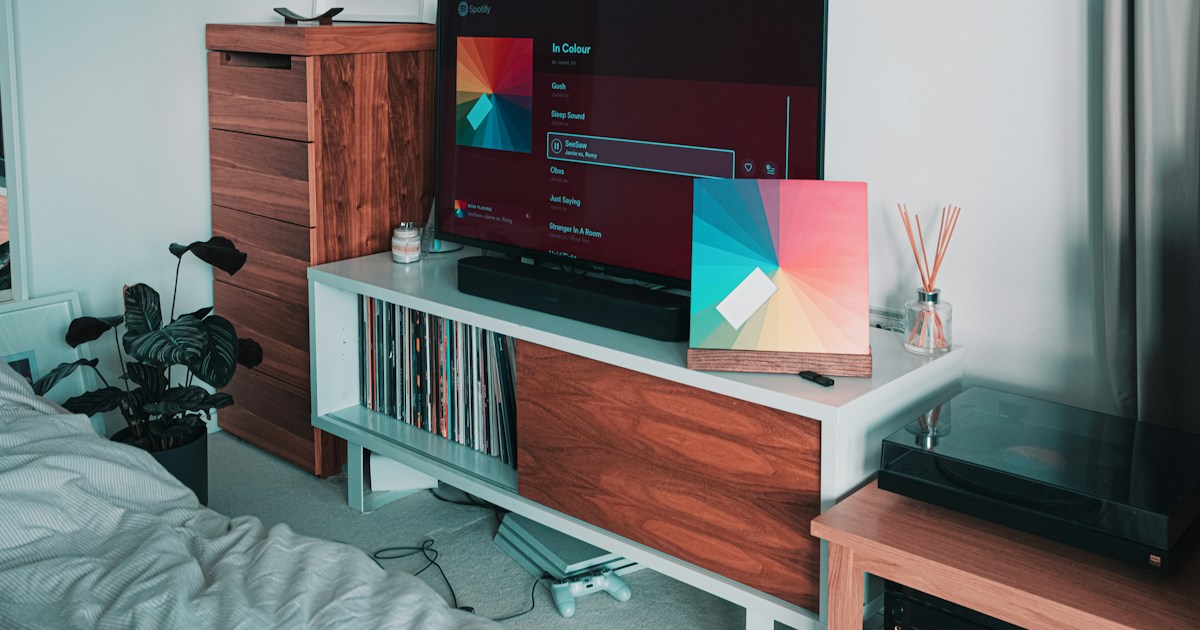
Samsung offers the best overall combination of 4K resolution, HDR impact, smart features, gaming, and bright-room flexibility. Its premium OLED sets deliver the kind of deep blacks and vivid color that made RTINGS describe an almost “3D-like” image, while Tizen and SmartThings make the television useful beyond streaming.
That said, LG is a better fit when you prioritize OLED contrast, Dolby Vision, wide viewing angles, and four HDMI 2.1 ports. Sony is the smarter cinematic choice for difficult sources and sports processing. TCL is our favorite value brand, and Hisense is especially persuasive in bright rooms and large sizes.
Our final recommendations
- Best overall: Samsung OLED
- Best premium movie and gaming TV: LG OLED
- Best picture processing: Sony BRAVIA
- Best value: TCL Mini-LED QLED
- Best bright-room value: Hisense Mini-LED
- Best simple interface: Roku TV
- Best budget second TV: Vizio
The unresolved question from earlier was whether Samsung’s overall lead survives LG’s connectivity advantage and TCL’s value assault. Our answer is yes, but only narrowly. There is no universal winner; there is a best match for your room, content, console setup, and tolerance for software fuss.
🔗 Recommended Links
👉 Shop recommended 4K smart TVs:
- Samsung OLED TVs: Amazon | Walmart | Samsung Official Website
- LG OLED TVs: Amazon | Walmart | LG Official Website
- Sony BRAVIA TVs: Amazon | Walmart | Sony Official Website
- TCL Mini-LED TVs: Amazon | Walmart | TCL Official Website
- Hisense Mini-LED TVs: Amazon | Walmart | Hisense Official Website
- Vizio 4K TVs: Amazon | Walmart | Vizio Official Website
Recommended home theater books:
- The Home Theater Book: The Complete Guide to Creating a Home Theater
- Digital Video and HDTV: Algorithms and Interfaces
- The Filmmaker’s Guide to Digital Imaging
❓ FAQ
How important are smart features when choosing a 4K TV?
Smart features are important if you rely on built-in apps, voice search, profiles, cloud gaming, or smart-home control. They are less important if you use an Apple TV 4K, Roku Ultra, Chromecast, or another external streamer.
What should you prioritize?
Choose a platform with:
- The apps you use
- Fast navigation
- Reliable updates
- Good search
- Accessible privacy controls
- Convenient remote shortcuts
A strong external streamer can compensate for a mediocre built-in interface, but it cannot fix poor contrast, blooming, or motion handling.
Read more about “🏆 Top 10 Premium Luxury TV Brands of 2026: The Ultimate Guide”
Which TV brand offers the best value for 4K smart TVs?
TCL generally offers the best overall value, especially in Mini-LED QLED ranges with Google TV. Hisense is a close rival and may better for very bright rooms or larger screens.
Why TCL leads our value ranking
TCL combines:
- Quantum-dot color
- Mini-LED backlighting
- Local diming
- High refresh rates
- Gaming support
- Google TV
- Backlit remotes on selected models
The compromise is less consistent processing and narrower viewing angles than premium OLED televisions.
Read more about “Are OLED TVs Better Than LED TVs? 📺 (2026)”
Are OLED or QLED TVs better for 4K resolution?
Neither has higher native 4K resolution by definition. Both can use a 3840 × 2160 pixel panel.
OLED is usually better for contrast, black levels, and viewing angles. QLED and Mini-LED are usually better for sustained brightness, large bright rooms, and avoiding traditional OLED burn-in concerns.
Which one fits your room?
- Dark room: OLED
- Bright room: Mini-LED QLED
- Wide seating: OLED
- Sports and daytime viewing: Mini-LED
- Competitive gaming: Both can be excellent
- Static channel logos or dashboards: Consider Mini-LED
Read more about “📺 7 Top Wireless TV Brands Ranked for 2026: The Ultimate Guide”
What features should I look for in a 4K smart TV?
Look for:
- 4K resolution
- HDR10 support
- Dolby Vision if your content uses it
- Strong local diming or OLED pixels
- 120Hz refresh rate for sports and gaming
- HDMI 2.1 for current consoles
- VR and ALLM
- eARC
- A platform with your required apps
- Good viewing angles for your seating layout
- A reliable warranty and return policy
Do not overvalue a single peak-brightness number. Sustained brightness, tone mapping, and contrast determine how HDR actually looks.
Read more about “Top 8 European TV Brands You Should Know in 2026 📺”
How do Samsung and LG compare in 4K TV technology?
Samsung generally leads in bright-room OLED impact, vivid color, anti-reflection on selected models, and smart-home integration.
LG generally leads in OLED variety, Dolby Vision support, webOS usability, and HDMI 2.1 connectivity.
Choose Samsung if:
- You want QD-OLED color
- Your room has direct reflections
- You use SmartThings
- You want strong cloud gaming integration
Choose LG if:
- You want Dolby Vision
- You need four HDMI 2.1 inputs
- You watch films in a dark room
- You prefer broad OLED choices
Read more about “🚀 Top 5 Brands with AI Upscaling That Redefine Reality (2026)”
Which smart TV brand has the most user-friendly interface?
Roku TV is usually the simplest, while Google TV offers the strongest cross-service content discovery. LG webOS is also highly usable, particularly with the Magic Remote.
Samsung Tizen is feature-rich but can feel busier, and Fire TV is best for Alexa households that do not mind promoted content rows.
Read more about “🏆 Best TV Brands Ranker: Top 10 Picks for 2026”
What is the best TV brand for 4K picture quality?
Samsung and LG are the strongest all-around choices, with Sony close behind for processing.
- Samsung: best balance of color, brightness, contrast, and features
- LG: excellent OLED contrast and motion
- Sony: outstanding upscaling and cinematic processing
- TCL: best value Mini-LED performance
- Hisense: impressive brightness and size for the category
The exact model matters more than the logo. A premium Sony OLED can outperform an entry-level Samsung LED, and a strong TCL Mini-LED can beat a basic LG UHD model in HDR brightness.
Read more about “📺 What Is Walmart’s Brand of TV? The 2026 Truth Revealed!”
Do high-end TV brands like Samsung, LG, or Sony offer significant advantages over budget-friendly options like Vizio or TCL in terms of 4K picture quality and smart features?
Yes, but the advantage is not universal.
Premium brands generally provide:
- Better processing
- More accurate motion
- Higher-quality construction
- Stronger quality control
- Better viewing angles on OLED
- More refined local diming
- Longer or clearer support policies
TCL and Hisense have narrowed the gap dramatically in brightness, HDR color, refresh rate, and smart features. A high-end Samsung, LG, or Sony is not automatically the best value.
Which smart TV operating systems, such as Android TV or Tizen, offer the most seamless user experience and widest range of streaming apps?
Google TV, Roku TV, LG webOS, and Samsung Tizen all provide broad mainstream app coverage.
- Google TV: best discovery and Google integration
- Roku TV: simplest interface
- webOS: strong launcher and remote experience
- Tizen: excellent ecosystem and device integration
- Fire TV: strong Alexa support
Availability varies by country and app developer. Always check the exact app list before buying.
How do I choose the best 4K TV for my budget, considering factors such as screen size, smart TV platform, and HDR support?
Use this sequence:
- Set your maximum spending limit.
- Select the correct screen size for your viewing distance.
- Identify whether the room is bright or dark.
- Choose OLED or Mini-LED/QLED.
- Confirm HDR formats.
- Confirm gaming ports if needed.
- Choose the smart platform with your required apps.
- Compare warranties and return policies.
- Review independent testing.
- Avoid choosing by sale sticker or peak brightness alone.
A smaller, better-controlled TV often gives more satisfying results than a larger entry-level model.
What are the key differences between LED, OLED, and QLED TVs in terms of 4K resolution and smart features?
All three can deliver 4K resolution and smart features. The core difference is how they create light:
- LED: LCD panel illuminated by an LED backlight
- QLED: LED/LCD television with a quantum-dot layer for color and brightness
- OLED: Self-emissive pixels that create their own light
Smart features depend on the manufacturer, not the panel type. A Samsung OLED and Samsung QLED may share Tizen, while an LG OLED and LG QNED may share webOS.
Is Dolby Vision more important than HDR10+?
Neither format guarantees excellent HDR. The TV’s brightness, contrast, and tone mapping matter more.
Dolby Vision has broad streaming and disc support. HDR10+ is Samsung’s preferred dynamic HDR format and appears on selected services and discs. If your favorite content uses Dolby Vision, LG, Sony, TCL, or Hisense may be more convenient than Samsung.
Read more about “🏆 Where Does TCL Rank in TVs? The 2026 Truth Revealed”
Can a 4K TV upscale ordinary HD channels?
Yes, but results vary. Sony is particularly strong at natural upscaling, while Samsung and LG also perform well on many sources. Low-quality compressed content cannot become true native 4K, but good processing can make it cleaner and more watchable.
How long should a 4K smart TV last?
A reasonable expectation is several years of useful service, but longevity depends on usage, ventilation, panel technology, software support, and component reliability.
Keep firmware current, avoid blocking ventilation, use a surge protector, and buy from a retailer with a practical return policy.
Read more about “🏆 The 10 Most Reliable TV Brands of 2026: Who Actually Lasts?”
📖 Reference Links
- RTINGS: Best 4K TVs for Resolution and Smart Features
- LG TVs Official Website
- Samsung TVs Official Website
- Sony BRAVIA Televisions
- TCL Home Theater Products
- Hisense Televisions
- Roku TV Official Website
- Vizio TVs Official Website
- Panasonic Televisions
- HDMI eARC Specifications
- UHD Alliance
- Imaging Science Foundation
- PlayStation 5 4K Resolution Guide
- Business Insider: Best TVs of 2026
- TV Brands™ Smart TV Reviews
- TV Brands™ Affordable TV Options
- TV Brands™ OLED TV Advancements