Support our educational content for free when you purchase through links on our site. Learn more
12 Lifestyle TV Manufacturers Worth Knowing in 2026 🖼️

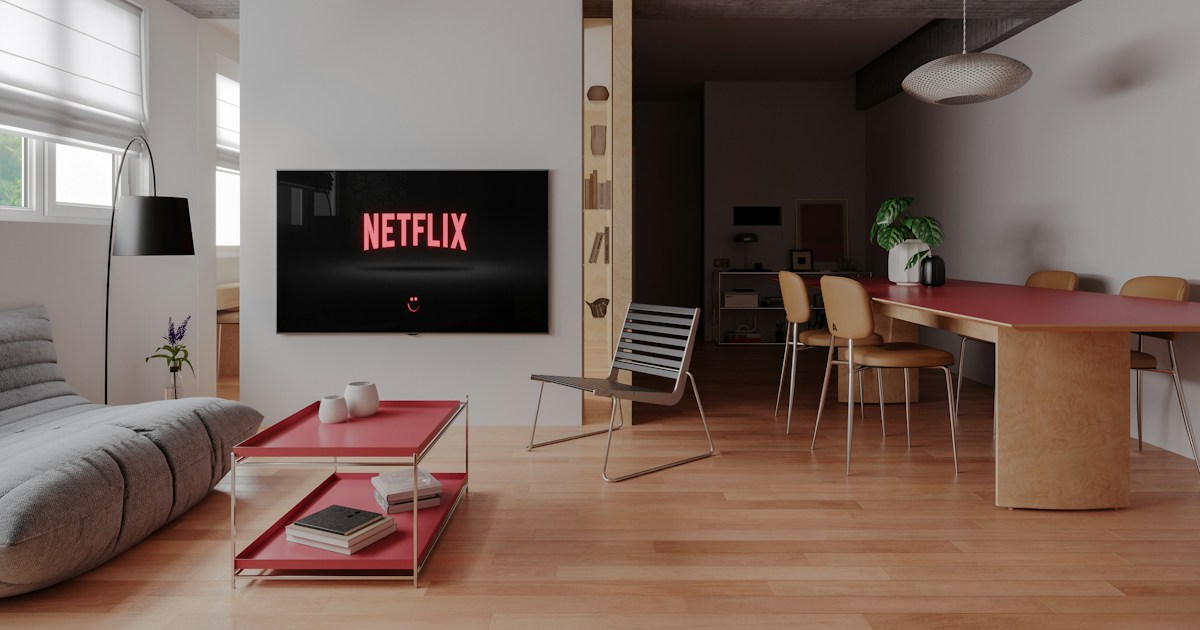
The best Lifestyle TV Manufacturers depend on what you want your screen to do: Samsung stands out for art-display TVs, LG for OLED picture quality and rolling screens, and brands such as TCL and Hisense for feature-rich alternatives. Before choosing, decide whether your priority is décor, portability, outdoor viewing, or picture performance—because “lifestyle TV” describes a design goal, not one specific kind of television.
We’ve seen the appeal firsthand: a TV that displays artwork can feel right at home in a living room, while a wheled screen can follow you from the kitchen to the sofa. But a stylish frame won’t fix a screen that reflects every window, and wheels don’t guarantee a built-in battery. The details matter.
Key Takeaways
- Samsung The Frame is a leading pick for art display and room-friendly design; check frame and mounting options for the exact model.
- LG offers two distinct lifestyle strengths: OLED TVs for cinematic viewing and StanbyME models for portable, flexible use.
- TCL and Hisense are worth comparing for broad feature sets and design-focused options, while Sony and Panasonic appeal to shoppers prioritizing picture performance.
- Loewe and Bang & Olufsen focus on luxury design and materials; compare service and ownership support as carefully as appearance.
- Match the TV to its job: art display, mobility, outdoor use, or everyday viewing. A portable-looking set may still need to stay plugged in, and an indoor TV is not a safe substitute for an outdoor model.
- Compare exact model numbers, regional app support, screen finish, connectivity, warranty, and independent reviews before buying.
Explore lifestyle TV options:
- Samsung The Frame: Amazon | Walmart | Samsung Official Website
- LG StanbyME: Amazon | Walmart | LG Official Website
- TCL lifestyle TVs: Amazon | Walmart | TCL Official Website
- Hisense CanvasTV: Amazon | Walmart | Hisense Official Website
Table of Contents
- ⚡️ Quick Tips and Facts: Lifestyle TVs at a Glance
- 🖼️ What Counts as a Lifestyle TV?
- Lifestyle TVs vs. Standard TVs
- Popular Lifestyle TV Types and Designs
- 📚 How Lifestyle TVs Evolved: From Living-Room Screens to Design Pieces
- 🏆 12 Leading Lifestyle TV Manufacturers and What Each Does Best
- 1. Samsung: The Frame, The Serif, and The Sero
- 2. LG: OLED Picture Quality Meets Gallery Design
- 3. TCL: Affordable Art TVs and Large-Screen Value
- 4. Hisense: Feature-Rich CanvasTV and Laser TV Options
- 5. Sony: Premium Processing and Refined Design
- 6. Philips: Ambilight and European Design Appeal
- 7. Skyworth: OLED and Decorative Smart TV Designs
- 8. Xiaomi: Connected Living and Budget-Friendly Design
- 9. Panasonic: Picture-First TVs with a Premium Finish
- 10. Toshiba: Practical Smart TVs for Everyday Spaces
- 11. Loewe: Luxury TVs with Furniture-Grade Craftsmanship
- 12. Bang & Olufsen: Statement TVs with High-End Audio
- 🔍 How to Choose a Lifestyle TV Manufacturer
- Screen Size, Room Layout, and Viewing Distance
- OLED, QLED, Mini-LED, and LCD Explained
- Mate Screens, Glare, and Bright-Room Viewing
- Art Mode, Ambient Mode, and Digital Displays
- Frames, Stands, Wall Mounts, and Cable Management
- Smart TV Platforms, Apps, and Voice Assistants
- Sound Quality, Speakers, and Home Theater Compatibility
- Gaming Features and HDMI Connectivity
- Energy Use, Screen Care, and Long-Term Reliability
- 🆚 Lifestyle TV vs. Projector, Digital Art Frame, and Regular TV
- 🏠 Best Lifestyle TV Features for Different Rooms
- Living Rooms and Open-Plan Spaces
- Bedrooms and Guest Rooms
- Kitchens, Offices, and Small Apartments
- Outdoor and Covered-Patio Viewing
- 🛒 Buying a Lifestyle TV: Setup, Installation, and Ownership Tips
- 🧩 Common Lifestyle TV Problems and How to Solve Them
- 🌱 Sustainability, Repairability, and TV Recycling
- ✅ Conclusion
- 🔗 Recommended Links
- ❓ FAQ
- 📖 Reference Links
⚡️ Quick Tips and Facts: Lifestyle TVs at a Glance
Lifestyle TVs promise to make a screen feel less like a black rectangle that moved in and started paying no rent. Some blend into your décor; others roll between rooms, display artwork, or survive outdoors. At TV Brands™, we compare TV brands and their strengths with one practical question in mind: which features will you actually use in your home?
| Lifestyle TV type | What makes it different | Best for | Watch out for |
|---|---|---|---|
| Art TV | Displays artwork or photos when idle; may use a matte screen and decorative frame | Living rooms where the TV should blend in | Art subscriptions, screen reflections, and picture quality vary |
| Design-focused TV | Slim profile, distinctive stand, or furniture-like styling | Design-led spaces and open-plan rooms | A striking design can cost more without improving performance |
| Portable smart TV | Moves on a wheled stand; some models include a battery or touchscreen | Flexible viewing, small homes, and multitasking | Check whether the battery is included; many rolling models need a power outlet |
| Outdoor TV | Built to withstand specified weather and temperature conditions | Patios and other suitable outdoor locations | Ordinary indoor TVs are not weatherproof |
| Large-format or projection-style TV | Creates a cinema-like picture with a large screen or projector | Dedicated media rooms | Needs appropriate space, light control, and installation |
Quick facts before you shop
- “Lifestyle TV” is a broad retail and design category, not a single display technology. It can mean an art-display television, a portable screen, or a weather-resistant outdoor model.
- Samsung The Frame is a prominent art TV, while LG StanbyME is a recognizable portable-screen line. They solve different problems, so comparing them only by screen size is like comparing a picture frame with a suitcase.
- Portable does not always mean cordless. LG’s StanbyME models and similar rolling screens may require AC power; verify the exact model specification before buying.
- For outdoor viewing, look for a model explicitly designed for outdoor use. Best Buy describes outdoor TVs as designed to withstand conditions such as rain, dirt, and extreme temperatures, but ratings and operating limits vary by model. See Best Buy’s outdoor-TV category.
- MicroLED, RGB LED, and mini-LED are not interchangeable terms. MicroLED is self-emissive at the pixel level; RGB LED and mini-RGB LED are backlighting approaches that still use zones. We’ll unpack that distinction below, where the marketing jargon loses its fog machine.
🖼️ What Counts as a Lifestyle TV?
A lifestyle TV is designed around how a display fits into a room or routine, not just how bright or sharp it looks. The label can cover very different products: Samsung’s art-inspired wall TVs, a rolling LG screen, a luxury design statement from Bang & Olufsen, or a purpose-built outdoor television.
The unifying idea is practical: the screen should suit the space when you are watching and when you are not.
Lifestyle TVs vs. Standard TVs
A conventional TV is usually optimized first for viewing performance, price, and size. A lifestyle model adds considerations such as appearance, stand design, mobility, ambient display features, or weather resistance.
| Consideration | Standard TV | Lifestyle TV |
|---|---|---|
| Main priority | Picture, sound, and value | Picture plus design, placement, or flexibility |
| Idle appearance | Often a dark reflective panel | May display artwork, photos, or ambient visuals |
| Installation | Stand or wall mount | May use a slim wall mount, decorative frame, easel, or wheled stand |
| Portability | Usually fixed in one room | Some models roll or move more easily |
| Outdoor suitability | Generally not designed for outdoor exposure | Outdoor models may have purpose-built weather protection |
| Best comparison | Picture quality and features per size | Fit for the room, intended use, and picture quality together |
The trade-off: a design-focused TV may cost more than a similarly sized conventional set without delivering better contrast or motion handling. Conversely, a capable screen with a good matte finish or clean cable routing can solve a real everyday annoyance. Our guide to affordable TV options is useful if you want the look without paying a premium for every decorative extra.
Popular Lifestyle TV Types and Designs
Art and ambient-display TVs
These models show artwork, photographs, or decorative visuals when you are not watching a program. Samsung’s The Frame is the best-known example. LG, TCL, and Hisense also offer models or features aimed at displaying digital art.
A matte finish can help reduce reflections, but “mate” does not automatically mean “reflection-free.” Room lighting, window placement, and screen brightness still matter.
Portable and rolling TVs
Portable smart displays typically combine a screen with a movable floor stand. Some add a battery and touchscreen; others roll from kitchen to bedroom but need an outlet nearby. The product category overlaps with mobile smart displays and interactive screens, so check whether the model is a conventional television, a touchscreen monitor, or a hybrid.
The Ikinor overview of portable smart TV manufacturers describes common sizes around 21.5 to 32 inches and features such as wheels, touchscreens, and optional batteries. Treat supplier specifications as model-specific claims and confirm them directly before a business or bulk purchase.
Outdoor televisions
Outdoor TVs are built for defined environmental conditions; a standard indoor set is not a safe substitute. Before purchasing, verify the manufacturer’s stated weather resistance, temperature range, brightness, and installation requirements. Best Buy’s outdoor TV buying category is a helpful starting point, but the model’s manual is the final authority.
Design-led and luxury TVs
Some TVs emphasize furniture-grade materials, slim profiles, sculptural stands, or high-end audio. Brands such as Loewe and Bang & Olufsen treat the TV as part of the room’s design rather than a device to hide. That can be appealing; it also means checking repair, software-support, and upgrade options before committing.
📚 How Lifestyle TVs Evolved: From Living-Room Screens to Design Pieces
Televisions used to be large cabinets that occupied the room whether you invited them to or not. Flat-panel displays made screens easier to mount, while streaming, thinner designs, and always-on connectivity changed what a TV could do when nobody was watching a show.
The result is a broader market: art TVs turn idle time into display time; portable models move the screen closer to the activity; outdoor sets are engineered for a different environment. Those are separate design paths, even if retailers sometimes gather them under one “lifestyle” label.
A second shift is the mixing of display technologies. OLED, QLED, mini-LED, and newer RGB LED approaches may all appear in design-oriented lines. For a deeper look at panel changes, see TV Brands™’ coverage of OLED TV advancements.
What changed for shoppers?
- The TV is now part of interior design. A wall-mounted screen may be visible all day, not just during a movie.
- Software matters more. Art stores, ambient modes, streaming apps, and smart-home platforms shape the experience.
- Mobility has become a product feature. Rolling stands make it easier to reposition a screen without mounting one in every room.
- Display terminology has grown more complicated. A premium-sounding backlight label does not necessarily mean pixel-level control or better performance in every scene.
That last point matters when comparing flagships. The Verge’s 2026 TV technology coverage distinguishes MicroLED from RGB LED backlighting: MicroLED emits light at each pixel, while RGB LED and mini-RGB LED use backlighting in zones. That distinction is more useful than treating every colorful new acronym as a leap to the same technology.
🏆 12 Leading Lifestyle TV Manufacturers and What Each Does Best
The scores below are category-level editorial assessments, not lab measurements of every model. Manufacturers’ lineups change by region and model year, and a brand that makes excellent art TVs may not be the best choice for a portable display or patio.
| Manufacturer / brand | Design | Functionality | Picture potential | Lifestyle fit | Best-known strength |
|---|---|---|---|---|---|
| Samsung | 9 | 9 | 8 | 9 | Art-display TVs and broad smart-TV range |
| LG | 8 | 9 | 9 | 8 | OLED expertise and portable StanbyME line |
| TCL | 8 | 8 | 9 | 8 | Feature-rich screens and growing premium range |
| Hisense | 8 | 8 | 8 | 8 | Large-screen variety and value-oriented innovation |
| Sony | 8 | 8 | 9 | 7 | Picture processing and premium viewing |
| Philips | 8 | 8 | 8 | 8 | Ambilight on supported models and regional variety |
| Skyworth | 7 | 8 | 8 | 7 | Broad international TV and display portfolio |
| Xiaomi | 7 | 8 | 7 | 7 | Connected-device ecosystem and accessible smart TVs |
| Panasonic | 8 | 8 | 9 | 7 | Picture-first approach on select premium models |
| Toshiba | 7 | 7 | 7 | 6 | Everyday smart-TV options, with regional variation |
| Loewe | 10 | 8 | 8 | 9 | Luxury design and furniture-like finishes |
| Bang & Olufsen | 10 | 9 | 8 | 9 | High-end materials, design, and integrated audio |
1. Samsung: The Frame, The Serif, and The Sero
Samsung is a natural place to start if you want a television that tries to look like part of the room. The Frame pairs a slim, wall-oriented design with an art display mode, and optional bezels let owners customize the look on supported models. Samsung’s The Frame product information is the right place to check model-specific finishes, mounting hardware, and art features.
What we like
- Art display and décor-focused styling make the screen less visually dominant when idle.
- Matte-screen designs can reduce distracting reflections compared with a glossy panel, though results depend on the room.
- The broader Samsung TV family includes OLED, QLED, and other LED sets, so you can compare style with viewing performance.
What to weigh
- The Frame’s defining advantage is often appearance and art display, not class-leading movie performance. If picture quality comes first, compare it with Samsung OLED models and rivals at the same size.
- Art content, software features, bezel availability, and installation details can vary by model and market.
- Samsung’s Tizen software provides broad smart-TV functionality, but interface speed and usability are subjective. We recommend testing navigation in a store or reading model-specific owner feedback.
Samsung’s 2026 product and technology overview also discusses the company’s premium OLED and RGB LED directions. Those technologies are distinct from The Frame’s design-first appeal, so do not assume that a stylish model uses the company’s most advanced panel.
👉 CHECK PRICE on:
- Samsung The Frame: Amazon | Walmart | Samsung Official Website
2. LG: OLED Picture Quality Meets Gallery Design
LG spans two different lifestyle needs: its OLED TVs serve viewers who prioritize contrast and cinematic image quality, while StanbyME brings a screen to you on a movable stand.
LG describes OLED as a self-lit-pixel technology. Because each pixel can control its own light, OLED can produce very deep blacks and precise contrast. The OLED Association’s technology explainer provides useful background, while our OLED TV advancements coverage explores why the technology keeps attracting film fans.
What we like
- OLED picture quality is a strong fit for evening viewing and films with dark scenes.
- StanbyME’s rolling design can make a screen useful in more than one room.
- webOS offers an established smart-TV platform, with supported apps and services varying by region.
What to weigh
- OLED is not automatically the best choice for every bright room or static-use pattern. Compare brightness, screen finish, room lighting, and the model’s usage guidance.
- A rolling stand is convenient, but battery availability is model-dependent. Do not assume a portable-looking TV is cordless.
- StanbyME is not a replacement for a large home theater TV; it is a flexible secondary screen with different strengths.
LG has announced increasingly advanced OLED and LED technologies over time. For example, The Verge’s manufacturer technology report describes LG’s OLED focus alongside newer RGB LED efforts. Those are technology and lineup reports, not a promise that every feature appears on every model or in every market.
👉 CHECK PRICE on:
- LG StanbyME: Amazon | Walmart | LG Official Website
- LG OLED TVs: Amazon | Walmart | LG OLED TV information
3. TCL: Affordable Art TVs and Large-Screen Value
TCL has traditionally been associated with strong feature value, while its recent premium models show a push into higher-performance territory. The brand’s TV lineup spans different technologies and sizes, and availability varies by country.
What we like
- A broad range of sizes and features can make TCL worth considering when you want a large screen without automatically jumping to a luxury brand.
- Recent high-end models have brought TCL into comparisons with premium mini-LED competitors.
- Some models offer art or ambient display features, but confirm the exact model rather than assuming the whole lineup includes them.
What to weigh
- A TV’s value depends on the particular model, not the badge alone. Check local reviews for brightness, reflection handling, motion, upscaling, and software responsiveness.
- TCL’s products and naming differ across regions, which makes international reviews easy to misapply.
- The Verge’s 2026 technology report describes TCL’s move toward more premium products and its mini-LED ambitions. That is useful context, but announced technology and shipping models are not always the same thing.
👉 CHECK PRICE on:
- TCL lifestyle and art TVs: Amazon | Walmart | TCL Official Website
4. Hisense: Feature-Rich CanvasTV and Laser TV Options
Hisense offers models aimed at different buyers, from large-screen living-room viewing to décor-conscious art-display TVs. Its CanvasTV information is worth checking if you want an art-style set; confirm the current model’s finish, included accessories, and supported art features.
What we like
- A range of screen sizes and display types gives shoppers room to compare rather than choosing from one narrow product family.
- Art-oriented models can suit spaces where a plain black screen would feel out of place.
- Hisense has drawn attention for experimenting with newer display technologies, though regional availability may differ.
What to weigh
- Check independent model reviews before buying: brightness, color accuracy, processing, and viewing angles can differ significantly between tiers.
- New technology announcements do not establish real-world performance. The Verge’s coverage of Hisense’s RGB LED plans is helpful for understanding what is announced versus what is readily available.
- For a portable or outdoor use case, verify that the exact product is designed for it; a large smart TV is not necessarily weatherproof or battery-powered.
👉 CHECK PRICE on:
- Hisense CanvasTV: Amazon | Walmart | Hisense Official Website
5. Sony: Premium Processing and Refined Design
Sony’s strengths are typically associated with picture processing, cinematic presentation, and premium models. Its Bravia range includes OLED and LED options, though the lineup differs by region and year. Check Sony’s current TV range for model-specific features.
What we like
- Strong processing can help with upscaling and motion, depending on the model.
- Sony’s Bravia line is an attractive choice for viewers who care about polished movie presentation.
- The company has links across film production and home entertainment, though a brand’s presence in Hollywood is context, not proof that every television is best in class.
What to weigh
- Compare a Sony model with similarly sized TCL, Hisense, Samsung, and LG alternatives; the best choice depends on the exact model and your priorities.
- Premium positioning may not translate into the best value for every shopper.
- The Verge’s 2026 manufacturer report describes Sony’s changing technology mix and potential industry partnerships. Future plans should not be treated as confirmed features of current retail models.
👉 CHECK PRICE on:
- Sony Bravia TVs: Amazon | Walmart | Sony Official Website
6. Philips: Ambilight and European Design Appeal
Philips is best known in many markets for Ambilight, a system that projects colored light around the screen to extend the on-screen palette onto the wall. It can make a room feel more immersive, particularly in dim lighting. Philips TV ranges are strongly region-dependent, so check the official product page for your country.
What we like
- Ambilight can add atmosphere without needing a separate LED strip.
- A coordinated light effect may suit rooms where a standard black panel feels visually stark.
- Some models offer a strong feature mix for films, sports, and streaming.
What to weigh
- Ambilight is a preference, not a picture-quality upgrade. Some viewers love the effect; others find it distracting.
- Confirm the operating system, app support, warranty, and model availability in your region.
- “Philips TV” can refer to different regional arrangements and product lineups, so use the local manufacturer site rather than relying on a review of a similarly named overseas model.
👉 CHECK PRICE on:
- Philips Ambilight TVs: Amazon | Walmart | Philips TV information
7. Skyworth: OLED and Decorative Smart TV Designs
Skyworth is an international television and display maker with products that vary substantially by market. Depending on region, its portfolio may include OLED, LED, and smart-TV designs. Consult Skyworth’s official site and the local retailer listing for the exact operating system, tuner, and warranty.
What we like
- The broad display portfolio gives shoppers another brand to compare, especially outside the most familiar US names.
- Some models emphasize slim styling and smart features.
- It may be a useful option in regions where local service and distribution are established.
What to weigh
- Independent reviews and after-sales support matter more when brand recognition is lower in your market.
- Confirm app availability, software-update policy, and repair options before buying.
- Do not assume that a feature offered in one country’s Skyworth line is included elsewhere.
👉 CHECK PRICE on:
- Skyworth TVs: Amazon | Walmart | Skyworth Official Website
8. Xiaomi: Connected Living and Budget-Friendly Design
Xiaomi’s TVs can appeal to shoppers already using its connected-device ecosystem. The company’s product range and software differ by market, so begin with Xiaomi’s official TV pages and check regional app support.
What we like
- A connected ecosystem can be convenient if you already use compatible Xiaomi devices.
- Xiaomi offers smart-TV options across multiple markets and design styles.
- Its products can be a useful value comparison against better-known television brands.
What to weigh
- Smart features are only valuable when the apps and services you use are supported.
- Check local warranty coverage and software-update commitments.
- Do not assume all Xiaomi televisions use the same operating system or hardware configuration.
👉 CHECK PRICE on:
- Xiaomi TVs: Amazon | Walmart | Xiaomi Official TV Page
9. Panasonic: Picture-First TVs with a Premium Finish
Panasonic has a long history in televisions and remains a brand to check when picture quality is the priority. Availability differs by region; its US lineup, for example, returned after a gap, while other markets have had different ranges.
What we like
- Select models are positioned for serious film viewing.
- Panasonic can be a useful alternative when comparing premium OLED options.
- Its product history gives shoppers a worthwhile competitor to consider rather than defaulting to only the largest TV brands.
What to weigh
- Check the smart-TV platform and available apps. A strong panel does not erase software preferences.
- Model availability and support vary by country.
- The Verge’s 2026 TV technology coverage discusses Panasonic in relation to OLED technology and changing industry partnerships; verify retail models directly before making a decision.
👉 CHECK PRICE on:
- Panasonic TVs: Amazon | Walmart | Panasonic Official Website
10. Toshiba: Practical Smart TVs for Everyday Spaces
Toshiba-branded TVs are available through regional licensing and retail arrangements, so the manufacturer and operating platform can vary. The name may be familiar, but the exact model and local support arrangement deserve more attention than brand nostalgia.
What we like
- Some models offer practical everyday viewing and smart-TV functions.
- The brand can appear in smaller sizes suitable for bedrooms, kitchens, or secondary rooms.
- It is worth comparing against other entry-level sets in the same region.
What to weigh
- Check the model number, warranty provider, OS, and update policy.
- Compare the screen’s brightness and viewing angles if you plan to watch from different seats.
- A familiar brand name does not guarantee the same manufacturer or performance across all countries.
👉 CHECK PRICE on:
- Toshiba TVs: Amazon | Walmart | Toshiba TV information
11. Loewe: Luxury TVs with Furniture-Grade Craftsmanship
Loewe is a European luxury television brand known for emphasizing materials, finish, and room integration. Its official product range is the best source for current designs and regional availability.
What we like
- Distinctive finishes and carefully considered stands can make the television feel closer to furniture.
- Premium materials and design are appealing in rooms where the TV remains on display.
- Loewe is a strong candidate for shoppers who value aesthetics as much as specifications.
What to weigh
- Luxury design does not guarantee better picture performance than a less expensive OLED or mini-LED alternative.
- Check whether service, replacement parts, and software support are accessible where you live.
- Compare the full ownership experience, not just the showroom appearance.
👉 CHECK PRICE on:
- Loewe TVs: Amazon | Loewe Official Website
12. Bang & Olufsen: Statement TVs with High-End Audio
Bang & Olufsen approaches television as part of a broader design-and-audio system. Its television collection focuses on high-end finishes, integrated sound, and a distinctive visual presence.
What we like
- A strong design identity and attention to audio can reduce the need for a separate sound system in some setups.
- The brand may appeal to homeowners building a coordinated, design-led media room.
- Its products are intended for buyers who care about materials and system integration, not only screen specifications.
What to weigh
- Compare audio and picture performance against a separate TV-plus-soundbar system.
- Confirm service availability and upgrade options before buying a premium integrated product.
- Design and engineering are part of the appeal, but they are not substitutes for checking screen technology and supported apps.
👉 CHECK PRICE on:
- Bang & Olufsen televisions: Amazon | Bang & Olufsen Official Website
🔍 How to Choose a Lifestyle TV Manufacturer
Start with the reason you want a lifestyle TV. Is it to hide the black screen, move it between rooms, watch outdoors, or get premium picture quality in a beautiful package? If you cannot name the main job, manufacturers’ feature lists will happily name twelve jobs for you.
A practical step-by-step shortlist
- Choose the use case. Art display, portability, outdoor use, luxury design, or picture-first viewing?
- Set the room and screen size. Measure the wall or stand footprint, viewing distance, and access route.
- Pick the display technology. Compare OLED, QLED, mini-LED, and standard LED based on lighting and content.
- Check the “lifestyle” feature itself. Test art mode, inspect the movable stand, or verify the outdoor rating.
- Review software and connectivity. Check apps, HDMI inputs, Wi-Fi, voice control, and smart-home compatibility.
- Look up the exact model. Read multiple independent reviews and recent owner feedback, not just a review of another size in the same series.
- Confirm ownership support. Check warranty terms, service availability, updates, and replacement parts.
Screen Size, Room Layout, and Viewing Distance
Measure the viewing distance from your usual seat to the screen, not from the back wall to the television. Then consider the screen’s width, stand footprint, and the space needed for a soundbar or media console.
- For an art TV: check whether the chosen size and wall position resemble the proportions of artwork.
- For a rolling TV: measure doorways, rugs, thresholds, and storage space for the stand.
- For a bedroom: make sure the stand or wall mount does not obstruct doors, drawers, or walking paths.
- For a patio: account for viewing angles and direct sunlight as well as the screen size.
The RTINGS TV-size and viewing-distance guide offers a useful starting point. It is a guide, not a ruler with legal authority; comfort and room layout matter.
OLED, QLED, Mini-LED, and LCD Explained
| Display type | Basic idea | Common advantage | Common consideration |
|---|---|---|---|
| OLED | Pixels emit their own light | Deep blacks and precise contrast | Bright-room performance and static-image habits deserve consideration |
| QLED | LCD TV with quantum-dot color enhancement | Can deliver bright, vivid pictures | Still uses a backlight; performance varies by model |
| Mini-LED | LCD TV with many small backlight LEDs and local diming | High brightness and stronger contrast than basic LCD designs | Blooming and diming behavior depend on zones and processing |
| MicroLED | Tiny LEDs emit light at the pixel level | Potential for high brightness and pixel-level control | Difficult manufacturing and limited availability |
| RGB LED / mini-RGB LED | Red, green, and blue backlighting controlled in zones | Potentialy wide color and high brightness | Not the same as pixel-level MicroLED |
The key distinction is how light is produced and controlled. The Verge’s technology report explains that RGB LED backlights are not MicroLED panels. For current models, consult independent testing and manufacturer specifications together; marketing terminology alone cannot tell you how a TV handles dark scenes or small highlights.
Mate Screens, Glare, and Bright-Room Viewing
Mate coatings can help make a screen feel more picture-like and less mirror-like, especially in a bright living room. But anti-glare is not the same as zero glare. Strong sunlight can still wash out a picture, and a matte finish may affect perceived contrast or sharpness depending on the display.
Before you buy:
- View the screen under lighting similar to your home.
- Check where windows and lamps reflect on the panel.
- Compare the screen with lights on and off.
- Ask whether the anti-reflective treatment differs across models in the same series.
Art Mode, Ambient Mode, and Digital Displays
Art and ambient features vary widely. Some TVs show a static image, some offer collections of artwork, and others use animations or photos. Check:
- Whether the feature requires a subscription or account.
- Whether you can upload your own photographs.
- How the screen handles brightness and color while idle.
- Whether a motion or presence sensor turns the display on and off.
- The manufacturer’s guidance on power use and screen care.
Samsung’s The Frame product information is a useful example of a dedicated art-display approach. Compare it with models from Hisense and TCL if the art feature matters more than the brand name.
Frames, Stands, Wall Mounts, and Cable Management
A “gallery look” can succeed or fail on installation. Before ordering a TV, check:
- Included versus optional frame: decorative bezels may be sold separately.
- Mount compatibility: a flush mount can look clean but may limit access to ports.
- Cable routing: a single-cable setup is tidy only if the cable has somewhere sensible to go.
- Stand stability: especially important for rolling displays and homes with children or pets.
- Wall construction: heavy TVs may need appropriate anchors or professional installation.
For wall mounting, follow the manufacturer’s instructions and use a mount rated for the TV’s size and weight. The US Consumer Product Safety Commission’s TV tip-over safety guidance is worth a read if the TV will sit on furniture.
Smart TV Platforms, Apps, and Voice Assistants
The operating system shapes everyday use more than a spec sheet suggests. A beautiful TV that cannot run your favorite streaming app is a very expensive digital painting.
Compare:
- App availability in your country.
- Menu speed and ease of navigation.
- Voice-assistant compatibility and privacy controls.
- Software-update history and support expectations.
- Whether you can use an external streaming device if the built-in system becomes outdated.
Current platforms can include Samsung Tizen, LG webOS, Google TV, Roku TV, and Fire TV. Features differ by model and region. Reviews from owners can reveal whether a particular model’s interface feels smooth or sluggish after setup, but give more weight to recent, model-specific feedback than a generic brand score.
Sound Quality, Speakers, and Home Theater Compatibility
Slim, attractive televisions often leave less space for speakers. Listen to dialogue, music, and action scenes at a normal volume before deciding that built-in audio is enough.
Check for:
- HDMI eARC or ARC support if you plan to use a soundbar.
- Bluetooth or optical output if you already own audio equipment.
- Clear dialogue at low volume.
- Adequate sound for the room size and seating position.
A lifestyle TV with a sophisticated stand can still sound ordinary. If audio matters, compare the television with a soundbar or a separate home-theater system rather than judging by the cabinet’s appearance.
Gaming Features and HDMI Connectivity
For gaming, check the exact model’s refresh rate, supported variable refresh rate, input lag, and HDMI port capabilities. A premium design does not guarantee premium gaming support.
Make a simple port map before buying:
| Device | Connection to verify |
|---|---|
| Game console | HDMI version and supported gaming features |
| Soundbar | HDMI eARC or ARC |
| Streaming box | Available HDMI port |
| Laptop or PC | Resolution, refresh rate, and input compatibility |
| Antenna or cable box | Tuner support in your country |
The HDMI organization explains HDMI standards and features. For practical performance, use independent tests of the specific model.
Energy Use, Screen Care, and Long-Term Reliability
A TV’s power consumption depends on screen size, brightness, picture mode, and usage. An art display that stays on for long periods can use energy differently from a television that is switched off between programs. Check the energy label and manufacturer guidance for the exact model.
For screen care:
- Use a soft, clean microfiber cloth.
- Follow the manufacturer’s cleaning instructions.
- Avoid spraying liquid directly onto the screen.
- Use the display’s supported screen-care features, especially for OLED models.
The US Department of Energy’s home electronics guidance explains how to estimate energy use. For long-term reliability, compare warranty coverage, update policy, and local repair access—not just the number of features on launch day.
🆚 Lifestyle TV vs. Projector, Digital Art Frame, and Regular TV
| Option | Best reason to choose it | Main drawback |
|---|---|---|
| Lifestyle TV | Combines television viewing with décor, mobility, or outdoor features | Design extras can add complexity or cost |
| Standard TV | Straightforward viewing and broad model choice | May be visually dominant when switched off |
| Projector | Very large image in a dedicated or light-controlled space | Setup, room lighting, and sound may require more work |
| Digital art frame | Displays art without asking to be a television first | Not a substitute for full TV features or large-screen viewing |
Choose an art TV if you want one device for viewing and display. Choose a digital frame if art is the main use and TV performance is secondary. Choose a projector for a large cinematic image in a suitable room. Choose a standard TV if your priority is performance per dollar and you do not care whether the screen looks like a black rectangle when idle.
One useful way to settle the question: If the TV were hidden in a cabinet, would you still want this model? If yes, you may be paying for picture or sound. If not, its design features need to earn their keep.
🏠 Best Lifestyle TV Features for Different Rooms
Living Rooms and Open-Plan Spaces
A living room often has the strongest case for an art TV because the screen is visible even when nobody is watching. Look for a screen finish suited to your windows, flexible mounting options, and a frame or stand that matches the room without making the TV hard to access.
Bedrooms and Guest Rooms
Smaller televisions, portable screens, and easy-to-use smart platforms can work well in bedrooms. Check viewing distance and brightness controls, and make sure a wheled stand can park safely without blocking a walkway.
A portable TV may be particularly useful in a guest room that also serves as an office. But verify the power arrangement: a stand with wheels does not guarantee a built-in battery.
Kitchens, Offices, and Small Apartments
For a compact space, prioritize:
- A small footprint and safe stand.
- A screen size that works at close range.
- Easy movement or secure wall mounting.
- The apps and connectivity you need.
- Touch support only if you will use it regularly.
Portable smart displays can suit multitasking, cooking videos, video calls, or occasional entertainment. The Ikinor portable smart TV overview discusses common compact sizes and mobility features. If you are buying a touchscreen for commercial or educational use, evaluate it as an interactive display—not merely as a TV.
Outdoor and Covered-Patio Viewing
Use a TV explicitly specified for outdoor use. A covered patio is still an outdoor environment: humidity, dust, insects, temperature swings, and indirect weather exposure can affect indoor electronics.
- Identify whether the installation is full sun, partial sun, or shade.
- Check the outdoor TV’s stated weather and temperature limits.
- Confirm that the mounting position and power connection meet local safety requirements.
- Protect the set as instructed when it is not in use.
- Never infer weather resistance from a television’s marketing photos.
Best Buy’s description of outdoor models as built to withstand tough conditions is a category-level overview, not a guarantee for every set. Check the manufacturer’s model documentation and Best Buy’s outdoor-TV listings.
🛒 Buying a Lifestyle TV: Setup, Installation, and Ownership Tips
Here is the checklist we use when a television needs to do more than sit on a console.
Before checkout
- Write down your primary use. Art, mobility, outdoor viewing, design, or picture quality?
- Measure the screen location and the route into the room.
- Confirm what accessories are included: bezel, stand, wall mount, battery, and cables.
- Verify the model number against manufacturer support pages.
- Check streaming apps and smart-home compatibility in your country.
- Read at least two independent reviews and recent owner feedback.
- Review the return policy and warranty before installation.
For a portable TV or rolling display
- Confirm the stand’s dimensions and maximum supported screen size.
- Check the wheel locks and stability on your flooring.
- Verify whether a battery is included, optional, or absent.
- Test charging time and battery runtime using the exact manufacturer specification.
- Check whether touch functionality works across all apps or only selected software.
A supplier guide may describe batteries, touchscreens, and typical sizes across a category, but it cannot verify a particular unit without a model specification. The Ikinor article advises buyers to evaluate quality testing, certifications, parts, and warranty for portable-display suppliers; those are especially relevant for organizations considering OEM products.
For an art TV or wall installation
- Decide whether you want the screen to resemble framed art or simply sit flush to the wall.
- Confirm whether the bezel and special mount are sold separately.
- Check cable routing and access to ports.
- Test art mode and photo upload before deciding the feature is essential.
- Make sure the wall and mount can safely carry the set.
For an outdoor TV
- Determine the exposure level: shade, partial sun, or direct sun.
- Match the TV’s intended installation rating to the site.
- Confirm power, mounting, and cable protection requirements with a qualified installer.
- Check whether the screen is bright enough for the viewing environment.
- Follow the manufacturer’s instructions for covers and off-season care.
🧩 Common Lifestyle TV Problems and How to Solve Them
| Problem | Likely cause | What to try |
|---|---|---|
| Art looks too bright at night | Idle-display brightness is set too high | Lower the art-mode brightness or use an automatic sensor |
| Screen still reflects windows | Matte or anti-reflective coating has limits | Change the screen angle, move lamps, or reassess the room |
| Rolling TV runs out of power | Battery is absent, optional, or has limited runtime | Verify the exact model and keep an outlet accessible |
| Smart menus feel slow | Software load, network issue, or model limitation | Update the TV, restart it, and test wired or stronger Wi-Fi |
| Colors look different in art mode | The image is being processed or displayed in another mode | Check picture settings and use supported image formats |
| TV rocks on its stand | Uneven floor or poor assembly | Recheck assembly, engage wheel locks, and follow safety guidance |
| Outdoor TV looks washed out | Sunlight overwhelms the screen | Reassess placement and use a model intended for that exposure |
| Sound is thin | Slim cabinet limits speaker performance | Add a compatible soundbar or audio system |
A note on MicroLED and RGB LED naming
A technical label can sound like a promise of a completely new display experience. MicroLED and RGB LED are not the same thing. MicroLED uses self-emissive LED pixels; RGB LED and mini-RGB LED systems use colored backlighting controlled in zones. The Verge’s comparison of emerging TV technologies is useful context, but for a purchase, prioritize independent testing of the actual retail model.
When the TV becomes part of your routine
We’ve seen owners love a rolling screen for quick workouts and cooking videos—right up until they discover the convenient “cordless TV” has to remain plugged in. That is why the battery question belongs near the top of your checklist, not hidden in fine print. If you enjoy watching how screens fit into daily life, the featured video about a morning-to-evening routine offers a slice of everyday home-life content; it is not a product review, but it illustrates the sort of routine a flexible screen might accompany.
🌱 Sustainability, Repairability, and TV Recycling
A stylish television is still an electronic product with a life cycle. Look beyond packaging and ask whether the manufacturer provides software updates, replacement parts, repair information, and an accessible recycling route.
- Buy the right size for the room. A larger display is not automatically a better fit.
- Check energy-use information for the exact model and your intended brightness settings.
- Use a TV’s sleep timer or energy-saving settings if the screen stays on for art or ambient visuals.
- Keep the original model and serial information for service requests.
- Recycle an old television through a recognized program rather than placing it in ordinary household waste.
The US Environmental Protection Agency offers guidance on electronics donation and recycling. Availability and accepted products vary by location, so check local rules before drop-off.