Support our educational content for free when you purchase through links on our site. Learn more
🏆 8 Best 43-Inch TV Brands: Which One Wins?

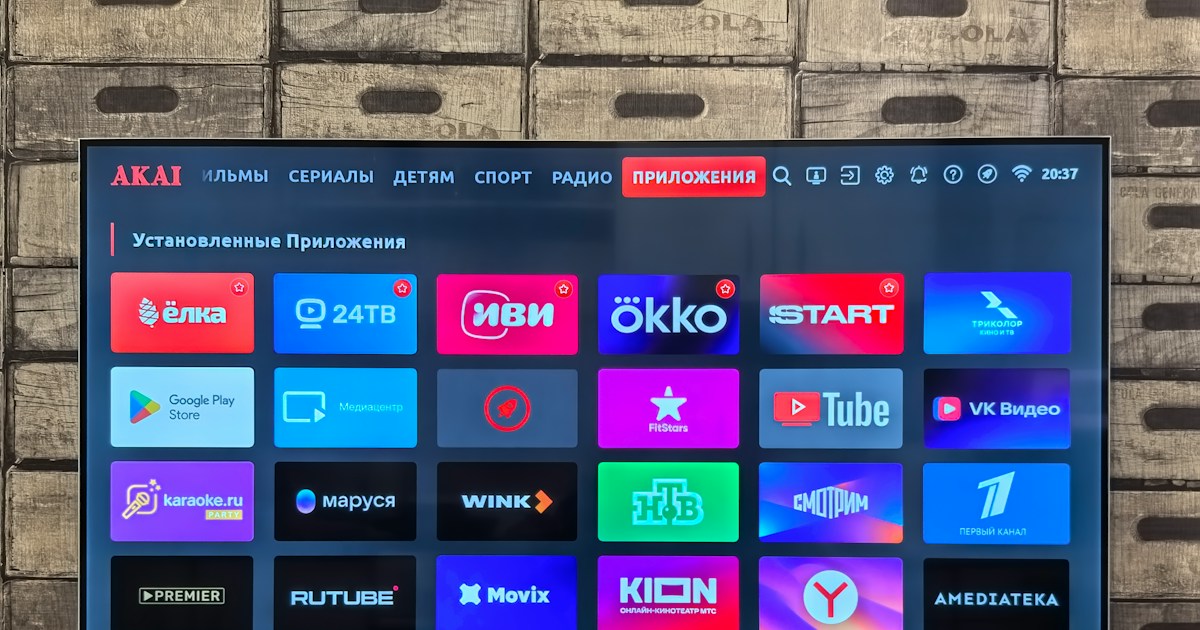
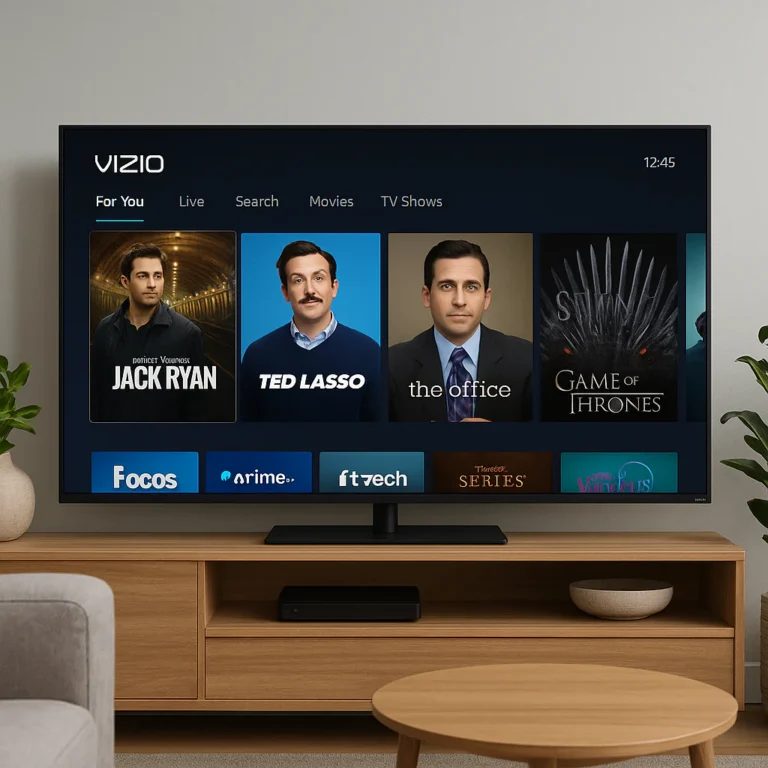
Which brands are best in tv 43 inch? Samsung and LG lead for premium picture quality and gaming, Sony stands out for processing, and TCL and Hisense often deliver the best value. Roku and Amazon Fire TV are strong picks if simple streaming matters most.
The twist: some of the best compact TVs are actually 42 inches, not 43. Models such as Samsung’s S90F OLED and LG’s C-series can still be excellent choices for the same bedrooms, desks, and small living spaces.
Think of choosing a TV brand like choosing a travel companion: the fanciest one isn’t always the best fit. We’ll help you match the right TV to your room, budget, favorite shows, and gaming setup—without letting a “120Hz” badge or a familiar logo do all the talking.
Key Takeaways
-
Best premium picture: Consider compact OLED models from Samsung or LG; Sony is also worth a look for processing and motion.
-
Best value brands: Compare TCL and Hisense, but verify the exact model’s brightness, refresh rate, and gaming features.
-
Best smart-TV simplicity: Roku is easy to use; Fire TV is a natural fit for Alexa households.
-
Check specifications, not just brand names: HDR support, HDMI 2.1, native refresh rate, and local diming vary by model.
-
A 42-inch TV may be a great 43-inch alternative: Compare actual screen and stand dimensions before buying.
-
👉 Shop Samsung TVs: Amazon | Samsung Official
-
👉 Shop LG TVs: Amazon | LG Official
-
👉 Shop Sony TVs: Amazon | Sony Official
-
👉 Shop TCL TVs: Amazon | TCL Official
-
👉 Shop Hisense TVs: Amazon | Hisense Official
-
👉 Shop Roku TVs: Amazon | Roku Official
-
👉 Shop Amazon Fire TVs: Amazon | Fire TV Official
Table of Contents
- ⚡ Quick Tips and Facts About 43-Inch TVs
- 📺 How 43-Inch TVs Fit Into Today’s TV Market
- Why 43 Inches Remains a Popular TV Size
- What “43-Inch” Actually Measures
- 🏆 The Best 43-Inch TV Brands at a Glance
- How We Compare TV Brands
- Brand Comparison: Picture Quality, Smart Features, Gaming, and Support
- ⭐ Our Top 43-Inch TV Brand Picks
- 1. Samsung: Best All-Around 43-Inch TVs
- 2. LG: Best for WebOS and Premium Features
- 3. Sony: Best for Picture Processing and Movies
- 4. TCL: Best Value for QLED and Gaming Features
- 5. Hisense: Best Budget-Friendly Picture Quality
- 6. Roku: Best for Simple Streaming
- 7. Amazon Fire TV: Best for Alexa and Prime Video
- 8. Vizio: Best for Streaming and Everyday Viewing
- 🎯 Best 43-Inch TVs by Use Case
- Best 43-Inch TV for Gaming
- Best 43-Inch TV for Movies and HDR
- Best Budget 43-Inch TV for Sound
- Best 43-Inch TV for Roku Fans
- Best 43-Inch TV for Alexa and Fire TV
- Best 43-Inch TV for a Bedroom or Small Room
- 🧠 What to Know Before Buying a 43-Inch TV
- LED, QLED, Mini-LED, and OLED Explained
- 4K Resolution, HDR10, Dolby Vision, and Refresh Rates
- Smart TV Platforms: Google TV, Tizen, webOS, Roku, and Fire TV
- HDMI 2.1, eARC, Wi-Fi, and Other Connections
- TV Sound Quality and When to Add a Soundbar
- 🛒 How to Choose the Right 43-Inch TV Brand
- Match the TV to Your Room, Viewing Distance, and Lighting
- Choose Based on Streaming, Sports, Movies, or Gaming
- Check Ports, Mounting, Accessibility, and Warranty
- Common 43-Inch TV Buying Mistakes to Avoid
- 🔬 How We Evaluate 43-Inch TVs and TV Brands
- Picture Quality, Brightness, Contrast, and Viewing Angles
- Gaming Performance, Input Lag, and Motion Handling
- Smart Features, Ease of Use, and Long-Term Reliability
- ❓ 43-Inch TV FAQs
- Is a 43-Inch TV Big Enough?
- Which Brand Makes the Best 43-Inch TV?
- Is OLED or LED Better for a 43-Inch TV?
- What Is the Best Smart TV System for a 43-Inch TV?
- How Far Away Should You Sit From a 43-Inch 4K TV?
- Are 43-Inch TVs Good for PS5 and Xbox?
- Do 43-Inch TVs Have Dolby Vision or 120Hz Refresh Rates?
- How Long Should a 43-Inch TV Last?
- ✅ Final Verdict: Which 43-Inch TV Brand Is Best for You?
- 🔗 Recommended Links
- 📚 Reference Links
⚡ Quick Tips and Facts About 43-Inch TVs
A 43-inch TV can be an excellent bedroom, dorm, office, or compact-living-room screen. The catch? The best brand depends less on the logo and more on what you watch, your room’s lighting, and whether gaming features matter. For broader brand context, see our guide to which brands are best in TV.
| Quick fact | What it means for you |
|---|---|
| Screen size is measured diagonally | A 43-inch screen measures about 43 inches from corner to corner, not across its width. |
| Most 43-inch TVs are 4K LED or QLED | They’re widely available, but premium features vary sharply between models. |
| OLED options are often sold as 42-inch TVs | The LG C-series and Samsung S90-series are notable compact OLED choices. |
| “120Hz” needs careful checking | Some budget sets use motion processing or gaming tricks; that is not the same as a native 120Hz 4K panel. |
| Smart-TV software affects everyday satisfaction | Roku is known for simplicity; Google TV has broad app and content discovery; Samsung and LG use Tizen and webOS. |
| Small screens can still be serious gaming displays | Look for HDMI 2.1, variable refresh rate (VR), ALLM, and a genuinely high refresh rate. |
| Brightness is measured in nits | Higher brightness can help HDR and daytime viewing, but contrast and reflections matter too. |
Our quick recommendations: Samsung and LG are strong premium all-rounders; Sony is compelling for processing and natural-looking images; TCL and Hisense often deliver feature-rich value; Roku and Amazon Fire TV prioritize accessible streaming. Explore our affordable TV options if value is your main goal, or OLED TV advancements if picture quality comes first.
One caution before you buy: a 43-inch label doesn’t guarantee a 43-inch screen, and it definitely doesn’t guarantee premium performance. The popular Samsung S90F, for example, is 42 inches. We’ll explain why that matters—and where it doesn’t.
📺 How 43-Inch TVs Fit Into Today’s TV Market
Why 43 Inches Remains a Popular TV Size
Forty-three inches sits in a useful sweet spot: bigger than a kitchen or secondary-room screen, but easier to accommodate than a 55-inch television. It’s a common fit for bedrooms, small apartments, dorms, home offices, and gaming desks.
CNET describes 43 inches as a practical minimum for a small bedroom and suggests considering a 55-inch or larger screen for many other rooms. That isn’t a rule carved into the TV stand, though. A well-placed 43-inch 4K set can look sharp in a small living room, while an oversized screen can feel overwhelming if your seating is close.
For a rough seating guide, Sony’s TV viewing-distance guidance and RTINGS’ viewing-distance calculator can help you compare screen size, resolution, and seating position.
What “43-Inch” Actually Measures
The advertised size is the screen’s diagonal measurement, excluding most of the surrounding bezel. Two TVs both labeled 43 inches can have slightly different overall dimensions because of their frame and stand.
Check the manufacturer’s specification sheet before ordering, especially if the TV must fit inside a cabinet or on a narrow desk. Also confirm:
- Stand width and depth: Many feet sit near the screen edges.
- VESA mounting pattern: Needed to choose a compatible wall mount.
- Panel dimensions without the stand: Useful for wall placement.
- Ports and cable clearance: A rear-facing HDMI cable can complicate a flush wall mount.
A 42-inch OLED may compete directly with 43-inch LED models. For most shoppers, that one-inch difference is much less important than panel type, brightness, refresh rate, and the features you’ll actually use.
🏆 The Best 43-Inch TV Brands at a Glance
How We Compare TV Brands
At TV Brands™, we look beyond the logo and model-year hype. We compare picture quality, brightness, contrast, motion, gaming connections, smart-TV usability, sound, viewing angles, and the practical details that affect ownership. A brilliant picture is less brilliant if the remote frustrates you every evening.
We also weigh expert testing alongside owner feedback. Retailer ratings can indicate common satisfaction patterns, but a star score is not a lab test; customer reviews may reflect delivery, setup, or a single faulty unit as much as picture performance.
Brand Comparison: Picture Quality, Smart Features, Gaming, and Support
| Brand | Strongest reason to consider it | Common trade-off | Best fit |
|---|---|---|---|
| Samsung | Wide lineup, polished smart platform, strong premium OLED options | Many models don’t support Dolby Vision; budget models can lack advanced gaming features | Premium OLED, general use, and Samsung ecosystem |
| LG | OLED expertise, webOS, and strong gaming support on select models | Compact OLEDs can be less suited to very bright rooms | Movies, gaming, and wide viewing angles |
| Sony | Image processing, motion handling, and natural-looking picture | Compact models may cost more or lack contrast-enhancing local diming | Movies, TV, and sports |
| TCL | Feature-rich QLED and Mini-LED options at competitive tiers | Model specifications and platform can vary by year and region | Value, color, and gaming features |
| Hisense | Strong specifications for the category and broad feature sets | Processing and motion performance depend heavily on the specific model | Value-focused 4K and QLED shopping |
| Roku | Simple, easy-to-learn Roku interface | Entry-level picture quality and gaming performance can be ordinary | Straightforward streaming |
| Amazon Fire TV | Alexa integration and familiar Fire TV streaming | Picture performance varies; entry models may lack local diming | Prime Video and Alexa households |
| Vizio | Some models offer appealing HDR format support and features | Software, processing, and app experience vary by model | Shoppers comparing specific value models |
The short version: brand reputation helps narrow the field, but the individual model matters more. Samsung’s premium OLED and entry-level LED sets are not interchangeable experiences; neither are a TCL QLED and a TCL basic LED.
⭐ Our Top 43-Inch TV Brand Picks
The ratings below are editorial category scores for the brand’s fit in this size class, not scores for every television that brand sells. Exact availability, specifications, and model names can change by region and year.
| Brand | Picture | Features | Gaming | Smart TV | Overall fit |
|---|---|---|---|---|---|
| Samsung | 9 | 9 | 9 | 8 | 9/10 |
| LG | 9 | 9 | 9 | 8 | 9/10 |
| Sony | 9 | 8 | 8 | 8 | 8.5/10 |
| TCL | 8 | 8 | 8 | 8 | 8/10 |
| Hisense | 8 | 8 | 8 | 8 | 8/10 |
| Roku | 7 | 8 | 6 | 10 | 7.5/10 |
| Amazon Fire TV | 7 | 8 | 6 | 9 | 7.5/10 |
| Vizio | 7 | 7 | 6 | 7 | 7/10 |
These are category-level judgments, not laboratory measurements. In the 42–43-inch class, premium OLED models can change the picture-quality pecking order, while budget models from otherwise premium brands may be less impressive.
1. Samsung: Best All-Around 43-Inch TVs
Samsung is one of the easiest brands to recommend if you want a broad range of options, from basic Crystal UHD sets to premium QLED and OLED models. Its Tizen smart-TV platform includes major streaming services, and the company offers capable gaming features on selected models.
The Samsung S90F OLED stands out in expert coverage for its contrast and motion performance. CNET rated it 8.6/10 and called it capable of a “dynamic picture” and “great for gamers as well.” One important size detail: the model highlighted in that 43-inch-TV roundup is 42 inches.
The more budget-oriented Samsung U800F is a different proposition. CNET found it responsive for gaming, with very low input lag, but reported no local diming and noted reflective handling and muted reds as drawbacks. In other words, Samsung’s premium and entry-level experiences are not the same animal.
- ✅ Consider Samsung for OLED picture quality, gaming options, and Tizen.
- ❌ Check the exact model for Dolby Vision, HDMI 2.1, and refresh rate; specifications aren’t universal.
- 🔎 Browse Samsung TV models.
2. LG: Best for webOS and Premium Features
LG is especially compelling if you want a compact OLED. The 42-inch LG C-series family brings OLED’s pixel-level light control, deep black levels, and wide viewing angles to a screen size that works well on a desk or in a bedroom. RTINGS’ compact-TV recommendations highlight an LG OLED C-series model for its contrast, image processing, viewing angles, and gaming support.
LG’s webOS offers a substantial collection of streaming apps, while select higher-end sets provide gaming features such as HDMI 2.1 and VR. Exact capabilities depend on the specific model and year, so check LG’s official TV specifications rather than assuming every OLED has the same ports or refresh rate.
- ✅ Strong choice for cinematic contrast and gaming on compatible OLED models.
- ✅ Wide viewing angles are useful when several people watch from different seats.
- ❌ OLED is generally a bigger commitment than a basic LED set, and a smaller OLED may not be the best answer for a bright, glare-filled room.
- 🔎 See our related guide to OLED TV advancements.
3. Sony: Best for Picture Processing and Movies
Sony’s appeal is its emphasis on processing: picture cleanup, color, and motion handling. That can be particularly valuable when you watch a mixture of high-quality streaming, broadcast channels, sports, and older content.
RTINGS’ roundup recommends a Sony 43-inch model for viewers who value anti-reflective coating, Google TV, and gaming features. It also flags trade-offs including limited contrast, lack of local diming, and lower peak brightness compared with some alternatives. Those findings illustrate a useful distinction: strong processing doesn’t automatically mean the strongest black levels or HDR brightness.
Sony is worth considering for movies and everyday viewing, but scrutinize the model’s panel refresh rate and HDMI features if you game. Sony’s television range is the best place to verify current model specifications.
- ✅ Often attractive for motion, natural-looking images, and Google TV.
- ❌ A 43-inch Sony LED model may not match an OLED’s dark-room contrast.
- 🔎 Check the manufacturer’s model page for local diming, refresh rate, and HDMI port capabilities.
4. TCL: Best Value for QLED and Gaming Features
TCL often puts QLED color and gaming-oriented features into models below the premium tier. That makes it a strong brand to investigate when you want more than a basic LED screen but don’t need the most expensive flagship.
There’s a catch: model names and regional specifications can differ. The TCL Q651G, for example, appears in video coverage as a value-focused QLED with a “Game Accelerator 120” feature. That branding should not be mistaken for native 4K at 120Hz. Always check whether the panel truly supports 4K/120Hz or whether a feature improves refresh behavior at a lower resolution.
- ✅ QLED models can deliver richer color than basic LED sets.
- ✅ Many models offer accessible smart-TV platforms and gaming modes.
- ❌ Don’t buy on the strength of “120” in a feature name alone; verify native refresh rate and resolution.
- 🔎 Browse current TCL TV products.
5. Hisense: Best Budget-Friendly Picture Quality
Hisense competes aggressively in the value segment, including 4K LED and QLED sets. It’s a sensible brand to compare when your priorities are HDR format support, color, and useful smart features without immediately moving to a premium OLED.
In the supplied comparison coverage, the Hisense QD7 measured 618 nits of accurate-color HDR brightness, exceeding the listed entry-level Samsung U800 and Roku Select in that specific test. That doesn’t make every Hisense brighter than every competitor; it shows why model-specific test results matter more than brand stereotypes.
A video review of the Hisense A7 series praised its QLED color, Dolby Vision, HDR10+, Google TV, and Game Mode Plus. Treat that as a reviewer’s assessment of the model discussed, not a guarantee for all Hisense TVs—or a promise that every 43-inch regional version has identical specs.
- ✅ Often offers a strong feature-to-performance mix.
- ✅ Worth a close look for QLED and HDR support.
- ❌ Processing, motion, and gaming performance vary by model.
- 🔎 Confirm the exact model on Hisense’s official TV site.
6. Roku: Best for Simple Streaming
Roku’s great strength is clarity. The menus are straightforward, popular streaming apps are easy to find, and the system doesn’t require a deep relationship with one device ecosystem. CNET says, “At CNET our favorite is Roku for its simplicity.”
Its 2025 Roku Select recommendation was praised for brightness, approachable software, and useful touches such as a remote finder. CNET also described its picture quality as average and advised against treating it as a top gaming option.
Retailer feedback can offer another clue: Best Buy’s supplied category snapshot showed a Roku 43-inch 4K model rated 4.9/5, but it had only 12 reviews at the time of that snapshot. A high score from a small sample is encouraging, not conclusive.
- ✅ Strong pick if easy streaming matters more than premium picture processing.
- ✅ Helpful for households that want a simple interface.
- ❌ Check refresh rate and gaming specifications carefully.
- 🔎 Compare current Roku TV models.
7. Amazon Fire TV: Best for Alexa and Prime Video
Fire TV is a natural fit if your home already uses Alexa devices or you watch a lot of Prime Video. It puts Amazon’s streaming ecosystem front and center, and entry models can be an approachable route to a 4K smart TV.
CNET’s coverage of the 2024 Amazon Fire TV 4-Series reported decent picture quality and unexpectedly good sound for an entry-level set, but also noted the absence of local diming. The outlet recommended looking at the newer 2025 model, while saying it had not tested that replacement. That distinction matters: an untested newer model may have updated features, but it doesn’t inherit the older model’s review score.
- ✅ Convenient for Alexa and Amazon services.
- ✅ Some Fire TV sets provide surprisingly listenable built-in sound.
- ❌ Picture and gaming performance are model-dependent; entry-level sets may not have local diming.
- 🔎 Browse Fire TV devices and televisions.
8. Vizio: Best for Streaming and Everyday Viewing
Vizio deserves a model-by-model look, particularly when a set offers features such as Dolby Vision and local diming in the screen size you need. RTINGS’ budget recommendation includes a 43-inch Vizio model praised for local diming, viewing angles, HDR format support, and some strong scene-level performance.
The counterweight is software and processing. RTINGS notes that the cited Vizio has a more limited app selection and weaker image processing than some rivals. Its recommendation also refers to a particular model, not every Vizio television.
- ✅ Can offer interesting display features in the budget tier.
- ✅ A candidate for viewers who use external streamers or already like Vizio’s platform.
- ❌ Check the app lineup, processing, and local availability before buying.
- 🔎 See Vizio’s current TV lineup.
🎯 Best 43-Inch TVs by Use Case
Best 43-Inch TV for Gaming
For serious gaming, start with a 42-inch OLED such as an LG C-series model or Samsung S90-series model, then confirm the exact generation’s HDMI 2.1 bandwidth, VR support, and refresh rate. These premium options are a much closer match to current consoles and gaming PCs than the typical 60Hz budget LED set.
If you’re shopping at a lower tier, the Samsung U800F received praise from CNET for its responsive input lag, but low lag alone doesn’t make it a full-featured gaming TV. Check whether it supports your target resolution and refresh rate, and whether features such as ALLM and VR are present.
Before buying, verify:
- Native refresh rate: A true 120Hz or higher panel is different from motion interpolation.
- Resolution at that refresh rate: Confirm 4K/120Hz, not just “120Hz” in marketing.
- VR and ALLM: Helpful for supported consoles and PCs.
- HDMI 2.1 ports: Count how many ports provide the needed bandwidth.
- Input lag: Lower is better for responsive play.
Best 43-Inch TV for Movies and HDR
For a dark room and cinematic contrast, a compact OLED is the strongest starting point. OLED pixels can turn off individually, creating very deep blacks without the haloing that can occur around bright objects on some LED TVs. Browse our OLED TV advancements guide for more on the technology.
For a brighter room, a high-brightness LED, QLED, or Mini-LED model may be a better fit. CNET’s cited HDR measurements illustrate how widely compact sets can differ:
| Tested model | Accurate-color HDR brightness cited by CNET |
|---|---|
| Samsung S90F | 1,466 nits |
| Hisense QD7 | 618 nits |
| Roku Select (2025) | 355 nits |
| Amazon Fire TV 4-Series (2024) | 300 nits |
| Samsung U800 | 291 nits |
These figures come from the cited CNET test set and should not be treated as universal brand rankings. The Samsung S90F is OLED, and it is a 42-inch television, not a 43-inch set. Brightness readings also depend on test pattern and picture mode.
Best Budget 43-Inch TV for Sound
CNET found the 2024 Amazon Fire TV 4-Series’ built-in sound better than expected for an entry-level television. That makes it an interesting option if you’re not ready to add a soundbar. However, it is not a substitute for a dedicated audio system, and the reviewer pointed out that newer stock was replacing the tested model.
The smartest approach is to audition or carefully check reviews for dialogue clarity and volume. If you often struggle to hear speech, look for:
- A dedicated dialogue or voice mode.
- HDMI eARC or an optical audio output.
- A soundbar with a center channel or dialogue enhancement.
- Reviews that discuss speech intelligibility, not just “loudness.”
For more options, compare models listed in our affordable TV options category.
Best 43-Inch TV for Roku Fans
Choose a Roku TV if you want a simple, familiar streaming experience. CNET’s Roku Select (2025) coverage praised its brightness, easy-to-use interface, and remote-finder feature, while warning that its image quality was average and it wasn’t a standout choice for gaming.
That’s a fair trade for many bedrooms and secondary rooms. If the TV is mainly for Netflix, YouTube, and casual viewing, simple software may be more valuable than advanced picture controls you’ll never touch.
Best 43-Inch TV for Alexa and Fire TV
Fire TV suits homes that use Alexa and Amazon’s entertainment services. It also makes sense if you want a familiar interface for Prime Video and other streaming apps. Compare the current model’s specifications rather than relying on a review of an older generation.
A good rule: if you already use a Roku, Apple TV, or game console as your main streamer, don’t overpay for smart-TV software you won’t use. Focus instead on the panel, ports, glare control, and warranty.
Best 43-Inch TV for a Bedroom or Small Room
For a bedroom, decide first whether you watch with the lights on or off. A compact OLED offers lovely dark-room contrast; a brighter LED or QLED can handle daytime viewing more comfortably. Then think about the practical stuff: stand footprint, wall-mount position, sleep timer, headphone support, and remote control usability.
A small room doesn’t always mean a budget TV. If you watch a lot of movies or game close to the screen, a premium 42-inch OLED may be more satisfying than a larger basic TV. If it’s mostly background streaming, a straightforward Roku or Fire TV set may be the more sensible choice.
🧠 What to Know Before Buying a 43-Inch TV
LED, QLED, Mini-LED, and OLED Explained
These labels describe different display approaches, and the marketing can sound more complicated than the actual choice.
| Display type | How it works | Main advantage | Main limitation |
|---|---|---|---|
| LED/LCD | LCD pixels are illuminated by an LED backlight | Usually widely available and practical for everyday viewing | Black levels depend on backlight design |
| QLED | LED/LCD with a quantum-dot color layer | Can deliver vivid, rich color | Still uses a backlight; QLED alone doesn’t guarantee deep blacks |
| Mini-LED | LCD backlighting using many smaller LEDs, often with local diming | Can improve brightness and contrast control | Haloing and viewing angle depend on design and settings |
| OLED | Each pixel emits its own light and can switch off individually | Excellent black levels, contrast, and viewing angles | Brightness and room glare performance vary by model |
For the foundational explanation, see RTINGS’ TV technologies guide. If you watch mostly at night, OLED is compelling. If the room is bright and sunny, prioritize brightness and anti-reflection performance as well as contrast.
4K Resolution, HDR10, Dolby Vision, and Refresh Rates
A 43-inch 4K TV provides a fine pixel grid for close viewing and offers broad streaming and console compatibility. But 4K resolution doesn’t guarantee excellent HDR: brightness, contrast, color volume, and tone mapping all influence how HDR looks.
- HDR10: A common HDR format supported across many devices.
- Dolby Vision: Dynamic metadata can adjust HDR scene by scene, but support varies by brand.
- HDR10+: Another dynamic HDR format used by select brands and services.
- 60Hz: Common on basic and midrange televisions; sufficient for most shows and films.
- 120Hz or higher: Useful for high-frame-rate gaming and some motion handling, if the panel truly supports it.
Samsung generally does not include Dolby Vision on its TVs, while LG, Sony, Hisense, TCL, and others offer it on selected models. Confirm the exact model and format support on the official product page.
Smart TV Platforms: Google TV, Tizen, webOS, Roku, and Fire TV
Smart-TV software is something you’ll interact with every day. It’s worth choosing a platform you like, but don’t let a slick menu distract you from a weak panel.
| Platform | Common brand association | Why people like it | What to check |
|---|---|---|---|
| Google TV | Sony, TCL, Hisense, others | Broad app ecosystem and content discovery | Ads, recommendations, and model responsiveness |
| Tizen | Samsung | Integrated Samsung ecosystem and major apps | Interface preferences and update policy |
| webOS | LG | Strong app access and LG features | Version differences and interface layout |
| Roku TV | Roku, TCL, Hisense, others | Simple navigation and broad streaming focus | Gaming and picture features depend on TV model |
| Fire TV | Amazon, Insignia, others | Alexa and Amazon service integration | Recommendations, ads, and model performance |
Streaming apps and features can change over time. If a built-in interface feels sluggish or loses support later, an external streaming box can extend the TV’s usefulness.
HDMI 2.1, eARC, Wi-Fi, and Other Connections
Before purchasing, count the ports you’ll need. A console, streaming box, soundbar, and cable receiver can use up connections faster than you’d expect.
Check the official spec sheet for:
- HDMI 2.1 bandwidth: Needed for certain high-frame-rate 4K gaming features.
- eARC: Sends higher-quality audio from the TV to a compatible soundbar or receiver.
- USB ports: Useful for powered accessories and media playback.
- Optical audio: Helpful for older sound systems.
- Ethernet and Wi-Fi: Wired networking can be more stable for streaming.
- Bluetooth: Convenient for headphones, although latency varies.
A port labeled HDMI 2.1 doesn’t automatically mean every HDMI 2.1 feature is supported. Confirm the actual resolution, refresh rate, VR, and audio capabilities.
TV Sound Quality and When to Add a Soundbar
Slim TVs leave little room for large speakers. Some compact sets sound clear enough for news and casual viewing, but cinematic effects, bass, and dialogue separation are usually limited.
Try a few familiar scenes before deciding. Listen for dialogue at a comfortable volume, then check whether music and effects drown out speech. A basic soundbar can help; a model with HDMI eARC makes setup more straightforward on compatible TVs.
CNET’s favorable comment about the 2024 Fire TV 4-Series’ sound is useful context, not a guarantee that it will satisfy every room or listener. Hearing ability, furniture placement, and room acoustics change the result.
🛒 How to Choose the Right 43-Inch TV Brand
Match the TV to Your Room, Viewing Distance, and Lighting
Follow this process:
- Measure the space. Include stand width, depth, and cable clearance.
- Check where you sit. A 43-inch screen can work beautifully in a bedroom or at a desk, but may feel small across a large living room.
- Assess the light. Bright windows call for stronger brightness and reflection handling; dark-room movie watching rewards contrast.
- Consider viewing angles. If people sit off to the side, look for a model with wider viewing angles.
- Test the mount position. Place the screen at a comfortable eye level and ensure the wall mount supports the TV’s VESA pattern.
For further guidance, compare Sony’s viewing-distance advice with your room layout.
Choose Based on Streaming, Sports, Movies, or Gaming
Your main use should lead the decision—not the most dramatic logo on the box.
| Main use | Features to prioritize |
|---|---|
| Movies in a dark room | OLED contrast, accurate picture modes, Dolby Vision or HDR10+ if desired |
| Sports | Motion handling, brightness, wide viewing angles |
| Console gaming | HDMI 2.1, VR, ALLM, low input lag, high native refresh rate |
| Everyday streaming | A responsive smart-TV platform and the apps you use |
| Bright daytime viewing | Peak brightness, anti-reflection treatment, and strong contrast |
| Secondary-room use | Easy interface, reliable Wi-Fi, usable sound, sensible connectivity |
Check Ports, Mounting, Accessibility, and Warranty
Before checkout, open the manufacturer’s specification sheet and confirm:
- The number and type of HDMI ports.
- Whether the TV supports eARC, headphones, or Bluetooth.
- The VESA mount size and weight without its stand.
- Captions, voice guidance, remote accessibility, and audio-description options.
- Warranty terms and the retailer’s return policy.
If the TV will be wall-mounted, plan for power and cable routing before drilling. Future-you will appreciate not discovering that the HDMI port faces the wall.
Common 43-Inch TV Buying Mistakes to Avoid
- ❌ Assuming every 43-inch TV is exactly 43 inches. Some premium models are 42 inches and compete in the same category.
- ❌ Taking “120” in a feature name as proof of native 4K/120Hz. Verify the panel specification.
- ❌ Choosing by brand alone. A manufacturer’s entry-level set may lack the features of its premium line.
- ❌ Treating HDR support as proof of impressive HDR. A TV can accept an HDR signal without becoming especially bright or contrast-rich.
- ❌ Ignoring glare. Screen brightness and reflection handling can matter more than fine picture adjustments in a sunny room.
- ❌ Trusting a tiny review sample as a verdict. A strong rating with few reviews is a clue, not a final judgment.
- ❌ Forgetting sound and port needs. A soundbar or console can change what connections you need.
🔬 How We Evaluate 43-Inch TVs and TV Brands
Our approach combines published testing, product specifications, consumer feedback, and practical viewing priorities. Where we cite another outlet’s measurement or recommendation, we identify it as that outlet’s result—not as a measurement performed by TV Brands™.
Picture Quality, Brightness, Contrast, and Viewing Angles
We consider how a TV handles black levels, bright highlights, colors, reflections, and off-axis viewing. Lab measurements can clarify differences, but no single number fully predicts what you’ll see in your room.
CNET’s reported HDR brightness results, for instance, vary greatly across its chosen models. RTINGS’ recommendations highlight a different set of trade-offs, including an OLED’s contrast and viewing angles versus the brightness limitations of compact OLED screens in brighter rooms. Those findings aren’t necessarily contradictory: the reviewers may test different models, use different categories, or prioritize different room conditions.
Gaming Performance, Input Lag, and Motion Handling
For gaming, we distinguish between:
- Input lag: How quickly the TV responds to a controller.
- Response time: How quickly pixels change.
- Refresh rate: How many times the display updates per second.
- VR: Helps synchronize the TV and game output to reduce tearing.
- Motion processing: Can smooth motion but may introduce artifacts or unwanted interpolation.
CNET’s praise for the Samsung U800F’s input lag supports its gaming-use recommendation, but it doesn’t make the set equivalent to an OLED with a high-refresh-rate panel and broader gaming support. Always compare the features against your console or PC.
Smart Features, Ease of Use, and Long-Term Reliability
We look at app availability, menu responsiveness, remote usability, updates, voice controls, and how easily a household can find what it wants to watch. CNET’s preference for Roku’s simplicity is a useful perspective; shoppers who depend on Alexa may reasonably prefer Fire TV, while Google TV fans may want Sony or another Google TV model.
Owner reviews help surface recurring frustrations, but they require context. A retailer star score can reveal overall sentiment; it cannot replace a controlled test of brightness, color, or input lag. Best Buy’s category snapshot, for example, showed high scores for Roku, Samsung, Insignia, and Pioneer models, but the number of reviews differed substantially across products.
❓ 43-Inch TV FAQs
Which brand makes the best 43-inch TV for picture quality?
For premium picture quality, LG and Samsung are leading compact OLED choices, though many of their best-known models are 42 inches rather than exactly 43. OLED’s individually controlled pixels create deep blacks and strong contrast, which is particularly striking for movies in a dim room.
Sony may be a strong alternative if you prioritize processing and motion handling, while TCL and Hisense are worth comparing for QLED value. The best choice depends on lighting: a compact OLED may excel at night but be less comfortable facing strong daylight than a brighter LED or Mini-LED model.
Read more about “Sony TV Review: 10 BRAVIA Models Worth Knowing in 2026 📺”
What are the best 43-inch TV brands for gaming?
Start with LG and Samsung’s compact OLED ranges if you want the most capable combination of high refresh rates, low response times, and advanced gaming features. Then verify HDMI 2.1, VR, and the precise refresh-rate specification for the model and year.
For a lower-cost set, Samsung’s U800F earned CNET praise for low input lag. TCL and Hisense also offer gaming-oriented models, but check whether “120Hz” refers to native 4K performance or a different feature mode. A responsive 60Hz TV can still be enjoyable; it simply isn’t the same as a high-refresh-rate gaming display.
Read more about “Hisense TV Reviews (2026): 10 Picks Worth a Look 📺”
Which 43-inch TV brand offers the best value for money?
TCL and Hisense are strong starting points for value, especially if you’re seeking QLED color and a useful collection of smart features. Roku and Amazon Fire TV can also make sense when simplicity or platform preference matters more than premium image performance.
Value is not the same as the lowest cost. Consider how long you’ll keep the TV, whether you need a soundbar, and whether a slightly better display will improve daily viewing. See our affordable TV options for more value-focused guidance.
Read more about “🏆 5 Best Cheap TVs of 2026: The Ultimate Budget Guide”
Are Samsung, LG, Sony, or TCL TVs best in the 43-inch size?
There is no single winner for every use:
- Samsung: A strong all-rounder, with notable premium OLED options and a broad lineup.
- LG: Particularly attractive for compact OLED, webOS, and gaming features on selected models.
- Sony: Worth considering for processing, motion, and Google TV.
- TCL: A value-focused brand with QLED and gaming-feature options.
Compare the specific model, not just the manufacturer. A premium Samsung or LG OLED will have a very different picture from that brand’s basic LED set, and a TCL model’s capabilities can vary significantly by series and region.
Read more about “Hisense TV Review: Which Model Is Worth Buying? 📺”
Is a 42-inch OLED close enough to count as a 43-inch TV?
For most buying decisions, yes. The Samsung S90F and LG C-series are commonly discussed alongside 43-inch TVs because their 42-inch screens serve the same compact-TV role. Measure your available space and compare the actual dimensions, but don’t reject an excellent option over a one-inch diagonal difference.
Read more about “🏆 What TV Brand Has the Best Smart TV Features? (2026)”
Does a 43-inch TV need 4K resolution?
For most new purchases, 4K is a sensible choice: it’s common in this size category and pairs well with modern streaming devices and consoles. Full HD can still be acceptable for a secondary screen, but check the content you watch and how close you sit. Resolution is only one part of picture quality; contrast, color, brightness, and upscaling also matter.
Read more about “Which TV Brand Wins 4K & Smart Features? 📺”
Is OLED or LED better for a 43-inch TV?
Choose OLED for deep blacks, contrast, and wide viewing angles, especially in a darker room. Choose LED or QLED if you want a broader selection of models, potentially higher brightness at a given tier, or a simpler fit for a bright space.
OLED isn’t automatically better for everyone. Glare, room brightness, cost, and viewing habits all affect whether its strengths will be noticeable. For additional background, see our OLED TV advancements coverage.
Read more about “15 Latest LED TV Brands to Compare in 2026 📺”
What is the best smart TV system for a 43-inch TV?
Roku is a strong pick for simplicity, while Google TV offers broad app availability and recommendations. Fire TV makes sense for Alexa households; Samsung Tizen and LG webOS work well if you prefer those manufacturers’ ecosystems.
The best platform is the one you’ll enjoy using and that includes your essential apps. If the interface isn’t your favorite, an external streamer can often solve the problem without changing the screen.
Read more about “8 Weatherproof TV Manufacturers to Know in 2026 ☀️”
Are 43-inch TVs good for PS5 and Xbox?
Yes. A 43-inch screen is perfectly usable with PS5 and Xbox, particularly in a bedroom or close seating setup. For the best experience, look for HDMI 2.1, VR, ALLM, and a native high-refresh-rate panel where your budget and model availability allow. Budget 60Hz sets can still handle casual gaming; they just won’t offer every high-frame-rate feature.
How far away should you sit from a 43-inch 4K TV?
There is no one perfect distance. The ideal spot depends on how immersive you want the image to feel, your eyesight, room layout, and content quality. Use RTINGS’ size-to-distance relationship guide and Sony’s viewing-distance support page as starting points, then adjust to what feels comfortable in your room.
Read more about “10 Best Outdoor TV Brands for Patios 🌤️”
How long should a 43-inch TV last?
Lifespan varies with usage, heat, settings, and component quality, so no manufacturer’s screen-size label can promise an exact number of years. To help a TV age well, allow ventilation, avoid unnecessarily high brightness, keep its software updated, and use a surge protector where appropriate. Review the warranty and support terms for the specific model before purchase.
Read more about “Smart TV Brands Comparison (2026): 15 Picks 📺”