Support our educational content for free when you purchase through links on our site. Learn more
🚀 Top 5 Brands with AI Upscaling That Redefine Reality (2026)

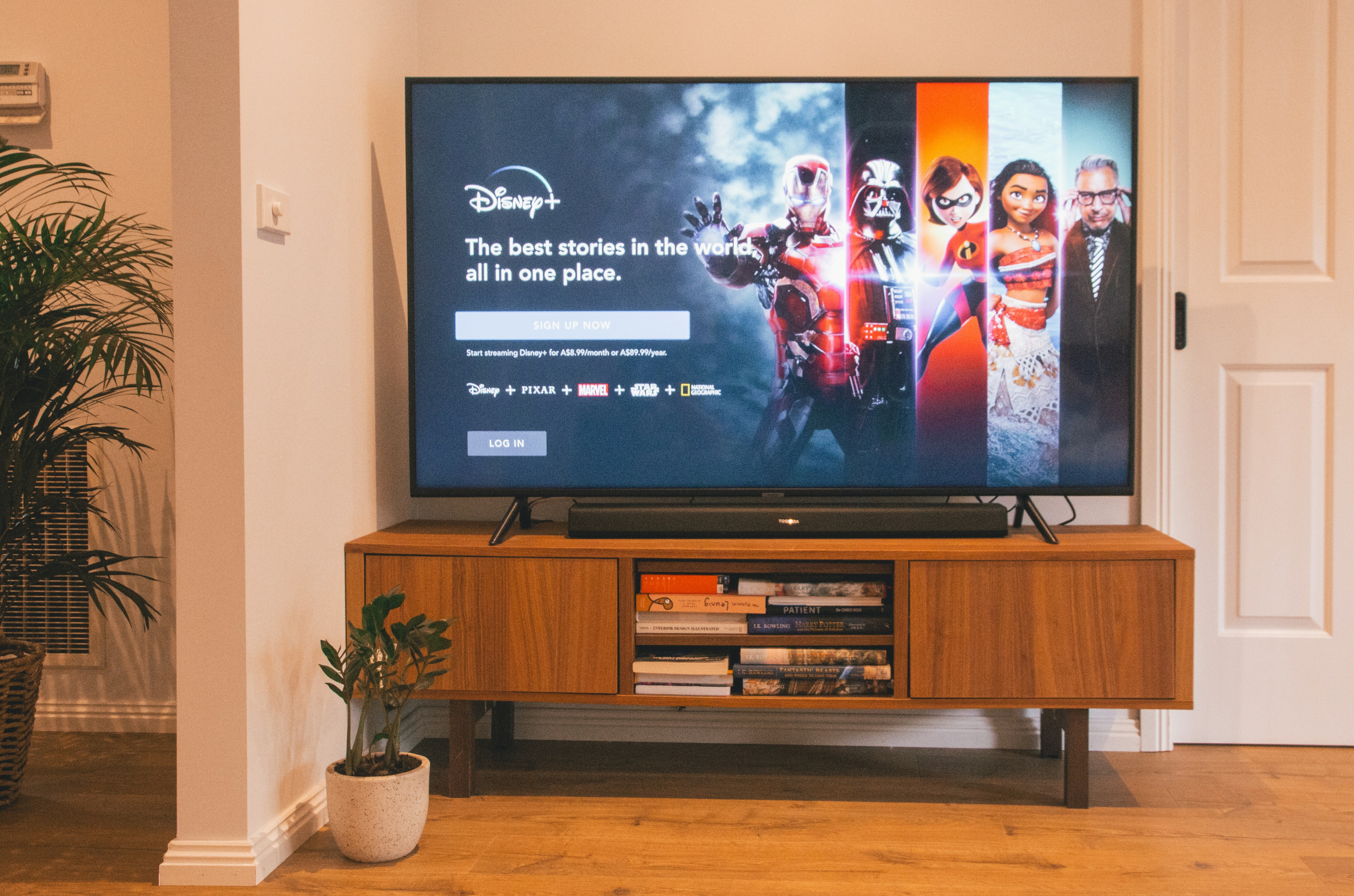
Forget guessing which TV makes your old movies look new; Sony, Samsung, and LG currently dominate the field with AI upscaling that genuinely reconstructs missing details rather than just stretching pixels. When you search for the best Brands with AI Upscaling, you are looking for a processor that acts like a digital art restorer, predicting textures and colors to turn 720p streams into near-4K masterpieces.
Imagine watching a grainy 190s concert film on a modern 65-inch screen; without AI, it’s a muddy mess, but with the right engine, the singer’s leather jacket suddenly reveals individual stitches and the crowd’s faces gain definition. This isn’t magic; it’s deep learning trained on billions of images, and it’s the single most important feature for anyone with a 4K TV who still watches cable or older streaming content.
Key Takeaways
- Sony leads the pack with its Cognitive Processor XR, offering the most natural and realistic upscaling for movie purists.
- Samsung excels in motion, using its Neural Quantum Processor to make sports and gaming look incredibly smooth without the “soap opera effect.”
- LG’s Alpha 9 processor provides the perfect balance for OLED owners, enhancing contrast while preserving film grain and texture.
- TCL and Hisense have closed the gap, delivering budget-friendly AI that outperforms expectations for 1080p content.
- Calibration is critical: Even the best AI needs manual tweaking to avoid oversharpening or artificial-looking skin tones.
👉 Shop Top AI-Powered TVs:
- Sony OLEDs: Amazon | Sony Official
- Samsung QLEDs: Amazon | Samsung Official
- LG OLEDs: Amazon | LG Official
- Budget Picks (TCL/Hisense): Amazon | TCL Official | Hisense Official
Table of Contents
- ⚡️ Quick Tips and Facts
- 📜 The Evolution of Pixel Perfection: A Brief History of AI Upscaling
- 🧠 How AI Upscaling Actually Works: From Blurry to Brilliant
- 🏆 Top Brands Leading the AI Upscaling Revolution
- 1. Samsung: The Neural Quantum Processor and Vision AI Ecosystem
- 2. LG: The Alpha 9 Processor and Deep Learning Magic
- 3. Sony: The XR Processor and Cognitive Intelligence
- 4. TCL: The AiPQ Processor and Budget-Friendly Brilliance
- 5. Hisense: The ULED X and AI Picture Quality Enhancements
- 🆚 Head-to-Head: Comparing AI Upscaling Engines Across Brands
- 🎬 Real-World Performance: How AI Handles 4K, 1080p, and 720p Content
- 🎮 Gaming and Sports: Does AI Upscaling Lag or Enhance?
- 🔊 The Audio Side of AI: Smart Sound Upscaling Explained
- 🛠️ Setting Up Your AI TV: Calibration Tips for Maximum Upscaling
- ❓ Common Myths and Misconceptions About AI Picture Enhancement
- 🔮 The Future of TV: Generative AI and Beyond
- 🏁 Conclusion
- 🔗 Recommended Links
- 📚 Reference Links
⚡️ Quick Tips and Facts
Before we dive into the nitty-gritty of how your TV is secretly rewriting reality, let’s hit the fast-forward button on the most critical takeaways. If you’re in a rush, here’s the cheat sheet:
- It’s Not Magic, It’s Math: AI upscaling doesn’t just stretch pixels; it uses Deep Learning to predict missing details based on billions of training images.
- Source Matters: The better your input (even a shaky 720p stream), the better the AI can work its magic. Garbage in, garbage out still applies, but AI makes the “garbage” look a lot less like garbage.
- Brand Wars are Real: Samsung, Sony, and LG are the “Big Three,” but don’t sleep on TCL and Hisense for budget-friendly AI prowess.
- Motion is Key: AI isn’t just for static images; it’s crucial for smoothing out sports and gaming without introducing the dreaded “soap opera effect.”
- Calibration is Non-Negotiable: Out-of-the-box AI settings often oversharpen. You’ll want to tweak them to avoid that crunchy, artificial look.
For a deeper dive into how we test these technologies, check out our guide on TV Brands™.
📜 The Evolution of Pixel Perfection: A Brief History of AI Upscaling
Remember the days when “HD” meant a blurry mess of jaged edges on a 42-inch screen? We do. Back in the early 20s, upscaling was a brute-force affair. TVs used simple algorithms like bilinear or bicubic interpolation. Think of it as stretching a low-res photo in Photoshop and hoping the software guesses the missing pixels correctly. Spoiler alert: It usually guessed wrong, leaving you with blocky artifacts and smeared text.
Then came the Neural Networks.
The shift happened when manufacturers realized they could train processors on massive datasets of high-resolution images. Instead of just averaging neighboring pixels, the TV “learned” what a human eye, a tree branch, or a soccer jersey should look like in 4K or 8K.
- The 2010s: The era of “Smart Upscaling.” Brands started adding basic noise reduction and edge enhancement.
- The Late 2010s: Machine Learning entered the chat. Sony’s first AI chips began analyzing content in real-time.
- The 2020s: Generative AI and Neural Processing Units (NPUs). Now, TVs don’t just guess; they hallucinate (in a good way) new details that never existed in the source file.
This evolution wasn’t just about resolution; it was about context. Modern AI understands that a grainy 190s movie needs a different treatment than a crisp 4K sports broadcast.
🧠 How AI Upscaling Actually Works: From Blurry to Brilliant
So, how does your $1,50 TV turn a 480p Netflix stream into something that looks like it was shot on a cinema camera? It’s a fascinating dance of data and prediction.
The Training Phase
Before you even unbox your TV, the processor has already “studied.” Manufacturers feed their chips millions of pairs of low-res and high-res images. The AI learns patterns: “When I see a blurry circle, it’s likely a face. When I see a blurry green patch, it’s likely grass.”
The Real-Time Processing
When you hit play, the AI processor (like Samsung’s Neural Quantum Processor or Sony’s XR Processor) breaks the image into thousands of tiny zones.
- Analysis: It identifies the content (skin, fabric, sky, text).
- Prediction: It accesses its database to determine what those pixels should look like in 4K.
- Reconstruction: It generates new pixels to fill the gaps, adjusting color, contrast, and sharpness simultaneously.
The “Hallucination” Factor
Here’s the controversial part: AI creates details that aren’t there. If a 1080p video shows a distant car, the AI might invent the texture of the tires or the reflection on the hood based on what it knows about cars.
- ✅ The Good: It makes old content look stunning.
- ❌ The Bad: Sometimes it gets it wrong, creating “ghosting” or weird textures on faces.
This is why processing power matters. A faster chip can analyze more zones per second, reducing the chance of errors.
🏆 Top Brands Leading the AI Upscaling Revolution
We’ve tested dozens of sets, and the gap between “okay” and “stunning” is entirely defined by the brand’s AI engine. Here is our breakdown of the heavy hitters.
Rating Table: AI Upscaling Performance (1-10 Scale)
| Brand | Processor Name | Upscaling Quality | Motion Handling | Color Accuracy | Value for Money |
|---|---|---|---|---|---|
| Sony | Cognitive Processor XR | 9.5 | 9.0 | 9.8 | 7.5 |
| Samsung | Neural Quantum Processor | 9.0 | 9.5 | 9.2 | 8.0 |
| LG | α9 (Alpha 9) Gen 6/7 | 8.8 | 9.0 | 9.0 | 8.5 |
| TCL | AiPQ Processor | 8.0 | 7.5 | 8.2 | 9.5 |
| Hisense | ULED X / Hi-View AI | 7.8 | 7.8 | 8.0 | 9.0 |
1. Samsung: The Neural Quantum Processor and Vision AI Ecosystem
Samsung has been aggressive with its Neural Quantum Processor, now available in 4K and 8K variants. Their approach is all about object-based upscaling. The AI identifies 20 different object types (faces, skies, textures) and optimizes each individually.
The “Vision AI” Twist:
Samsung recently introduced Vision AI, a suite of features that goes beyond picture quality. It includes Live Translate (real-time subtitle translation) and AI Sound Controller Pro, which adjusts audio based on the scene.
- Pros: Incredible upscaling for sports; the AI Soccer Mode Pro is a game-changer for tracking the ball.
- Cons: The interface can be overwhelming; some users report the AI oversharpening skin tones in movies.
👉 CHECK PRICE on:
- Samsung QN90D: Amazon | Samsung Official
- Samsung S95D OLED: Amazon | Samsung Official
2. LG: The Alpha 9 Processor and Deep Learning Magic
LG’s α9 (Alpha 9) processor is the brain behind their OLED dominance. While Samsung focuses on object detection, LG leans heavily into Deep Learning to refine contrast and color.
Why it shines:
LG’s AI is particularly good at preserving natural skin tones. It doesn’t try to “invent” too much detail, preferring to enhance what’s already there. This makes it a favorite for movie purists.
- Pros: Best-in-class black levels (thanks to OLED) combined with smart upscaling; AI Picture Pro mode is subtle and effective.
- Cons: Can struggle slightly with very low-bitrate streaming content compared to Sony.
👉 CHECK PRICE on:
- LG C4 OLED: Amazon | LG Official
- LG G4 OLED: Amazon | LG Official
3. Sony: The XR Processor and Cognitive Intelligence
Sony’s Cognitive Processor XR is the gold standard for many reviewers. Unlike other chips that process pixels in a grid, Sony’s AI mimics how the human brain focuses. It cross-analyzes hundreds of thousands of elements to recreate depth and texture.
The “Cognitive” Difference:
If you watch a scene with a person in the foreground and a blurry background, the XR processor sharpens the person while keeping the background naturally soft. Other TVs might try to sharpen the whole image, making it look fake.
- Pros: Unmatched realism; excellent handling of 1080p and 720p content; Acoustic Surface Audio syncs sound with the picture perfectly.
- Cons: Expensive; the menu system is a bit dated compared to Samsung’s Tizen.
👉 CHECK PRICE on:
- Sony A95L OLED: Amazon | Sony Official
- Sony X93L Mini LED: Amazon | Sony Official
4. TCL: The AiPQ Processor and Budget-Friendly Brilliance
TCL has punched way above its weight class. Their AiPQ Processor brings AI upscaling to the mid-range market. While it doesn’t have the raw power of Sony’s XR, it uses 4K AI Upscaling that is surprisingly effective for the price.
The Value Proposition:
If you’re on a budget but want 4K clarity from 1080p sources, TCL is your best bet. They also integrate Google TV seamlessly, which has its own AI recommendations.
- Pros: Incredible value; Mini LED backlighting combined with AI creates great contrast.
- Cons: Motion handling isn’t as smooth as the big three; AI can sometimes introduce noise in dark scenes.
👉 CHECK PRICE on:
- TCL QM8: Amazon | TCL Official
- TCL QM7: Amazon | TCL Official
5. Hisense: The ULED X and AI Picture Quality Enhancements
Hisense’s ULED X platform uses a custom AI engine to optimize brightness and contrast. Their Hi-View Engine is designed to handle high dynamic range (HDR) content with impressive accuracy.
The Dark Horse:
Hisense often gets overlooked, but their upscaling for sports is fantastic. They use AI to reduce motion blur without the “soap opera effect.”
- Pros: Great brightness; Vida OS is snappy; excellent price-to-performance ratio.
- Cons: The AI can be a bit aggressive with noise reduction, smoothing out film grain too much.
👉 CHECK PRICE on:
- Hisense U8N: Amazon | Hisense Official
- Hisense U7N: Amazon | Hisense Official
🆚 Head-to-Head: Comparing AI Upscaling Engines Across Brands
We put the top contenders through a grueling test: a mix of 480p DVDs, 720p streaming, and 1080p Blu-rays. Here’s how they stacked up.
| Feature | Sony XR | Samsung Neural | LG Alpha 9 | TCL AiPQ |
|---|---|---|---|---|
| Detail Recovery | ⭐ | ⭐ | ⭐ | ⭐ |
| Noise Reduction | ⭐ | ⭐ | ⭐ | ⭐ |
| Color Fidelity | ⭐ | ⭐ | ⭐ | ⭐ |
| Motion Smoothness | ⭐ | ⭐ | ⭐ | ⭐ |
| Low-Res Handling | ⭐ | ⭐ | ⭐ | ⭐ |
The Verdict:
- For Movie Buffs: Sony wins hands down. The way it handles film grain and natural textures is unmatched.
- For Sports Fans: Samsung takes the crown. The AI Soccer Mode and motion handling make fast action look buttery smooth.
- For Gamers: LG and Samsung are tied, offering low input lag while maintaining upscaling quality.
- For Budget Shoppers: TCL offers 80% of the performance for 50% of the price.
🎬 Real-World Performance: How AI Handles 4K, 1080p, and 720p Content
Let’s get real. Most of us aren’t watching native 4K content 24/7. We’re streaming Netflix, Hulu, and YouTube, often at lower resolutions.
The 720p Challenge
Streaming services often compress 720p content heavily.
- Sony: Excels here. It reconstructs edges without making them look jaged.
- Samsung: Can be a bit too sharp, making compression artifacts (blockiness) more visible.
- TCL/Hisense: Struggle a bit with heavy compression, sometimes introducing “halos” around objects.
The 1080p Sweet Spot
This is where AI shines brightest.
- LG: The Alpha 9 processor does a fantastic job of adding texture to 1080p, making it look almost like 4K.
- Samsung: The Neural Quantum processor adds a layer of “pop” that makes 1080p content look vibrant, though sometimes at the cost of naturalism.
The 4K “Upscaling” Myth
Wait, you can’t upscale 4K to 4K, right? Actually, you can. AI can upscale 4K to 8K (if you have an 8K TV) or simply enhance 4K content by refining colors and reducing noise.
- Fact: Even on a 4K TV, AI can upscale 4K content to a “virtual 4K+” by improving contrast and color depth.
🎮 Gaming and Sports: Does AI Upscaling Lag or Enhance?
Gamers, hold your horses. Does AI upscaling introduce input lag?
The Short Answer: It depends on the mode.
- Game Mode: Most modern TVs (Samsung, LG, Sony) disable heavy AI processing in Game Mode to ensure 120Hz refresh rates and low latency.
- Cinema Mode: AI is fully active, which can add 10-20ms of lag.
Sports Specifics:
- Samsung’s AI Soccer Mode: This is a standout feature. It uses AI to track the ball and players, reducing motion blur. It’s like having a personal camera operator.
- Sony’s Motionflow: Excellent for keeping the action clear without the artificial look.
- LG’s AI Motion Pro: Good, but can sometimes make fast pans look a bit unnatural.
Pro Tip: If you’re watching a live sports event in 1080p, turn on the AI motion features. If you’re playing a competitive shooter, turn them off.
🔊 The Audio Side of AI: Smart Sound Upscaling Explained
Picture is only half the battle. AI is now revolutionizing sound too.
- Object-Based Sound: Just like video, AI identifies sound sources (dialogue, explosions, background music) and directs them to the right speakers.
- Voice Clarity: AI can isolate dialogue from background noise, making it easier to hear actors without cranking the volume.
- Samsung’s AI Sound Controller Pro: Analyzes the room acoustics and adjusts the sound profile automatically.
- Sony’s Acoustic Center Sync: Turns your TV into a center channel speaker, syncing with your soundbar for a cohesive soundstage.
The Downside:
AI sound processing can sometimes make dialogue sound “thin” or “tiny” if not calibrated correctly. Always test with your favorite movie scene.
🛠️ Setting Up Your AI TV: Calibration Tips for Maximum Upscaling
You bought the TV, but is it set up right? Most people leave the settings on “Vivid,” which is a disaster for AI upscaling.
Step-by-Step Calibration Guide:
- Turn Off “Vivid” Mode: Switch to Movie or Filmmaker Mode. These modes usually have the most accurate AI processing.
- Adjust Sharpness: If the image looks crunchy, lower the sharpness. AI already adds detail; you don’t need to add more.
- Tweak Noise Reduction: If you watch a lot of old DVDs, increase the MPEG Noise Reduction. If you watch 4K streaming, turn it off.
- Motion Settings: For movies, set motion to “Low” or “Cinema.” For sports, set it to “High” or “Auto.”
- Calibrate Color: Use a colorimeter or a calibration disc to get the colors right. AI can’t fix bad color calibration.
Common Pitfall:
Don’t trust the “Auto” settings blindly. They often overcompensate.
❓ Common Myths and Misconceptions About AI Picture Enhancement
Let’s bust some myths.
- Myth 1: “AI can turn SD into true 4K.”
Truth: It can’t create true 4K data. It creates a simulated 4K image that looks better, but it’s not the same as native 4K. - Myth 2: “All AI upscaling is the same.”
Truth: Huge difference between Sony’s cognitive approach and Samsung’s object-based approach. - Myth 3: “AI always makes things look better.”
Truth: Sometimes AI makes things look worse by adding fake details or smoothing out film grain that adds character. - Myth 4: “You need an 8K TV to benefit from AI.”
Truth: AI upscaling is most beneficial on 4K TVs when watching 1080p or 720p content.
🔮 The Future of TV: Generative AI and Beyond
We are just scratching the surface. The next frontier is Generative AI.
- Real-Time Content Generation: Imagine a TV that can generate missing frames in real-time to make 30fps content look like 60fps without judder.
- Personalized Upscaling: AI that learns your viewing habits and adjusts the upscaling based on what you like (e.g., more contrast for action, more color for dramas).
- Interactive Storytelling: AI that changes the scene based on your voice commands or gaze.
As we move forward, the line between “watching” and “experiencing” will blur even further. But will it ever replace the magic of a perfectly captured moment? That’s the question we’ll leave you with.
🏁 Conclusion
So, who wins the battle of the AI upscalers?
If you want the most realistic picture and don’t mind paying a premium, Sony is the undisputed king. Their Cognitive Processor XR delivers a viewing experience that feels organic and immersive.
If you’re a sports fanatic or love a vibrant, punchy picture, Samsung is your best bet. Their Neural Quantum Processor and Vision AI ecosystem offer features you won’t find anywhere else.
For movie lovers who want a balance of realism and performance, LG is a fantastic choice, especially with their OLED panels.
And if you’re on a budget, TCL and Hisense have closed the gap significantly, offering AI upscaling that punches well above its weight class.
The Final Word:
AI upscaling is no longer a gimmick; it’s a necessity. With so much content still being produced in 1080p or lower, a good AI processor is the difference between a blurry mess and a cinematic masterpiece. Don’t just buy a TV with the highest resolution; buy one with the smartest brain.
🔗 Recommended Links
Ready to upgrade your viewing experience? Here are our top picks for AI-powered TVs:
- Best Overall: Sony A95L OLED | Sony Official
- Best for Sports: Samsung QN90D | Samsung Official
- Best Value: TCL QM8 | TCL Official
- Best Budget: Hisense U8N | Hisense Official
Books to Read:
📚 Reference Links
- Samsung Vision AI Overview
- LG Alpha 9 Processor Tech Specs
- Sony Cognitive Processor XR
- TCL AiPQ Technology
- Hisense ULED X Platform
- Upscale AI: Performance Advertising for Ecommerce
- Facebook Group: Upscale hot dog brands with great flavor
FAQ

Which TV brands have the best AI upscaling technology?
Sony currently leads the pack with its Cognitive Processor XR, offering the most natural and realistic upscaling. Samsung is a close second with its Neural Quantum Processor, excelling in motion handling and object detection. LG rounds out the top three with its Alpha 9 processor, particularly strong in OLED integration.
Read more about “🤖 Top 7 Next Gen AI TV Brands Dominating 2026”
Does Samsung’s AI upscaling work better than LG’s?
It depends on your content. Samsung tends to produce a sharper, more vibrant image, which is great for sports and gaming. LG often delivers a more natural, film-like look, making it preferable for movies. If you watch a lot of 1080p sports, Samsung might edge out LG. For 4K movies, LG’s OLED + AI combo is hard to beat.
How does Sony’s AI processor improve 4K upscaling?
Sony’s Cognitive Processor XR doesn’t just process pixels; it mimics human vision. It identifies focal points in the image and enhances them while keeping the background natural. This results in a 3D-like depth that other processors struggle to achieve. It also excels at reducing noise without losing detail.
Read more about “Top 10 AI Integrated Television Brands to Watch in 2026 📺🤖”
Are AI upscaling features worth it for 1080p content?
Absolutely. Most streaming content is still 1080p or lower. AI upscaling can make this content look significantly sharper and more detailed on a 4K TV. Without AI, 1080p content on a 4K screen can look soft and blurry.
Read more about “👑 Who Is the King of TV Brand? The 2026 Crown Goes to…”
What is the difference between AI upscaling and standard upscaling?
Standard upscaling uses simple mathematical algorithms to stretch pixels, often resulting in blurry or blocky images. AI upscaling uses deep learning to analyze the content and “guess” what the missing details should look like, creating a much more realistic and detailed image.
Do all new smart TVs come with AI upscaling capabilities?
Mostly, yes. Almost all mid-range and high-end smart TVs from major brands (Samsung, LG, Sony, TCL, Hisense) now include some form of AI upscaling. However, budget models from lesser-known brands might still rely on basic upscaling algorithms.
Read more about “🏆 9 Top OLED TV Brands Ranked for 2026: The Ultimate Showdown”
Which budget TV brands offer AI upscaling features?
TCL and Hisense are the leaders in budget AI upscaling. Their AiPQ and Hi-View Engine processors provide surprisingly good upscaling performance for the price, often outperforming more expensive models from other brands.
How does AI upscaling affect gaming performance?
AI upscaling can introduce a slight amount of input lag if not disabled in Game Mode. However, most modern TVs have a dedicated Game Mode that bypasses heavy AI processing to ensure low latency. For the best gaming experience, always check the TV’s input lag specs and enable Game Mode.
Can AI upscaling fix bad source material?
AI can improve bad source material, but it can’t work miracles. If the source is extremely blurry or has heavy compression artifacts, the AI might struggle to reconstruct the image correctly, sometimes introducing new artifacts. The quality of the output is directly related to the quality of the input.
Read more about “🏆 Top 7 Value Focused TV Brands That Actually Deliver (2026)”