Support our educational content for free when you purchase through links on our site. Learn more
12 Brands with Google TV Integration to Know 📺

Sony, TCL, and Hisense are the first brands we’d compare for Google TV integration, while Philips, Panasonic, Sharp, Xiaomi, and others offer compatible models in select markets. The best choice depends on the exact TV: Google TV brings the apps and interface, but the manufacturer determines the screen, picture quality, gaming features, and support.
We’ve seen how two TVs can share the same Google TV home screen yet feel worlds apart: one serves up shows smoothly, while the other makes you wait for menus and remote commands. That’s why this guide looks beyond the platform badge to help you find the brand—and model—that suits your room, viewing habits, and budget.
Key Takeaways
- Sony, TCL, and Hisense are leading starting points for shoppers seeking Google TV models; availability varies by region.
- Google TV isn’t the whole TV. Compare panel technology, brightness, refresh rate, HDMI ports, and independent test results.
- Check the exact model number and local product page. TV brands may use different operating systems across regions and product lines.
- Choose around your priorities: Sony for processing-focused comparisons, TCL for feature-rich value, and Hisense for selected bright or gaming-oriented models.
- Verify app availability, software support, warranty, and voice features before buying.
👉 Shop Google TV brands:
- Sony: Amazon | Sony BRAVIA
- TCL: Amazon | TCL TVs
- Hisense: Amazon | Hisense TVs
- Philips: Amazon | Philips TVs
Table of Contents
- ⚡️ Quick Tips and Facts
- 📚 Google TV on TVs: Background and Platform Basics
- Google TV vs. Android TV: What’s the Difference?
- How Google TV Integration Works
- 📺 Brands with Google TV Integration: TV Makers to Know
- 1. Sony
- 2. TCL
- 3. Hisense
- 4. Philips
- 5. Sharp
- 6. Panasonic
- 7. Xiaomi
- 8. Toshiba
- 9. Skyworth
- 10. Haier
- 11. Metz
- 12. Grundig
- 🏆 How to Choose the Right Google TV Brand
- Best Google TV Brands for Picture Quality
- Best Google TV Brands for Gaming
- Best Google TV Brands for Streaming and Everyday Use
- Best Budget and Value Google TV Brands
- 🔍 Google TV Features to Compare Before You Buy
- OLED, QLED, Mini-LED, and LED Picture Technology
- 4K, HDR, Dolby Vision, and Refresh Rates
- Google Assistant, Voice Search, and Smart Home Controls
- Chromecast Built-In, Apps, and Streaming Services
- Ports, HDMI 2.1, and Soundbar Connections
- 📏 Best Google TVs by Screen Size and Room
- Small Google TVs for Bedrooms and Kitchens
- 55-Inch and 65-Inch Google TVs for Most Living Rooms
- Large-Screen Google TVs for Home Theater
- ⚖️ Google TV vs. Other Smart TV Platforms
- Google TV vs. Roku TV
- Google TV vs. Amazon Fire TV
- Google TV vs. Samsung Tizen and LG webOS
- 🛠️ Setup, Updates, and Troubleshooting
- Setting Up a Google TV for the First Time
- Fixing Slow Menus, Wi-Fi Problems, and App Issues
- Google TV Updates, Privacy, and Parental Controls
- ✅ Pros and Cons of Google TV Integration
- 💡 Buying Tips: How to Get the Best Google TV for Your Needs
- 📖 Recommended Reads
- 🏁 Conclusion
- 🔗 Recommended Links
- ❓ FAQ
- Which TV brands use Google TV?
- Is Google TV the same as Android TV?
- Can I add Google TV to a TV that doesn’t have it built in?
- Do all Google TV brands offer the same apps and features?
- Does Google TV work with iPhones and Apple devices?
- How long do Google TVs receive software updates?
- Is a Google TV better than a Roku or Fire TV?
- 📚 Reference Links
⚡ Quick Tips and Facts
If you’re comparing TV brands by smart platform, remember this: Google TV is software, not a TV manufacturer. Sony, TCL, Hisense, and other manufacturers build TVs that run it, and the exact features can vary by model, region, and year.
| Quick fact | What you should know |
|---|---|
| What it is | A smart TV interface from Google that brings apps, recommendations, watchlists, voice search, and compatible smart-home controls together. |
| Brands to investigate | Sony, TCL, and Hisense are prominent Google TV makers in the US. Philips, Panasonic, Sharp, Xiaomi, and others offer Google TV models in some markets or product lines. Availability varies. |
| Built-in casting | Many Google TVs include Chromecast built in, though casting support can vary by app and service. |
| Voice control | Google Assistant is common; newer models or regions may offer additional Google AI features. Check the exact model listing rather than assuming every Google TV has identical voice functions. |
| App access | Google TV offers access to a broad range of streaming apps, but app availability depends on country, model, and service. |
| Best buying habit | Compare the TV’s panel, brightness, refresh rate, HDMI ports, warranty, and software support—not just the Google TV badge. |
Quick recommendation: Start with Sony if processing and picture refinement lead your priorities, TCL if you want feature-rich value, and Hisense if you want to compare bright, gaming-friendly models. Those are useful starting points, not universal winners. For more options, browse our Smart TV Reviews and Affordable TV Options.
One little wrinkle: two TVs can both say “Google TV” and still feel quite different. The software is only half the story; the panel and the manufacturer’s implementation do the rest.
📚 Google TV on TVs: Background and Platform Basics
Google TV is Google’s smart-TV experience, available on compatible televisions and streaming devices. It organizes entertainment around content discovery and personal profiles, while the television manufacturer determines much of the hardware, picture processing, sound, and connectivity.
Google’s own Google TV feature information describes features including watchlists, casting, a mobile virtual remote, and compatible smart-home controls. It also cautions that apps, features, and content availability differ by country, and some services require subscriptions or purchases.
Google TV vs. Android TV: What’s the Difference?
Google TV and Android TV are related, but they aren’t simply two names for the same interface. Android TV is the underlying smart-TV platform used across various devices; Google TV is a newer, content-focused experience built on Google’s TV ecosystem. Manufacturers and product years determine which interface a particular set uses.
| Feature | Google TV | Android TV |
|---|---|---|
| Main experience | Content discovery, recommendations, profiles, and watchlists | App-oriented home screen and recommendations |
| Google services | Google Assistant and Chromecast features may be included, depending on model | Google services and Chromecast features may be included, depending on model |
| App support | Google Play ecosystem, with availability varying by region and device | Google Play ecosystem, with availability varying by region and device |
| Model identification | Check the TV’s exact product page and operating-system description | Older or specific models may continue to use Android TV |
The platform names alone don’t tell you how fast the TV feels, how long it will receive updates, or whether a specific app is supported. Confirm the operating system and full model number before buying.
How Google TV Integration Works
On a television with Google TV built in, the TV’s processor and memory run the software directly. You connect to Wi-Fi, sign in if you want personalized features, install or open supported apps, and use the remote, voice control, or a compatible phone.
Typical features include:
- Streaming apps and recommendations: Browse available services from a shared interface. Recommendations depend on supported services and your settings.
- Google Account features: A Google Account enables features such as watchlists and personalized profiles. You can use some TV functions without signing in, but connected features may be limited.
- Casting: Cast from compatible apps and devices. Google says casting is optimized for selected services, so don’t assume every phone app will cast in the same way.
- Phone as remote: Google describes a virtual remote available through the Google TV app on Android and iOS, subject to regional and device availability.
- Smart-home controls: Compatible devices and an internet connection are required for smart-home functions.
A TV maker still has plenty of influence. The same streaming interface can sit on a basic LED panel or a premium OLED screen, and those televisions will not deliver the same image, gaming performance, or menu responsiveness.
📺 Brands with Google TV Integration: TV Makers to Know
The most dependable way to identify a Google TV is to check the full model number on the manufacturer’s local product page. Brands can sell different operating systems in different regions, and a company may change platforms between product families or generations.
The table below is a practical market guide, not a promise that every brand sells Google TV in every country.
| Brand | Google TV availability | What to compare |
|---|---|---|
| Sony | Widely used across many current BRAVIA lines | Picture processing, panel type, gaming ports, and model year |
| TCL | Common across many US Google TV models | Mini-LED or QLED panel, local diming, refresh rate, and HDMI features |
| Hisense | Available across selected models and markets | Google TV versus VIDAA listings, panel technology, gaming support |
| Philips | Available in selected markets and model ranges | Regional operating system, Ambilight availability, panel and HDR support |
| Sharp | Select models, with availability varying by region | Exact model, app availability, and local warranty |
| Panasonic | Select TVs and markets | Operating system can differ across product lines and regions |
| Xiaomi | Available in various regional TV ranges | Local model specifications, software support, and service coverage |
| Toshiba | Select models and territories | Confirm OS carefully; brand licensing and product ranges differ |
| Skyworth | Available in certain markets and product ranges | Local retailer support, panel specifications, and software version |
| Haier, Metz, Grundig | Select regional models | Verify model-specific OS and local support before purchase |
1. Sony
Sony is a strong option if you care about image processing, upscaling, motion handling, and a polished premium-TV experience. Its official BRAVIA TV range includes Google TV models, but not every Sony television has the same panel, brightness, refresh rate, or gaming connections.
Reviewers at RTINGS describe Google TV models as “packed with smart features, such as voice control and Chromecast,” while emphasizing that real picture quality differs by television. That distinction matters: Google TV is a convenience feature, not a shortcut to choosing the right screen.
✅ Consider Sony for processing and premium picture performance.
❌ Compare HDMI 2.1 ports and supported gaming features carefully; they vary by model.
2. TCL
TCL has a broad selection of Google TV televisions, including models with QLED and Mini-LED technology. Its US television range is worth checking if you want to compare bright HDR performance, local diming, and gaming features across different tiers.
TCL often competes on specifications: certain models offer high refresh rates, gaming-oriented features, and Mini-LED backlighting. But numbers on a box don’t guarantee a perfect picture. Local-dimming behavior, off-angle viewing, reflection handling, and processing remain model-specific.
✅ A compelling brand to compare for feature-rich value.
❌ Check independent testing for blooming, motion, and viewing-angle performance.
3. Hisense
Hisense sells Google TV models in some product lines and markets, alongside televisions using other operating systems. That makes the full product page especially important: don’t assume a Hisense model runs Google TV just because another model from the brand does.
The Hisense TV range includes models aimed at different budgets and performance needs. Compare brightness, local diming, HDMI capabilities, and whether the specific regional model uses Google TV or VIDAA.
✅ Worth considering for bright-picture and gaming features on selected models.
❌ Brand-wide operating-system assumptions can lead you to the wrong set.
4. Philips
Philips offers Google TV on selected televisions in some markets, but its TV range and operating systems vary by country. Look up the local Philips product page and verify the model’s app store, voice features, and software support.
In selected regions, Philips sets may also include Ambilight, its screen-synchronized lighting feature. That can make a living room feel more cinematic, but it’s separate from Google TV and shouldn’t be confused with streaming-platform features.
✅ A good regional option when the model’s feature set suits your room.
❌ Availability, model names, and operating systems are especially market-dependent.
5. Sharp
Sharp has sold Google TV models in selected regions, though the lineup is less consistent internationally than Sony’s or TCL’s. Check the exact product page for the operating system, supported apps, panel type, and warranty arrangements.
✅ Consider only after confirming local model support.
❌ A familiar brand name doesn’t guarantee the same hardware or software worldwide.
6. Panasonic
Panasonic’s television platform can vary by product line and region. Some models and retailers list Google TV, while other Panasonic sets use different smart-TV software. Check the manufacturer’s regional site and the retailer’s detailed specifications rather than relying on the brand name alone.
✅ A potentially suitable choice where a specific model offers Google TV and the picture features you want.
❌ Don’t assume the entire Panasonic lineup shares one operating system.
7. Xiaomi
Xiaomi offers televisions with Google TV in various markets. Its regional lineups can differ in panel sizes, smart features, and support, so check the local product listing for the exact operating system and update information.
✅ Useful to compare where Xiaomi has an established local TV range.
❌ Verify warranty, repair service, and streaming-app certification in your country.
8. Toshiba
Toshiba-branded TVs are sold through different regional arrangements, and the platform can vary by market and model. Some listings may identify Google TV; others may use another smart-TV system. Confirm the product’s operating system directly before ordering.
✅ Compare the individual set’s specifications and retailer support.
❌ Don’t treat Toshiba’s name alone as proof of Google TV integration.
9. Skyworth
Skyworth offers Google TV televisions in some markets, and major retailers may list models under the SKYWORTH name. Best Buy’s Google TV category, for example, includes SKYWORTH among its brand filters. Retail listings help establish availability, but they aren’t a substitute for checking the manufacturer’s exact specification sheet.
✅ Worth comparing in markets where local service and support are available.
❌ Review warranty terms and software details before choosing a lesser-known local model.
10. Haier
Haier appears in some regional smart-TV markets, but the TV lineup and software can differ by country. Search the manufacturer’s local product pages for the precise model rather than relying on a broad brand-level search result.
✅ Potentialy relevant in supported regional markets.
❌ Check app compatibility, update policy, and service availability first.
11. Metz
Metz offers televisions in some markets, with Google TV available on selected products. Because the range may be region-specific, confirm the operating system and support information on the local retailer or brand page.
✅ A local contender when the model is officially supported in your country.
❌ Avoid importing without checking voltage, tuner compatibility, warranty, and app availability.
12. Grundig
Grundig TV availability and smart-TV platforms vary by region and product generation. Some market listings may identify Google TV, but confirm the system on the model’s official specification page before buying.
✅ Consider when a locally supported model matches your needs.
❌ Brand-name familiarity doesn’t guarantee Google TV, current app support, or long-term updates.
🏆 How to Choose the Right Google TV Brand
The best brand depends on the room, your viewing habits, and how much you value picture quality versus convenience. We recommend beginning with the screen—not the home screen.
| Your priority | What to look for | Brands to compare |
|---|---|---|
| Premium image processing | Upscaling, motion handling, brightness, contrast | Sony, TCL, Hisense |
| Bright-room viewing | Sustained brightness, reflection handling, local diming | TCL, Hisense, Sony |
| Dark-room movies | OLED contrast or well-controlled Mini-LED local diming | Sony, TCL, Hisense |
| Console gaming | HDMI 2.1, 4K high refresh rate, VR, low input lag | Compare exact models from all three |
| Straightforward streaming | App support, responsive menus, reliable Wi-Fi | Any verified Google TV model |
| Regional availability | Local warranty, service, app support | Check manufacturers in your country |
Best Google TV Brands for Picture Quality
Sony is often a strong contender for processing and image refinement; TCL and Hisense offer models with impressive hardware specifications. None of those points means every Sony beats every TCL or Hisense. Compare actual model tests, especially for contrast, color volume, upscaling, motion, and viewing angles.
If black levels are your top priority, compare OLED models and read our coverage of OLED TV advancements. If you watch in a bright room, a strong Mini-LED TV may be a better fit than a dimer screen with a more impressive-sounding panel label.
Best Google TV Brands for Gaming
For gaming, focus on the individual model’s:
- HDMI 2.1 inputs: Count them, and check which inputs support the highest bandwidth.
- Refresh rate: Native panel refresh and supported resolutions matter more than marketing shorthand.
- Variable refresh rate (VR): Useful for supported consoles and PCs.
- Auto Low Latency Mode (ALLM): Can switch the set into a lower-latency mode automatically.
- Input lag and motion clarity: Check measured results when available.
- Port sharing: A television may advertise gaming features that are available only on certain HDMI inputs.
A model with Google TV isn’t automatically a gaming TV. Look for the exact specs in the manufacturer’s HDMI and gaming documentation.
Best Google TV Brands for Streaming and Everyday Use
For everyday use, the platform’s appeal is its cross-service discovery and connection to Google features. Google says it offers a “vast selection of apps,” but the exact selection varies by location and device. If your household already uses Google Home, Google Photos, or Android phones, compatibility can be convenient.
The first video’s operating-system overview also makes a useful point: Google TV and Android TV have broad Google-service integration, while platforms such as Roku TV, Fire TV, Samsung Tizen, and LG webOS have different strengths. Its description of Google’s ecosystem as “open” is helpful context, but it doesn’t mean every app, feature, or device works identically on every TV.
Best Budget and Value Google TV Brands
TCL and Hisense are often sensible first stops for value-focused shoppers, while Sony models may justify their place when you prioritize processing and premium build or picture features. Retailer roundups can reveal which product families are widely stocked, but listings and customer ratings change over time.
For example, Best Buy’s Google TV category has featured Sony, TCL, Hisense, Panasonic, SKYWORTH, and other brands. Its product listings can help verify retailer availability, but a high star rating based on a small number of reviews isn’t the same thing as a controlled performance test. Compare customer feedback with independent testing and the official spec sheet.
Browse our Affordable TV Options for more value-focused comparisons.
🔍 Google TV Features to Compare Before You Buy
A Google TV logo tells you about the interface. It doesn’t tell you whether a set has the screen technology, brightness, gaming connections, or sound quality you need.
OLED, QLED, Mini-LED, and LED Picture Technology
| Technology | How it works | Common strengths | Common trade-offs |
|---|---|---|---|
| LED LCD | LCD panel illuminated by LED backlights | Often widely available; can suit many rooms | Black levels and uniformity depend on panel and diming |
| QLED | LCD TV with quantum-dot color enhancement | Can offer vivid color and strong brightness | Still uses an LCD backlight; “QLED” alone doesn’t guarantee local diming |
| Mini-LED | LCD TV using many small backlight LEDs and local diming | Can deliver high brightness and improved contrast | Bright objects may produce halos; results vary by diming system |
| OLED | Self-emissive pixels that can switch off individually | Deep blacks and strong contrast | Peak brightness, reflections, and long-term usage considerations vary |
For explanations of display technology, consult the Consumer Electronics Association’s TV guidance and the model-specific manufacturer specifications. Our OLED TV Advancements coverage explains what OLED changes—and what it doesn’t.
4K, HDR, Dolby Vision, and Refresh Rates
- 4K resolution: A common resolution for modern televisions, but it won’t rescue poor contrast or low-quality source material.
- HDR: Check which formats the TV supports, such as HDR10, HDR10+, or Dolby Vision. Availability differs by model and content service.
- Refresh rate: A higher native refresh rate can help with motion and gaming, but the TV must support the desired resolution and features together.
- Upscaling: A TV’s processor can affect how HD and lower-resolution content looks on a 4K screen.
- Dolby Atmos and sound formats: Support may depend on the TV’s speakers, connected sound system, app, and audio source.
Buy for the content you actually watch. A bright sports room, dim movie den, and next-generation gaming setup place different demands on a TV.
Google Assistant, Voice Search, and Smart Home Controls
Some Google TVs support voice search through the remote; others may include hands-free microphones or additional voice features. These are model-dependent, so check the product’s documentation.
Google’s information says smart-home features require compatible devices and an internet connection. Voice control may also involve a Google Account and privacy settings. If you don’t want a microphone listening for a wake phrase, check whether the TV has a physical microphone switch or offers a setting to disable hands-free voice control.
Chromecast Built-In, Apps, and Streaming Services
Chromecast built in can let you cast supported content from a phone, tablet, or computer. Google notes that casting is optimized for selected services, so compatibility can differ by app. The Google TV app can also provide a virtual remote on compatible phones.
Before you buy, verify:
- The streaming services you use are available in your country.
- The apps support your preferred audio and video formats.
- Casting works with your usual phone and apps.
- The TV has enough storage and processing power for your needs.
- You’re comfortable with the account and privacy settings required for personalized features.
Ports, HDMI 2.1, and Soundbar Connections
Look beyond the total number of ports. A TV may have four HDMI inputs but only some may support particular gaming features. For soundbars, check HDMI eARC, optical audio, and supported audio formats.
If you connect a console, receiver, streaming box, and soundbar, sketch out the setup before buying. It’s a lot easier than discovering that your new soundbar and game console are competing for the same high-bandwidth input.
📏 Best Google TVs by Screen Size and Room
Screen size is a room-fit decision, not a contest. Consider seating distance, viewing angle, glare, furniture, and wall mounting before choosing a size.
| Room or use | What to consider |
|---|---|
| Bedroom or kitchen | Viewing distance, compact footprint, mounting options, dialog clarity |
| Main living room | Seating distance, brightness, viewing angle, number of people watching |
| Home theater | Screen size, dark-room contrast, audio system, light control |
| Gaming space | Screen size plus refresh rate, input lag, HDMI layout, and seating distance |
Small Google TVs for Bedrooms and Kitchens
Smaller Google TVs can work well in secondary rooms, but the budget-friendly end of a lineup may have fewer picture and gaming features. Check:
- Whether the screen size is available with Google TV in your country.
- The number and placement of HDMI inputs.
- Viewing angles if the room has side seating.
- Whether built-in speakers are clear at low volume.
- The TV’s stand dimensions if it will sit on a narrow surface.
55-Inch and 65-Inch Google TVs for Most Living Rooms
These sizes are common in mainstream living-room searches, with options across LED, QLED, Mini-LED, and OLED technologies. Choose by how far you sit and how much of your room’s wall you want the screen to occupy.
A store display can make a TV look brighter and more saturated than it will at home. We recommend checking both bright-room and dark-room performance tests before deciding between two sets that appear similar on the shelf.
Large-Screen Google TVs for Home Theater
Large Google TVs can make movies and sports more immersive, but the panel is only one part of the experience. Consider:
- Wall strength and installation: Large screens are heavy and awkward to mount.
- Room lighting: Bright windows can undermine a screen that otherwise looks excellent.
- Audio: Thin TV speakers often struggle to fill a large room.
- Viewing distance: Sit far enough away to watch comfortably.
- Delivery and service: Confirm local installation options and return policies.
⚖️ Google TV vs. Other Smart TV Platforms
Google TV is a strong option for people who value Google services, voice search, casting, and cross-service recommendations. It isn’t the only good platform. The right choice depends on the apps you use and which interface you find easiest.
The first video’s platform comparison describes Google TV as having an open ecosystem and broad app access, while calling Roku’s interface simple and praising webOS for quick access to content. Those are useful general observations—not guarantees that every model is equally fast or that every app is available in every country.
Google TV vs. Roku TV
| Consideration | Google TV | Roku TV |
|---|---|---|
| Interface | Content discovery and personalized recommendations | Often centered on a straightforward app-and-input layout |
| Google services | Strong Google account, Assistant, and casting integration on compatible models | Less centered on Google services |
| Ease of use | Powerful discovery features, but can feel busier to some users | Often appreciated for a simple layout |
| Best fit | Google households and people who like recommendations | Viewers who prefer a simpler streaming-first interface |
Google TV vs. Amazon Fire TV
Google TV emphasizes Google services and compatible casting; Fire TV integrates Amazon services and Alexa. Both provide streaming apps, search, and voice features, but model performance and regional app availability vary.
Choose based on your household’s devices and preferred interface. If your home already relies heavily on Alexa and Amazon services, Fire TV may feel familiar; if you use Google Home and Android devices, Google TV may be the more natural fit.
Google TV vs. Samsung Tizen and LG webOS
Samsung’s Tizen and LG’s webOS are primarily associated with their manufacturers’ TVs, while Google TV appears across multiple brands. The video overview describes Tizen as closely optimized for Samsung hardware and webOS as easy to navigate. Those are fair platform-level impressions, but the exact TV’s processor, design, and software updates shape the experience.
| Platform | Often a good match for | What to verify |
|---|---|---|
| Google TV | Google services, Chromecast, broad brand choice | Specific apps, account features, update support |
| Samsung Tizen | Samsung ecosystem and Tizen interface | App availability and model support |
| LG webOS | LG hardware and a streamlined home interface | Version, app support, and update policy |
| Roku TV | Simple streaming access | Regional app selection and hardware tier |
| Fire TV | Amazon and Alexa households | Advertising preferences, app access, and device speed |
🛠️ Setup, Updates, and Troubleshooting
Setting Up a Google TV for the First Time
- Choose a stable location. Leave room for ventilation and make sure the stand or wall mount is rated for the TV.
- Connect the essentials. Attach the power cable, antenna, console, soundbar, or other devices before pushing the TV against the wall.
- Turn it on and choose a language and region. Regional settings influence apps and content availability.
- Connect to Wi-Fi or Ethernet. A wired connection can help if Wi-Fi is unreliable and the TV supports Ethernet.
- Sign in or choose a limited setup option. A Google Account enables personalized and connected features such as watchlists.
- Install or update apps. Check that your preferred services are available in your region.
- Tune the picture. Select a picture mode suited to movies, sports, or gaming, and disable processing you don’t like.
- Connect audio equipment. Use HDMI eARC where supported, then confirm sound output and format settings.
- Review privacy and voice controls. Choose microphone, personalized ads, and activity settings that suit your household.
- Test your usual sources. Try a streaming app, console, live TV, casting, and the remote before finishing the setup.
Google notes that watchlists require signing in to a Google Account, and children’s features may require a child’s Google Account or a profile managed with Family Link. Check Google’s TV setup and account guidance for current instructions.
Fixing Slow Menus, Wi-Fi Problems, and App Issues
If a Google TV feels sluggish, work through these checks:
- Restart the TV fully, rather than leaving it in standby.
- Update the TV software and the affected app.
- Remove apps you don’t use if storage is limited.
- Test Wi-Fi near the router and compare with Ethernet if available.
- Confirm the router, TV, and app are using compatible network settings.
- Clear an app’s cache or reinstall it if only one service is misbehaving.
- Check Google’s support guidance before performing a factory reset; resetting removes settings and may require a fresh setup.
If the interface stays slow after troubleshooting, the TV’s processor and available memory may be the limitation. That’s one reason we recommend reading model-specific performance reviews rather than assuming all Google TVs respond at the same speed.
Google TV Updates, Privacy, and Parental Controls
Software updates can bring fixes and features, but update schedules are set by manufacturers and can differ by model and market. Ask the manufacturer how long it supports the particular TV you’re considering; there is no safe brand-wide promise that every set receives the same number of years of updates.
Google’s privacy and safety information is a useful starting point for understanding account data. On the TV, review voice activity, personalized recommendations, microphone permissions, and parental controls. Children’s profiles and Family Link features have account requirements, and content or features can vary by region.
✅ Pros and Cons of Google TV Integration
| ✅ Advantages | ❌ Drawbacks |
|---|---|
| Google services, voice search, casting, and compatible smart-home controls in one interface | Features and app availability vary by region and model |
| Content recommendations and watchlists across supported services | Recommendations can feel crowded or overly prominent |
| Available across multiple television brands | Software experience and processing speed depend on the TV maker |
| Broad range of streaming apps in supported regions | Some features require an account, internet connection, or subscription |
| Google TV devices can be controlled through compatible phone apps | Updates and long-term support depend on the manufacturer |
For most households already using Google products, Google TV is a convenient and flexible platform. If you prefer a minimalist menu, don’t use Google services, or want the longest possible software support, compare it against alternatives and confirm each manufacturer’s policy.
💡 Buying Tips: How to Get the Best Google TV for Your Needs
Use this checklist before ordering:
- Verify the operating system. Look for “Google TV” on the exact model page.
- Check the regional model number. Similar names can hide different panels, tuners, or software.
- Match the panel to your room. Consider OLED, QLED, Mini-LED, brightness, contrast, and reflections.
- Inspect gaming specifications. Count HDMI 2.1 ports and check VR, refresh rate, and resolution support.
- Confirm your streaming apps. Google says app and content availability can vary by country.
- Review privacy controls. Decide whether to use a Google Account, voice assistant, and personalized features.
- Check software support. Ask the manufacturer about the precise model’s update policy.
- Read independent tests and customer feedback. Use both: lab measurements reveal performance, while owner reviews can flag recurring setup or reliability concerns.
- Confirm the warranty and return terms. Especially important for imported or region-specific models.
- Plan your connections. Make sure your soundbar, console, and receiver can all use the inputs they need.
Retailer ratings can be useful as a snapshot, but don’t overead them. A listing with hundreds of reviews may reveal common owner experiences; it still can’t tell you everything about uniformity, viewing angles, or measured brightness. Meanwhile, an independent test may be technically thorough but reflect one sample, firmware version, and market model.
📖 Recommended Reads
- Smart TV Reviews — Compare smart platforms and televisions.
- Affordable TV Options — Explore value-oriented models.
- OLED TV Advancements — Learn how OLED picture technology differs from LCD and Mini-LED.
🏁 Conclusion
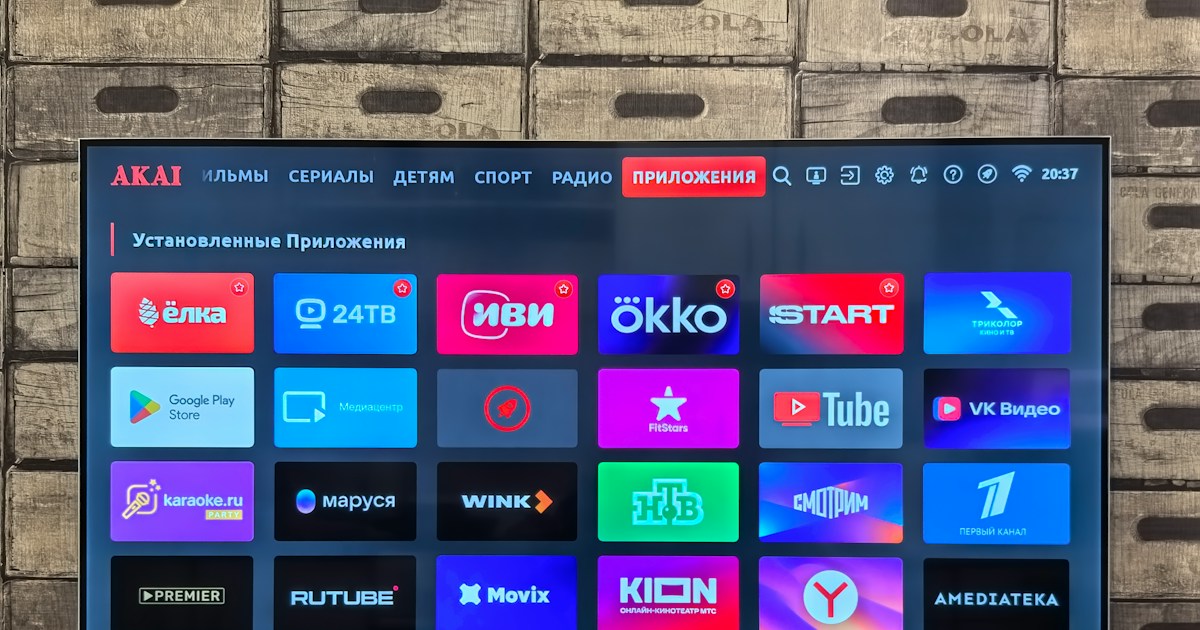
Sony, TCL, and Hisense are strong starting points for shoppers seeking Google TV, while Philips, Panasonic, Sharp, Xiaomi, Toshiba, Skyworth, Haier, Metz, and Grundig may offer suitable models in particular markets. The right pick depends on the exact television, not simply the logo or the operating system.
Choose Sony when processing and premium picture performance top your list; compare TCL for feature-rich value and gaming specifications; consider Hisense when a specific model’s brightness, panel, and connections fit your room. In every case, verify the regional model number, software platform, app support, update policy, and warranty.
And what’s the twist behind two TVs running the same Google TV interface? It’s the hardware underneath. A responsive processor, strong panel, and well-implemented backlight can make the experience feel polished; a weaker set can make even a clever home screen feel like it’s waiting for the bus. The smartest move is to use Google TV as your platform filter, then choose by tested picture quality and real-world features.
🔗 Recommended Links
- Sony Google TVs on Amazon | Sony BRAVIA Official Website
- TCL Google TVs on Amazon | TCL Official Website
- Hisense Google TVs on Amazon | Hisense Official Website
- Philips Google TVs on Amazon | Philips TVs Official Website
- Sharp Google TVs on Amazon | Sharp Official Website
- Panasonic Google TVs on Amazon | Panasonic Official Website
- Xiaomi Google TVs on Amazon | Xiaomi Official Website
- Skyworth Google TVs on Amazon | Skyworth Official Website
- Google TV Official Platform
- Google TV help and support
❓ FAQ
Which TV brands offer Google TV built-in?
Sony, TCL, and Hisense are prominent brands with Google TV models, especially in the US. Philips, Panasonic, Sharp, Xiaomi, Toshiba, Skyworth, and other manufacturers may offer Google TV on selected models or in specific markets. Check the exact model’s regional product page because a brand can sell different operating systems in different countries.
Read more about “🏆 Is TCL TV Better? The 2026 Verdict (Top 10 Reasons)”
What are the best TVs with Google TV integration?
There’s no single best model for every viewer. Start by comparing current Sony, TCL, and Hisense sets that match your screen size and needs. For movies, assess contrast and HDR; for bright rooms, check measured brightness and reflection handling; for gaming, verify refresh rate, HDMI 2.1, and VR. Independent testing, including RTINGS’ Google TV recommendations, can help shortlist models, but confirm the current regional version and specifications before purchasing.
Read more about “🖼️ Top 7 Lifestyle TV Manufacturers (2026): Pixels vs. Presence”
Do Sony TVs come with Google TV?
Many Sony BRAVIA televisions use Google TV, but not every model or generation necessarily does. Check Sony’s product page for the exact model and confirm that it lists Google TV rather than assuming all Sony sets share the same platform.
Read more about “Micro RGB TV Brands: 5 Names to Know in 2026 🌈”
Does TCL offer TVs with Google TV?
Yes. TCL offers many Google TV models in markets such as the US. The panel, backlight, refresh rate, gaming features, and software details vary by model, so compare the complete specification sheet rather than relying on a series name alone.
Read more about “LED vs. OLED vs. QLED: 6 TV Types Explained 📺”
Which Hisense TV models use Google TV?
Selected Hisense models use Google TV, while other Hisense televisions use different systems, including VIDAA in some markets. Search the official local listing by full model number and confirm the operating system before buying.
Read more about “Smart TV Brands Comparison (2026): 15 Picks 📺”
Can Google TV be added to a TV that doesn’t have it built in?
Yes. A compatible Google TV streaming device connected to an HDMI input can add a Google TV experience to many televisions. The screen remains the same, but streaming and casting run through the external device. Check the device’s regional availability and the TV’s HDMI and Wi-Fi compatibility.
What’s the difference between Google TV and Android TV?
They’re related Google TV platforms, but the interfaces differ. Google TV emphasizes content discovery, recommendations, profiles, and watchlists; Android TV is the name used for other Google TV platform experiences and devices. The TV’s model year and manufacturer determine which version it runs, so verify the product listing.
Read more about “🌍 6 Best Eco Friendly TV Brands for a Greener 2026”
Does every Google TV include Chromecast and Google Assistant?
Many Google TVs include casting and voice-assistant features, but implementation varies. Check whether the particular TV includes Chromecast built in, whether the remote has a microphone, and which voice features are available in your country.
Read more about “🐉 8 Best Hisense TVs of 2026: The Ultimate Value King?”
Do Google TV features work without a Google Account?
Some basic functions may work without signing in, but connected and personalized features can be limited. Google says watchlists require a Google Account; smart-home features also require compatible devices and an internet connection. Check the setup options for your model and region.
Are Google TV apps available in every country?
No. Google says app, content, and feature availability can vary by country. A TV imported from another region may not support the local apps, broadcast standards, warranty, or service you expect. Buy a model intended for your market whenever possible.
📚 Reference Links
- Google TV: features and availability — Google’s overview of streaming, casting, smart-home features, and regional limitations.
- Google TV Help Center — Setup, account, app, and troubleshooting guidance.
- RTINGS: Best Google TVs — Independent model recommendations and testing context.
- Best Buy: Google TV selection — Retail listings, brand filters, and customer feedback.
- Sony BRAVIA TVs — Official Sony television range.
- TCL TVs — Official TCL television range.
- Hisense TVs — Official Hisense US television range.
- Philips TVs — Official Philips TV information.
- Panasonic — Official Panasonic consumer products.
- Xiaomi — Official Xiaomi product information.
- Skyworth — Official Skyworth information.
- Google: About privacy — Google’s privacy policy.
- HDMI Licensing Administrator: HDMI specifications — HDMI 2.1 feature information.