Support our educational content for free when you purchase through links on our site. Learn more
WebOS TV Brands: Who Uses It and What to Know 📺

LG is the leading webOS TV brand, while selected manufacturers also license LG’s platform for some models. If you want the most familiar webOS experience, start with LG—but check the exact TV’s apps, remote, and update support before you buy.
The twist is that a webOS logo doesn’t guarantee an LG-style TV. Licensed sets can differ in hardware and features, so we’ll help you separate the platform from the television around it—and spot what’s worth checking before you bring one home.
Key Takeaways
- LG is the primary and most established webOS TV brand.
- Some other manufacturers use licensed webOS Hub on selected TVs; availability varies by model and region.
- A shared operating system doesn’t mean identical features: remotes, apps, gaming support, and updates can differ.
- Check the exact model number and confirm its streaming apps and software-support terms before buying.
- Choose the TV for its screen and performance first. webOS shapes the smart-TV experience, but it doesn’t determine picture quality.
Table of Contents
- ⚡️ Quick Tips and Facts
- 📺 What Is webOS? A Quick History of LG’s Smart TV Platform
- 🏷️ Which TV Brands Use webOS?
- 1. LG: The Original and Most Established webOS TV Brand
- 2. Other Brands and webOS Licensing Partners
- How to Verify Whether a TV Actually Runs webOS
- 🧭 How webOS Compares With Other Smart TV Operating Systems
- webOS vs. Google TV and Android TV
- webOS vs. Roku TV, Fire TV, and Samsung Tizen
- ✨ What Makes webOS Stand Out?
- Home Screen, Apps, and Navigation
- The LG Magic Remote: Point, Click, and Scroll
- LG Channels and Multi-View Features
- Smart Home Integration and ThinQ
- Voice Control, Casting, and Accessibility
- ⚠️ webOS Downsides and Common Frustrations
- App Availability, Ads, and Interface Changes
- Updates, Privacy, and Long-Term Support
- 🎮 webOS TVs for Gaming
- Gaming Features, Cloud Gaming, and Controller Support
- What to Check for Console and PC Gaming
- 📏 Best webOS TVs by Screen Size
- Best 32–43-Inch webOS TVs for Small Rooms
- Best 48–55-Inch webOS TVs for Everyday Viewing
- Best 65–75-Inch webOS TVs for Home Theater
- Best 77-Inch-and-Larger webOS TVs for Big-Screen Viewing
- 🖼️ Picture Quality and Display Types: OLED, QNED, and LED
- OLED vs. QNED vs. LED: Which Panel Fits Your Room?
- HDR, Refresh Rates, and Picture Processing
- 🔄 LG’s Re:New Program and webOS Software Updates
- 🛒 How to Choose the Right webOS TV
- Screen Size, Viewing Distance, and Room Lighting
- Ports, HDMI 2.1, and Soundbar Compatibility
- New vs. Older Models: What to Check Before Buying
- 🧰 webOS TV Setup, Tips, and Troubleshooting
- First-Time Setup and Wi-Fi Connection
- Installing Apps and Managing Updates
- Fixing Slow Menus, App Problems, and Connectivity Issues
- 🔗 Recommended Links
- ❓ FAQ
- Is webOS only available on LG TVs?
- Which streaming apps work on webOS?
- Can I install Google Play apps on a webOS TV?
- How long do webOS TVs receive software updates?
- Can I use a webOS TV without an internet connection?
- Is webOS good for gaming?
- Can I add webOS to a TV that does not have it?
- 📚 Reference Links
- ✅ Conclusion
⚡️ Quick Tips and Facts
The best-known webOS TV brand is LG. LG developed the platform for its televisions, and webOS remains the software you’ll find across LG’s OLED, QNED, NanoCell, and LED TV families. LG also licenses webOS Hub to selected manufacturers, so the brand name on the bezel doesn’t always tell the whole story.
If you’re comparing TV brands, focus on the exact TV model and region as well as the operating system. A brand may sell different software platforms in different countries—or even across different product lines.
| Quick fact | What you should know |
|---|---|
| Main webOS TV maker | LG Electronics |
| Other possible webOS brands | Licensing partners have included RCA, KONKA, Aiwa, Hyundai, and select other brands; model and region availability varies |
| What webOS does | Runs the TV home screen, streaming apps, settings, input switching, and smart-home features |
| Standout control | LG’s Magic Remote, included with many—but not all—LG models |
| Free viewing | LG Channels offers free, ad-supported streaming channels in supported markets |
| Gaming | Selected TVs support cloud-gaming apps; capabilities depend on TV model, country, and service |
| Software support | Eligible LG TVs may qualify for the webOS Re:New Program; check the model’s eligibility and support terms |
| Biggest caveat | App selection, updates, features, and licensed-brand implementations can vary |
Our quick take: webOS is a polished, approachable choice if you want a TV that feels straightforward to use. But don’t assume every webOS TV has the same remote, panel, gaming features, app selection, or update policy. The software is only part of the story. 📺
📺 What Is webOS? A Quick History of LG’s Smart TV Platform
webOS is a smart-TV operating system: the software layer that brings together your streaming apps, TV inputs, settings, recommendations, voice controls, and connected devices. The platform started before LG’s TV era. LG acquired webOS from Hewlett-Packard in 2013 and introduced webOS televisions in 2014, replacing its earlier NetCast TV platform.
Today, LG is the platform’s primary TV maker. It builds webOS into its own televisions and offers a version called webOS Hub to selected TV partners. That distinction matters: an LG TV and a licensed webOS TV may share familiar software ideas, but they can differ in hardware, menus, supported apps, remote controls, and update commitments.
| Term | Meaning |
|---|---|
| LG webOS | LG’s smart-TV platform, used on LG televisions and other LG smart devices |
| webOS Hub | A version of the platform licensed to other manufacturers for selected TVs |
| LG Content Store | LG’s TV app and content storefront; available apps depend on model and region |
| LG Channels | A free, ad-supported streaming service available in supported markets |
| webOS Re:New | LG’s update program for eligible TVs, with terms depending on model and release |
webOS is often praised for its accessible layout and the Magic Remote’s pointer control. The trade-off is that a smart platform is never frozen in amber: apps and interface details can change with software updates, while features may differ from one TV generation to the next. We’ll get to the practical buying checks later, because that’s where the fine print earns its keep.
🏷️ Which TV Brands Use webOS?
1. LG: The Original and Most Established webOS TV Brand
LG is the safest bet if webOS is a deciding factor. It develops and supports the platform on its televisions, and its lineup spans entry-level LED sets through premium OLED models. That gives you a much broader choice of screen sizes and picture technologies than you’ll generally find by shopping among webOS licenses.
The model still matters more than the logo alone. A more affordable LG LED TV and a high-end LG OLED TV can share the webOS name while differing substantially in:
- Display technology and picture quality
- Processor and upscaling performance
- Refresh rate and HDMI 2.1 support
- Number and type of HDMI ports
- Magic Remote inclusion
- Gaming features and cloud-gaming availability
- Software-update eligibility
LG’s official TV and webOS information is the best place to verify a specific model’s specifications. For readers weighing display upgrades, our OLED TV Advancements category covers the picture-quality side of the decision.
2. Other Brands and webOS Licensing Partners
LG has expanded webOS beyond its own TV range through licensing. Reports have named manufacturers such as RCA, KONKA, Aiwa, and Hyundai among webOS partners, with additional manufacturers and regional brands appearing in announcements and product listings over time. Some markets have also seen brands such as FOX offer webOS-powered TVs.
That does not mean every television from these manufacturers runs webOS. Nor does it mean a licensed set will match an LG TV feature for feature. Treat the brand list as a lead, not a guarantee.
| Brand or group | What to expect | What to verify |
|---|---|---|
| LG | Main webOS TV brand, with models across several display tiers | Model year, remote, update eligibility, and full feature list |
| RCA | Some sets have been associated with LG’s webOS licensing program | Exact model, region, app store, and software version |
| KONKA | A reported webOS license in selected markets | Local product documentation and supported streaming apps |
| Aiwa | Certain models may use webOS depending on market | The TV’s full model number and operating-system listing |
| Hyundai | Some smart TVs have used webOS Hub | Country-specific support page and update terms |
| Other regional labels | Licensed and rebadged televisions may appear in specific markets | Seller listing plus the manufacturer’s official specification sheet |
Our advice: don’t buy a set just because a retailer says “webOS.” Confirm the model number on the manufacturer’s support page, then check the installed app list and remote included in the box. A familiar interface is useful; a missing local streaming app is less charming.
How to Verify Whether a TV Actually Runs webOS
Use this checklist before you order or make a special trip:
- Find the complete model number. Marketing names often cover several sizes or revisions.
- Open the manufacturer’s official product page. Look for “webOS,” “webOS Hub,” or the exact platform name in the specifications.
- Check the region. A model sold under the same brand can use different software in another country.
- Confirm the app you need. Search the manufacturer’s app-store or support documentation rather than assuming a familiar service is available.
- Ask what remote is included. Magic Remote support and box contents vary by model.
- Verify update terms. A license’s update policy may not match LG’s Re:New program.
- Check return terms. If a particular app or feature is essential, test it while you’re still within the return window.
🧭 How webOS Compares With Other Smart TV Operating Systems
There isn’t one universally “best” TV operating system. The right choice depends on whether you care most about app selection, simplicity, voice search, smart-home control, or how quickly you can get from the couch to your show.
webOS vs. Google TV and Android TV
Google TV puts content discovery front and center, while webOS gives you an LG-centered interface for apps, inputs, and connected features. Google TV is closely associated with manufacturers such as Sony and TCL, though TV-brand lineups and software can vary by region. Android TV is the broader Google TV predecessor and remains in use on some devices.
| Consideration | LG webOS | Google TV / Android TV |
|---|---|---|
| Typical TV brands | Primarily LG; selected webOS Hub licenses | Sony, TCL, and other makers, depending on model and region |
| Interface emphasis | Apps, inputs, recommendations, and LG services | Content discovery, profiles, Google services, and recommendations |
| App ecosystem | Broad mainstream coverage, but some apps are missing in particular regions | Often a wide app selection through Google Play, though availability still varies |
| Voice assistant | Options depend on TV model, region, and setup | Google Assistant features depend on device and region |
| Remote experience | Magic Remote pointer on supported models | Conventional directional remotes are common; designs vary |
| Best fit | LG owners who value simple navigation and pointer control | Viewers who rely on Google services or want Google TV’s recommendations |
Google TV can be appealing if you already use Google services or need a particular Android TV app. webOS may feel more direct if you prefer a TV interface with LG’s Magic Remote. Neither platform guarantees every streaming app in every country, so check the local catalog before buying.
webOS vs. Roku TV, Fire TV, and Samsung Tizen
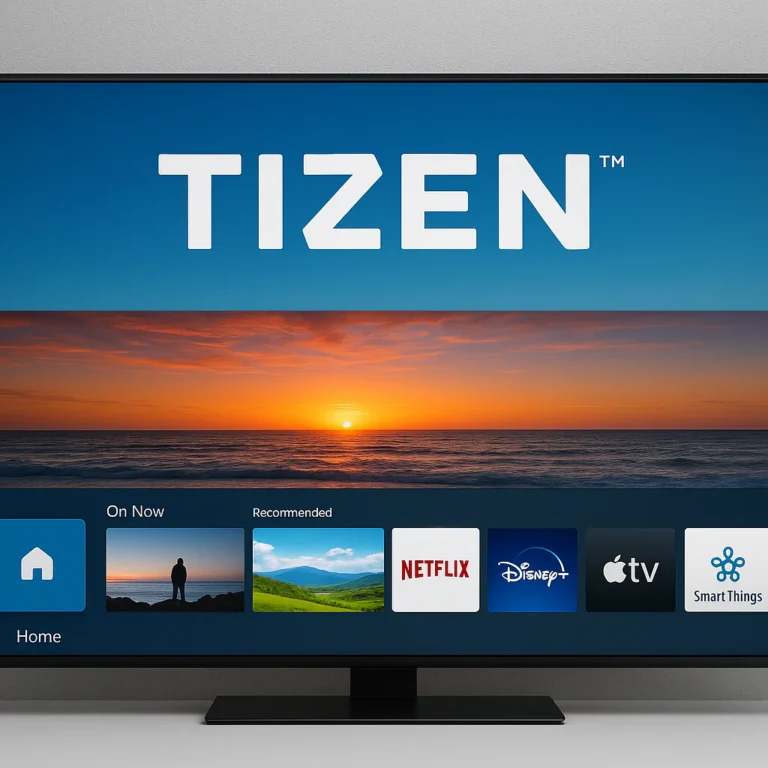
The first smart-TV-platform comparison video featured in this article, the first YouTube video, highlights a useful point: each system reflects its maker’s priorities. Roku emphasizes a simple grid of channels, Amazon’s Fire TV leans into Alexa and Amazon services, and Samsung’s Tizen is tailored to Samsung hardware. The video is a helpful orientation, but features and platform availability change over time; verify current model specifications before treating any comparison as definitive.
| Platform | Common TV associations | Strength to consider | Potential drawback |
|---|---|---|---|
| webOS | LG; selected webOS Hub partners | Magic Remote and an approachable interface | Some apps and features vary by region or model |
| Roku TV | Roku-branded sets and selected partner brands | Simple app-focused navigation | Advanced features depend on TV hardware and model |
| Fire TV | Amazon Fire TV sets and selected manufacturers | Alexa and Amazon-service integration | Recommendations and promotions can feel Amazon-heavy |
| Samsung Tizen | Samsung TVs | Deep integration with Samsung’s TV range | App and feature experience is tied to compatible Samsung hardware |
| Google TV | Sony, TCL, and others | Google services and content discovery | Recommendations and menus may feel busy to some viewers |
| VIDAA | Many Hisense TVs in selected markets | A lightweight, straightforward alternative | App availability and features are region-dependent |
Think of operating systems as the dashboard, not the engine. They shape the journey, but the TV’s panel, brightness, contrast, processing, and motion handling determine much of what you see. If you’re comparing more budget-conscious sets, explore our Affordable TV Options guide as well.
✨ What Makes webOS Stand Out?
Home Screen, Apps, and Navigation
webOS brings streaming apps, live-TV services, inputs, and settings into one home interface. The exact layout changes across software generations, but the goal is simple: get you from the home screen to a show, console, or soundbar without a wrestling match with the remote.
What works well:
- App and input access is easy to understand once you learn the home screen.
- Popular streaming services are commonly available, though local catalogs vary.
- The system connects TV settings and smart features in the same environment.
- On supported models, switching between apps and inputs is designed to be quick.
What can frustrate you:
- Updates may rearrange familiar menu items.
- Recommendations and sponsored content can take up screen space.
- Switching between several apps may feel less fluid than using a dedicated streaming box.
- An older or entry-level TV may respond more slowly than a higher-end model.
We’ve found that a TV’s processor can make the same operating system feel like two different products. If menus lag, don’t immediately blame webOS: the set’s hardware, storage, network, and the age of its software can all contribute.
The LG Magic Remote: Point, Click, and Scroll
LG’s Magic Remote is one of webOS’s most distinctive accessories. On supported models, motion sensing lets you point a cursor at menu items, while the wheel and directional controls give you more traditional ways to navigate. It’s a little like using a TV remote and a computer mouse that agreed to share custody of the sofa.
Why people like it:
- Point-and-click navigation can be faster than repeated button presses.
- The scroll wheel is handy for lists and long pages.
- Voice controls may make search and basic commands easier, depending on model and region.
- It works alongside familiar physical buttons rather than replacing them.
Why some people don’t:
- Cursor movement can feel jumpy until you get used to it.
- Pointing at a screen isn’t everyone’s idea of relaxing.
- Not every LG TV includes the same remote; some budget models ship with a simpler controller.
- A licensed webOS TV may use a different remote altogether.
Before buying, check the included accessories on the official product page. A TV running webOS does not automatically come with a Magic Remote.
LG Channels and Multi-View Features
LG Channels is a free, ad-supported streaming service available on supported LG TVs in selected countries. It can add live-style channels and on-demand options without a separate subscription, but availability and channel lineups depend on your region. It’s a bonus, not a substitute for the exact local channels or premium apps you rely on.
Multi-View lets supported models display more than one source at once—for example, a game feed beside another video source. The feature’s available layouts and compatible inputs depend on the TV. Don’t assume every LG model can run every combination; check its manual or product specifications first.
| Feature | What it can do | Check before relying on it |
|---|---|---|
| LG Channels | Stream free, ad-supported channels where available | Country, channel lineup, and network connection |
| Multi-View | Display compatible content sources together on some models | Supported model, source combinations, and app restrictions |
| Input switching | Move between TV, console, streamer, and other connected gear | HDMI port count and device compatibility |
Smart Home Integration and ThinQ
LG’s ThinQ ecosystem can connect compatible LG TVs and appliances. Depending on the TV and region, webOS models may also support services such as Apple AirPlay, Google Cast, Amazon Alexa, or Google Home integration. The precise mix varies, so treat the product specification page as the authority—not a feature list for another LG model with a similar name.
Potential benefits:
- Control or monitor compatible LG devices through ThinQ.
- Cast supported content from a phone or tablet.
- Use voice controls with compatible assistants and devices.
- Group compatible products into broader smart-home routines.
A practical caveat: “supports casting” is not the same as supporting every casting protocol or every app. Verify how your phone, TV, and streaming service work together before you buy a TV to solve a specific casting problem.
Voice Control, Casting, and Accessibility
On supported models, webOS can offer voice search, screen-reader or accessibility controls, and phone-to-TV casting. Those features can make a TV easier to use, especially for people who find tiny remote buttons a nuisance. But the availability and naming of options can shift between model years.
Before buying, check:
- Whether the TV supports the voice assistant you already use
- Whether voice control works in your language and country
- Which accessibility tools are built in
- Whether AirPlay or Google Cast is supported on that model
- Whether the TV requires a separate app or account for a particular feature
⚠️ webOS Downsides and Common Frustrations
App Availability, Ads, and Interface Changes
The most important limitation is simple: webOS does not have every app everywhere. A service may be available in one country and absent in another; a TV model may also stop receiving support for a particular app. If you depend on a niche sports, film, or international service, search the TV maker’s current app documentation before purchasing.
Other annoyances users may encounter:
- Sponsored recommendations and advertising on parts of the home screen.
- A home interface that changes after an update.
- Occasional slowdowns, app crashes, or awkward app switching.
- Less freedom to customize the home screen than some viewers want.
Competitor reviews have also raised concerns about targeted advertising and limited control over some ad settings. Privacy controls and ad choices can change by model, account, region, and software version, so check LG’s current privacy information and the settings on your TV rather than assuming a single policy applies to every set.
Updates, Privacy, and Long-Term Support
A TV’s update story is more nuanced than “it gets updates” or “it doesn’t.” LG’s webOS Re:New Program applies to eligible models and promises a defined update schedule, but the list of eligible TVs and the exact terms matter. Licensed webOS Hub televisions may have separate support arrangements.
For a model you’re considering, confirm:
- Is it specifically listed as eligible for the Re:New program?
- How many webOS upgrades are promised, and over what period?
- Does the commitment refer to major OS upgrades, security updates, or both?
- Does the brand offer a separate support page for licensed models?
- Can you disable voice services, viewing-data options, or personalized recommendations you don’t want?
Don’t assume a five-year update promise applies to every LG TV—or every webOS-branded TV. Check the official page for the exact model and its release year.
🎮 webOS TVs for Gaming
Gaming Features, Cloud Gaming, and Controller Support
Some webOS TVs support cloud-gaming apps such as NVIDIA GeForce NOW or Xbox Cloud Gaming, subject to model, country, subscription, and service availability. Cloud gaming can let you play without a console connected to the TV, but the experience relies heavily on a stable internet connection and compatible controller.
LG has promoted high-refresh-rate cloud gaming on selected models and services. The important word is selected: app support, maximum frame rate, resolution, and controller compatibility vary by TV. Check the service’s own compatibility information and the TV’s product page before making 120Hz cloud gaming the reason for your purchase.
| Gaming factor | Why it matters |
|---|---|
| Refresh rate | A native 120Hz panel can display more frames than a 60Hz panel |
| HDMI 2.1 | Important for specific high-bandwidth console and PC features |
| Variable refresh rate (VR) | Helps reduce tearing when supported by the TV and source |
| Auto Low Latency Mode (ALLM) | Can switch the TV into a lower-lag gaming setting |
| Cloud-gaming app | Lets you stream games, but needs compatible service access and good internet |
| Controller support | Depends on the app, TV model, region, and controller |
What to Check for Console and PC Gaming
For an Xbox Series X|S, PlayStation 5, or gaming PC, compare the TV’s actual specifications rather than its marketing family name.
- Confirm the native panel refresh rate. A “motion” number in an ad is not the same as a native 120Hz panel.
- Count HDMI 2.1 ports. A soundbar and multiple consoles can use them up quickly.
- Check 4K at 120Hz support for the exact input you plan to use.
- Look for VR and ALLM if your console or PC supports them.
- Test the connection after setup. Use a certified cable and the TV’s gaming information screen to confirm the signal.
- Update both devices. Firmware can address compatibility problems, but updates can also change behavior.
Some users have reported HDMI handshake or signal issues with particular TV-console combinations. That doesn’t prove every LG model has a problem; it means test your own console and cable promptly, and use official support resources if the signal drops or the resolution unexpectedly falls.
📏 Best webOS TVs by Screen Size
There’s no single best screen size for every room. These size bands are a starting point; the final choice depends on viewing distance, room layout, resolution, budget, and whether you watch mostly movies, sport, or games.
Best 32–43-Inch webOS TVs for Small Rooms
A compact LG TV can suit a bedroom, kitchen, or desk area. At this size, check whether the model offers the resolution you want, how many HDMI ports it has, and whether its remote includes pointer control. Do not assume every smaller LG model shares the capabilities of a premium OLED.
Best 48–55-Inch webOS TVs for Everyday Viewing
This is a versatile size range for many living rooms and apartments. You’ll find more choice across OLED, QNED, NanoCell, and standard LED models. Consider OLED if contrast and dark-room movie viewing are priorities; an LED or QNED set may better suit brighter rooms or shoppers seeking a different balance of brightness and picture quality.
Best 65–75-Inch webOS TVs for Home Theater
At this size, panel quality and viewing distance become especially noticeable. A large screen can make movies feel cinematic, but it also magnifies poor source quality, reflections, and motion artifacts. Compare the TV’s brightness, anti-reflection performance, viewing angles, and sound setup—not just its diagonal measurement.
Best 77-Inch-and-Larger webOS TVs for Big-Screen Viewing
Large OLED and LED models can make a room feel like a personal cinema. Before committing, measure the wall, stand, doorway, and route into the room. Also check whether your seating is far enough away for comfortable viewing and whether the TV’s brightness suits the room.
A useful rule: choose the display and size for your room first, then compare webOS features among the TVs that fit. A clever interface can’t rescue a screen that’s too small—or a panel that fights the sunlight.
🖼️ Picture Quality and Display Types: OLED, QNED, and LED
OLED vs. QNED vs. LED: Which Panel Fits Your Room?
webOS is the operating system, not the panel technology. LG sells TVs with different display types, and the right one depends on your room and viewing habits.
| Display type | Typical advantage | Trade-off to consider |
|---|---|---|
| OLED | Deep blacks and pixel-level light control | Bright-room performance and burn-in risk deserve consideration |
| QNED | LG’s branded LCD family, with model-dependent color and backlight features | Performance varies significantly across models |
| LED / LCD | Broad range of sizes and features | Contrast and viewing angles depend on panel and backlight design |
| Mini LED models | More precise backlight control than many conventional LED sets | Blooming and contrast still depend on implementation |
OLED may be especially appealing for dark-room movies and demanding picture enthusiasts. For bright rooms, look at measured brightness, reflections, and the specific panel rather than assuming one display label wins everywhere. Our OLED TV Advancements guide explores OLED technology in more depth.
HDR, Refresh Rates, and Picture Processing
When comparing webOS televisions, inspect the full picture specification:
- HDR formats: Confirm which formats the TV supports and which your streaming services use.
- Native refresh rate: Distinguish 60Hz from 120Hz panels; marketing motion labels can be confusing.
- Peak brightness: Important for bright rooms and highlights in HDR content.
- Local diming: Can improve contrast on LED TVs, but results vary by model.
- Viewing angle: Matters if several people watch from seats off to the side.
- Upscaling: Helps lower-resolution broadcasts look cleaner, though it cannot create detail that isn’t in the source.
- Reflection handling: A bright window can change the experience more than a small spec-sheet advantage.
If possible, compare TVs with the same film or sports clip in the lighting conditions where you’ll actually watch. Store demos can be very bright and heavily processed, so trust your room and your eyes.
🔄 LG’s Re:New Program and webOS Software Updates
LG’s webOS Re:New Program is intended to bring software upgrades to eligible TVs over a defined period. LG has described the program as providing four webOS upgrades over five years for qualifying models. Eligibility is not automatic across every LG television, and the terms can differ by model year.
To check a TV:
- Find the exact model code on LG’s product or support page.
- Look for an explicit Re:New eligibility statement.
- Confirm the promised update window and number of upgrades.
- Check whether your country’s LG site publishes the same terms.
- Ask whether a licensed webOS Hub model follows LG’s program or its manufacturer’s own policy.
The distinction between major operating-system upgrades and ongoing security or app updates matters. A TV may continue receiving some support after a major OS upgrade schedule ends, but don’t infer that from a broad brand statement—verify it for the model you want.
🛒 How to Choose the Right webOS TV
Screen Size, Viewing Distance, and Room Lighting
Start with your room, not the app menu.
- Measure your seating distance from the screen.
- Measure the available width and height, including stand or wall-mount clearance.
- Check daytime glare from windows and lamps.
- Choose a size that suits your viewing habits. Movies, sport, and gaming may feel better on a larger screen than casual background viewing.
- Decide whether OLED or LED fits the room. A dark cinema-like room and a sunlit family room can reward different panel strengths.
Ports, HDMI 2.1, and Soundbar Compatibility
Check the back of the TV before you buy. Modern setups can quickly fill their ports: a console, cable box, streaming player, and soundbar may all want a connection.
Look for:
- Enough HDMI inputs for every device you plan to connect
- HDMI 2.1 on the ports needed for supported gaming features
- eARC if you plan to connect a compatible soundbar or receiver
- Optical audio or other outputs if you use older equipment
- USB ports for accessories or media playback
- Wi-Fi and Ethernet options that suit your home network
Don’t assume all HDMI ports support the same features. The model manual usually explains the capabilities of each input.
New vs. Older Models: What to Check Before Buying
An older TV may be a good fit if its picture and apps meet your needs, but investigate support carefully.
| Check | Why it matters |
|---|---|
| Release year | Helps establish software and app-support context |
| webOS version | Menu layout and features can differ between generations |
| Update eligibility | Re:New does not apply to every LG model |
| App support | A service may require a newer OS or model |
| Ports and gaming | Older sets may lack current HDMI and gaming features |
| Warranty and seller | Especially important for clearance, refurbished, or regional models |
For shopping and current product information, use the manufacturer’s page first, then compare retailer listings. You can browse LG TVs at Best Buy and verify the model against LG’s official specifications.
🧰 webOS TV Setup, Tips, and Troubleshooting
First-Time Setup and Wi-Fi Connection
A smooth setup saves time later. Here’s a sensible order:
- Choose the location and mount or stand before connecting cables.
- Connect the TV to Wi-Fi or Ethernet. Ethernet can help if the router is nearby and you stream high-resolution video.
- Install available software updates before adding every app.
- Sign in only to accounts you use. Skip optional services you don’t need.
- Set picture mode based on your room and preference.
- Connect and configure the soundbar or receiver.
- Test every HDMI input with the devices you actually use.
- Review privacy and voice settings before enabling optional data or assistant features.
Installing Apps and Managing Updates
Open the LG Content Store or the TV’s app area, search for the service, and confirm it is supported in your region. Install only the apps you need; a tidy home screen is quicker to use.
For updates:
- Keep the TV connected to the internet if you want automatic updates.
- Check LG’s support page if an update doesn’t appear.
- Restart the TV after a major software change.
- Recheck picture, network, and app settings after updates if something feels different.
- For a licensed webOS television, use the TV maker’s support site rather than assuming LG provides its firmware.
Fixing Slow Menus, App Problems, and Connectivity Issues
Try these steps in order:
- Restart the app. Close it fully, reopen it, and test again.
- Restart the TV. A full power cycle can clear temporary software problems.
- Check the internet connection. Test another app or device on the same network.
- Install available updates for the TV and affected app.
- Check storage and network conditions. Weak Wi-Fi or limited free storage can slow performance.
- Reconnect external devices if HDMI signals drop or display at the wrong resolution.
- Use the model’s official troubleshooting guide before a factory reset.
- Contact the manufacturer if the issue persists; document the model, software version, cables, and connected devices.
A factory reset can remove accounts and settings, so treat it as a last resort—not the TV equivalent of “have you tried turning it off and on?” (That simpler restart is step two for a reason.)
🔗 Recommended Links
For shopping, verify every product by full model number. The listings below link to brand or retailer search pages rather than promising that one model fits every viewer.
- LG webOS TVs: Amazon | Walmart | Best Buy | LG Official Website
- RCA webOS TVs: Amazon | Walmart | RCA Official Website
- KONKA webOS TVs: Amazon | Walmart | KONKA Official Website
- Hyundai webOS TVs: Amazon | Walmart | Hyundai Official Website
- Aiwa webOS TVs: Amazon | Walmart | Aiwa Official Website
Official product availability and support can vary by country. If a partner-brand link doesn’t show a television in your region, check that manufacturer’s local site and the model’s manual before purchasing.
❓ FAQ
Which TV brands use webOS?
LG is the main TV brand using webOS. Other brands have used LG’s licensed webOS Hub platform on selected models, with reported partners including RCA, KONKA, Aiwa, and Hyundai. Availability depends on model, country, and product year, so check the exact specifications before buying.
Read more about “What to Consider When Choosing a TV Brand? 📺”
Are LG TVs the only TVs that run webOS?
No. LG licenses webOS Hub to other manufacturers, but LG remains the best-established and most consistent webOS TV brand. A licensed model may have different hardware, apps, remote controls, update terms, and regional support from an LG television.
Read more about “🏆 10 Best Sony TVs Ranked: The Ultimate 2026 Bravia Buyer’s Guide”
What is the difference between webOS and Google TV?
webOS is LG’s smart-TV platform, built into LG TVs and licensed to selected partners. Google TV is Google’s content-focused interface used on televisions from several manufacturers. webOS is known for LG’s Magic Remote on compatible models; Google TV may suit people who rely on Google services or want its content recommendations. App availability and performance depend on the actual TV, not just the platform name.
Read more about “Tizen OS TV Brands: Who Makes Them? 📺”
Do Hisense TVs use webOS?
Hisense commonly uses its own VIDAA platform in some markets, along with other platforms such as Google TV or Fire TV on selected models and regions. Don’t assume a Hisense TV runs webOS. Confirm the operating system on the exact model’s official product page; Hisense’s platform choices can vary by product and country.
Read more about “🏆 Samsung vs. LG Smart TV: The 2026 Showdown (7 Key Battles)”
Which new TV brands have adopted webOS?
LG has announced webOS licensing beyond its own TV range, and manufacturers such as RCA, KONKA, Aiwa, and Hyundai have been associated with licensed sets. Which partners are actively selling webOS TVs changes over time, and a license announcement doesn’t guarantee broad retail availability. Check current local listings and the manufacturer’s support documentation.
How can I tell if my TV has webOS?
Check the full model number on the manufacturer’s official website or in the TV’s system information. The home screen may also identify webOS or LG’s software, but a retailer’s headline alone isn’t enough. For a TV you already own, open its settings and look for the software or device-information menu.
Is webOS a good operating system for smart TVs?
For many viewers, yes. It offers straightforward navigation, a strong LG ecosystem, and useful features such as Magic Remote control on supported models. Its downsides include regional gaps in app availability, interface changes, ads, and model-dependent update support. It’s a particularly sensible choice if you like LG televisions and your must-have apps are supported.
Read more about “10 Asian TV Brand Market Leaders to Know in 2026 🌏”
Can I use webOS without an internet connection?
You can use a TV for compatible HDMI devices, broadcast TV where available, and other offline features without connecting it to the internet. But streaming apps, cloud gaming, online updates, and many smart services need a connection.
Read more about “🏆 Top 15 Cheapest Best TVs to Buy in 2026: The Shocking Winner”
Can I add webOS to a television that doesn’t have it?
There isn’t a general-purpose webOS streaming stick that turns any TV into a webOS TV. You can connect a compatible external streamer, such as an Apple TV or Roku device, but that gives you the streamer’s own interface—not webOS.
Read more about “What Companies Sell Smart TVs? Top 6 Brands to Know in 2026 📺”
📚 Reference Links
- LG TVs and webOS information — LG’s official TV product information.
- LG Support — model manuals, firmware, and troubleshooting.
- LG Privacy — LG privacy information and related policies.
- Rtings: What Is webOS? — independent overview of webOS features and limitations.
- Wikipedia: webOS — platform history and licensing background; verify current product details with manufacturers.
- LG Smart TVs at Best Buy — retailer listings for LG smart TVs.
- Google TV — Google’s official TV platform information.
- Roku TV — Roku’s official TV platform information.
- Amazon Fire TV — Amazon’s official Fire TV information.
- Samsung TVs — Samsung’s official television product pages.