Support our educational content for free when you purchase through links on our site. Learn more
Tizen OS TV Brands: Who Makes Them? 📺

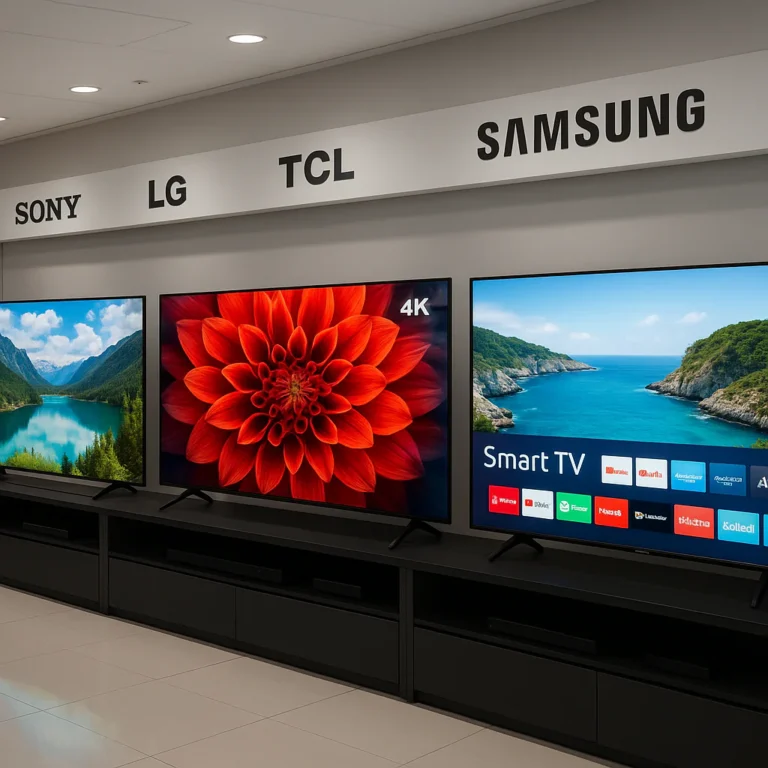
Samsung is the main TV brand using Tizen OS, and for most shoppers, “Tizen TV” means a Samsung smart TV. Tizen delivers popular streaming apps, Samsung TV Plus, SmartThings controls, and gaming features—but the exact experience depends on the TV’s model year and hardware.
We’ve seen the difference firsthand: two Samsung TVs can share the same Tizen platform yet feel worlds apart, from a straightforward Crystal UHD set to a premium Neo QLED with advanced gaming tools. So, which parts come from Tizen, and which come from the TV itself? That distinction can save you from buying a TV for features its hardware can’t deliver.
Key Takeaways
- Samsung is the best-known and most widespread maker of Tizen OS TVs. Check the specific model and region rather than assuming every feature is universal.
- Tizen is the smart-TV operating system; it doesn’t determine picture quality. Panel technology, brightness, refresh rate, and processing vary by TV.
- Samsung Tizen TVs offer a broad mix of streaming, smart-home, and gaming features, but app availability and support can differ by model year and country.
- Compare the complete TV, not just its operating system. The right pick depends on your budget, room, viewing habits, and gaming needs.
👉 Shop Samsung Tizen TV categories:
- Samsung Crystal UHD TVs: Amazon | Walmart | Samsung Official
- Samsung QLED TVs: Amazon | Walmart | Samsung Official
- Samsung Neo QLED TVs: Amazon | Walmart | Samsung Official
Table of Contents
- ⚡ Quick Tips and Facts: Tizen OS TVs at a Glance
- 📺 What Is Tizen OS on a Smart TV?
- 🕰️ Tizen TV History: How Samsung’s Smart Platform Evolved
- 🏷️ Which TV Brands Use Tizen OS?
- Samsung and Other Tizen-Powered TV Makers
- How to Check Whether a TV Runs Tizen
- ✨ Tizen Smart TV Features and Interface
- Home Screen, Samsung TV Plus, and Universal Guide
- Gaming Hub, Cloud Gaming, and Console Support
- Voice Assistants and Hands-Free Controls
- SmartThings, Smart Home Controls, and Matter
- Screen Miroring, AirPlay, and Casting
- Wi-Fi, Bluetooth, and Device Connectivity
- 📱 Tizen TV Apps and Streaming Services
- Popular Apps Available on Samsung Tizen TVs
- How to Find, Install, and Update TV Apps
- App Availability, Regional Limits, and Compatibility
- 🖼️ Picture and Sound Features Across Tizen TVs
- 4K, 8K, HDR, QLED, and Neo QLED Explained
- Gaming Performance: Refresh Rates, VR, and Input Lag
- Audio Formats, Soundbars, and eARC
- 🔎 Samsung Tizen TV Models Worth Comparing
- Crystal UHD 4K TVs: Everyday Streaming and Value
- QLED TVs: Brighter Colour and More Features
- Neo QLED 4K and 8K TVs: Premium Picture Performance
- The Frame and Lifestyle TVs: Design Meets Tizen
- ⚖️ Tizen vs Google TV, webOS, Roku TV, and Fire TV
- ✅ Tizen OS Advantages and ❌ Limitations
- 🛒 How to Choose the Right Tizen OS TV
- Best Tizen TV for Streaming, Gaming, and Smart Homes
- Screen Size, Room Lighting, and Viewing Distance
- What to Check Before You Buy
- 🛠️ Tizen TV Setup, Updates, and Troubleshooting
- Set Up Wi-Fi, Apps, and Samsung Accounts
- Fix Slow Menus, App Errors, and Connection Problems
- Software Support, Privacy, and Data Settings
- ❓ Tizen OS TV FAQs
- 🏁 Conclusion
- 🔗 Recommended Links
- 📚 Reference Links
Table of Contents
- ⚡ Quick Tips and Facts: Tizen OS TVs at a Glance
- 📺 What Is Tizen OS on a Smart TV?
- 🕰️ Tizen TV History: How Samsung’s Smart Platform Evolved
- 🏷️ Which TV Brands Use Tizen OS?
- Samsung and Other Tizen-Powered TV Makers
- How to Check Whether a TV Runs Tizen
- ✨ Tizen Smart TV Features and Interface
- Home Screen, Samsung TV Plus, and Universal Guide
- Gaming Hub, Cloud Gaming, and Console Support
- Voice Assistants and Hands-Free Controls
- SmartThings, Smart Home Controls, and Matter
- Screen Miroring, AirPlay, and Casting
- Wi-Fi, Bluetooth, and Device Connectivity
- 📱 Tizen TV Apps and Streaming Services
- Popular Apps Available on Samsung Tizen TVs
- How to Find, Install, and Update TV Apps
- App Availability, Regional Limits, and Compatibility
- 🖼️ Picture and Sound Features Across Tizen TVs
- 4K, 8K, HDR, QLED, and Neo QLED Explained
- Gaming Performance: Refresh Rates, VR, and Input Lag
- Audio Formats, Soundbars, and eARC
- 🔎 Samsung Tizen TV Models Worth Comparing
- Crystal UHD 4K TVs: Everyday Streaming and Value
- QLED TVs: Brighter Colour and More Features
- Neo QLED 4K and 8K TVs: Premium Picture Performance
- The Frame and Lifestyle TVs: Design Meets Tizen
- ⚖️ Tizen vs Google TV, webOS, Roku TV, and Fire TV
- ✅ Tizen OS Advantages and ❌ Limitations
- 🛒 How to Choose the Right Tizen OS TV
- Best Tizen TV for Streaming, Gaming, and Smart Homes
- Screen Size, Room Lighting, and Viewing Distance
- What to Check Before You Buy
- 🛠️ Tizen TV Setup, Updates, and Troubleshooting
- Set Up Wi-Fi, Apps, and Samsung Accounts
- Fix Slow Menus, App Errors, and Connection Problems
- Software Support, Privacy, and Data Settings
- ❓ Tizen OS TV FAQs
- 🏁 Conclusion
- 🔗 Recommended Links
- 📚 Reference Links